1. المقدمة
The Amazon Echo Studio (2025 Model) is a smart speaker designed to deliver immersive spatial audio and Dolby Atmos sound. It features a compact design, a built-in smart home hub, and is powered by the AZ3 Pro chip for advanced performance. This device also includes early access to Alexa+, offering a smarter and more proactive AI assistant experience.

Image 1.1: The Amazon Echo Studio (2025 Model) in Glacier White, showcasing its compact, spherical design with control buttons on top.
2. ماذا يوجد في الصندوق
قبل البدء، تأكد من وجود جميع العناصر في العبوة:
- Echo Studio (2025 release)
- محول الطاقة (50 واط)
- دليل البدء السريع
3. الإعداد
3.1 التشغيل المبدئي
- Connect the provided power adapter to the Echo Studio and then to a wall outlet.
- The light ring on your Echo Studio will turn blue, then orange, indicating it is ready for setup.
3.2 Alexa App Installation and Connection
- Download the Alexa app on your mobile device (compatible with Fire OS, Android, and iOS).
- افتح تطبيق Alexa وقم بتسجيل الدخول باستخدام حساب Amazon الخاص بك.
- Follow the on-screen instructions to add a new device. Select "Amazon Echo" then "Echo Studio".
3.3 إعداد Wi-Fi
The Alexa app will guide you through connecting your Echo Studio to your Wi-Fi network. The device supports 1x1 Wi-Fi 6E (11a/b/g/n/ac/ax). Amazon Wi-Fi simple setup is available to streamline this process.
3.4 Room Adaptation
After initial setup, Echo Studio analyzes the acoustics of your room to fine-tune playback for optimal sound. This process occurs automatically.
3.5 Pairing for Enhanced Audio
- Multi-Room Music: Play music across multiple Echo devices by grouping them in the Alexa app.
- المسرح المنزلي: Pair your Echo Studio with compatible Fire TV devices for an immersive home theater experience. This can be done through the Fire TV settings.
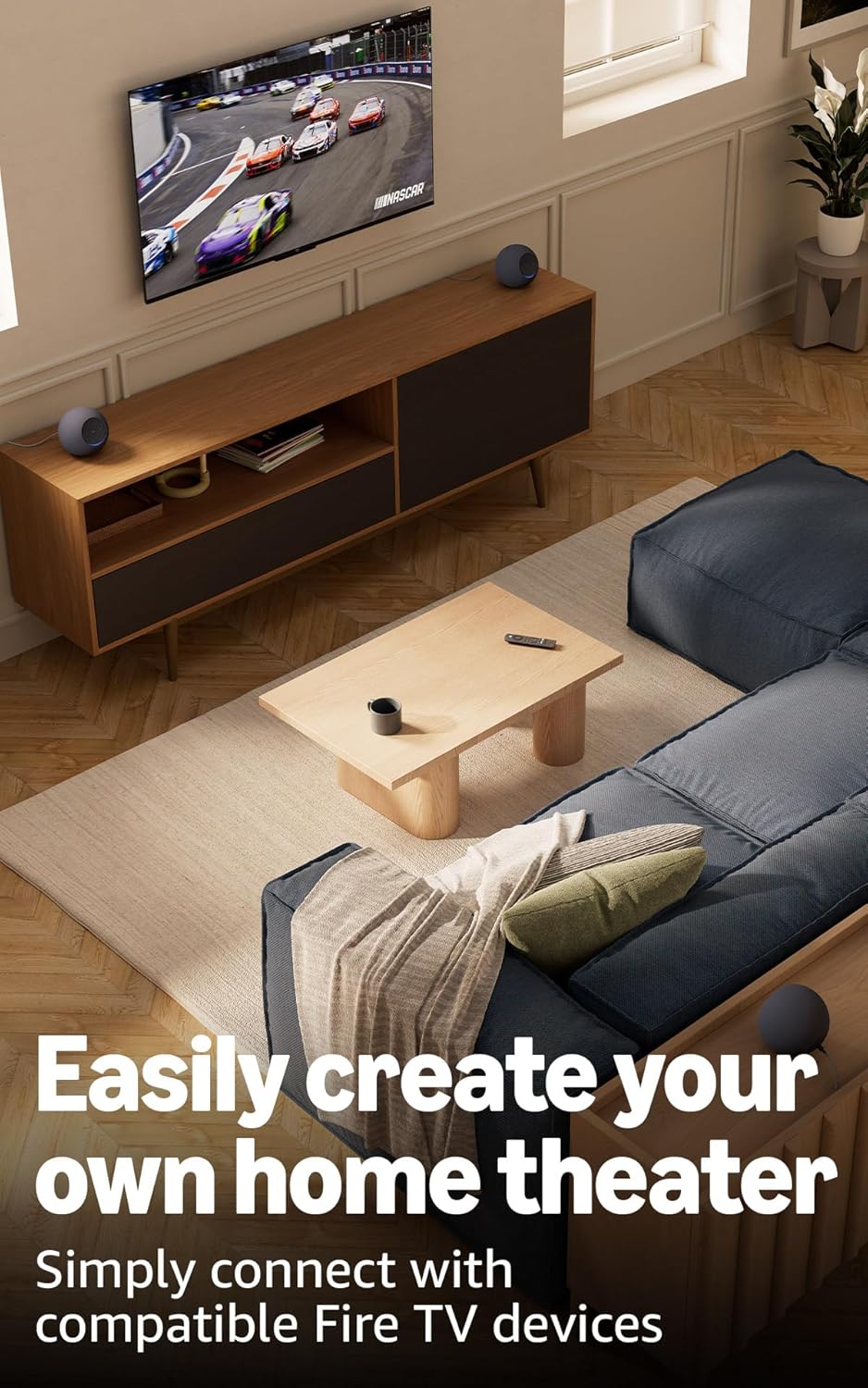
Image 3.1: Two Echo Studio devices positioned to create a home theater setup with a television, demonstrating multi-speaker audio.
4. Operating Your Echo Studio
4.1 التحكم الصوتي مع أليكسا
Your Echo Studio is primarily controlled by voice commands using the wake word "Alexa". Speak clearly and directly to the device.
Image 4.1: A graphic introducing the updated Alexa+ assistant, highlighting its smarter and more proactive capabilities.
4.2 Alexa+ Early Access
This device provides early access to Alexa+. Upon setup, you can upgrade to this enhanced AI assistant for a more natural and conversational experience, capable of handling a wider range of tasks.
4.3 التحكم الذكي في المنزل
The Echo Studio includes a built-in smart home hub supporting Zigbee, Matter, and Thread Border Router protocols. This allows you to connect and control compatible smart lights, locks, and other devices directly without a separate hub.
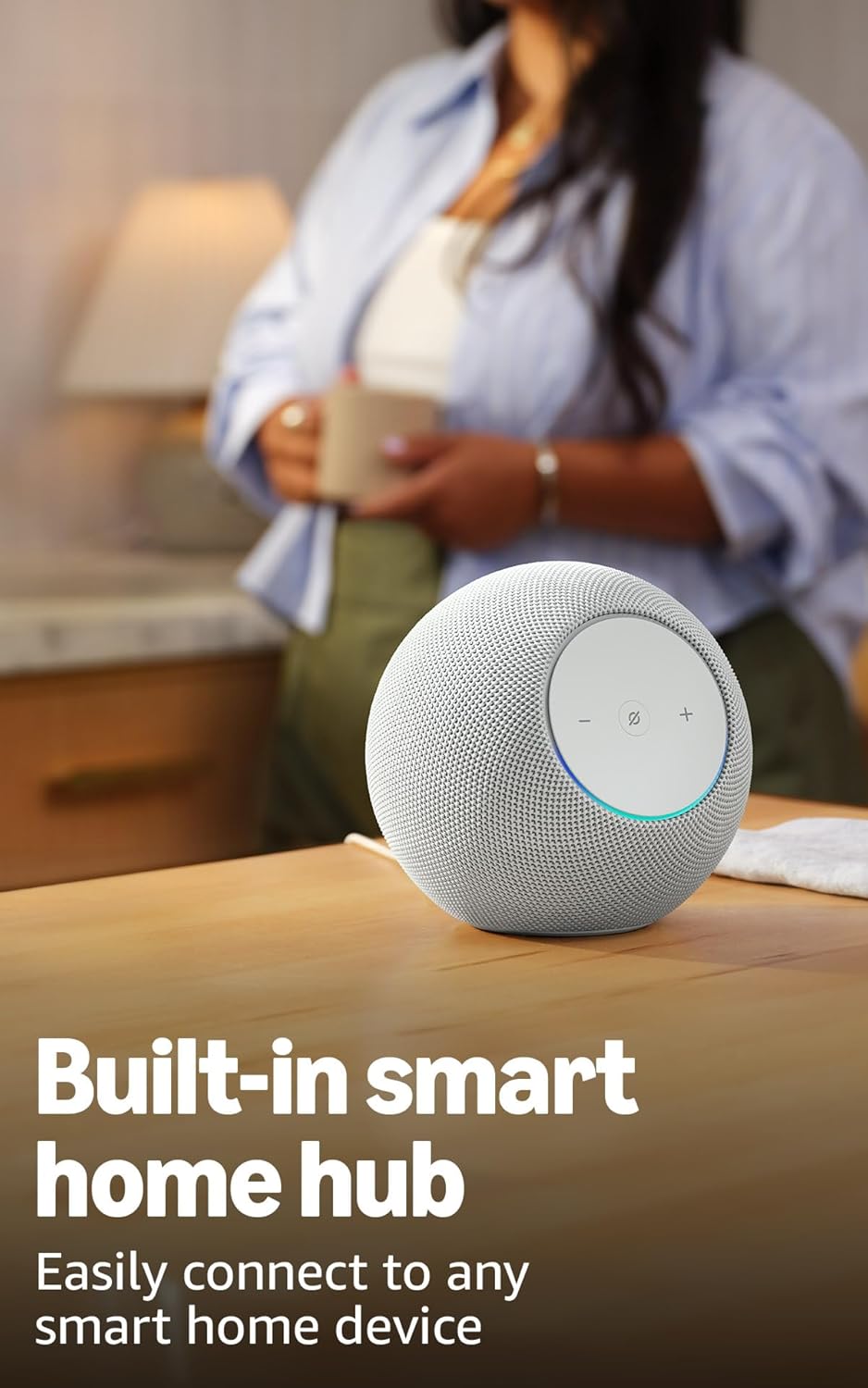
Image 4.2: The Echo Studio on a table, emphasizing its function as a built-in smart home hub for easy device connectivity.
4.4 اتصال البلوتوث
Echo Studio supports Bluetooth wireless technology/Bluetooth Low Energy 5.3. You can stream audio from your mobile device to Echo Studio (A2DP) or from Echo Studio to a Bluetooth speaker (A2DP). AVRCP is supported for voice control of connected mobile devices. Bluetooth speakers requiring PIN codes are not supported.
4.5 Omnisense Technology
Omnisense technology enables proactive and personalized experiences through features like presence detection, ambient temperature sensing, and accelerometer-based tap gestures. For example, you can activate routines based on temperature changes or detected presence.
4.6 eero Built-in
If you have a compatible eero router, your Echo Studio can extend Wi-Fi coverage. Link your eero and Amazon accounts and manage this feature through the eero mobile application. This feature supports up to 1,000 sq. ft. of additional coverage, speeds up to 100 Mbps, and 10 or fewer connected devices in the 5GHz band.
5. الصيانة
To ensure the longevity and optimal performance of your Echo Studio:
- Keep the device dry and away from direct sunlight or heat sources.
- Clean the exterior with a soft, dry, lint-free cloth. Do not use abrasive cleaners or solvents.
- Ensure the device is placed on a stable surface to prevent accidental falls.
6. استكشاف الأخطاء وإصلاحها
If you encounter issues with your Echo Studio, consider the following steps:
- لا يوجد طاقة: تأكد من توصيل محول الطاقة بشكل آمن بكل من الجهاز ومأخذ الحائط العامل.
- لا يوجد اتصال واي فاي: Check your router and internet connection. Verify that your Echo Studio is within range of your Wi-Fi network. Re-attempt Wi-Fi setup through the Alexa app.
- أليكسا لا تستجيب: Ensure the microphone is not muted (the light ring will be red if muted). Try saying the wake word more clearly or adjusting your proximity to the device.
- مشاكل جودة الصوت: Confirm the device is placed optimally for room adaptation. Check audio settings in the Alexa app.
- قضايا عامة: Try restarting your Echo Studio by unplugging it from the power outlet for a few seconds and then plugging it back in.
For further assistance, refer to the help section within the Alexa app or visit the Amazon support webموقع.
7. المواصفات
| ميزة | التفاصيل |
|---|---|
| مقاس | 6.1”W x 5.6”D x 5.8”H (155mm W x 142.2mm D x 147.3mm H) |
| وزن | 57.56 oz (1632 grams) 3.6 lbs |
| عرض النطاق الترددي الصوتي | 30 Hz - 18 kHz (volume 6) |
| Loudspeaker Drivers | 1x 3.75” high excursion woofer, 3x 2.25” full-range drivers |
| قنوات التشغيل | 3.1.1 (left, center, right, height, subwoofer) |
| معالجة الصوت | Distortion reduction, Lossless High Definition, Automatic Room Adaptation, Amazon Spatial Audio, Dolby Atmos |
| اتصال واي فاي | 1x1 Wi-Fi 6E 11a/b/g/n/ac/ax |
| اتصال البلوتوث | Bluetooth wireless technology/Bluetooth Low Energy 5.3 (A2DP, AVRCP) |
| المنزل الذكي المحور | جهاز توجيه حدود Zigbee + Matter + Thread |
| المعالج | AZ3 Pro مع مُسرِّع الذكاء الاصطناعي |
| أجهزة الاستشعار | Ambient temperature, Ambient light, Presence Detection, Accelerometer for Tap Gestures |
| تقنية أومني سينس | Custom technology for ambient AI, enabling proactive and personalized experiences |
| eero مدمج | Extends Wi-Fi coverage with compatible eero routers (up to 1,000 sq. ft. additional coverage) |
| لغة | أليكسا تتحدث الإنجليزية والإسبانية |
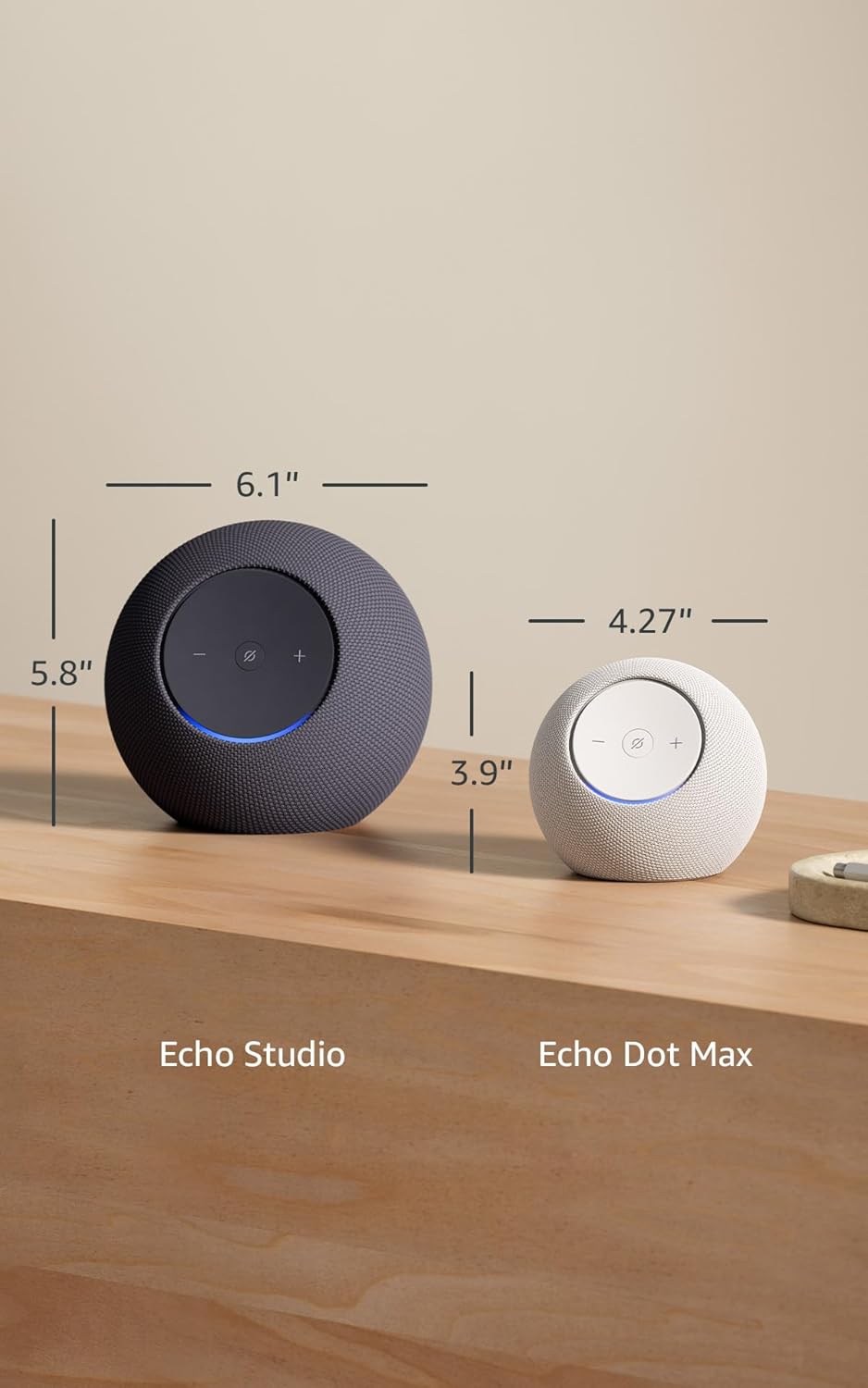
Image 7.1: A visual comparison showing the dimensions of the Echo Studio next to an Echo Dot Max.
8. السلامة والامتثال
8.1 ميزات الخصوصية
The Echo Studio is designed with multiple layers of privacy controls:
- Microphones Enable/Disable Button: A physical button allows you to electronically disconnect the microphones. When disabled, the light ring will turn red.
- تقنية كلمة الاستيقاظ: لا يبدأ الجهاز في تسجيل وإرسال الصوت إلى السحابة إلا بعد اكتشاف كلمة التنبيه (على سبيل المثال، "أليكسا").
- إدارة التسجيل الصوتي: لديك القدرة على view وحذف تسجيلاتك الصوتية عبر تطبيق Alexa.

الصورة 8.1: لقطة مقربة view of the Echo Studio's control panel, highlighting the microphone enable/disable button for privacy control.
8.2 ميزات إمكانية الوصول
Alexa offers various accessibility features to personalize your experience. These can be enabled in the Alexa App under Settings → Accessibility:
- الاستماع التكيفي: يُوفر مزيدًا من الوقت لإنهاء التحدث قبل أن تستجيب Alexa.
- معدل التحدث المفضل: Control how fast or slow Alexa speaks (e.g., "Alexa, speak slower").
- طلب الصوت: Plays an audible tone when you speak to Alexa.
- قراءة Kindle بصوت عالٍ: اطلب من Alexa قراءة كتب Kindle الخاصة بك بصوت عالٍ.
- إشعار عند الاقتراب: Plays notification sounds when you are detected near your Echo device.
9. الضمان والدعم
Your Echo Studio comes with a 1-year limited warranty and service. Optional 1-year, 2-year, and 3-year extended warranties are available for U.S. customers, sold separately. For detailed warranty terms and conditions, please refer to the documentation provided with your device or visit the Amazon support webموقع.
For customer support, visit the Amazon Help & Customer Service pages or contact Amazon customer service directly.


