مقدمة
This manual provides essential instructions for setting up, operating, maintaining, and troubleshooting your Amazon Echo Dot (3rd Gen) with Clock. The Echo Dot is a smart speaker featuring the Alexa voice assistant and an LED display that shows the time, outdoor temperature, or timers. Please read this guide thoroughly to ensure proper use and to maximize your device's capabilities.
معلومات السلامة
- استخدم فقط محول الطاقة المرفق.
- Do not expose the device to liquids or extreme temperatures.
- احتفظ بالجهاز بعيدًا عن مصادر الحرارة مثل المشعات أو فتحات التدفئة أو المواقد أو الأجهزة الأخرى (بما في ذلك ampالمُضخِّمات) التي تنتج الحرارة.
- لا تحاول تفكيك الجهاز أو تعديله. سيؤدي ذلك إلى إلغاء الضمان.
- تأكد من التهوية المناسبة حول الجهاز.
ماذا يوجد في الصندوق
- Amazon Echo Dot (3rd Gen) with Clock
- محول الطاقة (15 واط)
- دليل البدء السريع
يثبت
1. تشغيل الطاقة
Connect the included power adapter to your Echo Dot and then plug it into a wall outlet. The light ring on the top of the device will turn blue, then orange, indicating it is ready for setup.
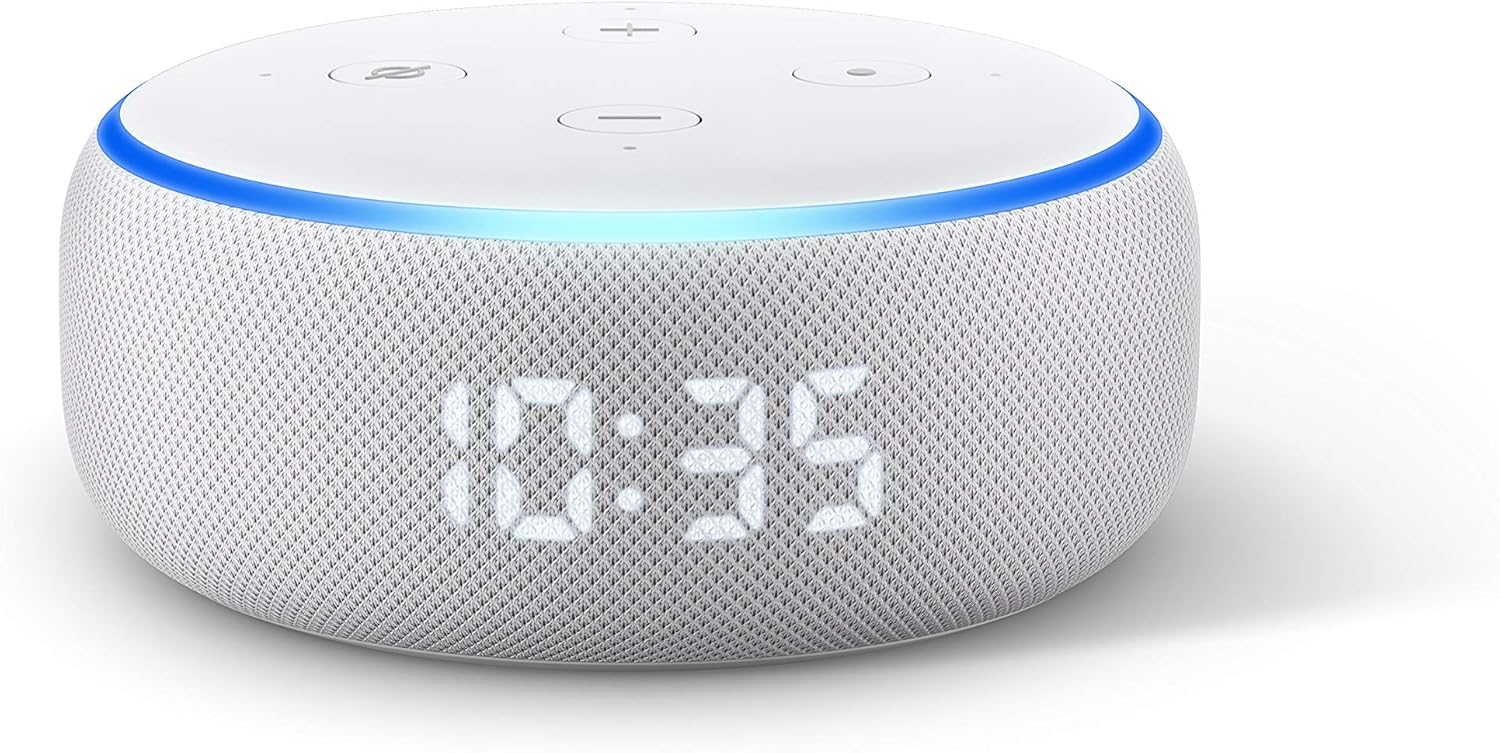
Image: The Echo Dot (3rd Gen) with Clock, displaying the time 10:35. This image illustrates the device's appearance when powered on and functioning.
2. قم بتنزيل تطبيق Alexa
قم بتنزيل تطبيق Amazon Alexa على هاتفك الذكي أو جهازك اللوحي. بحث عن "Amazon Alexa" in your device's app store (App Store for iOS, Google Play Store for Android).
3. الاتصال بشبكة Wi-Fi
Open the Alexa app and follow the on-screen instructions to set up your Echo Dot. You will be prompted to connect the device to your Wi-Fi network. Ensure your phone is connected to the same Wi-Fi network you intend to use for your Echo Dot.
4. التكوين الأولي
The app will guide you through personalizing your device, including setting your location, time zone, and linking music services. Once setup is complete, the light ring will turn off, and your Echo Dot will be ready to use.
تشغيل جهاز Echo Dot
الأوامر الصوتية
Your Echo Dot responds to the wake word "Alexa." Once you say the wake word, the light ring will turn blue, indicating it is listening. You can then issue commands.
- موسيقى: "Alexa, play [artist/song/genre]." "Alexa, pause." "Alexa, next song."
- المنبهات والمؤقتات: "Alexa, set an alarm for 7 AM." "Alexa, set a timer for 15 minutes." "Alexa, stop."
- أسئلة: "Alexa, what's the weather?" "Alexa, how tall is Mount Everest?"
- أخبار: "أليكسا، ما الأخبار؟"

Image: The Echo Dot (3rd Gen) with Clock positioned on a nightstand, showing the time 7:00. This illustrates its use as an alarm clock and music player.

Image: The Echo Dot (3rd Gen) with Clock placed on a kitchen shelf, actively displaying a timer. This demonstrates its utility for setting kitchen timers.

Image: The Echo Dot (3rd Gen) with Clock on a wooden surface, showing the current time. This highlights its function as a music playback device.
Using the Clock Display
The LED display on your Echo Dot can show the current time, outdoor temperature, or active timers. The brightness of the display automatically adjusts based on ambient light. You can tap the top of the device to snooze an alarm.
الأزرار المادية
On the top of your Echo Dot, you will find several buttons:
- Volume Up (+) / Volume Down (-): يضبط مستوى صوت السماعة.
- زر إيقاف تشغيل الميكروفون: Press this button to electronically disconnect the microphones. The light ring will turn red when the microphones are off, and the LED display will show a crossed-out microphone icon. Press it again to turn the microphones back on.
- Action Button (Dot icon): Wakes up Alexa without using the wake word.

Image: The Echo Dot (3rd Gen) with Clock showing a red light ring and a crossed-out microphone icon on its display, indicating the microphone is disabled for privacy.
التحكم الذكي بالمنزل
The Echo Dot can control compatible smart home devices. Link your smart home devices through the Alexa app to enable voice control.
- "أليكسا، قومي بتشغيل ضوء غرفة المعيشة."
- "أليكسا، اضبطي منظم الحرارة على 72 درجة."

Image: The Echo Dot (3rd Gen) with Clock on a table, demonstrating its integration with smart home devices like a lamp and a wall-mounted thermostat.
صيانة
- تنظيف: Unplug the device before cleaning. Use a soft, dry, lint-free cloth to wipe the exterior. Do not use abrasive cleaners or sprays.
- تحديثات البرامج: Your Echo Dot automatically receives software updates over Wi-Fi. Ensure your device is connected to the internet for these updates.
استكشاف الأخطاء وإصلاحها
المشاكل الشائعة والحلول:
- الجهاز لا يستجيب:
- Ensure the microphone is not turned off (red light ring).
- تأكد من تشغيل الجهاز واتصاله بشبكة Wi-Fi.
- Try unplugging the device for 30 seconds and plugging it back in.
- مشكلات الاتصال بشبكة Wi-Fi:
- تأكد من صحة كلمة مرور شبكة Wi-Fi الخاصة بك في تطبيق Alexa.
- قرّب جهاز Echo Dot من جهاز توجيه Wi-Fi الخاص بك.
- أعد تشغيل جهاز توجيه Wi-Fi والمودم.
- مشاكل الصوت:
- اضبط مستوى الصوت باستخدام الأوامر الصوتية أو الأزرار المادية.
- Check if the device is muted.
- Ensure no external speakers are connected if you intend to use the internal speaker.
- Resetting Your Echo Dot:
To factory reset your Echo Dot (3rd Gen), press and hold the Action button (the button with the dot icon) for 25 seconds. The light ring will turn orange, then blue, then orange again. Release the button when the light ring turns orange. The device will then enter setup mode.
تحديد
| رقم الموديل | B07N8RPRF7 |
| أبعاد | 99 مم × 99 مم × 43 مم (3.9 بوصة × 3.9 بوصة × 1.7 بوصة) |
| وزن | 300 جرام (10.6 أونصة) |
| الاتصال | Dual-band Wi-Fi (2.4 and 5 GHz), Bluetooth |
| صوتي | 1.6” speaker, 3.5 mm audio output |
| قوة | محول طاقة بقوة 15 واط |
معلومات الضمان
Your Amazon Echo Dot (3rd Gen) with Clock is covered by a limited warranty. Details of the warranty are available on the Amazon website or through the Alexa app. This warranty typically covers defects in materials and workmanship under normal use.
يدعم
لمزيد من المساعدة أو الدعم الفني أو view frequently asked questions, please visit the official Amazon Device Support page:
You can also contact Amazon Customer Service directly through the Alexa app or the Amazon webموقع.


