

TRT-electronics TURTLE Trigger Owner's Manual
عزيزي مستخدم TURTLE،
Thank you for choosing the TRT-electronics TURTLE trigger to achieve perfect TTL or manual control in your underwater photography setup. This product is designed for users who want to utilize TTL, MANUAL, or even HSS functions with their underwater strobes. The i-TURTLE 3 SMART version is compatible with both DSLR and mirrorless (MILC) cameras.
ماذا يوجد في الصندوق الذي اشتريته:
- 1 trigger unit with a battery configured for Nikon camera protocol
- 1 LED adapter to mount inside your underwater housing window
- 1 USB-C to USB-C combo cable for programming and charging
- 1 USB-C to USB-B adapter (if your computer lacks a USB-C port)
- 1 spare battery
- 1 silica gel packet to protect the SMD LEDs from moisture
- 1 protective case for safe transport during your trips
التوافق: Currently tested on the following systems:
Nikon MILC: Z30, Z50, Z6, Z6 II, Z7, Z7 II, Z8, Z9 Nikon DSLR: D5, D4s, D4, D850, D810, D810A, D800, D750, D600, D500, D300, D300s, D7500, D7200, D7100, D7000, D90
قد تتوسع هذه القائمة - يرجى الرجوع إلى وصف المنتج على موقعنا webموقع للحصول على آخر التحديثات.
وظائف الفلاش المتوفرة:
- TTL/MANUAL switching from the camera menu during the dive
- First curtain sync (TTL / MANUAL from camera menu during the dive)
- Second curtain sync (TTL / MANUAL from camera menu during the dive)0
- In manual mode, HSS (High-Speed Sync) is automatically activated above the maximum flash sync speed.
On cameras where HSS manual mode is available. (Marelux, AOI, HF-1, Retra etc)
Supported strobes in TTL:
- Ikelite DS160, DS230
- Seaflash 60D, 160D
- Inon Z240 / Z330
- Sea&Sea YS-D2J, YS-D3, YS-D3 DUO
- Retra PRO X MILC
- Retra PRO MAX DSLR/MILC
- AOI Intelli Strobe (SONY settings in the strobe)
- Backscatter HF-1(SONY settings in the strobe)
- APOLLO III V2.0, APOLLO S
ابدء
إعداد البرنامج إذا لم تطلب التكوين المسبق، يُرجى تنزيل برنامج الإعداد. (لنظام Windows: من صفحة المنتج | لنظام Mac: من متجر التطبيقات)
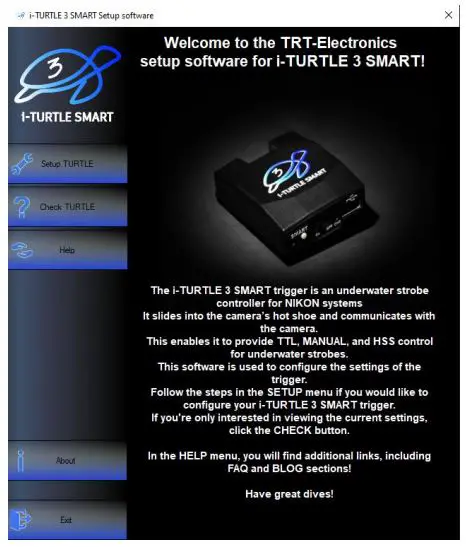
- إعداد TURTLE تكوين TTL strobe profileالوضع اليدوي
- تحقق من TURTLE تحقق من الإعدادات الحالية ومستوى البطارية
- أدلة المساعدة للتكوين وأنواع الأضواء القوية المدعومة
- حول معلومات عن الشركة والمنتج
فيديو الإعداد: https://www.youtube.com/watch?v=UVkscXZP0QU
Step-by-step instructions for setup the trigger with software
SETUP TURTLE
- Turn off the trigger

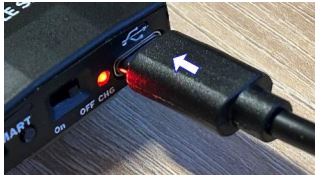
- Connect it to your computer using the USB cable provided
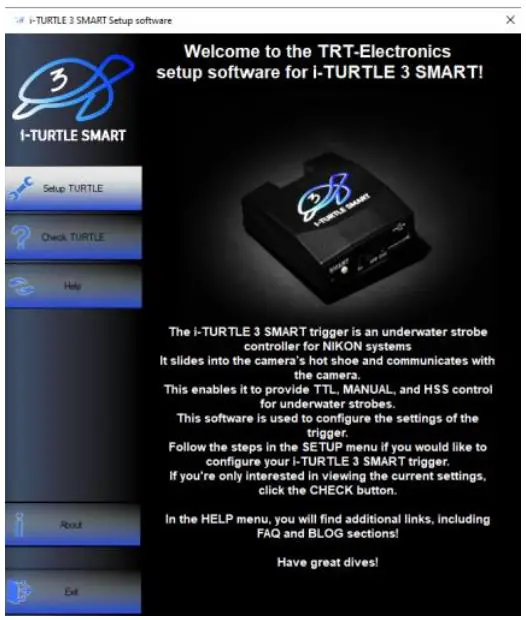
- Launch the software and open the “Setup TURTLE” menu
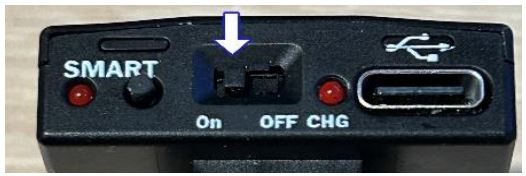
- قم بتشغيل الزناد أثناء الاتصال.
- Click “Find Serial Port”, and select the second COM port in the dropdown.

إذا كانت أجهزة متعددة تستخدم منافذ COM افتراضية، فحاول استخدام منافذ مختلفة إذا لزم الأمر - اختر TTL strobe profile تريد استخدام

- In the next menu, configure the Manual Mode:

Manual mode offers a basic manual flash option, which can be activated from the camera’s menu. In this mode, the camera will emit a single flash, and the trigger handles it accordingly. However, the TURTLE trigger is capable of much more.
- 1.MANUAL: Trigger forwards either 1st or 2nd curtain flash from the camera.
- 2.STROBOSCOPE: Advanced users can set multiple flashes within a single exposure (1/102s interval).
Stroboscope mode explanation: https://www.youtube.com/watch?v=jPMbL5A6AQg
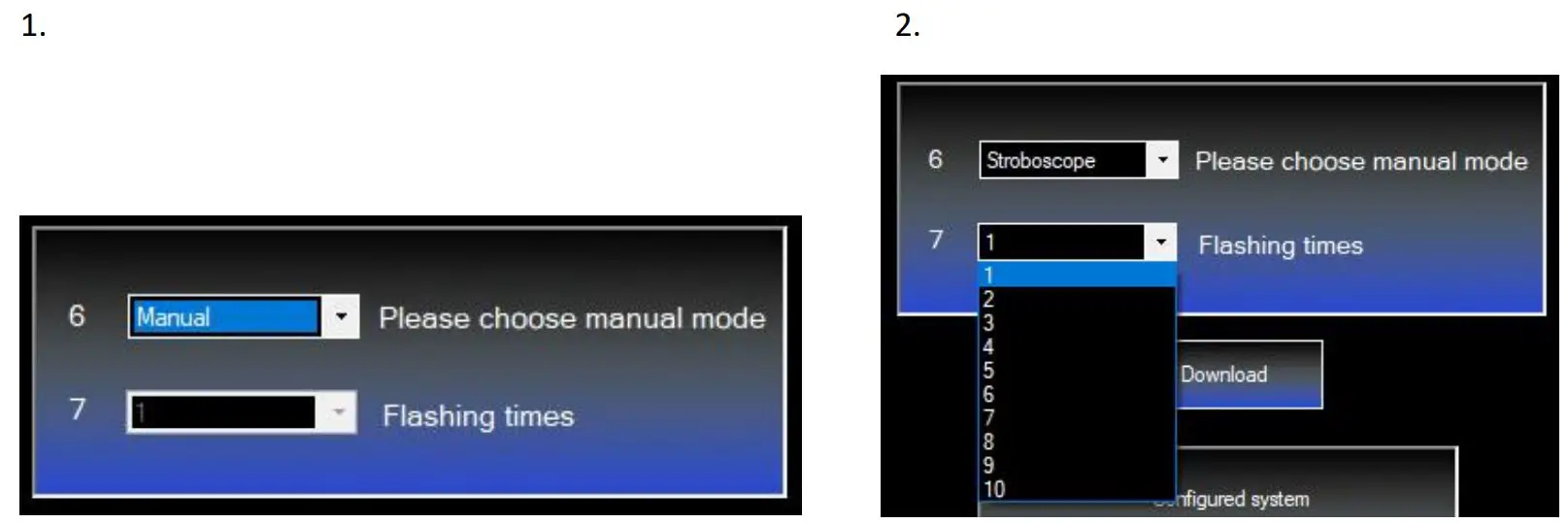
٧. انقر على "تنزيل" لتحميل الإعدادات إلى المُشغِّل. سيظهر لك تأكيد في نافذة المعلومات السفلية.

فحص السلحفاة
إذا كنت تريد التحقق من مستوى البطارية، فهناك خياران: يمكنك إما الضغط على الزر الصغير الموجود في الجزء الخلفي من الزناد عدة مرات حتى يبدأ في الوميض - سنتناول هذا بمزيد من التفصيل لاحقًا - أو يمكنك التحقق منه في برنامج الإعداد ضمن قائمة CHECK TURTLE
Repeat steps 15, then click the “Setup Checking” button. The info window will show the selected strobe and the battery level.

الأجهزة انتهتview
1. البطارية
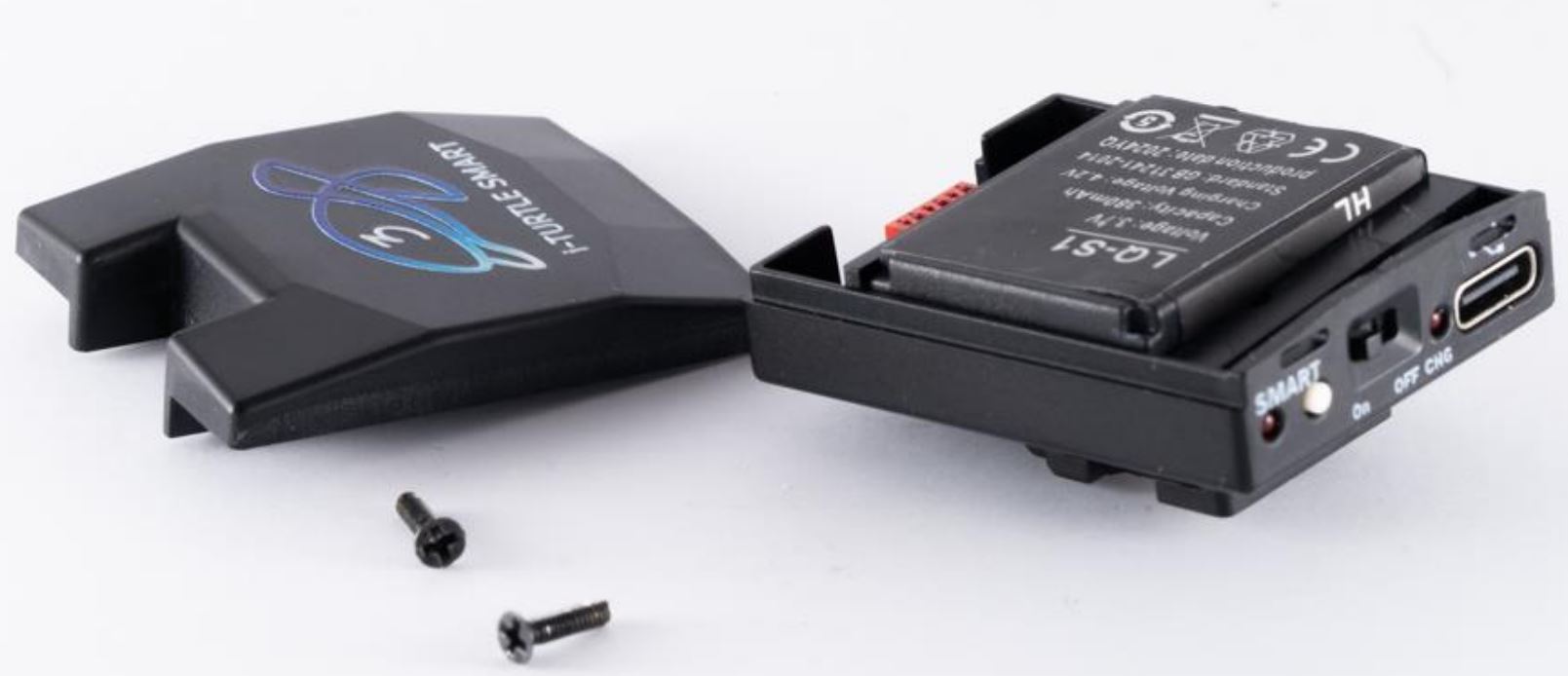
This is the first TTL trigger on the market with a user-replaceable battery. It uses a standard LQ-S1 battery (commercially available), but only one specific type is compatible–please check connector type before purchasing.

This battery can provide power for approximately 6000 shots, assuming the camera’s sleep mode is enabled.
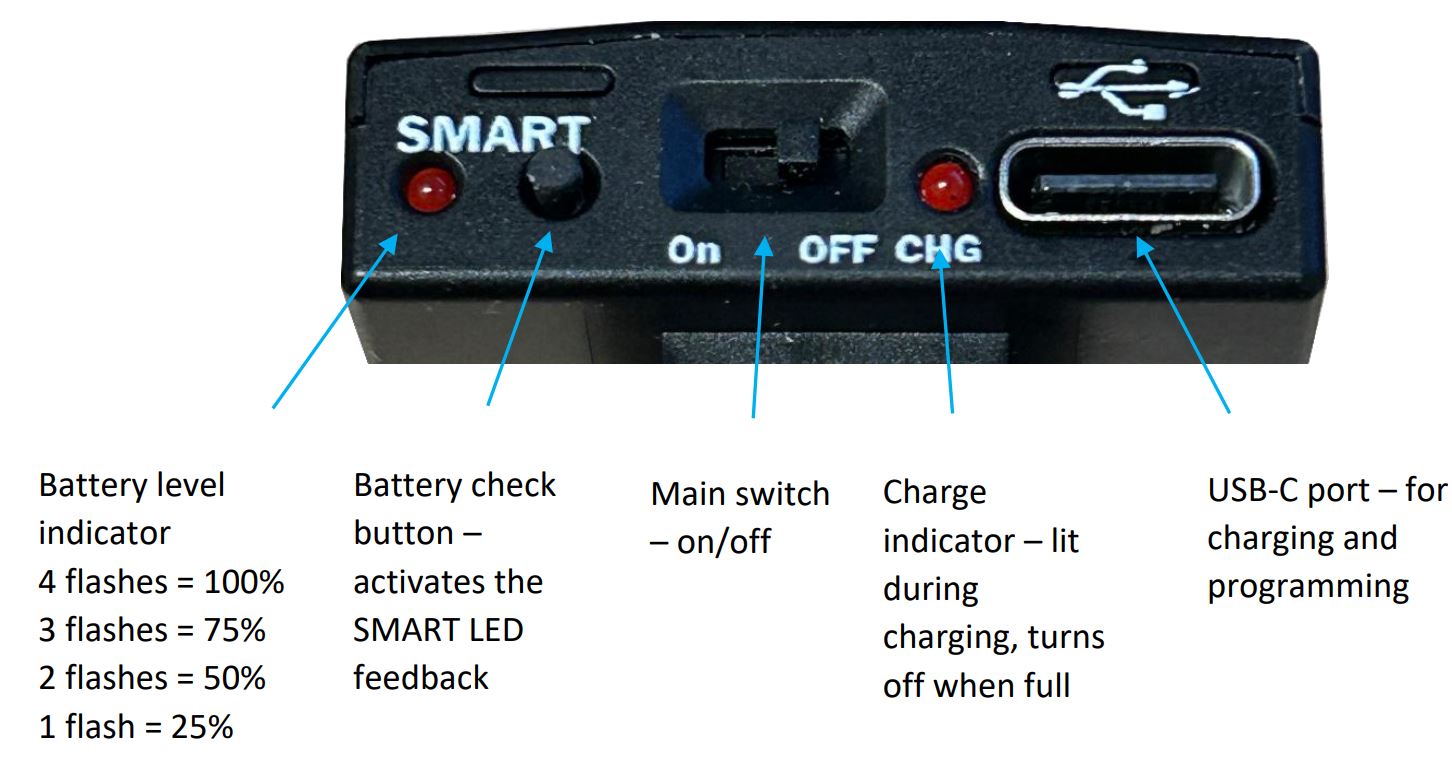
If sleep mode is not enabled and the camera remains active continuously, the battery may discharge within 5 days. Battery capacity and charge level can be checked via the software, but you can also get feedback by pressing the SMART button on the back of the i-TURTLE 3 trigger.
It’s recommended to turn off the camera first, then power cycle the TURTLE (off and on again). The trigger can remain connected to the camera.
Then, press the button and observe the number of LED flashes below the SMART label to determine the battery level.
Battery replacement video: https://www.youtube.com/watch?v=x1hy1vVInBw
2. موصل ستروب:
إذا كنت بحاجة إلى حل سلكي لإعدادك تحت الماء، فيمكننا توفير أنواع مختلفة من الموصلات حيث تظهر خطوط Xtrigger وQuench وGND.
بشكل افتراضي، نحن نقدم الحلول البصرية.
يتم ضمان وظيفة TTL فقط عند استخدام مصابيح LED التي نوفرها لك.

3. الأزرار والمؤشرات الخلفية
ضمان:
The product comes with a 2-year manufacturer’s warranty. Shipping costs for returning a faulty product are not covered by the warranty.
نتمنى لكم غوصًا رائعًا وتصويرًا ناجحًا!
المستندات / الموارد
 | سلحفاة الزناد |
مراجع
- youtube.com/watch?v=jPMbL5A6AQgwww.youtube.com
- youtube.com/watch?v=UVkscXZP0QUwww.youtube.com
- youtube.com/watch?v=x1hy1vVInBwwww.youtube.com
- دليل المستخدمmanual.tools