📘 Image Engineering manuals • Free online PDFs
شعار هندسة الصور

كتيبات هندسة الصور وأدلة المستخدم

Image Engineering provides professional test charts, lighting equipment, and software for precise digital image evaluation and advanced camera system calibration.

نصيحة: قم بتضمين رقم الطراز الكامل المطبوع على ملصق Image Engineering الخاص بك للحصول على أفضل تطابق.

About Image Engineering manuals on Manuals.plus

Image Engineering User Manuals & Support

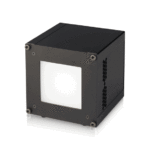
Image Engineering GmbH & Co KG specializes in creating advanced professional equipment for testing, calibrating, and evaluating digital cameras and imaging systems. Their product lineup includes the lightSTUDIO series, which offers highly customizable target projection and lighting mounts for rigorous optical testing, equipment review, and development.

Whether you are adjusting the alignment of an AW Mount or configuring advanced lighting software, Image Engineering provides detailed user manuals and documentation to ensure safety and precision. Find comprehensive operating instructions, maintenance guides, and setup procedures below to achieve accurate and reliable test results.

كتيبات هندسة الصور

أحدث الأدلة من manuals+ مُختار خصيصًا لهذه العلامة التجارية.

تعليمات بيان تقنية Image Engineering iQ-LED

10 يونيو 2024
Image Engineering iQ-LED Technology Statement Specifications iQ-LED Technology Spectral Calibration LED Lifetime: Thousands of hours Thermal Management System Product Usage Instructions  iQ-LED and Calibration LEDs degrade over time and require…

دليل مستخدم Image Engineering iQ-Luminance

12 ديسمبر 2022
Image Engineering iQ-Luminance INTRODUCTION The iQ-Luminance software calculates luminance values from the image data taken with a calibrated camera. The obligatory camera calibration provides how the camera's raw RGB data…

CAL2 User Manual - Image Engineering

دليل المستخدم
User manual for the Image Engineering CAL2 compact light source, detailing setup, operation, calibration, and maintenance for production line integration.

دليل مستخدم iQ-ANALYZER الإصدار 6.2.4

دليل المستخدم
دليل المستخدم لبرنامج iQ-ANALYZER (v6.2.4) من Image Engineering، يوضح بالتفصيل التثبيت والتكوين ووحدات التحليل لتقييم جودة الصورة وعمليات سطر الأوامر.

دليل مستخدم فيجا - هندسة الصور

دليل المستخدم
User manual for the Image Engineering Vega LED illuminator. Provides detailed instructions on installation, hardware connection, software operation, module controls, presets, calibration procedures, maintenance, storage, and safety guidelines. Includes information…

دليل مستخدم iQ-Luminance - هندسة الصور

دليل المستخدم
دليل المستخدم لبرنامج iQ-Luminance من شركة Image Engineering، والذي يشرح بالتفصيل ميزاته لحساب قيم الإضاءة من صور الكاميرا المعايرة، بما في ذلك إدارة الصور، وتحديد منطقة الاهتمام، وأوضاع العرض، وتصدير النتائج.

دليل مستخدم STEVE-6D: اختبار تثبيت الصورة

دليل المستخدم
دليل المستخدم لنظام STEVE-6D من شركة Image Engineering، يوضح بالتفصيل واجهة المستخدم الرسومية، والتحكم في الاهتزاز، وتحليل البيانات، ومعلومات حقوق النشر لتقييم أداء تثبيت الصورة للكاميرات الرقمية.

Image Engineering support FAQ

الأسئلة الشائعة حول الأدلة والتسجيل والدعم لهذه العلامة التجارية.

  • Where can I find the serial number on my Image Engineering device?

    The serial number, along with the device type, year of manufacture, and manufacturer address, can be found on the device's nameplate, typically located on the side or rear chassis.

  • How do I maintain my lightSTUDIO AW Mount?

    Devices like the lightSTUDIO AW Mount are generally maintenance-free. However, regular visual inspections and stability checks are recommended before each use, as outlined in the user manual.

  • Whom do I contact for technical support regarding my Image Engineering product?

    You can reach Image Engineering support via email at info@image-engineering.de or by calling their main support line at +49 2273 99 99 10.

  • Can I use third-party heads with the lightSTUDIO Mount series?

    No, the lightSTUDIO Mount is specifically designed for use only with corresponding lightSTUDIO Head variants. Using unapproved components can cause instability and is considered foreseeable misuse.