مقدمة
This manual provides instructions for the safe and effective use of your CrossBeats Hertz ANC TWS Ear Buds. Please read this manual thoroughly before using the product and retain it for future reference.
محتويات الحزمة
تأكد من وجود جميع العناصر في الحزمة الخاصة بك:
- CrossBeats Hertz ANC TWS Ear Buds
- حافظة الشحن
- وسائد الأذن (أحجام مختلفة)
- أطراف الأذن (أحجام مختلفة)
- كابل شحن USB
- دليل المستخدم (هذا المستند)

Image: Contents of the CrossBeats Hertz package, including the earbuds, charging case, and various ear tips.
المنتج انتهىview
The CrossBeats Hertz ANC TWS Ear Buds are designed for an immersive audio experience with advanced features.
المميزات الرئيسية:
- AI Noise Cancellation & AI ENC Mic: Reduces surrounding noise for clear music and calls.
- تجربة صوتية غامرة: 13mm titanium drivers deliver rich, detailed sound.
- Up to 60 Hours Playtime with SnapCharge: Extended battery life and fast charging.
- One-Tap Seamless Control: Instant auto-pairing and responsive touch controls.
- 40 ms Low-Latency Gaming Mode: Synchronized audio for gaming.

Image: Diagram illustrating key features of the CrossBeats Hertz Ear Buds, including AI ANC+ENC, touch controls, 60-hour playtime, titanium drivers, Hall Switch, and 3D surround sound.
يثبت
1. Charging the Ear Buds and Case
Before first use, fully charge the ear buds and the charging case.
- Place the ear buds into the charging case.
- قم بتوصيل كابل الشحن USB بمنفذ الشحن الموجود على العلبة وبمصدر الطاقة.
- سيُظهر ضوء المؤشر الموجود على العلبة حالة الشحن. بمجرد اكتمال الشحن، سيتغير لون الضوء أو ينطفئ.
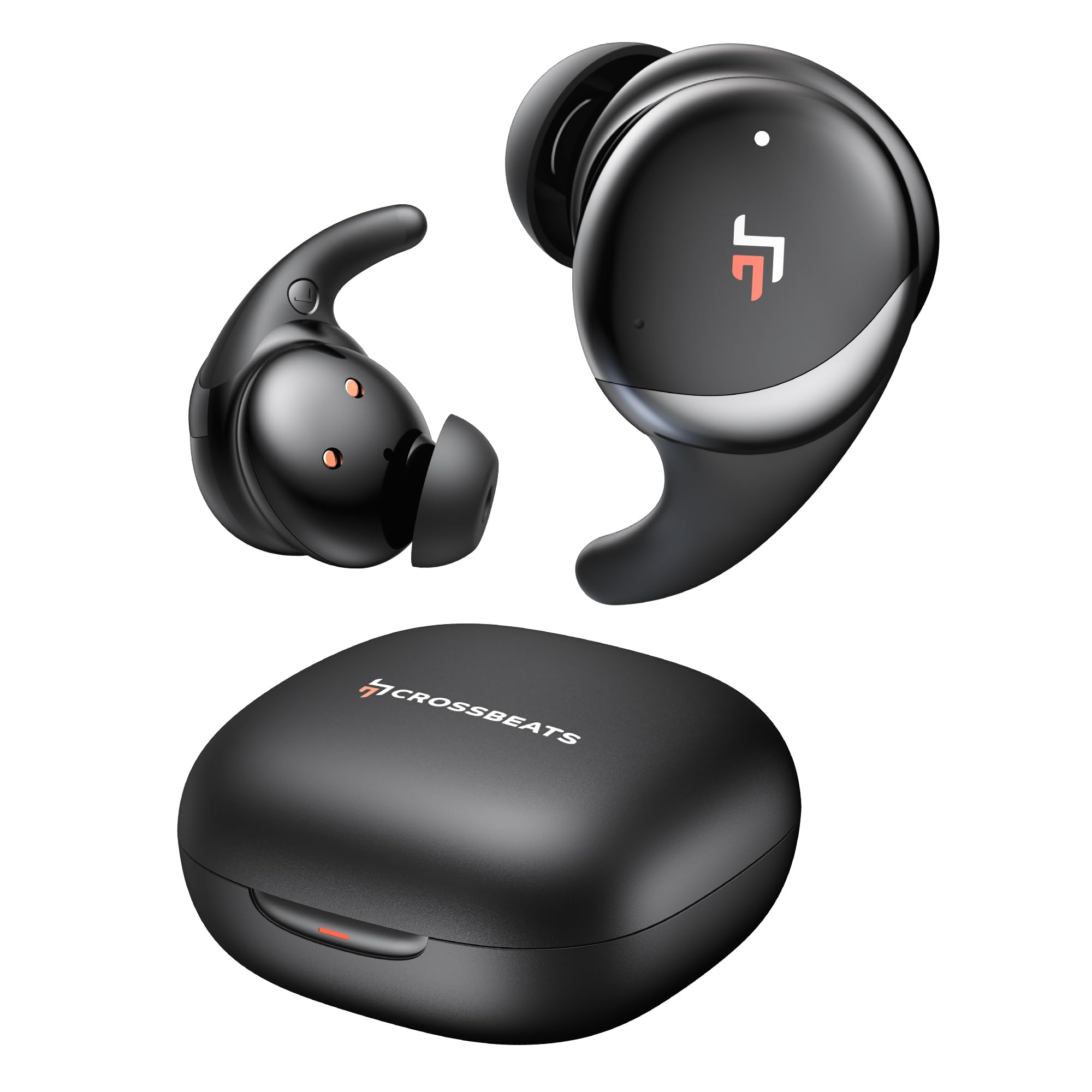
Image: The CrossBeats Hertz Ear Buds in their open charging case, highlighting the 60-hour playtime and SnapCharge fast charging capability.
2. الاقتران بجهاز
The ear buds feature Hall Switch technology for instant auto-pairing.
- Open the charging case. The ear buds will automatically enter pairing mode.
- على جهازك (الهاتف الذكي، الجهاز اللوحي، الكمبيوتر المحمول)، انتقل إلى إعدادات البلوتوث.
- بحث عن "CrossBeats Hertz" in the list of available devices and select it to connect.
- بمجرد الاتصال، سوف تسمع نغمة تأكيد.

Image: A pair of CrossBeats Hertz Ear Buds in their charging case, positioned next to a smartphone playing music, demonstrating the one-tap seamless synchronization feature.
3. Wearing the Ear Buds
للحصول على جودة صوت مثالية وراحة، تأكد من الملاءمة المناسبة.
- Select the ear tips that best fit your ear canal.
- Insert the ear bud into your ear.
- Gently twist the ear bud until it sits securely and comfortably, with the wing tip (if present) tucked under the ridge of your upper ear.

Image: An illustration demonstrating the correct way to insert a CrossBeats Hertz Ear Bud into the ear, ensuring a secure fit for optimal 3D surround sound.
تعليمات التشغيل
عناصر التحكم باللمس
The CrossBeats Hertz Ear Buds feature intuitive touch controls for various functions.
| فعل | وظيفة |
|---|---|
| Single Tap (Left/Right Ear Bud) | تشغيل/إيقاف الموسيقى مؤقتًا، الرد على المكالمة/إنهائها |
| Double Tap (Right Ear Bud) | المسار التالي |
| Double Tap (Left Ear Bud) | المسار السابق |
| Triple Tap (Left/Right Ear Bud) | تفعيل المساعد الصوتي (Siri/Google Assistant) |
| Long Press (Right Ear Bud) | رفع الصوت |
| Long Press (Left Ear Bud) | خفض الصوت |
| Long Press (Either Ear Bud, 2 seconds) | تبديل وضع ANC/الشفافية |
| Long Press (Either Ear Bud, during incoming call) | رفض المكالمة |
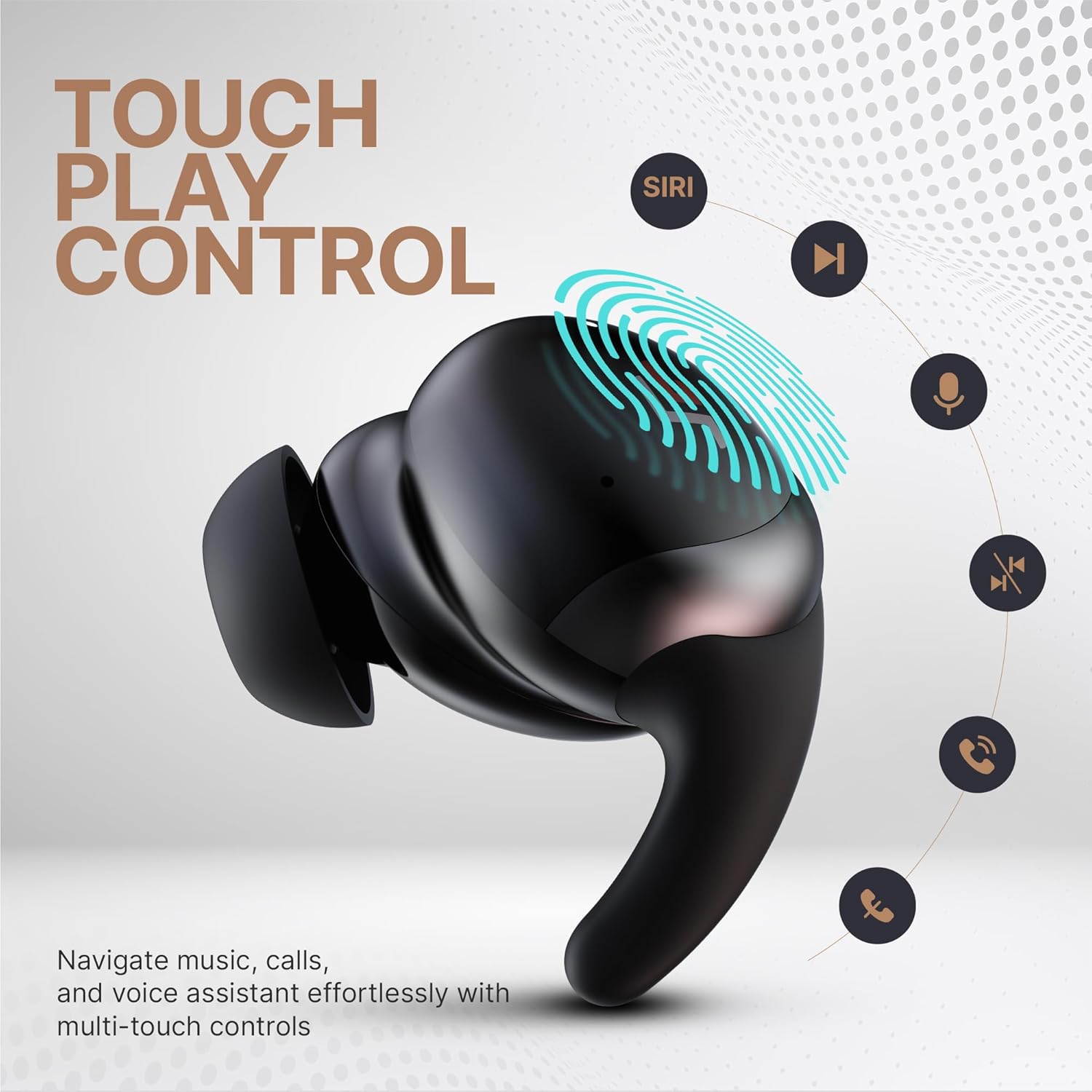
Image: An illustration of the CrossBeats Hertz Ear Bud highlighting its touch-sensitive surface and various control functions such as play/pause, track navigation, voice assistant activation, and call management.
خاصية إلغاء الضوضاء النشطة (ANC) ووضع الشفافية
The ear buds feature Adaptive Noise Cancellation and a Transparency Mode.
- وضع ANC: يقلل من الضوضاء المحيطة، وهو مثالي للبيئات الصاخبة.
- وضع الشفافية: يتيح لك سماع محيطك أثناء الاستماع إلى الصوت، وهو أمر مفيد لزيادة الوعي.
To switch between modes, long press either ear bud for 2 seconds.
وضع الألعاب (زمن انتقال منخفض)
Activate Gaming Mode for reduced audio latency, enhancing your gaming experience.
- To activate/deactivate Gaming Mode, refer to your device's settings or specific app controls, or check for a dedicated touch gesture (not explicitly stated in product features, but common for low-latency modes).
- This mode reduces audio delay to 40 ms for better synchronization of sound and visuals.
الصيانة والعناية
Proper maintenance ensures the longevity and performance of your ear buds.
- تنظيف: Regularly clean the ear buds and charging case with a soft, dry, lint-free cloth. Do not use harsh chemicals or abrasive materials.
- نصائح الأذن: Remove and clean ear tips with mild soap and water, then dry thoroughly before reattaching.
- منفذ الشحن: احرص على إبقاء منفذ الشحن خاليًا من الغبار والحطام.
- تخزين: When not in use, store the ear buds in their charging case to protect them and keep them charged.
- مقاومة الماء: The ear buds are water-resistant (Water Resistance Level: Water Resistant). Avoid submerging them in water or exposing them to excessive moisture.
استكشاف الأخطاء وإصلاحها
If you encounter issues with your CrossBeats Hertz Ear Buds, refer to the following solutions:
| مشكلة | الحل المحتمل |
|---|---|
| Ear buds not pairing |
|
| لا يوجد صوت أو مستوى صوت منخفض |
|
| قضايا الشحن |
|
| مؤتمر الرعاية التوليدية غير فعال |
|
تحديد
- اسم الموديل: هرتز
- تقنية الاتصال: بلوتوث، لاسلكي
- إصدار البلوتوث: 5.3
- نطاق البلوتوث: 20 أمتار
- حجم برنامج تشغيل الصوت: 13 مليمتر
- استجابة التردد: 20000 هرتز
- التحكم في الضوضاء: Adaptive Noise Cancellation, AI ENC Mic
- الكمون الصوت: 40 ميلي ثانية (وضع الألعاب)
- عمر البطارية: تصل مدة التشغيل إلى 60 ساعة (مع علبة الشحن، مع إيقاف تشغيل خاصية إلغاء الضوضاء النشط)
- وقت الشحن: 2 ساعة
- طريقة التحكم: يلمس
- مستوى مقاومة الماء: مقاوم للماء
- وزن السلعة: 48 جرام
- مادة: بلاستيك
- الأجهزة المتوافقة: الهواتف المحمولة، أجهزة الكمبيوتر المحمولة، الأجهزة اللوحية
الضمان والدعم
For warranty information and customer support, please refer to the official CrossBeats website or contact their customer service directly. The product includes a user manual and eartips as part of the package.
الشركة المصنعة: Crossbeats, BANGALORE, INDIA
المستورد: Sellbrite digital-Ground floor, brigade tower, brigade road, bangalore-560025


