مقدمة
This manual provides detailed instructions for the AGPTEK A55PL USB C MP3 Player. It covers setup, operation, maintenance, and troubleshooting to ensure optimal use of your device. The A55PL is a versatile music player featuring USB-C connectivity, 64GB storage, FM radio, and voice recording capabilities, powered by a replaceable AAA battery.
محتويات الحزمة
تأكد من تضمين جميع العناصر المدرجة أدناه في الحزمة الخاصة بك:
- مشغل MP3 من نوع AGPTEK A55PL
- 64GB TF Card (pre-installed)
- كابل شحن من النوع C إلى USB
- دليل المستخدم

Image: Contents of the AGPTEK A55PL MP3 Player package, showing the player, USB-C cable, 64GB TF card, and user manual.
المنتج انتهىview والميزات
The AGPTEK A55PL MP3 Player is designed for portability and ease of use, offering multiple functionalities in a compact form factor.
المميزات الرئيسية:
- Direct Type-C & Universal USB Connectivity: Connects directly to Type-C phones for file transfer or to laptops/PCs using the included adapter/cable.
- Swappable AAA Batteries: Operates on a single AAA battery (not included), allowing for instant power replacement without needing charging outlets.
- Massive 64GB Storage: Comes with a pre-loaded 64GB TF card, supporting over 13,000 songs and high-fidelity formats like FLAC, APE, and WAV. Functions as a U disk for data transfer.
- Crisp LED Display: Features an energy-efficient LED screen for clear navigation and song title display.
- Voice Recorder & FM Radio: Built-in voice recorder for capturing audio and an FM radio (requires wired headset as antenna) for broadcasts.

الصورة: أكثر منview of the AGPTEK A55PL MP3 Player's capabilities, including its Type-C port, music playback, recording, FM radio, and 64GB TF card storage.
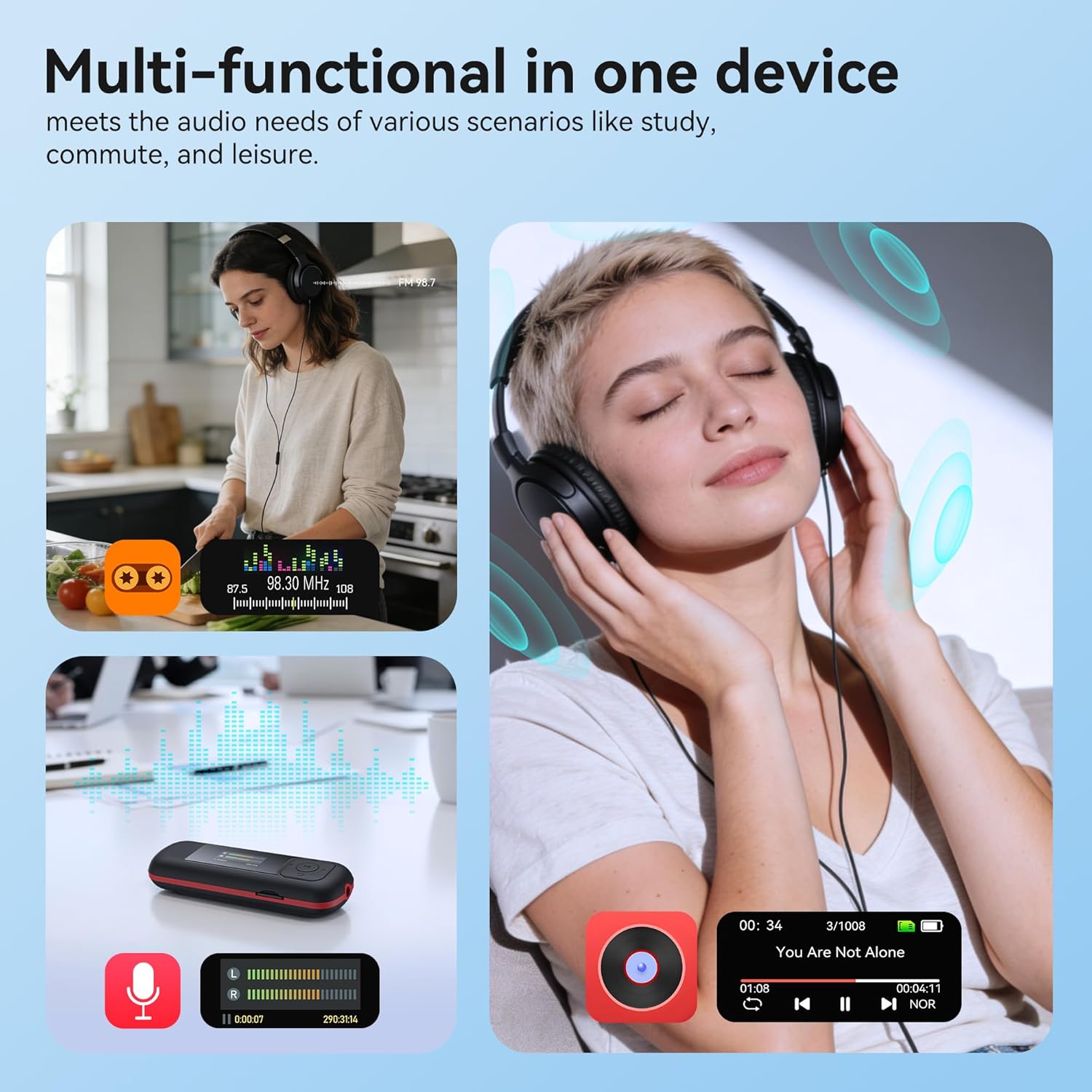
Image: The AGPTEK A55PL MP3 Player showcasing its multi-functional capabilities, including FM radio, voice recording, and music playback, suitable for various scenarios.
يثبت
1. تركيب البطارية
The AGPTEK A55PL uses one AAA battery (not included). Ensure correct polarity when inserting the battery.
- حدد مكان غطاء حجرة البطارية على الجزء الخلفي للجهاز.
- Press the center of the cover and slide it forward to unlock and remove.
- Insert one AAA battery, matching the positive (+) and negative (-) terminals with the indicators inside the compartment.
- قم بتحريك الغطاء مرة أخرى إلى مكانه حتى يستقر بشكل آمن.

Image: Step-by-step guide for removing the USB cap and installing the AAA battery into the AGPTEK A55PL MP3 Player.
ملحوظة: USB charging is not supported. The device relies solely on AAA battery power. The battery display on the screen is based on voltage changes at the battery terminal.
2. Initial Connection and File تحويل
You can transfer music and other files to your MP3 player from a computer or a Type-C smartphone.
- لأجهزة الكمبيوتر: Use the included Type-C to USB cable. Connect the Type-C end to the player and the USB-A end to your computer's USB port. The player will appear as a removable disk.
- For Type-C Phones: Plug the player's Type-C connector directly into your phone's Type-C port. The player will be recognized as external storage. (For iPhones, a Lightning-to-Type-C OTG adapter is needed, not included).

Image: Demonstrates connecting the AGPTEK A55PL MP3 Player to a computer via USB cable and directly to a Type-C smartphone for file نقل.
تعليمات التشغيل
عناصر التحكم الأساسية
The player features a simple interface with dedicated buttons for easy navigation.
- زر الطاقة: اضغط مع الاستمرار للتشغيل/الإيقاف.
- زر التشغيل/الإيقاف المؤقت: اضغط لتشغيل الموسيقى أو إيقافها مؤقتًا.
- أزرار التنقل (أعلى/أسفل/يسار/يمين): يتم استخدامه للتنقل بين القوائم وضبط الإعدادات.
- أزرار التحكم في الصوت (+/-): Dedicated buttons on the side to adjust playback volume.
- زر القائمة (M): الوصول إلى القوائم الحساسة للسياق.
- زر الرجوع/العودة: يعود إلى الشاشة أو القائمة السابقة.
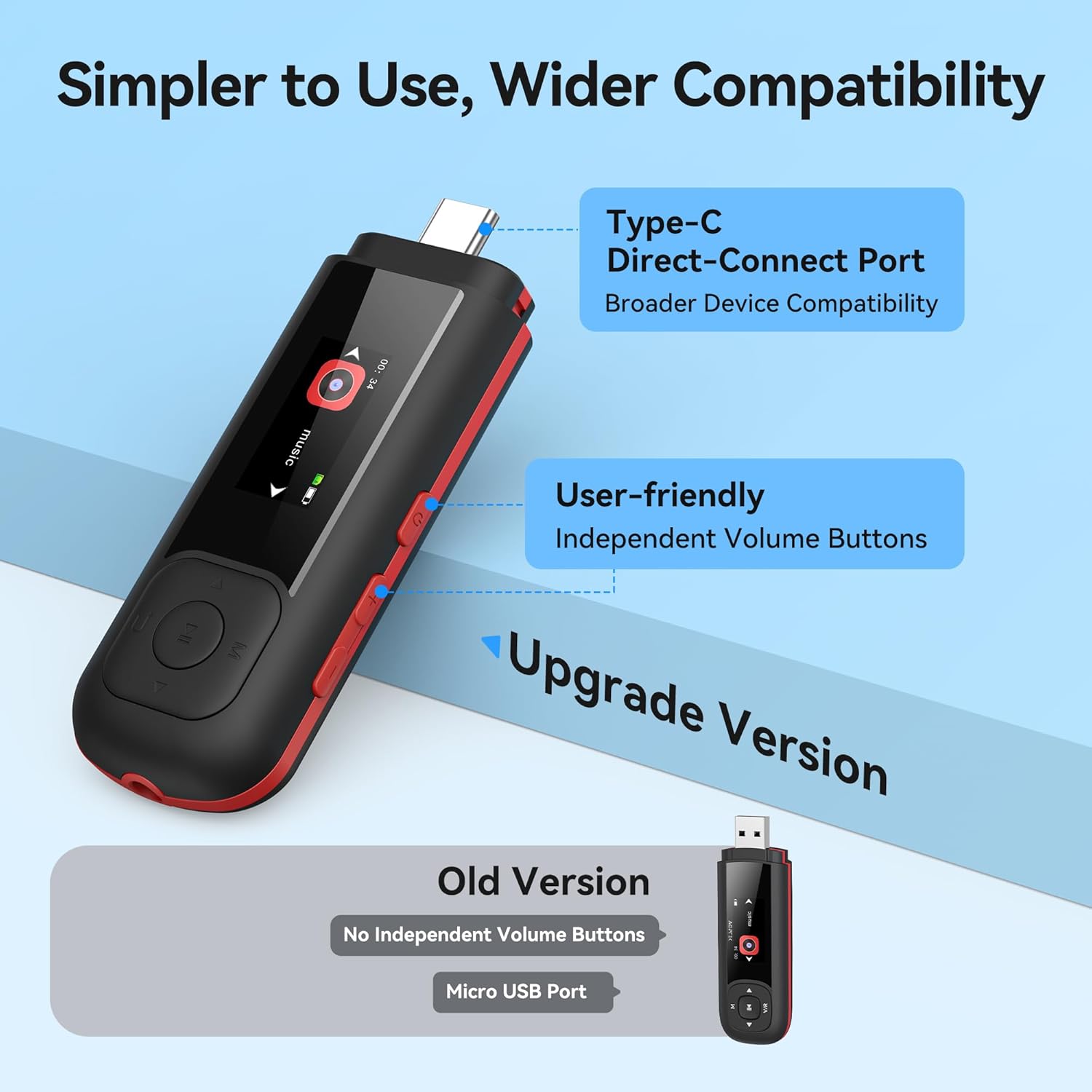
Image: Close-up of the AGPTEK A55PL MP3 Player, showing the Type-C direct-connect port and the independent volume buttons for user-friendly operation.
تشغيل الموسيقى
The player supports various audio formats including MP3, WMA, APE, FLAC, and WAV.
- Connect wired headphones to the 3.5mm audio jack.
- Navigate to the "Music" option on the main menu.
- Browse through your music library by artist, album, or folder.
- اختر أغنية لبدء التشغيل.
- Use the Play/Pause button to control playback and the volume buttons to adjust sound levels.

Image: A person enjoying music through headphones, highlighting the AGPTEK A55PL MP3 Player's support for multi-format lossless audio quality.

Image: Illustrates the different playback modes available on the AGPTEK A55PL MP3 Player, including Folder Mode and Music Mode with options like repeat, shuffle, and play in order.
راديو اف ام
To use the FM radio function, a wired headset must be connected as it acts as the antenna.
- Connect your wired headphones.
- Navigate to the "FM Radio" option from the main menu.
- Use the navigation buttons to scan for stations or manually tune to a frequency.

Image: A user enjoying FM radio on the AGPTEK A55PL MP3 Player, emphasizing that wired headphones are required to function as an antenna.
مسجل الصوت
The built-in voice recorder allows you to capture audio on the go.
- Navigate to the "Recorder" option from the main menu.
- اختر "بدء التسجيل" للبدء.
- Press the Play/Pause button to stop and save the recording.
- Recordings can be accessed and played back from the "Recordings" list.

Image: The AGPTEK A55PL MP3 Player showing its portable recorder function, ready for effortless on-the-go audio capture.
Custom Playlists
You can create and manage custom playlists by connecting the player to a computer.
- Connect the MP3 player to your computer using the Type-C to USB cable.
- Access the player's storage as a removable disk.
- تنظيم الموسيقى الخاصة بك files into folders or create M3U playlist fileمباشرة على الجهاز.
- The player supports up to 3 built-in customizable playlists.

Image: Demonstrates how to create and edit custom playlists by connecting the AGPTEK A55PL MP3 Player to a computer via USB.
صيانة
- تنظيف: استخدم قطعة قماش ناعمة وجافة لتنظيف الجهاز. تجنب استخدام المنظفات السائلة أو المذيبات.
- تخزين: قم بتخزين المشغل في مكان بارد وجاف بعيدًا عن أشعة الشمس المباشرة ودرجات الحرارة القصوى.
- العناية بالبطارية: Remove the AAA battery if the device will not be used for an extended period to prevent leakage.
- النسخ الاحتياطي للبيانات: النسخ الاحتياطي بانتظام مهم files from the player to a computer to prevent data loss.
استكشاف الأخطاء وإصلاحها
الجهاز لا يعمل
- Ensure the AAA battery is inserted correctly with the correct polarity.
- استبدل بطارية AAA بأخرى جديدة.
- اضغط مع الاستمرار على زر الطاقة لعدة ثوانٍ.
لا يمكن التحويل Files
- Verify the Type-C to USB cable is securely connected to both the player and the computer/phone.
- جرب منفذ USB مختلفًا على جهاز الكمبيوتر الخاص بك.
- Ensure your computer's operating system recognizes external storage devices.
- For phones, ensure the phone supports OTG (On-The-Go) functionality for external storage.
لا يوجد صوت أثناء التشغيل
- Check if wired headphones are properly plugged into the 3.5mm audio jack.
- تأكد من عدم ضبط مستوى الصوت على الحد الأدنى أو كتمه.
- Test with a different pair of headphones to rule out headphone issues.
- تحقق من الصوت files are not corrupted and are in a supported format (MP3, WMA, APE, FLAC, WAV).
راديو FM لا يعمل
- Confirm that wired headphones are connected, as they serve as the antenna.
- Try scanning for stations again in an open area.
تحديد
| ميزة | التفاصيل |
|---|---|
| اسم الموديل | A55PL |
| ماركة | AGPTEK |
| سعة تخزين الذاكرة | 64 GB (via TF Card) |
| تكنولوجيا الاتصال | USB Type-C, Aux (3.5mm) |
| المميزات الخاصة | FM Radio, Voice Recorder, Replaceable AAA Battery |
| لون | أسود |
| حجم الشاشة | 0.96 Inches (LED) |
| الأجهزة المتوافقة | Headphones, Computers, Type-C Smartphones |
| نوع الوسائط | بطاقة مايكرو اس دي |
| وزن العنصر | 3.87 أونصات |
| أبعاد الحزمة | 6.57 × 5.12 × 0.94 بوصة |
الضمان والدعم
For warranty information and technical support, please refer to the official AGPTEK webالموقع أو تواصل مع خدمة العملاء. احتفظ بإيصال الشراء كإثبات للشراء في حال وجود أي مطالبات بالضمان.
الدعم عبر الإنترنت: قم بزيارة AGPTEK Store on Amazon للحصول على معلومات المنتج وموارد الدعم.


