1. المقدمة
Thank you for choosing the Vieta Pro Party 220 Portable Bluetooth Speaker. This powerful and versatile speaker is designed to deliver high-quality audio for various occasions, including parties, events, and karaoke sessions. This manual provides essential information for setting up, operating, and maintaining your speaker to ensure optimal performance and longevity.
2. انتهى المنتجview
The Vieta Pro Party 220 is a self-amplified portable speaker featuring advanced audio technology. It boasts 500W of powerful sound, Bluetooth 5.3 connectivity, Auracast technology, and a long-lasting 10-hour battery. Designed for portability, it includes an integrated handle and trolley-style wheels. Key features include:
- مخرج صوت 500 واط RMS: Delivers robust and clear stereo sound with 2" tweeters and 8" woofers.
- Bluetooth 5.3 with Auracast: Ensures stable and fast wireless connections, allowing multiple Auracast-compatible speakers to connect simultaneously.
- Karaoke Compatibility: Includes a wireless microphone and supports additional microphones. Features LED lights that synchronize with music.
- عمر البطارية 10 ساعة: Enjoy extended music playback with the rechargeable battery.
- خيارات اتصال متعددة: Mini Jack 3.5mm, AUX, Micro USB, USB MP3 player, and SD card slot.
- ستيريو لاسلكي حقيقي (TWS): Connect two Party 220 speakers for an immersive stereo experience.
- تصميم محمول: مقبض وعجلات مدمجة لسهولة النقل.
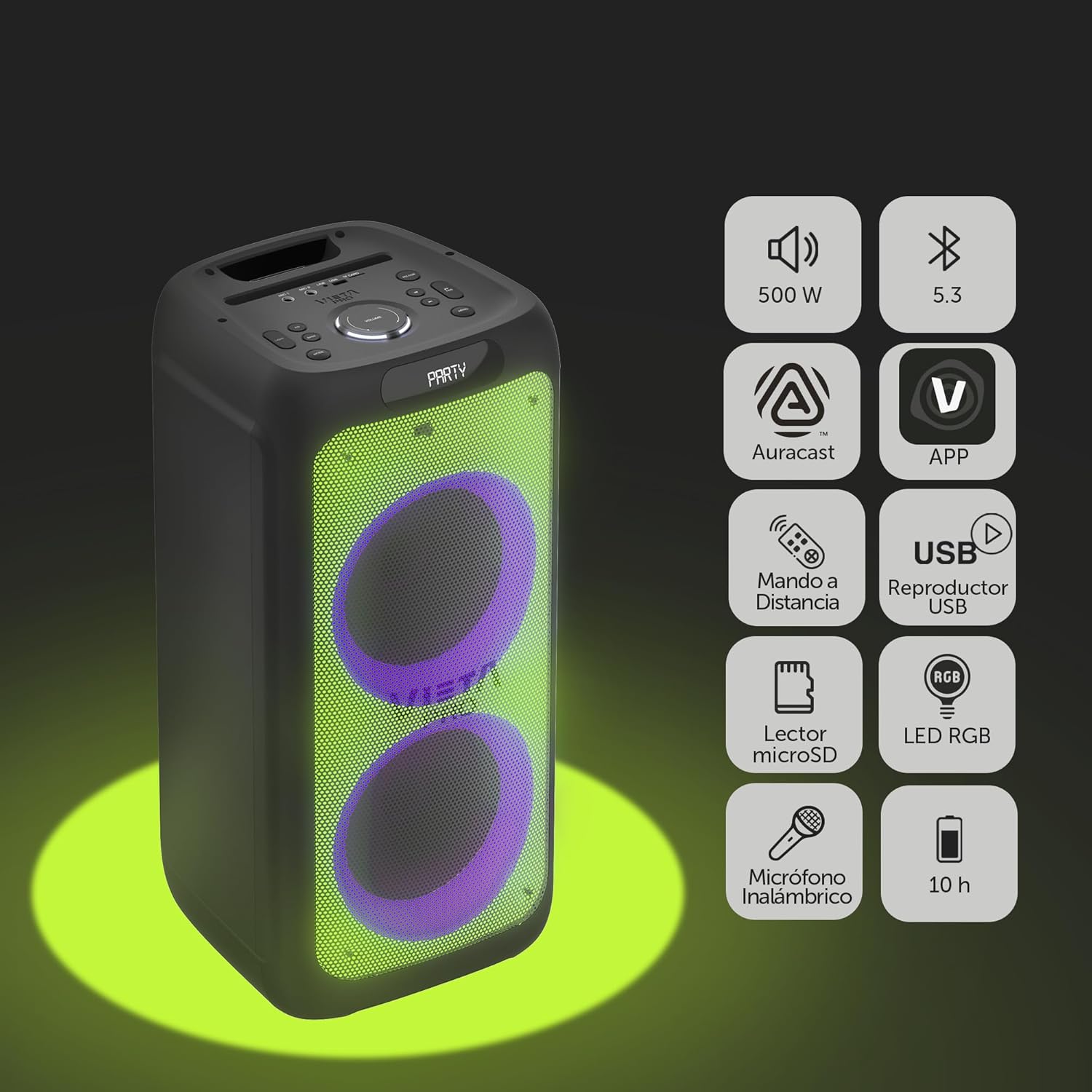
Image 2.1: The Vieta Pro Party 220 speaker highlighting its main features such as 500W power, Bluetooth 5.3, Auracast, app control, remote control, USB player, RGB LED lights, MicroSD reader, wireless microphone, and 10-hour battery life.
3. ماذا يوجد في الصندوق
عند تفريغ الأمتعة، يرجى التأكد من أن جميع العناصر موجودة وفي حالة جيدة:
- Vieta Pro Party 220 Portable Bluetooth Speaker
- كابل الطاقة
- ميكروفون لاسلكي
- جهاز التحكم عن بعد
- دليل المستخدم (هذا المستند)
4. الإعداد
4.1. شحن مكبر الصوت
Before first use, fully charge the speaker. Connect the provided power cable to the speaker's power input and then to a suitable power outlet. The charging indicator will illuminate. Once fully charged, the indicator may change color or turn off, depending on the model.
A full charge provides up to 10 hours of continuous playback.

Image 4.1: The Vieta Pro Party 220 speaker in a home environment, illustrating its long battery life of up to 10 hours.
4.2. تشغيل / إيقاف التشغيل
Locate the Power button on the speaker's control panel. Press and hold the Power button for a few seconds to turn the speaker ON or OFF.
5. تعليمات التشغيل
5.1. اقتران بلوتوث
- Turn on the Vieta Pro Party 220 speaker. It will automatically enter Bluetooth pairing mode, indicated by a flashing LED light (usually blue).
- قم بتفعيل البلوتوث على جهازك الصوتي (الهاتف الذكي، الجهاز اللوحي، الكمبيوتر).
- بحث عن "Vieta Pro Party 220" in the list of available Bluetooth devices.
- Select the speaker to pair. Once connected, the LED indicator will stop flashing and remain solid.
5.2. Auracast Technology
The Party 220 supports Auracast, allowing you to connect multiple compatible speakers (including other Party 220 units or different brands supporting Auracast) for a synchronized audio experience. Refer to the specific instructions for Auracast pairing, usually initiated via a dedicated button or through the Vieta Pro app (if available).
5.3. إقران ستيريو لاسلكي حقيقي (TWS)
To achieve a true stereo sound experience, you can pair two Vieta Pro Party 220 speakers:
- Ensure both Party 220 speakers are turned on and not connected to any Bluetooth device.
- On one speaker (this will be the primary speaker), press and hold the TWS button (if available) or follow the TWS pairing instructions in the speaker's specific controls.
- The primary speaker will search for the secondary speaker. Once connected, you will hear an audible confirmation, and the LED indicators will reflect the TWS connection status.
- Now, connect your audio device to the primary speaker via Bluetooth as described in section 5.1. Audio will play in stereo across both speakers.
5.4. Wired Connections (AUX, USB, MicroSD)
- مدخلات AUX: Connect an external audio device using a 3.5mm audio cable to the AUX input port. The speaker will automatically switch to AUX mode or require manual selection via the Mode button.
- تشغيل USB: أدخل محرك أقراص فلاش USB يحتوي على ملف صوتي MP3 files into the USB port. The speaker will automatically detect and play the files. Use the control panel or remote to navigate tracks.
- تشغيل بطاقة MicroSD: Insert a MicroSD card with MP3 audio files into the MicroSD slot. The speaker will automatically detect and play the files.
5.5. Karaoke Function and Wireless Microphone
The Party 220 comes with a wireless microphone for karaoke. Simply turn on the microphone, and it should automatically connect to the speaker. Adjust microphone volume using the dedicated controls on the speaker or remote control. The speaker also has inputs for additional wired microphones.

الصورة 5.5: لقطة مقربة view of the wireless microphone included with the Vieta Pro Party 220 speaker, ready for karaoke use.
5.6. LED RGB Lights
The speaker features dynamic RGB LED lights that can enhance your audio experience. Use the dedicated button on the control panel or the remote control to cycle through different light modes, synchronize them with the music, or turn them off.

Image 5.6: The Vieta Pro Party 220 speaker showcasing its vibrant RGB LED lighting feature.
5.7. جهاز التحكم عن بعد
The included remote control allows for convenient operation of the speaker from a distance. Functions typically include power, volume, track navigation, mode selection, EQ settings, and LED light control.
6. الصيانة
- تنظيف: استخدم قطعة قماش ناعمة وجافة لتنظيف السطح الخارجي للسماعة. لا تستخدم المنظفات الكاشطة أو الشمع أو المذيبات.
- تخزين: قم بتخزين مكبر الصوت في مكان بارد وجاف بعيدًا عن أشعة الشمس المباشرة ودرجات الحرارة القصوى.
- العناية بالبطارية: لإطالة عمر البطارية، تجنب تفريغها بالكامل بشكل متكرر. اشحن السماعة بانتظام، حتى في حال عدم استخدامها لفترات طويلة.
- التعرض للماء: While the speaker may have some resistance, avoid direct exposure to water or excessive moisture unless explicitly stated as waterproof.
7. استكشاف الأخطاء وإصلاحها
| مشكلة | السبب المحتمل | حل |
|---|---|---|
| لا يوجد طاقة | البطارية فارغة؛ كابل الطاقة غير موصول بشكل صحيح. | قم بشحن السماعة؛ تأكد من توصيل كابل الطاقة بشكل آمن. |
| لا يوجد صوت | مستوى الصوت منخفض جدًا؛ وضع الإدخال غير صحيح؛ الجهاز غير مقترن. | Increase volume on speaker and source device; Select correct input mode (Bluetooth, AUX, USB); Re-pair Bluetooth device. |
| فشل اقتران البلوتوث | مكبر الصوت ليس في وضع الاقتران؛ الجهاز بعيد جدًا؛ تداخل. | Ensure speaker is in pairing mode; Move device closer; Turn off other Bluetooth devices. |
| الميكروفون لا يعمل | Microphone off; Battery low in microphone; Volume too low. | Turn on microphone; Replace microphone batteries; Increase microphone volume. |
| فشل الاقتران TWS | Speakers not in TWS pairing mode; Too far apart. | Ensure both speakers are in TWS pairing mode; Place speakers closer together. |
8. المواصفات
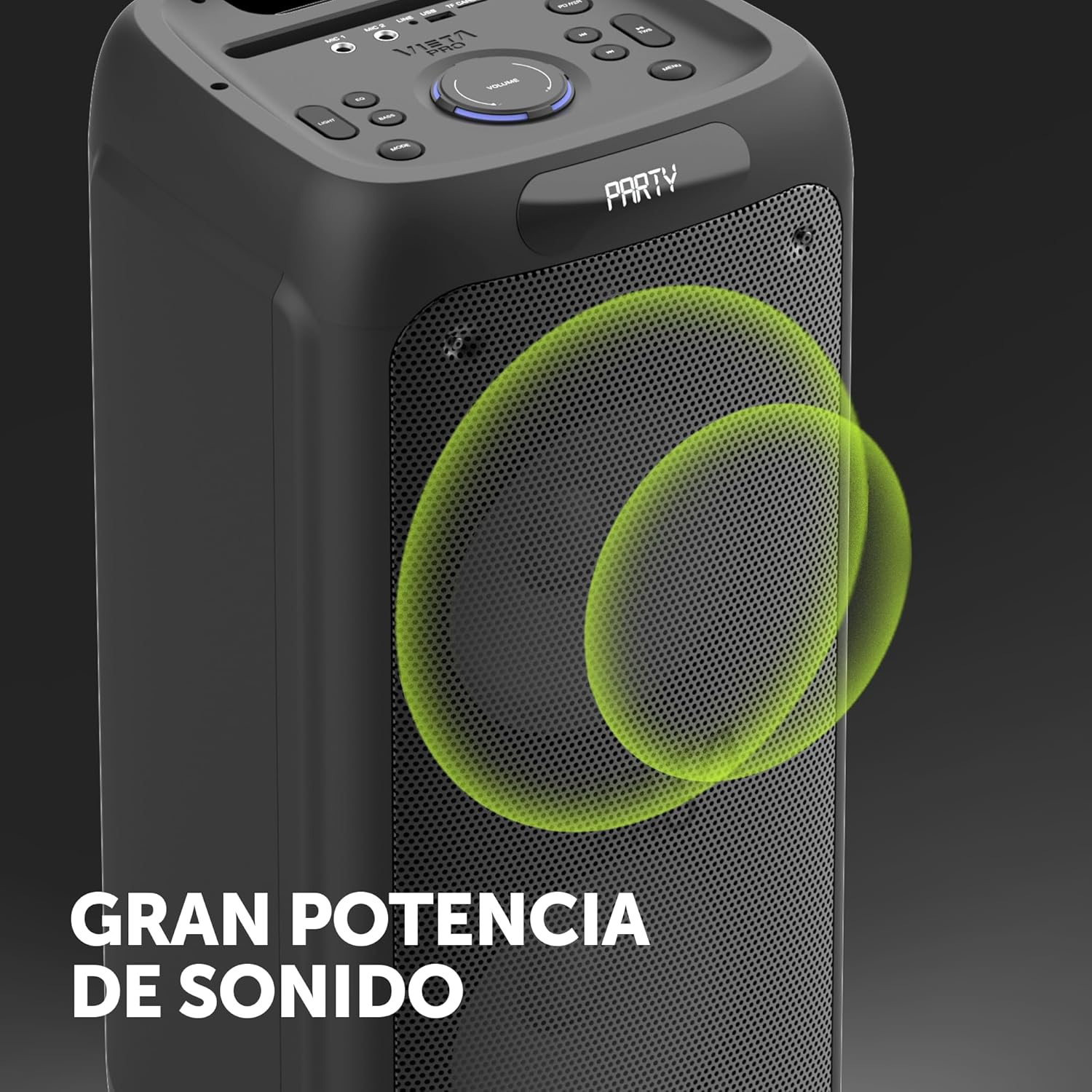
Image 8.1: The Vieta Pro Party 220 speaker, highlighting its powerful sound output.
| ميزة | التفاصيل |
|---|---|
| اسم الموديل | الحفلة 220 |
| رقم الموديل | VM-HW455BK |
| ماركة | فييتا برو |
| نوع السماعة | Outdoor, Portable, Self-ampمُحيي |
| تكنولوجيا الاتصال | Bluetooth 5.3, AUX, USB, MicroSD |
| الاتصالات اللاسلكية | بلوتوث |
| أقصى طاقة خرج للسماعة | 500 واط (RMS) |
| وضع إخراج الصوت | ستيريو (مع TWS) |
| استجابة التردد | 20 ميجا هرتز |
| مصدر الطاقة | تعمل بالبطارية |
| عمر البطارية | تصل إلى 10 ساعة |
| طريقة التحكم | جهاز تحكم عن بعد، أزرار على الجهاز |
| المميزات الخاصة | Anti-shock, USB Port, Shock resistant, Wireless speakers, Auracast, Karaoke, LED RGB lights |
| الأجهزة المتوافقة | MP3 Player, Mobile, PC, DJ Mixer, Tablet, Television |
| أبعاد المنتج | 33.7 عمق × 30 عرض × 70.5 ارتفاع سم |
| وزن العنصر | 5 كيلوغرام |
| مادة | بلاستيك |
| لون | أسود |
9. الضمان والدعم
The Vieta Pro Party 220 speaker comes with a limited warranty. Please refer to the warranty card included in your packaging for detailed terms and conditions. For technical support, troubleshooting assistance beyond this manual, or warranty claims, please contact Vieta Pro customer service through their official webالموقع الإلكتروني أو معلومات الاتصال المرفقة مع وثائق المنتج.
يرجى الاحتفاظ بإثبات الشراء لأغراض الضمان.


