1. المقدمة
The SANSUI W12 AI Translation Earbuds are designed to facilitate real-time language translation, high-definition calls, and immersive audio experiences. Featuring advanced Bluetooth 6.0 technology and an open-ear design, these earbuds offer comfort and functionality for various daily activities, including travel, business, and learning.

Image: SANSUI W12 AI Translation Earbuds and their compact charging case.
Video: A detailed physical display of the SANSUI W12 AI Translation Earbuds, showcasinتصميمها وميزاتها.
2. ماذا يوجد في الصندوق
Upon unboxing your SANSUI W12 AI Translation Earbuds, you should find the following items:
- SANSUI W12 AI Translation Earbuds (Left and Right)
- حافظة الشحن
- كابل شحن USB-C
- دليل المستخدم W12
- SANSUI AI Smart App User Guide

Image: All items included in the SANSUI W12 product packaging.
3. الإعداد
3.1. تنزيل التطبيق وتثبيته
The SANSUI AI Smart App is essential for utilizing the full translation capabilities of your earbuds. You can download it via QR code or by searching in your device's app store.
- مسح رمز الاستجابة السريعة: Locate the QR code on the product packaging or in the included user guide. Use your phone's built-in QR code scanner to scan it. This will direct you to a download page.
- Select Your System: On the download page, select your operating system (Android or iOS).
- التحميل من متجر التطبيقات: You will be redirected to the Google Play Store (for Android) or the Apple App Store (for iOS). Download and install the "SANSUI" app.
- Direct Search: Alternatively, open your device's app store (Google Play Store or Apple App Store) and search for "SANSUI" to find and install the app directly.
Video: Instructions for downloading and connecting the SANSUI App on Android devices.
Video: Tutorial for downloading the SANSUI AI Smart App on iOS devices.
3.2. اقتران بلوتوث
Follow these steps to pair your SANSUI W12 earbuds with your smartphone:
- تأكد من تمكين Bluetooth على هاتفك الذكي.
- افتح علبة الشحن وأخرج سماعتي الأذن. سيدخلان تلقائيًا في وضع الاقتران.
- على هاتفك، انتقل إلى إعدادات البلوتوث وابحث عن الأجهزة المتاحة.
- Select "SANSUI W12" from the list of available devices to connect.
- Once connected, open the SANSUI AI Smart App. In the app, click the "+" sign to search for and connect to your earbuds within the application.

Image: The SANSUI AI Smart App interface, displaying EQ settings and device connection status.
4. تعليمات التشغيل
4.1. الترجمة الفورية
The SANSUI W12 earbuds support over 100 languages for real-time translation through the AI Smart App.
- Open the SANSUI AI Smart App and navigate to the AI function window.
- Select your desired translation mode (e.g., Voice Translation, Text Translation, Simultaneous Interpretation, Conversation Translation).
- Choose the source and target languages for translation.
- Press the record button or follow the on-screen prompts to begin the translation conversation.

Image: Demonstrates various scenarios where the earbuds facilitate communication, such as learning, travel, and business meetings.
فيديو: أكثر منview of the SANSUI W12 AI Translation Earbuds model experience, highlighting its features in use.
4.2. تشغيل الصوت والمكالمات
The earbuds provide immersive 8D surround sound and clear communication with dual microphones and advanced noise cancellation.
- تشغيل الموسيقى: Enjoy high-fidelity audio for music. The AI Smart App allows for customizable sound effects and EQ settings.
- High-Definition Calls: The dual microphones and noise cancellation ensure clear voice transmission during calls.
- Smart Meeting Recording: Utilize the smart meeting recording feature for transcribing conversations.

Image: A user wearing the earbuds, with icons representing key functionalities: Music, Audio control, Calls, Smart meeting transcription, AI models, and Translation.
4.3. التصميم المريح والراحة
The SANSUI W12 features an open-ear design with TPEE ear hooks for comfort and stability.
- تصميم الأذن المفتوحة: Allows for ambient sound awareness, enhancing safety during activities like cycling or jogging.
- تناسب آمن: TPEE elastic ear hooks prevent the earbuds from falling out during physical activity.
- مناسب لمن يرتدون النظارات: The slim ear hooks are designed to be comfortable for users who wear glasses.

Image: A visual comparison of open-ear versus in-ear earbud designs, emphasizing the comfortable and secure fit of the SANSUI W12.

Image: A person wearing the SANSUI W12 earbuds comfortably with eyeglasses, showcasing the ergonomic design for glasses wearers.
5. الصيانة
To ensure the longevity and optimal performance of your SANSUI W12 AI Translation Earbuds, follow these maintenance guidelines:
- تنظيف: Gently wipe the earbuds and charging case with a soft, dry cloth. Avoid using abrasive materials or harsh chemicals.
- مقاومة الماء: The earbuds feature a nano-coating for water resistance, protecting against sweat and light rain. However, they are not designed for submersion in water. Avoid prolonged exposure to moisture.
- الشحن: Use the provided USB-C cable for charging. Ensure the charging ports are clean and dry before connecting.
- تخزين: احفظ سماعات الأذن في علبة الشحن عند عدم استخدامها لحمايتها والحفاظ على شحنها. خزّنها في مكان بارد وجاف بعيدًا عن درجات الحرارة العالية.
6. استكشاف الأخطاء وإصلاحها
If you encounter issues with your SANSUI W12 earbuds, refer to the following common solutions:
- Earbuds Not Connecting to Phone:
- تأكد من تمكين البلوتوث على هاتفك.
- تأكد من شحن سماعات الأذن وإخراجها من علبة الشحن.
- قم بإزالة الجهاز من إعدادات البلوتوث في هاتفك وحاول الاقتران مرة أخرى.
- Restart your phone and the earbuds.
- مشكلات تنزيل التطبيق:
- التحقق من اتصالك بالإنترنت.
- تأكد من أن نظام التشغيل الخاص بجهازك محدث.
- Clear the cache of your app store (Google Play Store or Apple App Store).
- If scanning the QR code doesn't work, try searching for "SANSUI" directly in the app store.
- Translation Inaccuracies or Lag:
- Ensure a stable internet connection for optimal real-time translation.
- تحدث بوضوح وبسرعة معتدلة.
- Check the selected languages in the app to ensure they are correct.
- Update the SANSUI AI Smart App to the latest version.
- ضعف جودة الصوت:
- Ensure the earbuds are properly positioned on your ears.
- Adjust the EQ settings within the SANSUI AI Smart App.
- قم بتنظيف أي حطام من مكبرات صوت سماعات الأذن.
7. المواصفات
| ميزة | التفاصيل |
|---|---|
| اسم الموديل | و12 |
| ماركة | سانسوي |
| تكنولوجيا الاتصال | لاسلكي (بلوتوث 6.0) |
| مدى البلوتوث | 15 مترا |
| عمر البطارية (سماعات الأذن) | ما يصل إلى 8 ساعات لكل تهمة |
| إجمالي عمر البطارية (مع العلبة) | 42 ساعة |
| وقت الشحن | 1.5 Hours (Type-C) |
| حجم برنامج تشغيل الصوت | 14.2 مليمتر |
| التحكم في الضوضاء | إلغاء الضوضاء النشط |
| مستوى مقاومة الماء | Water Resistant (Nano-coating) |
| وزن السلعة (سماعات الأذن) | 8.3 جرام لكل سماعة أذن |
| نوع التحكم | App Control / Touch Control / Volume Control |
| الأجهزة المتوافقة | Cellphones, Gaming Consoles, Laptops, Tablets, Telephones |
| المميزات الخاصة | Integrated Equalizer, Noise Cancellation, Surround Sound, Touch Control, Volume Control, AI Translation, Smart Meeting Recording |

Image: Technical diagram highlighting the Bluetooth 6.0 technology and 14.2mm dynamic driver for superior audio performance.
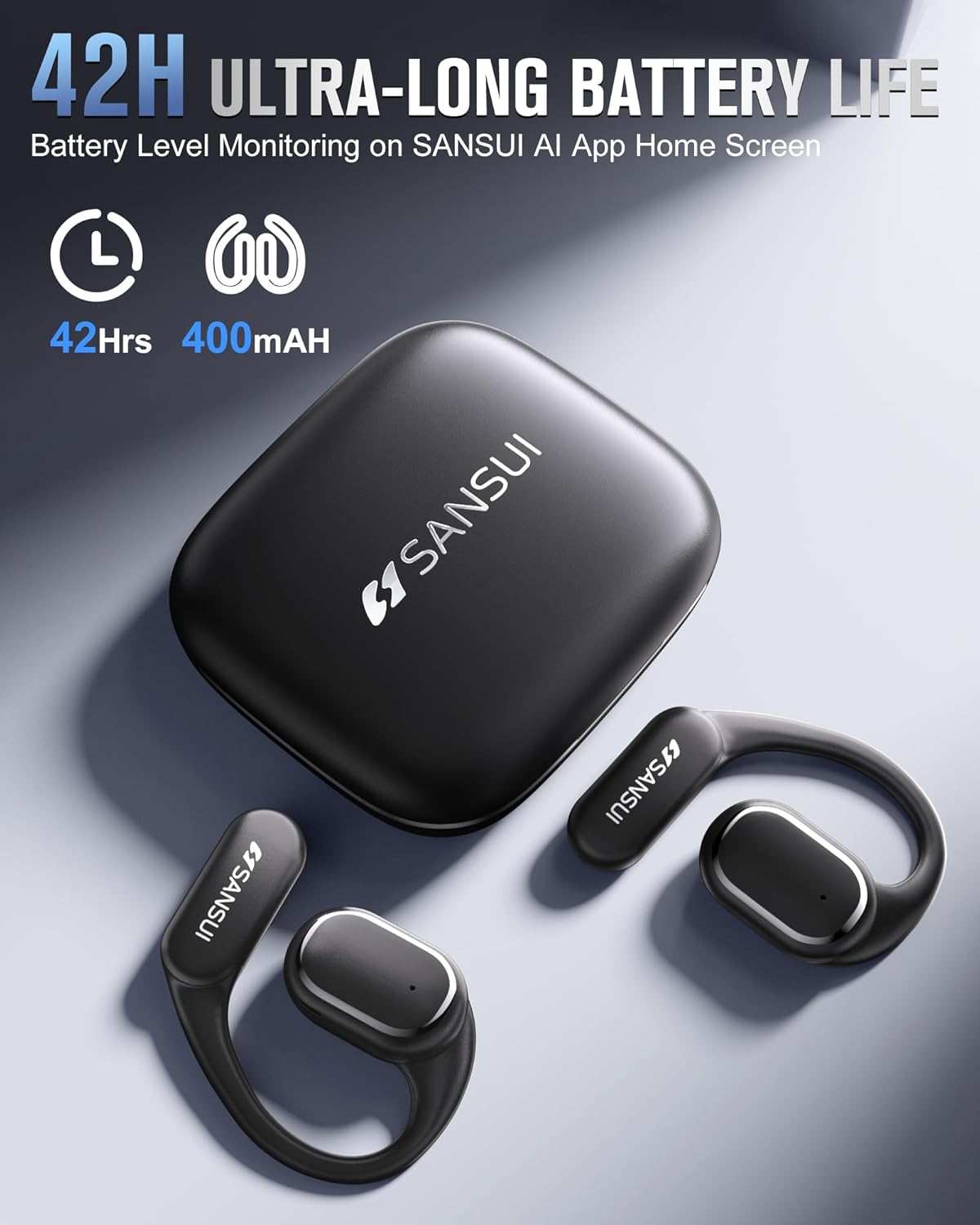
Image: The SANSUI W12 earbuds and charging case, illustrating the 42-hour ultra-long battery life.
8. الضمان والدعم
SANSUI is committed to providing quality products and customer satisfaction. For any inquiries or support needs, please refer to the following:
- ضمان: The product comes with a standard manufacturer's warranty. Please refer to the warranty card included in your packaging for specific terms and conditions.
- دعم العملاء: For technical assistance, troubleshooting, or general inquiries, please visit the official SANSUI website or contact their customer service. Contact information can be found in the user manual or on the SANSUI AI Smart App.
- خطط الحماية: Extended protection plans are available for purchase separately to cover your device beyond the standard warranty period.


