مقدمة
Welcome to the user manual for your new Lenovo IdeaPad 3 82KU laptop. This guide provides essential information to help you set up, operate, maintain, and troubleshoot your device. Please read this manual thoroughly to ensure proper use and to maximize your laptop's performance and longevity.
معلومات السلامة
Observe the following safety guidelines to prevent damage to your device or personal injury:
- استخدم فقط محول الطاقة والكابلات المتوفرة.
- تجنب تعريض الكمبيوتر المحمول لدرجات حرارة قصوى، أو أشعة الشمس المباشرة، أو الرطوبة العالية.
- لا تضع أشياء ثقيلة على الكمبيوتر المحمول.
- احتفظ بالسوائل بعيدًا عن الجهاز لتجنب الصدمات الكهربائية أو التلف.
- Ensure proper ventilation; do not block air vents.
- Do not attempt to disassemble or repair the laptop yourself. Contact authorized service personnel.
محتويات الحزمة
تأكد من وجود جميع العناصر في الحزمة الخاصة بك:
- Lenovo IdeaPad 3 82KU Laptop
- محول تيار متردد بقوة 65 واط
- محرك أقراص USB سعة 32 جيجابايت
- دليل البدء السريع (إذا كان متضمنًا)
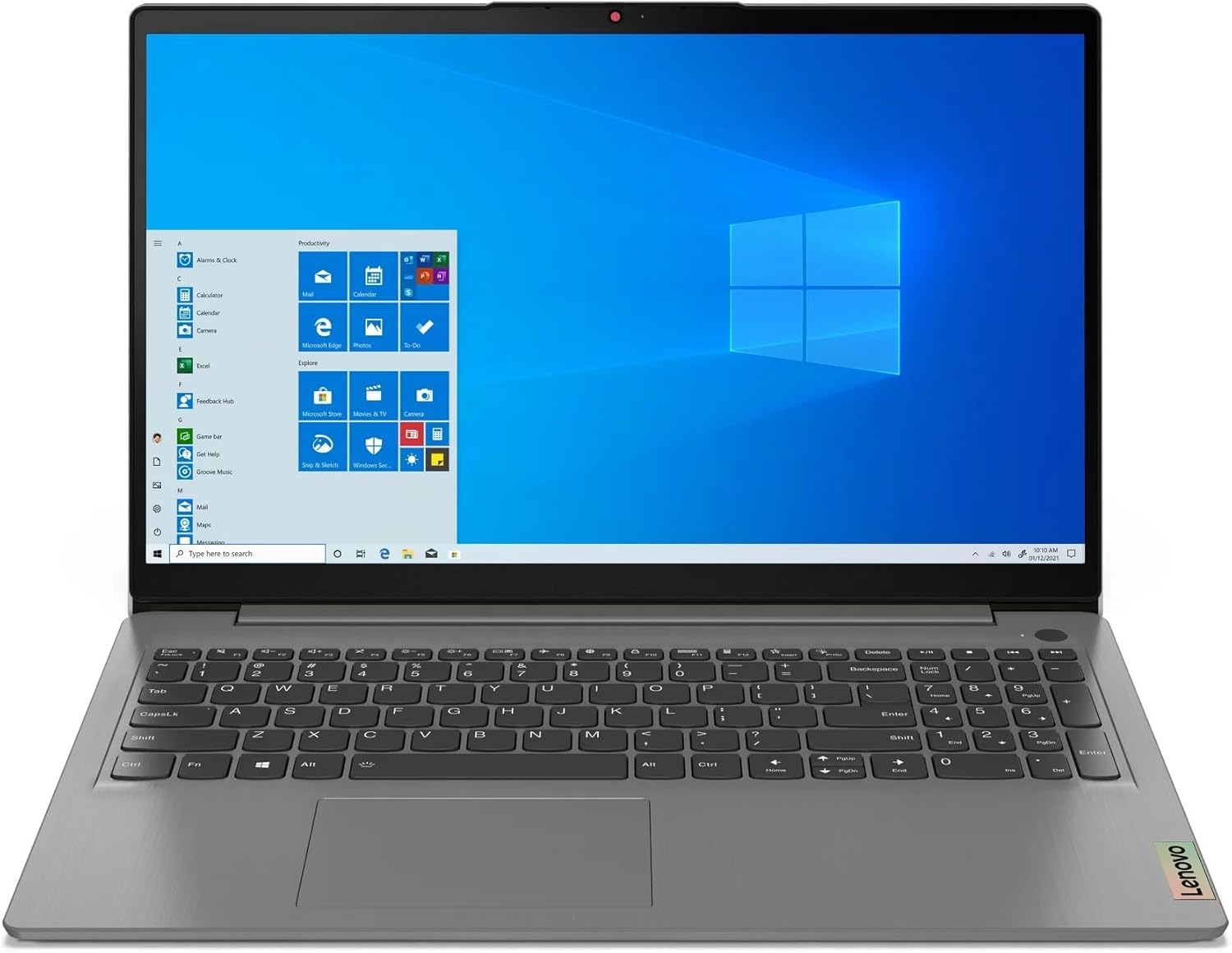
Image: Lenovo IdeaPad 3 82KU Laptop, showcasinبفضل تصميمه الأنيق وشاشته مقاس 15.6 بوصة.
المنتج انتهىview
Familiarize yourself with the physical features and components of your Lenovo IdeaPad 3 82KU laptop.
أمام View
The front features the 15.6-inch FHD (1920 x 1080) anti-glare display. Above the screen, you will find the 720p HD Camera with a privacy shutter for secure video conferencing.
الجانب الأيسر View
On the left side, the laptop includes a USB-C 3.2 Gen 1 port, a USB 3.2 Gen 1 port, an HDMI v1.4 port for external displays, and a headphone/microphone combo jack.
الجانب الأيمن View
The right side typically houses a USB 2.0 port and the power connector.
لوحة المفاتيح ولوحة اللمس
The full-size keyboard features a numeric keypad and backlighting for comfortable typing in various lighting conditions. The integrated touchpad supports multi-touch gestures. A fingerprint reader is also integrated for secure login.
يثبت
Follow these steps to set up your laptop for the first time.
الاستخدام لأول مرة
- فك حزمة الكمبيوتر المحمول: قم بإزالة الكمبيوتر المحمول وجميع الملحقات من العبوة بعناية.
- توصيل الطاقة: Plug the AC adapter into the laptop's power port and then into a wall outlet. It is recommended to fully charge the battery before first use.
- تشغيل الطاقة: Open the laptop lid and press the power button. The laptop will guide you through the initial Windows 11 Pro setup process.
- الإعداد الأولي لنظام التشغيل Windows: Follow the on-screen instructions to configure your region, language, network connection, and user account.
ربط الأجهزة الطرفية
You can connect external devices such as mice, keyboards, and external monitors using the available USB and HDMI ports. Refer to the 'Product Overview' section for port locations.
تشغيل الكمبيوتر المحمول
This section covers basic operation of your Lenovo IdeaPad 3 82KU.
تشغيل/إيقاف الطاقة
- لتشغيل: اضغط على زر التشغيل الموجود على الكمبيوتر المحمول.
- للإغلاق: انقر فوق زر البدء في نظام التشغيل Windows، ثم حدد الطاقة > إيقاف التشغيل.
- لإعادة التشغيل: انقر فوق زر البدء في نظام التشغيل Windows، ثم حدد الطاقة > إعادة التشغيل.
- للنوم: Close the laptop lid or click the Start button in Windows, then select Power > Sleep.
استخدام Windows 11 Pro
Your laptop comes pre-installed with Windows 11 Pro. For detailed instructions on using Windows 11, refer to the official Microsoft documentation or online help resources.
Keyboard and Touchpad Functions
Utilize the backlit keyboard for improved visibility. The numeric keypad allows for efficient data entry. The touchpad supports various gestures for navigation and control. The integrated fingerprint reader provides a convenient and secure way to log in to your system.
الاتصال بالواي فاي والبلوتوث
- واي فاي: Click the network icon in the taskbar, select your desired Wi-Fi network, enter the password if prompted, and click Connect. Your laptop supports Wi-Fi 6.
- بلوتوث: To pair Bluetooth devices, go to Settings > Bluetooth & devices, turn on Bluetooth, and select your device from the list. Your laptop supports Bluetooth 5.1.
Using the HD Camera
The 720p HD camera can be used for video calls and conferences. Ensure the privacy shutter is open when using the camera. You can access the camera through applications like Camera, Microsoft Teams, or Zoom.
صيانة
Proper maintenance helps extend the life of your laptop.
تنظيف الكمبيوتر المحمول
- استخدم قطعة قماش ناعمة وخالية من الوبر وامسحها برفق.ampاغسلها بالماء أو بمنظف الشاشة لتنظيف الشاشة.
- لتنظيف لوحة المفاتيح والهيكل، استخدم قطعة قماش ناعمة. تجنب المواد الكيميائية القاسية.
- استخدم الهواء المضغوط بشكل دوري لإزالة الغبار من فتحات التهوية.
العناية بالبطارية
- تجنب تفريغ البطارية بالكامل بشكل متكرر.
- قم بتخزين الكمبيوتر المحمول في مكان بارد وجاف إذا لم تستخدمه لفترات طويلة.
- لا تعرض البطارية لدرجات حرارة عالية.
تحديثات البرامج
Regularly check for and install Windows updates and driver updates to ensure optimal performance and security. Go to Settings > Windows Update to check for updates.
استكشاف الأخطاء وإصلاحها
يوفر هذا القسم حلولاً للمشكلات الشائعة التي قد تواجهها.
| مشكلة | الحل المحتمل |
|---|---|
| الكمبيوتر المحمول لا يعمل. | Ensure the AC adapter is securely connected and the power outlet is functional. Try a different outlet. Check if the battery is charged. |
| مشاكل في الاتصال بشبكة Wi-Fi. | تأكد من تفعيل الواي فاي في إعدادات ويندوز. أعد تشغيل جهاز التوجيه والمودم. تأكد من أنك ضمن نطاق إشارة الواي فاي. |
| الأداء بطيء. | Close unnecessary applications. Check for background processes. Ensure Windows and drivers are up to date. Consider running a disk cleanup. |
| الإضاءة الخلفية للوحة المفاتيح لا تعمل. | Check the function keys (Fn + Spacebar or other designated key) to toggle the backlight. Ensure drivers are updated. |
| Camera not detected. | Ensure the privacy shutter is open. Check device manager for camera drivers. Restart the laptop. |
تحديد
Key technical specifications for your Lenovo IdeaPad 3 82KU laptop:
| ميزة | التفاصيل |
|---|---|
| اسم الموديل | IdeaPad 3 82KU |
| المعالج | AMD Ryzen 5 5500U (6-core, up to 4 GHz) |
| الرسومات | رسومات AMD Radeon (متكاملة) |
| عرض | 15.6-inch FHD (1920 x 1080) IPS, 60Hz, 250 nits, Anti-glare |
| كبش | ذاكرة الوصول العشوائي DDR4 SDRAM سعة 20 جيجابايت بسرعة 3200 ميجاهرتز |
| تخزين | قرص SSD NVMe M.2 بسعة 2 تيرابايت |
| نظام التشغيل | ويندوز 11 برو |
| الاتصال اللاسلكي | MediaTek Wi-Fi 6 (802.11ax), Bluetooth 5.1 |
| الموانئ | 1x USB-C 3.2 Gen 1, 1x USB 3.2 Gen 1, 1x USB 2.0, 1x HDMI v1.4, 1x Headphone/Microphone Combo Jack |
| آلة تصوير | كاميرا عالية الدقة 720 بكسل مع مصراع الخصوصية |
| بطارية | 45Wh Lithium Polymer (up to 6 hours average battery life) |
| الأبعاد (الطول × العرض × الارتفاع) | 14.12 × 9.33 × 0.81 بوصة |
| وزن | 3.6 رطل (حوالي 1.63 كجم) |
| لوحة المفاتيح | لوحة مفاتيح بإضاءة خلفية مع لوحة أرقام وقارئ بصمات الأصابع |
الضمان والدعم
Your Lenovo IdeaPad 3 82KU laptop comes with a 12-month warranty covering manufacturing defects. For technical support, warranty claims, or service inquiries, please refer to the contact information provided with your purchase documentation or visit the official Lenovo support website. When contacting support, please have your laptop's model number (82KU) and serial number ready.
For additional resources and driver downloads, please visit the official Lenovo support portal.


