1. انتهى المنتجview
The Xiaomi Robot Vacuum S40 Pro is an intelligent cleaning device designed to automate floor maintenance. It combines powerful vacuuming with effective mopping capabilities, utilizing advanced navigation and smart features for comprehensive home cleaning.

Image 1.1: The Xiaomi Robot Vacuum S40 Pro and its charging base. This image displays the top-down view of the white circular robot vacuum cleaner next to its compact white charging dock.
2. محتويات العبوة
تأكد من وجود جميع المكونات في العبوة:
- Xiaomi Robot Vacuum S40 Pro
- قاعدة الشحن
- محول الطاقة
- فرشاة التنظيف
- Water Tank (pre-installed or separate)
- وسادة الممسحة (مثبتة مسبقًا أو منفصلة)
- فرش جانبية (مثبتة مسبقًا أو منفصلة)
- دليل المستخدم (هذا المستند)
3. دليل الإعداد
3.1 وضع قاعدة الشحن
Place the charging base against a wall in an open area, ensuring there are no obstacles within 0.5 meters (1.6 feet) to either side and 1.5 meters (4.9 feet) in front. Connect the power adapter to the charging base and plug it into a power outlet.

Image 3.1: The robot vacuum docked at its charging base in a home environment. The charging base is positioned against a light-colored wall, with the robot vacuum neatly connected to it on a wooden floor.
3.2 الشحن الأولي
Place the robot vacuum onto the charging base. Ensure the charging contacts on the robot align with those on the base. The indicator light on the robot will illuminate, indicating it is charging. For optimal battery life, fully charge the robot before its first use.
3.3 Xiaomi Home App Connection
- تنزيل الصفحة الرئيسية لشاومي app from your device's app store (Google Play Store or Apple App Store).
- افتح التطبيق وقم بإنشاء حساب أو تسجيل الدخول.
- اضغط على أيقونة "+" في الزاوية اليمنى العليا لإضافة جهاز.
- Select the "Xiaomi Robot Vacuum S40 Pro" from the list of available devices.
- Follow the on-screen instructions to connect the robot to your Wi-Fi network. Ensure your phone is connected to a 2.4GHz Wi-Fi network during setup.

Image 3.2: A user interacting with the Xiaomi Home app on a smartphone to control the robot vacuum. The app interface shows various cleaning modes and settings, while the robot vacuum operates in the background on a wooden floor.
4. تعليمات التشغيل
4.1 بدء عملية التنظيف وإيقافها مؤقتًا
- عبر الروبوت: Press the power button on the robot once to start or pause cleaning.
- عبر التطبيق: Open the Xiaomi Home app, select your S40 Pro, and tap the "Start" or "Pause" button.
4.2 أوضاع التنظيف
The S40 Pro supports various cleaning modes, configurable through the Xiaomi Home app:
- الفراغ فقط: لجمع المخلفات الجافة.
- الممسحة فقط: For wet cleaning (requires water tank and mop pad).
- المكنسة الكهربائية والممسحة: التنظيف بالمكنسة الكهربائية والمسح في آن واحد.
- تنظيف البقعة: ينظف منطقة صغيرة محددة بشكل مكثف.
- تنظيف المنطقة: يقوم بتنظيف المناطق التي يحددها المستخدم على الخريطة.
4.3 الملاحة الذكية وتجنب العوائق
The robot uses a 129-degree wide-angle LiDAR scanning system for precise mapping and efficient route planning. It can detect and navigate around obstacles, and its auto-extending side brushes ensure thorough edge cleaning.

Image 4.1: The robot vacuum operating on a rug, with blue arrows illustrating its powerful suction capability. This highlights the cleaning mechanism of the device.

Image 4.2: The robot vacuum navigating around various household objects like slippers and books, demonstrating its obstacle avoidance feature. Blue lines illustrate its intelligent path planning.
4.4 كشف السجاد
The S40 Pro can detect carpets and automatically adjust its suction power for deeper cleaning. When mopping, it may avoid carpets to prevent wetting them, depending on the selected mode and settings.
5. الصيانة
تضمن الصيانة الدورية الأداء الأمثل وتطيل عمر مكنسة الروبوت الخاصة بك.
5.1 تنظيف صندوق القمامة والفلتر
- افتح الغطاء العلوي للروبوت وقم بإزالة سلة المهملات.
- أفرغ محتويات سلة المهملات في حاوية القمامة.
- Remove the filter from the dustbin. Tap the filter gently to remove dust. Do not wash the HEPA filter with water.
- Reinstall the filter and dustbin.
5.2 صيانة خزان المياه ووسادة الممسحة
- قم بإزالة خزان المياه من الروبوت.
- قم بتفريغ أي ماء متبقٍ واشطف الخزان.
- Detach the mop pad. Hand wash or machine wash the mop pad and allow it to air dry completely.
- Refill the water tank with clean water and reattach the mop pad before reinserting into the robot.
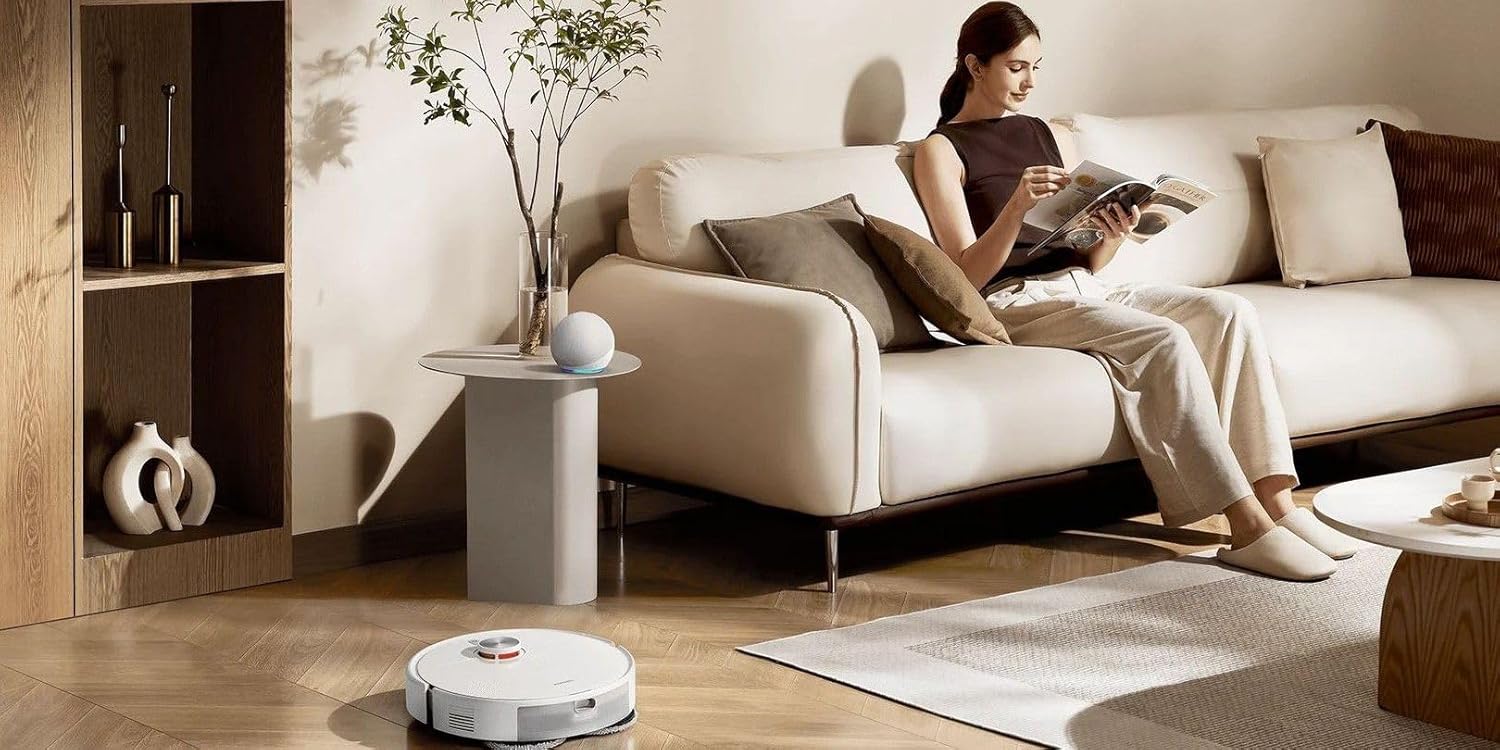
Image 5.1: An illustrative diagram showing the internal components of the robot vacuum, specifically the dustbin and water tank, in an exploded view. This helps visualize how to remove and clean these parts.
5.3 تنظيف الفرشاة
- الفرشاة الرئيسية: Turn the robot over. Remove the main brush cover and then the main brush. Use the provided cleaning tool to cut and remove tangled hair.
- الفرش الجانبية: Check side brushes for tangled hair or debris. If necessary, remove them by unscrewing and clean.
5.4 تنظيف المستشعر
Wipe all sensors (cliff sensors, wall sensors, charging contacts) with a soft, dry cloth to ensure proper operation. Dirty sensors can affect navigation and charging.
6. استكشاف الأخطاء وإصلاحها
If you encounter issues with your Xiaomi Robot Vacuum S40 Pro, refer to the following common problems and solutions:
- الروبوت لا يعمل: تأكد من شحن البطارية. ضع الروبوت على قاعدة الشحن.
- الروبوت لا يشحن: Check if the charging base is powered on and the charging contacts on both the robot and base are clean and aligned.
- الروبوت يتعطل بشكل متكرر: أزل العوائق من مسار التنظيف. تأكد من نظافة مستشعرات الروبوت.
- أداء تنظيف ضعيف: Empty the dustbin, clean the main brush, side brushes, and filter. Check if the water tank is filled and mop pad is clean for mopping.
- مشاكل اتصال التطبيق: Ensure your Wi-Fi network is 2.4GHz. Restart your router, phone, and robot. Try re-pairing the device in the app.
- ضوضاء غير عادية: Check main brush and side brushes for tangled hair or foreign objects.
For persistent issues, consult the Xiaomi Home app for further diagnostics or contact customer support.
7. المواصفات
| ميزة | مواصفة |
|---|---|
| العلامة التجارية | شاومي |
| اسم الموديل | اس 40 برو |
| توصية السطح | أرضية صلبة، سجاد |
| المميزات الخاصة | Anti-Tangle Brush, App Control, Extendable Side Brushes, Obstacle Climbing (20mm), Smart Carpet Detection |
| لون | أبيض |
| أبعاد المنتج الطول × العرض × الارتفاع | 10 طول × 10 عرض × 10 ارتفاع سم |
| نوع وحدة التحكم | تطبيق الهاتف المحمول |
| المكونات المضمنة | Charging Base, Cleaning Brush, Robot Vacuum |
| المجلدtage | 14.4 فولت |
| وزن العنصر | 20 جرام |
8. الضمان والدعم
The Xiaomi Robot Vacuum S40 Pro comes with a standard manufacturer's warranty. Please refer to the warranty card included in your product packaging for specific terms and conditions, including warranty period and coverage details.
For technical support, service, or warranty claims, please contact Xiaomi customer service through their official website or the Xiaomi Home app. You can also visit the official متجر شاومي على أمازون للحصول على معلومات المنتج وموارد الدعم.


