المنتج انتهىview
The LEICKE DAB+ Radio Tube (Model EP19035) is a versatile portable audio device combining a DAB+/FM radio with a powerful Bluetooth speaker. It features a robust 4500 mAh battery for extended playtime, dynamic RGB LED lighting, and multiple connectivity options including Micro SD and AUX-In. This manual provides essential information for setup, operation, and maintenance.
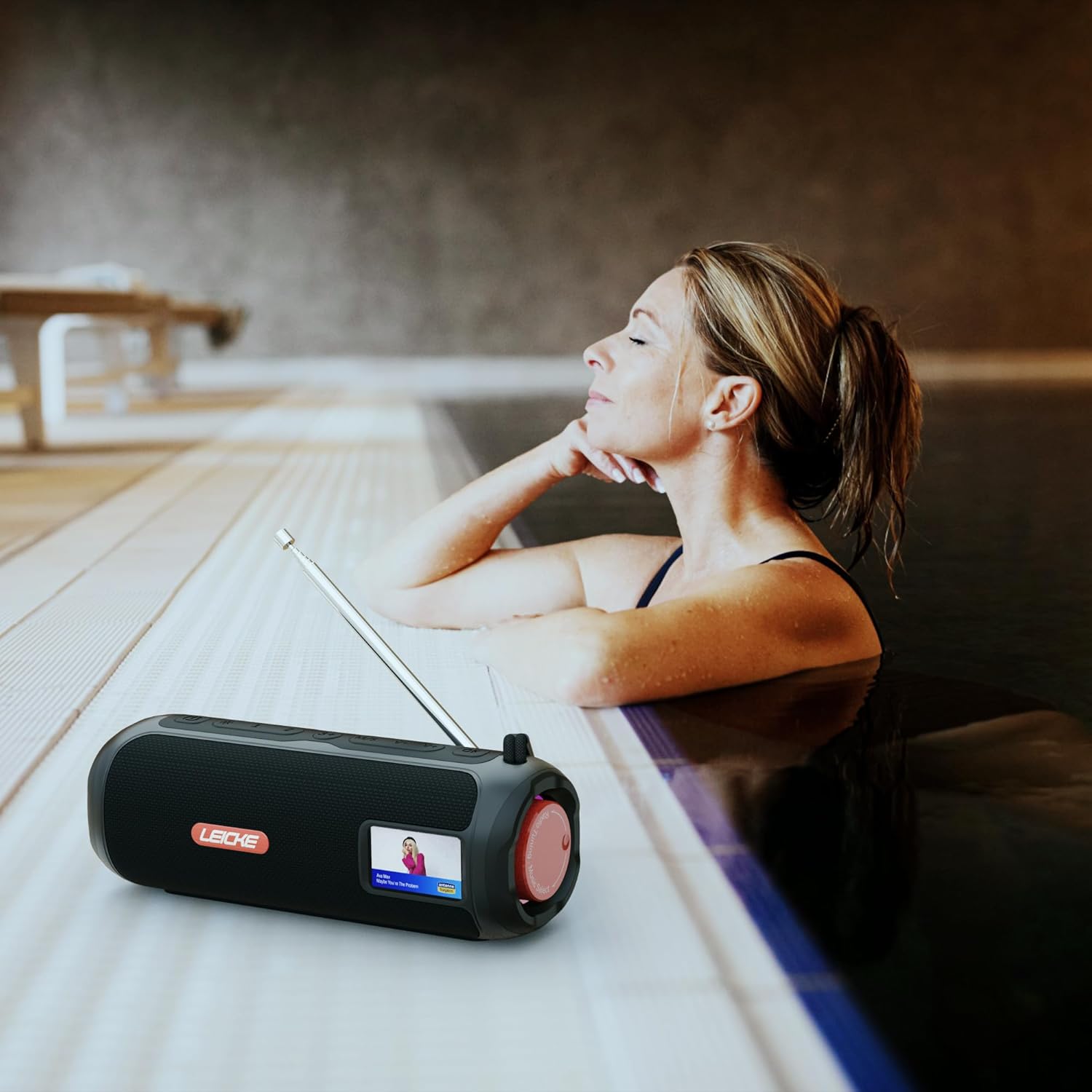
Image: The LEICKE DAB+ Radio Tube, showcasing its portable design, suitable for various environments like a poolside.
المميزات الرئيسية:
- صوت ستيريو قوي: Two 5W speakers deliver rich, clear audio with dynamic effects and powerful bass.
- عمر بطارية ممتد: Integrated 4500 mAh rechargeable battery provides up to 12 hours of playtime.
- DAB+ & FM Radio: Enjoy noise-free digital DAB+ and traditional FM radio with 30 station presets.
- Atmospheric RGB Lighting: Features cool color-changing LED lights for enhanced ambiance.
- اتصال متعدد الاستخدامات: Bluetooth 5.3 for wireless streaming, Micro SD card slot, and 3.5 mm AUX-In.
- شحن مريح: USB-C port for quick and easy charging.
- وظائف إضافية: Includes an integrated alarm clock, sleep timer, and equalizer settings.
محتويات الحزمة
يرجى التحقق من الحزمة للعناصر التالية:
- LEICKE DAB+ Radio Tube (Model EP19035)
- كابل شحن USB-C
- دليل المالك
- (Note: Specific accessories like AUX cable may vary by region or package. Please refer to your product packaging.)
عناصر التحكم والاتصالات
Familiarize yourself with the various buttons, ports, and indicators on your LEICKE DAB+ Radio Tube.

الصورة: الجبهة view of the LEICKE DAB+ Radio Tube, highlighting the display, SD card slot, AUX input, and USB-C port.

الصورة: الخلفية view of the LEICKE DAB+ Radio Tube, showing the extendable antenna, AUX port, USB-C port, and Micro SD slot.
أوصاف المنفذ:
- فتحة Micro SD: Insert a Micro SD card for playing stored audio files.
- AUX-In (3.5mm): قم بتوصيل الأجهزة الصوتية الخارجية باستخدام كابل صوت مقاس 3.5 ملم.
- منفذ USB-C: يستخدم لشحن الجهاز
- الهوائي: Extend for optimal DAB+ and FM radio reception.
(Note: Specific button functions will be detailed in the 'Operating' section.)
يثبت
1. الشحن الأولي
- قبل الاستخدام الأول، قم بشحن الجهاز بالكامل.
- Connect the provided USB-C cable to the USB-C port on the speaker and the other end to a compatible USB power adapter (not included) or a computer's USB port.
- The charging indicator on the display will show the charging status. Once fully charged, the indicator will change.
2. تشغيل / إيقاف التشغيل
- لتشغيل: اضغط مع الاستمرار على زر الطاقة (عادةً ما يكون مُعلَّمًا بـ ⏻ or قوة) for a few seconds until the display lights up.
- لإيقاف التشغيل: اضغط مع الاستمرار على زر الطاقة مرة أخرى لبضع ثوانٍ حتى تنطفئ الشاشة.
تعليمات التشغيل
اختيار الوضع
اضغط على وضع button to cycle through available modes: DAB+ Radio, FM Radio, Bluetooth, Micro SD, and AUX-In.
1. تشغيل راديو DAB+
- قم بمد الهوائي بالكامل للحصول على أفضل استقبال.
- حدد وضع DAB+ باستخدام وضع زر.
- The radio will automatically scan for available DAB+ stations on first use or if no stations are found.
- استخدم السابق / التالي أزرار للتنقل عبر قائمة المحطات المتاحة.
- اضغط على ENTER/PLAY زر لاختيار محطة.
- حفظ الإعدادات المسبقة: While listening to a station, press and hold the الإعداد المسبق زر. يستخدم السابق / التالي لتحديد رقم محدد مسبقًا (1-30)، ثم اضغط على ENTER/PLAY للحفظ.
- استدعاء الإعدادات المسبقة: اضغط لفترة وجيزة على الإعداد المسبق زر ، ثم استخدم السابق / التالي to select a saved station and press ENTER/PLAY.
2. تشغيل راديو FM
- قم بمد الهوائي بالكامل للحصول على أفضل استقبال.
- حدد وضع FM باستخدام وضع زر.
- التأكد الذاتي: اضغط مع الاستمرار على تشغيل/إيقاف مؤقت زر لمسح وحفظ محطات FM المتوفرة تلقائيًا.
- ضبط يدوي: اضغط لفترة وجيزة السابق / التالي لضبط التردد بدقة.
- حفظ الإعدادات المسبقة: Similar to DAB+ mode, press and hold الإعداد المسبق to save, and briefly press to recall.
3. اقتران بلوتوث
- حدد وضع البلوتوث باستخدام وضع button. The display will show "Bluetooth" and an icon will flash, indicating it's in pairing mode.
- On your smartphone, tablet, or laptop, enable Bluetooth and search for new devices.
- Select "LEICKE DAB+ Tube" from the list of available devices.
- بمجرد الاقتران، سيصدر مكبر الصوت صوت تأكيد، وسيتوقف رمز البلوتوث الموجود على الشاشة عن الوميض.
- You can now play audio from your connected device through the speaker.
4. Micro SD Playback
- أدخل بطاقة ذاكرة Micro SD (مع دعم الصوت) fileس) في فتحة Micro SD.
- Select Micro SD mode using the وضع button. The device will automatically start playing music from the card.
- يستخدم تشغيل/إيقاف مؤقت to control playback, and السابق / التالي لتخطي المسارات.
5. AUX-In Connection
- Connect one end of a 3.5mm audio cable (not included) to the AUX-In port on the speaker.
- قم بتوصيل الطرف الآخر بمقبس سماعة الرأس أو مخرج الصوت الخاص بجهازك الخارجي.
- حدد وضع AUX-In باستخدام وضع زر.
- التحكم في التشغيل ومستوى الصوت من جهازك الخارجي.
6. التحكم في مستوى الصوت
Use the dedicated Volume Up (+) وخفض مستوى الصوت (-) buttons to adjust the audio level.
7. إعدادات المعادل
اضغط على EQ button (if available) to cycle through preset equalizer modes such as Pop, Rock, Classic, Jazz, etc. There is no manual equalizer adjustment.
8. مصابيح LED RGB
The RGB LED lights will automatically activate when the device is powered on. There may be a dedicated button to change light modes or turn them off (refer to device specific button layout if available).
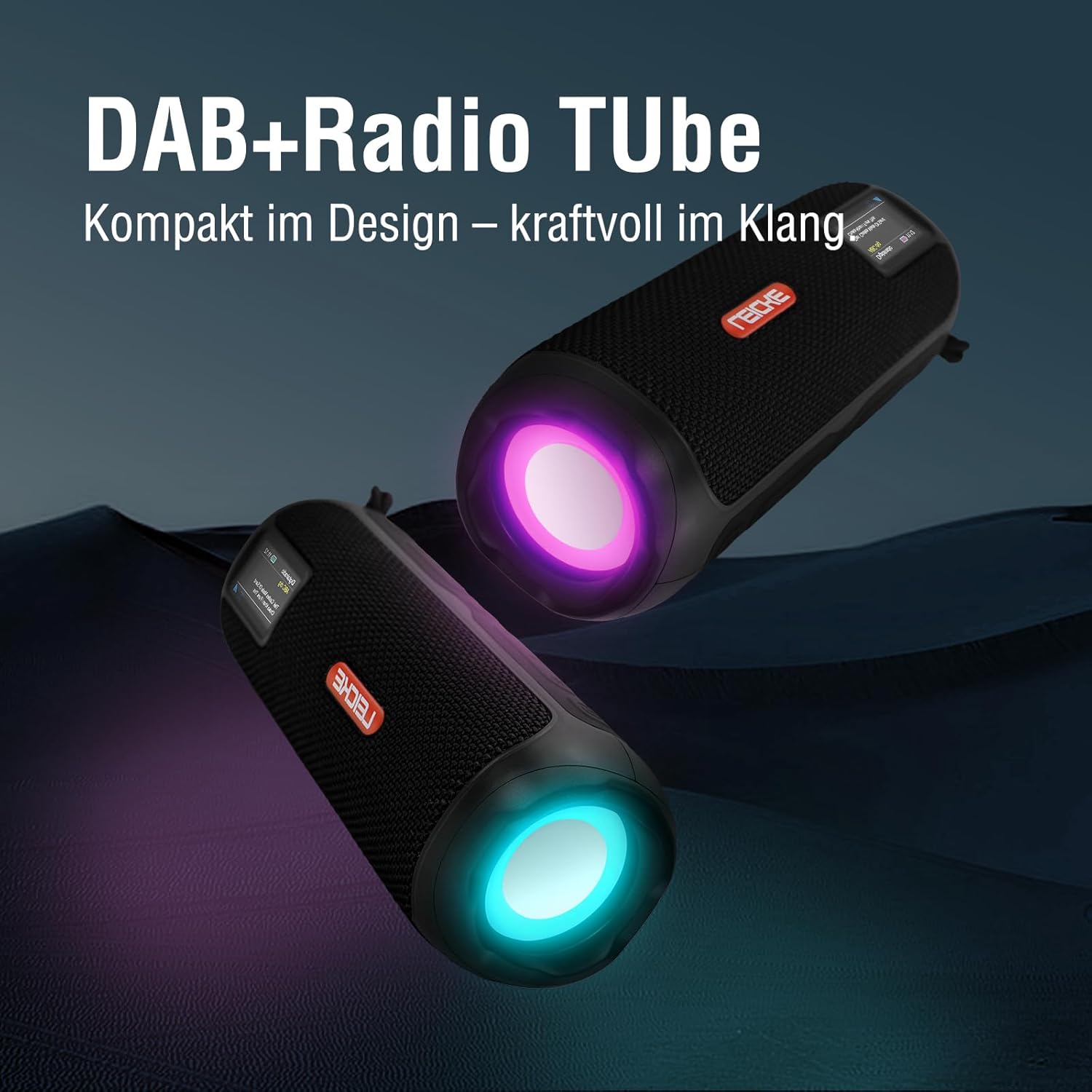
Image: Two LEICKE DAB+ Radio Tubes displaying their vibrant RGB LED lighting feature.
9. ساعة منبه ومؤقت نوم
Access the menu settings (usually by pressing a قائمة طعام or تعيين button) to configure the alarm clock and sleep timer functions. Follow the on-screen prompts to set times and preferences.
صيانة
تنظيف
- تأكد من إيقاف تشغيل الجهاز وفصله عن أي مصدر طاقة قبل التنظيف.
- استخدم قطعة قماش ناعمة وجافة وخالية من الوبر لمسح الأسطح الخارجية.
- لا تستخدم المنظفات الكاشطة أو الشمع أو المذيبات لأنها قد تؤدي إلى إتلاف الطبقة النهائية.
- تجنب دخول الرطوبة إلى أي فتحات.
العناية بالبطارية
- لإطالة عمر البطارية، تجنب تفريغ البطارية بالكامل بشكل متكرر.
- قم بشحن الجهاز بانتظام، حتى لو لم يكن قيد الاستخدام، للحفاظ على صحة البطارية.
- قم بتخزين الجهاز في مكان بارد وجاف عندما لا يكون قيد الاستخدام لفترات طويلة.
تخزين
- When storing the device for a long time, ensure it is charged to about 50-70% to prevent deep discharge.
- احتفظ بالجهاز بعيدًا عن درجات الحرارة العالية وأشعة الشمس المباشرة والرطوبة العالية.
استكشاف الأخطاء وإصلاحها
| مشكلة | السبب المحتمل | حل |
|---|---|---|
| الجهاز لا يعمل. | بطارية منخفضة؛ لم يتم الضغط على زر الطاقة بشكل صحيح. | اشحن الجهاز بالكامل. اضغط مع الاستمرار على زر التشغيل لبضع ثوانٍ. |
| لا يوجد صوت. | مستوى الصوت منخفض جدًا؛ تم اختيار وضع غير صحيح؛ الجهاز غير مقترن (بلوتوث). | Increase volume. Ensure correct mode (DAB+, FM, BT, SD, AUX) is selected. Re-pair Bluetooth device. |
| استقبال راديو ضعيف. | الهوائي غير ممتد، منطقة الإشارة ضعيفة. | Fully extend the antenna. Try moving the device to a different location. |
| لا يمكن إقران جهاز البلوتوث. | Speaker not in pairing mode; Device too far; Already connected to another device. | Ensure speaker is in Bluetooth pairing mode. Move devices closer. Disconnect from other devices. |
| لم يتم التعرف على بطاقة الذاكرة الصغيرة (Micro SD). | Card inserted incorrectly; Unsupported file format; Corrupted card. | Reinsert the card correctly. Ensure files are in a supported format. Try a different Micro SD card. |
تحديد
| ميزة | التفاصيل |
|---|---|
| ماركة | ليك |
| رقم الموديل | الحلقة 19035 |
| تقنية الموالف | DAB Plus، FM |
| الاتصال | Bluetooth 5.3, Micro SD, 3.5mm AUX-In, USB-C (charging) |
| مخرج الصوت | 10W Stereo Sound (2 x 5W speakers) |
| سعة البطارية | 4500 مللي أمبير من نوع ليثيوم أيون |
| وقت اللعب | ما يصل إلى 12 ساعات (يختلف مع الاستخدام) |
| المميزات الخاصة | RGB LED Lights, Equalizer, Alarm Clock, Sleep Timer, 30 DAB+/FM Presets |
| مصدر الطاقة | Battery Operated, Wired (USB-C) |
| أبعاد المنتج | 3.2 x 3.2 x 12 cm ؛ 660 ز |
معلومات الضمان
LEICKE products are designed and manufactured to the highest quality standards. This product is covered by a standard manufacturer's warranty. Please refer to the warranty card included in your package or visit the official LEICKE webالموقع للحصول على شروط وأحكام الضمان التفصيلية الخاصة بمنطقتك.
احتفظ بإيصال الشراء الخاص بك كدليل على الشراء في حالة وجود أي مطالبات بالضمان.
دعم العملاء
If you encounter any issues or have questions regarding your LEICKE DAB+ Radio Tube that are not covered in this manual, please contact LEICKE customer support.
- الدعم عبر الإنترنت: Visit the official LEICKE webموقع للأسئلة الشائعة، وموارد الدعم، ونماذج الاتصال.
- دعم البريد الإلكتروني: Refer to your product packaging or the LEICKE webابحث عن عنوان البريد الإلكتروني المناسب للدعم على الموقع.
Please have your product model number (EP19035) and purchase details ready when contacting support.


