مقدمة
The AOC MS200 Wireless Optical Mouse is designed to provide freedom, precision, and comfort for your daily computing tasks. Featuring a stable 2.4 GHz wireless connection, an adjustable optical sensor, and an ergonomic, lightweight design, this mouse is suitable for various applications, from general browsing to tasks requiring higher precision.
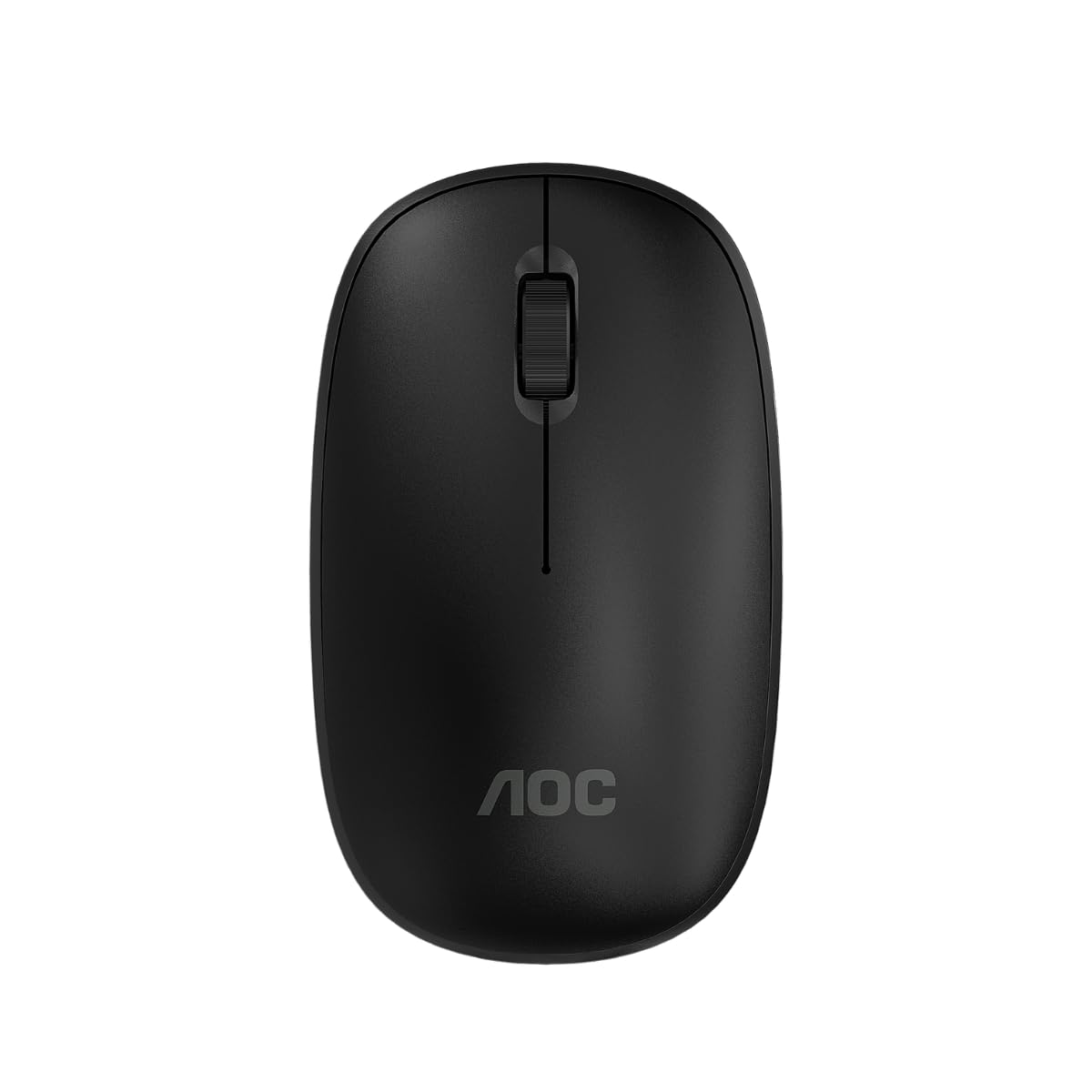
Image: The AOC MS200 Wireless Optical Mouse shown alongside its retail packaging.
محتويات الحزمة
يرجى التحقق من محتويات الحزمة للتأكد من وجود جميع العناصر:
- AOC MS200 Wireless Optical Mouse
- مستقبل USB بتردد 2.4 جيجاهرتز
- دليل المستخدم (هذا المستند)
ملحوظة: البطاريات غير متضمنة ويجب شراؤها بشكل منفصل.
يثبت
- أدخل البطارية: Open the battery compartment cover located on the underside of the mouse. Insert one AA battery (not included), ensuring correct polarity (+/-). Close the cover securely.
- توصيل جهاز استقبال USB: Locate the USB 2.4 GHz receiver, usually stored within the battery compartment or packaged separately. Plug the USB receiver into an available USB port on your computer.
- تشغيل الماوس: Turn on the mouse using the power switch, typically located on the underside of the device. The mouse should automatically connect to your computer.
- تثبيت برنامج التشغيل: ينبغي لنظام التشغيل الخاص بك أن يكتشف برامج التشغيل اللازمة ويقوم بتثبيتها تلقائيًا. لا يتطلب الأمر عادةً تثبيت برامج التشغيل يدويًا.

Image: The underside of the AOC MS200 mouse, illustrating the optical sensor and the battery compartment.
تعليمات التشغيل
The AOC MS200 mouse features a standard three-button layout with a scroll wheel for intuitive navigation.
- الزر الأيسر: وظيفة النقر الأساسية لاختيار العناصر وفتح الروابط وما إلى ذلك.
- الزر الأيمن: وظيفة النقر الثانوية، تفتح عادةً قوائم السياق.
- عجلة التمرير: قم بالتمرير لأعلى أو لأسفل خلال المستندات و web الصفحات. كما تعمل عجلة التمرير كزر أوسط عند الضغط عليها.
ضبط DPI
The MS200 mouse features an adjustable DPI (Dots Per Inch) setting, allowing you to change cursor sensitivity. The mouse supports 800 and 1200 DPI settings. To switch between DPI modes, press the DPI button located on the top of the mouse, usually below the scroll wheel. Each press cycles through the available DPI settings.

الصورة: أعلى view of the AOC MS200 mouse, highlighting the left and right click buttons, scroll wheel, and DPI adjustment button.
صيانة
تنظيف
للحفاظ على الأداء الأمثل والنظافة، قم بتنظيف الماوس الخاص بك بانتظام:
- استخدم قطعة قماش ناعمة وخالية من الوبر وامسحها برفق.ampبالماء أو بمحلول تنظيف معتدل.
- تجنب استخدام المواد الكيميائية القاسية، أو المنظفات الكاشطة، أو المذيبات.
- لا تسمح بدخول السوائل إلى الفأرةasing.
- Clean the optical sensor on the underside of the mouse with a dry cotton swab to prevent tracking issues.
استبدال البطارية
When the mouse performance degrades or it stops responding, it is likely time to replace the battery:
- افتح حجرة البطارية الموجودة أسفل الماوس.
- قم بإزالة بطارية AA القديمة.
- أدخل بطارية AA جديدة، مع التأكد من صحة القطبية.
- أغلق غطاء حجرة البطارية.
استكشاف الأخطاء وإصلاحها
If you encounter issues with your AOC MS200 mouse, refer to the following common solutions:
- الفأرة لا تستجيب:
- تحقق مما إذا كان الماوس قيد التشغيل.
- تأكد من إدخال البطارية بشكل صحيح وأنها مشحونة بشكل كافٍ. استبدلها إذا لزم الأمر.
- تأكد من توصيل جهاز استقبال USB بشكل صحيح بمنفذ USB يعمل على جهاز الكمبيوتر الخاص بك. جرب منفذ USB آخر.
- تأكد من أن الماوس يقع ضمن نطاق الاتصال اللاسلكي لجهاز الاستقبال الذي يبلغ 10 أمتار.
- أعد تشغيل الكمبيوتر الخاص بك.
- حركة المؤشر غير المنتظمة أو عدم التتبع:
- قم بتنظيف المستشعر البصري الموجود على الجانب السفلي للفأرة.
- Ensure you are using the mouse on a suitable surface. Highly reflective, transparent, or uneven surfaces may affect tracking.
- التأخر أو الاستجابة المتأخرة:
- قم بتقليل المسافة بين الماوس وجهاز الاستقبال USB.
- Move the receiver to a front USB port if possible, to avoid interference from other devices.
- Ensure there are no large metal objects or other wireless devices causing interference between the mouse and receiver.
تحديد
| ميزة | مواصفة |
|---|---|
| رقم الموديل | AOCMS200B-LA |
| تكنولوجيا الاتصال | لاسلكي (2.4 جيجاهرتز) |
| لاسلكي المدى | حتى 10 أمتار |
| تقنية الاستشعار | بصري |
| إعدادات DPI | 800 / 1200 DPI (Adjustable) |
| عدد الأزرار | 3 (يسار، يمين، عجلة التمرير/الوسط) |
| مصدر الطاقة | تعمل بالبطارية (1x AA، غير متضمنة) |
| مادة | بلاستيك |
| وزن المنتج | 43 جرام |
| أبعاد المنتج | 10.4 × 6.1 × 0.1 سم (الطول × العرض × الارتفاع) |
| متانة | Switches with up to 2 million clicks lifespan |
| لون | أسود |
معلومات الضمان
AOC products are manufactured to the highest quality standards. This product is covered by a manufacturer's warranty. Please refer to the warranty card included with your purchase or visit the official AOC webالموقع للحصول على شروط وأحكام الضمان التفصيلية الخاصة بمنطقتك.
يدعم
For further assistance, technical support, or to inquire about replacement parts, please contact AOC customer service. You can find contact information and additional resources on the official AOC webموقع:
When contacting support, please have your product model (MS200) and any relevant purchase information ready.


