1. المقدمة
Welcome to the TABWEE T90 11-inch Android 16 Tablet. This manual provides essential information to help you get started and make the most of your new device. Please read these instructions carefully before using the tablet.

Image: The TABWEE T90 tablet, showcasinتصميمها الأنيق.
2. محتويات العبوة
تأكد من وجود جميع العناصر في العبوة:
- Tablet Main Unit
- لوحة المفاتيح
- الفأر
- حافظة حماية
- Bracket (Stand)
- فيلم الحماية
- محول
- كابل بيانات USB
- دليل المستخدم
- قلم اللمس

Image: All included accessories for the TABWEE T90 tablet.
3. الإعداد الأولي
3.1 شحن الجهاز اللوحي
Before first use, fully charge the tablet using the provided adapter and USB cable. The charging port is a versatile Type-C port.

Image: The tablet connected to a charger via its Type-C port.
3.2 تشغيل/إيقاف التشغيل
- To power on: Press and hold the power button until the screen lights up.
- لإيقاف التشغيل: اضغط مع الاستمرار على زر الطاقة، ثم حدد "إيقاف التشغيل" من الخيارات.
3.3 التكوين الأولي
اتبع التعليمات التي تظهر على الشاشة لإكمال الإعداد الأولي، بما في ذلك اختيار اللغة، والاتصال بشبكة Wi-Fi، وتسجيل الدخول إلى حساب Google.
4. الميزات الرئيسية
4.1 Android 16 OS & Gemini AI Optimization
The TABWEE T90 runs on the latest Android 16 OS, optimized for 64-bit application processing. It features a refreshed UI for improved operability across work, study, and daily use. Enhanced security and privacy management allow fine control over app permissions and communication. The Android 16 AI function automatically adjusts operation and power consumption based on usage, ensuring smooth multitasking and notification handling. Integration with Gemini AI 2.5 enables intuitive document creation, information organization, and image/video processing, boosting efficiency.

Image: Visual representation of Android 16 OS and Gemini AI capabilities.

الصورة: مفصلة view of Android 16 user interface and features like security, notifications, and regional optimization.

Image: Gemini AI features for natural language understanding, data analysis, report generation, and translation support.
4.2 11-inch IPS FHD Display & Widevine L1 Support
The TABWEE T90 features a comfortable 11-inch IPS In-Cell TDDI display with a high resolution of 1920x1200, reproducing vivid details and rich colors. Android 16's unique "Full Screen to Edge" function automatically expands applications to the screen edges, providing an immersive viewing experience without black borders. Widevine L1 support allows smooth playback of FHD (1080p) or higher quality video from major streaming services like Netflix and Amazon Prime Video, enhancing your daily entertainment.
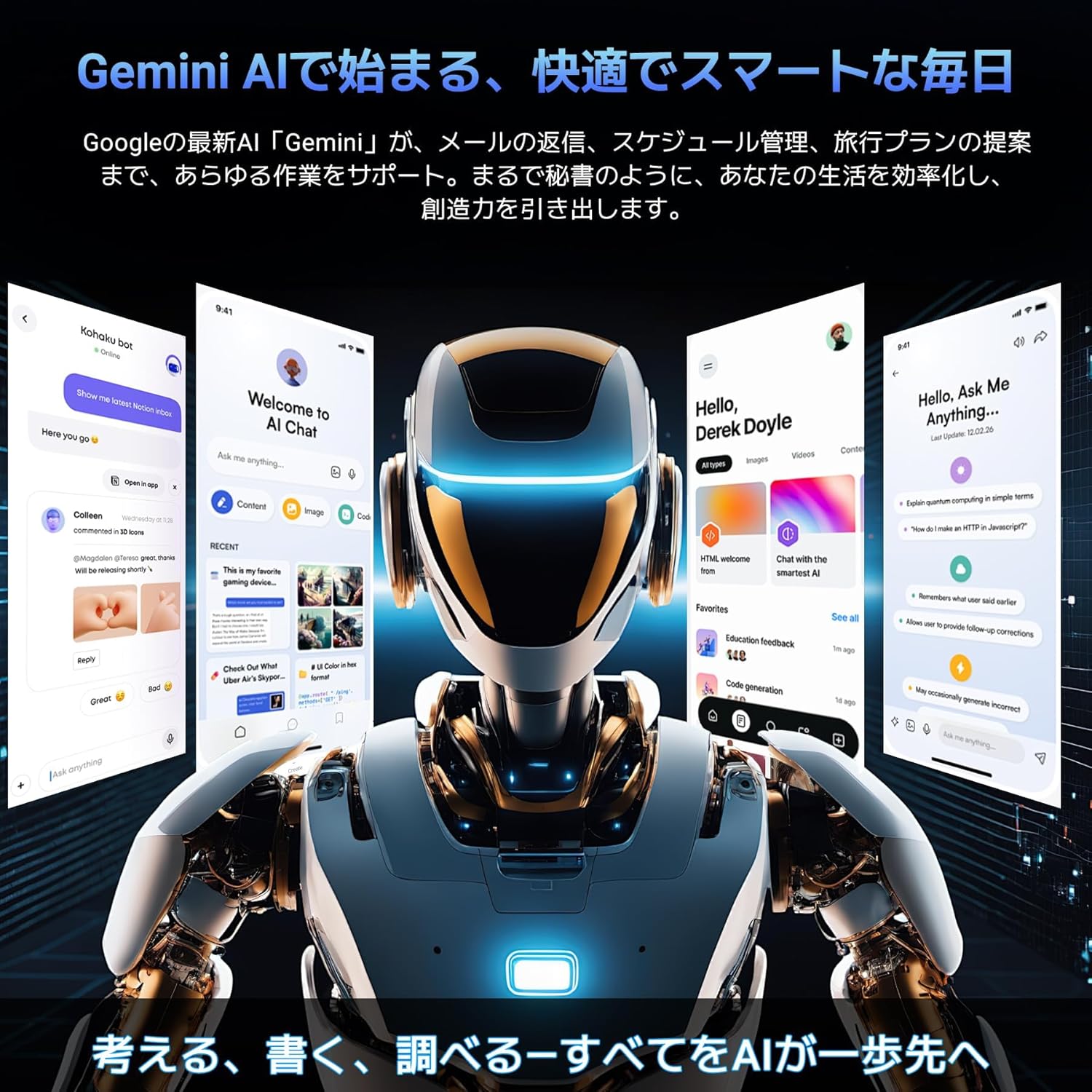
Image: The tablet displaying high-definition video, highlighting its 11-inch FHD screen and Widevine L1 support.

Image: Close-up of the tablet screen displaying specifications like 11-inch size, 1920x1200 resolution, and 350 nits brightness.
4.3 Large Capacity RAM & Storage with High-Performance CPU
The TABWEE T90 Android 16 Tablet offers 8GB of RAM, expandable by up to 16GB for a total of 24GB equivalent RAM, ensuring smooth operation. It comes with 128GB of internal storage and supports up to 2TB of expandable storage via an SD card (sold separately). This allows ample space for photos, videos, music, and applications. Powered by the Unisoc T615 Octa-core chip, featuring two high-performance A75 cores at 1.8GHz and six A55 cores, it delivers high-speed processing for smart office tasks, efficient learning, and immersive entertainment. The Mali G57 GPU and intelligent algorithms optimize color and detail expression, providing a beautiful and immersive visual experience for games and video playback.

Image: Visualizing the tablet's 24GB RAM, 128GB ROM, and 2TB expandable storage.

Image: Diagram of the Unisoc T615 Octa-core CPU, highlighting its architecture and performance.

Image: Illustrates the tablet's smooth multitasking capabilities with multiple apps open.
4.4 AI Image Processing, Dual Cameras & Face Recognition
The TABWEE T90 WiFi tablet is equipped with a 5MP front camera and a 13MP auto-focus rear camera, allowing you to capture beautiful photos and videos with ease. The latest Android 16 AI image processing technology ensures natural and vivid images. It also supports HEVC video encoding, maintaining high quality during editing and playback. Smart recognition via Google Lens simplifies scanning, translation, search, and information retrieval. Face recognition provides instant unlocking for a secure and convenient user experience.
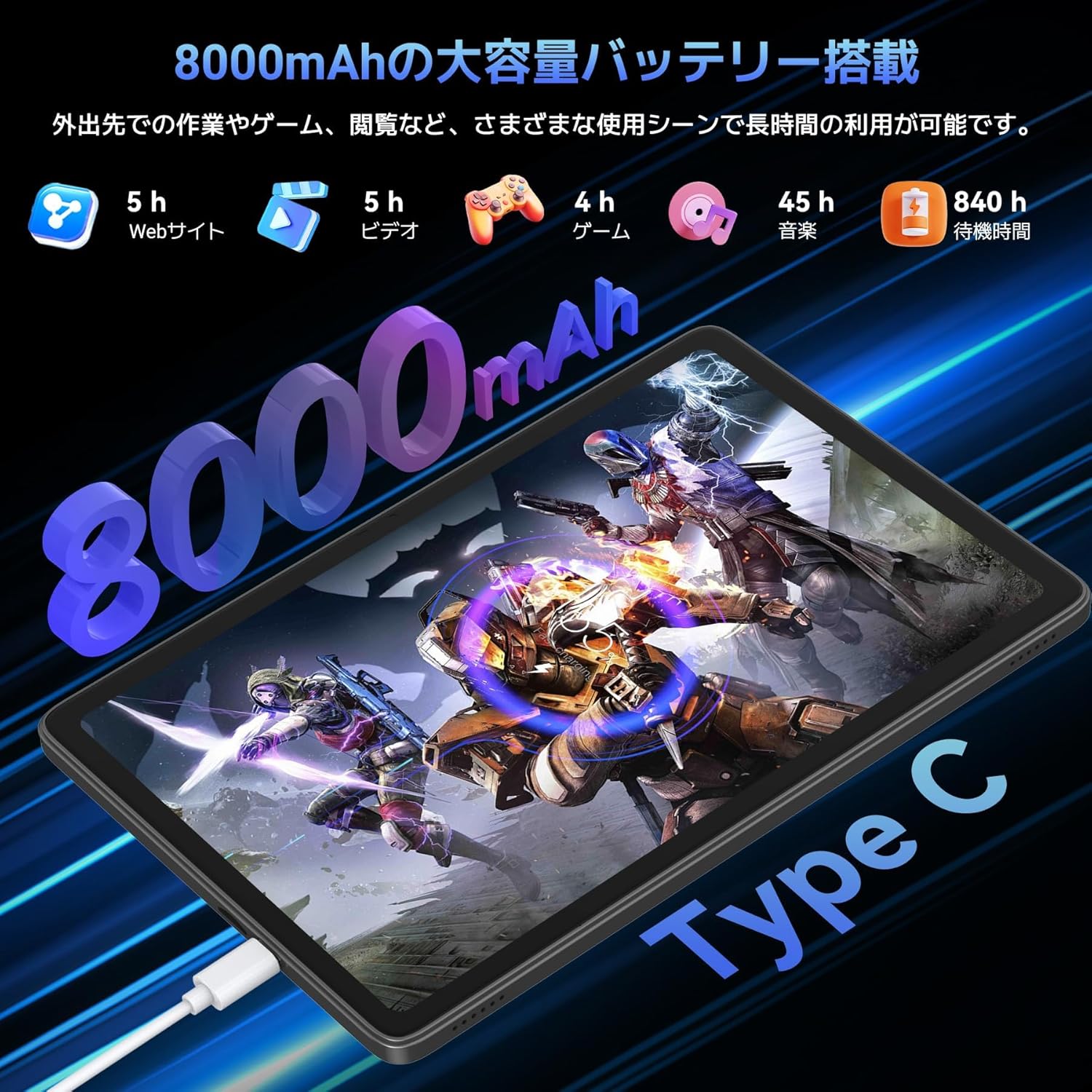
Image: Highlights the 13MP rear camera and 5MP front camera, along with AI image processing and Google Lens features.

Image: Demonstrates various smart scan and recognition features of Google Lens, such as solving math problems, identifying plants, translating foreign languages, and finding similar products.
4.5 8000mAh Large Capacity Battery & Custom Keyboard
The TABWEE T90 Android 16 Tablet offers a large 8000mAh battery, providing extended usage time for commuting, outings, and various daily scenarios without worrying about battery life. The versatile Type-C charging method ensures quick and easy charging. Android 16's custom keyboard function allows you to freely set shortcut keys after connecting a Bluetooth keyboard, enabling one-touch launch of frequently used applications for even more convenient operation.
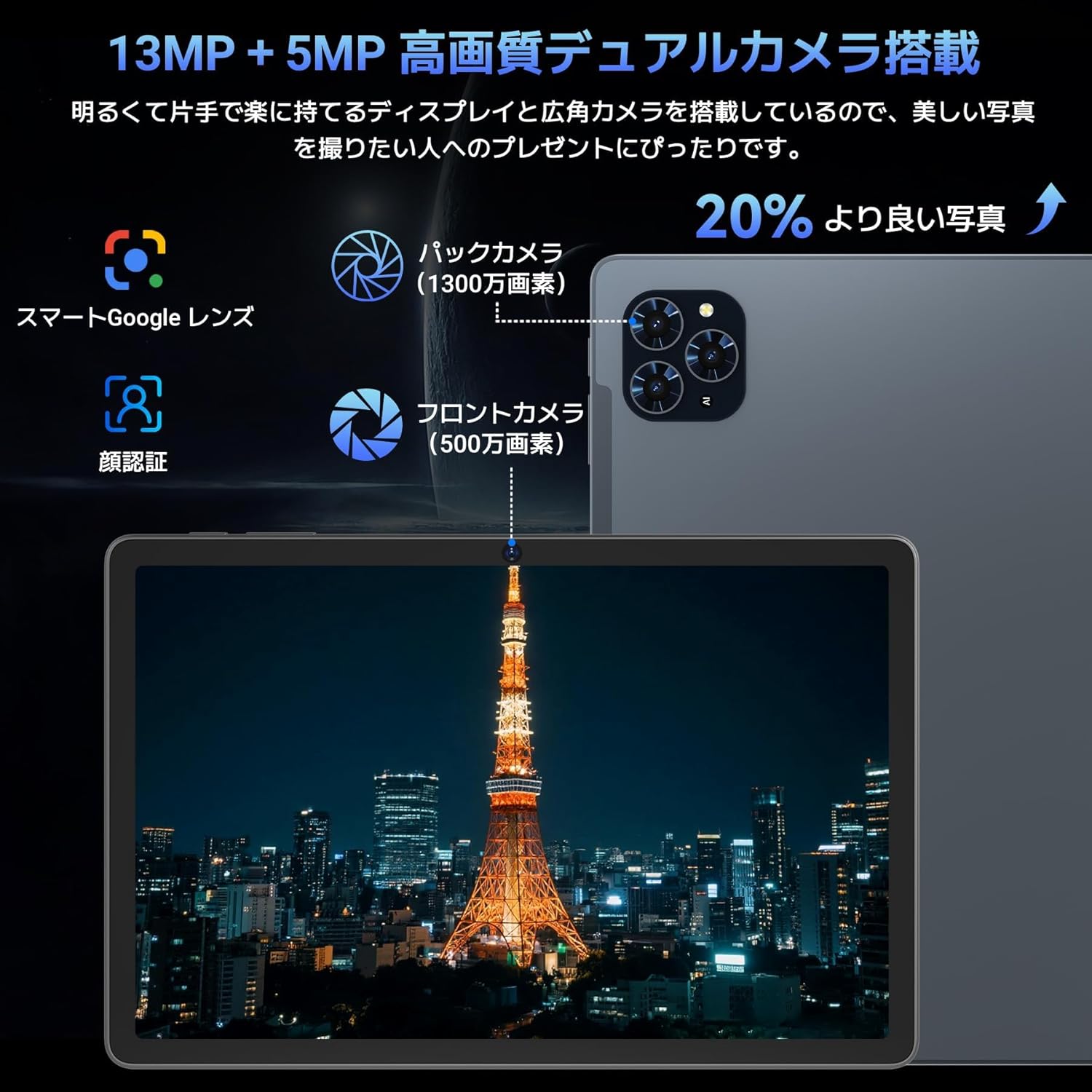
Image: Illustrates the long battery life of the 8000mAh battery for web browsing, video, gaming, and music.

Image: Shows custom keyboard shortcuts and the "forced full screen" feature of Android 16.
4.6 Lightweight Design & Versatile Use
This tablet features a lightweight all-metal design with a thickness of just 8.3mm and a weight of approximately 505g. Its 11-inch size is easy to hold with one hand, making it ideal for work, study, and carrying on the go. It supports various scenarios including remote work, online classes, office tasks, video calls, gaming, and photography.

Image: Depicts the tablet being used in various settings such as remote processing, online classes, office work, video calls, gaming, and taking photos.
5. تعليمات التشغيل
5.1 الملاحة الأساسية
- إيماءات اللمس: اضغط لتحديد، واسحب للتمرير، واضغط للتكبير.
- الشاشة الرئيسية: الوصول إلى التطبيقات والويدجت.
- إشعارات: اسحب لأسفل من أعلى الشاشة إلى view الإشعارات والإعدادات السريعة.
- درج التطبيقات: مرر لأعلى من أسفل الشاشة للوصول إلى جميع التطبيقات المثبتة.
5.2 الاتصال بشبكة Wi-Fi
- اذهب الى إعدادات > الشبكات والانترنت > واي فاي.
- قم بتشغيل Wi-Fi.
- حدد الشبكة المطلوبة وأدخل كلمة المرور إذا طُلب منك ذلك.
5.3 استخدام الملحقات
- فأرة لوحة المفاتيح: Connect via Bluetooth. Refer to the accessory's specific instructions for pairing.
- Touch Pen: Use for precise input on the screen, drawing, or navigating.
- Protective Case & Bracket: Use to protect the tablet and provide a stable viewزاوية جي.
6. الصيانة
- تنظيف: استخدم قطعة قماش ناعمة وخالية من الوبر لتنظيف الشاشة وجسم الجهاز. تجنب المواد الكيميائية القاسية.
- تحديثات البرامج: قم بفحص وتثبيت تحديثات النظام بانتظام لضمان الأداء الأمثل والأمان. انتقل إلى إعدادات > نظام > تحديث النظام.
- العناية بالبطارية: Avoid extreme temperatures. For long-term storage, charge the battery to around 50%.
7. استكشاف الأخطاء وإصلاحها
| مشكلة | حل |
|---|---|
| الجهاز اللوحي لا يعمل | تأكد من شحن البطارية. اضغط مع الاستمرار على زر التشغيل لمدة 10-15 ثانية لإعادة التشغيل. |
| الشاشة لا تستجيب | أعد تشغيل الجهاز اللوحي. إذا استمرت المشكلة، فقم بإعادة ضبط المصنع (ستفقد البيانات). |
| مشاكل اتصال Wi-Fi | Restart the tablet and your Wi-Fi router. Forget the network in settings and reconnect. |
| تعطل التطبيقات أو تجميدها | مسح ذاكرة التخزين المؤقت والبيانات للتطبيق في إعدادات > التطبيقات. Update the app or reinstall it. |
8. المواصفات
| ميزة | التفاصيل |
|---|---|
| ماركة | TABWEE |
| اسم الموديل | TABWEE T90 |
| نظام التشغيل | أندرويد 16 |
| حجم الشاشة | 11 بوصة |
| دقة العرض | 1920 × 1200 بكسل |
| العلامة التجارية وحدة المعالجة المركزية | يونيسوك |
| سرعة وحدة المعالجة المركزية | 1.8 جيجاهرتز |
| كروت | مالي-G57 |
| سعة تخزين الذاكرة | 128 جيجابايت (قابلة للتوسيع حتى 2 تيرابايت) |
| دقة الكاميرا الأمامية | 5 ميجا بكسل |
| دقة الكاميرا الخلفية | 13 MP (Auto-focus) |
| الاتصال | Bluetooth, Wi-Fi (802.11ac) |
| سعة البطارية | 8000 مللي أمبير |
| وزن الجهاز اللوحي | حوالي 505 جرام |
| أبعاد الحزمة | 29.1 × 20 × 5.4 سم |
| رقم الموديل | JPDYZ+T90+Grey |
| الشهادات | PSE, GMS, Technical Conformity (技適) |
9. الضمان والدعم
The TABWEE T90 Android 16 Tablet comes with a standard two-year quality warranty. By contacting TABWEE official email, you can extend the warranty period to four years. If you encounter any issues or defects, please feel free to contact us. We offer 24-hour support.
معلومات الاتصال:
- Official Email: [Please refer to your product packaging or official website for the exact email address]
- LINE ID: @647bgvrm

Image: Details about the 4-year quality warranty and 24-hour support service.
10. مقاطع فيديو المنتج
TABWEE T90 Android 16 Tablet Overview
يقدم هذا الفيديو نظرة عامةview of the TABWEE T90 Android 16 Tablet, showcasing its design and key functionalities. (Creator: TABWEE Official Store)


