مقدمة
This manual provides detailed instructions for the setup, operation, and maintenance of your LIGE EF21-I Smartwatch. Please read this manual thoroughly before using the device to ensure proper function and to maximize its features.
معلومات السلامة
- لا تحاول فك أو تعديل الساعة.
- أبقِ الساعة بعيدًا عن درجات الحرارة القصوى وأشعة الشمس المباشرة.
- تجنب تعريض الساعة للصدمات القوية أو السقوط.
- Do not use corrosive chemicals to clean the watch.
- This device is not a medical device. Health data is for reference only and should not be used for medical diagnosis or treatment.
- تأكد من أن جهات اتصال الشحن نظيفة وجافة قبل الشحن.
محتويات الحزمة
تأكد من وجود جميع العناصر في الحزمة الخاصة بك:
- LIGE EF21-I Smartwatch
- كابل شحن مغناطيسي USB
- كابل شحن من النوع C
- دليل المستخدم

Image: The package includes both a USB magnetic charging cable and a Type-C charging cable for versatile power options.
دليل الإعداد
1. الشحن الأولي
Before first use, fully charge your smartwatch. Connect the magnetic charging cable to the charging contacts on the back of the watch and the USB end to a power adapter (not included) or a computer USB port. The watch display will show the charging status.

Image: The smartwatch connected to its magnetic charger, indicating its 800 mAh battery capacity.
2. تثبيت التطبيق وإقرانه
To unlock all features, download and install the "Fit CloudPro" app on your smartphone.
- Scan the QR code in the manual or on the watch (if available) or search for "Fit CloudPro" in your phone's app store (compatible with Android 8.0+ and iOS 12.0+).
- افتح التطبيق وقم بإنشاء حساب أو تسجيل الدخول.
- تأكد من تمكين Bluetooth على هاتفك الذكي.
- في التطبيق، انتقل إلى قسم الجهاز وحدد "إضافة جهاز" أو خيارًا مشابهًا.
- Select "EF21-I" from the list of available devices to pair.
- اتبع التعليمات التي تظهر على الشاشة لإكمال عملية الاقتران.
بمجرد الاقتران، ستقوم الساعة بمزامنة الوقت والبيانات مع هاتفك.
تعليمات التشغيل
الملاحة الأساسية
- شاشة اللمس: مرر لليسار/اليمين، لأعلى/لأسفل للتنقل بين القوائم والميزات. انقر للاختيار.
- الأزرار الجانبية: Typically, one button acts as a power/back button, while others may be customizable shortcuts. Refer to the on-screen prompts for specific functions.

Image: The 1.43-inch AMOLED display offers brilliant colors and a fluid, efficient user experience.
وظيفة اتصال بلوتوث
The EF21-I Smartwatch supports Bluetooth calls, allowing you to make and receive calls directly from your wrist.
- Ensure the watch is connected to your smartphone via Bluetooth.
- Access the "Call" or "Phone" function on your watch.
- You can use the dial pad, access your contacts, or view سجل المكالمات.
- Advanced noise cancellation ensures clear audio during calls.
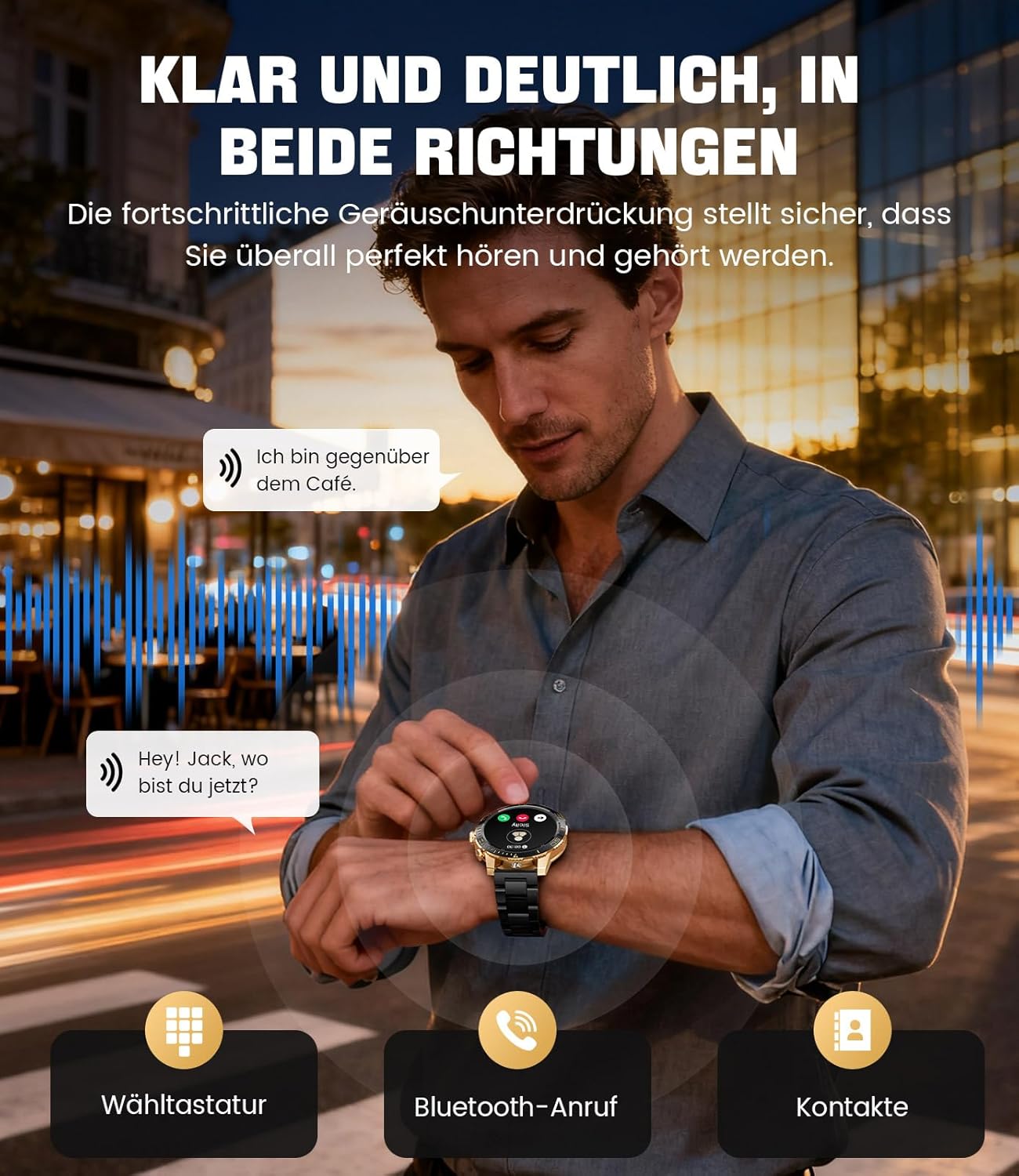
Image: The smartwatch allows clear two-way communication with advanced noise cancellation, featuring a dial pad, Bluetooth call option, and contacts access.
إشعارات
Receive real-time notifications from your smartphone apps directly on your watch.
- Enable app notifications in the "Fit CloudPro" app settings.
- The watch will display incoming calls, SMS, and messages from social media apps (e.g., Facebook, Twitter, Instagرام، واتساب).
- A quick glance at your wrist allows you to stay informed discreetly.

Image: The smartwatch displays real-time notifications from various social media applications, keeping you informed discreetly.
مراقبة الصحة
The EF21-I Smartwatch acts as your 24/7 health guardian, providing continuous monitoring of key health metrics.
- معدل ضربات القلب: يراقب معدل ضربات قلبك طوال اليوم.
- أكسجين الدم (SpO2): يقيس مستويات تشبع الأكسجين في الدم.
- تتبع النوم: Analyzes your sleep patterns, distinguishing between deep sleep, light sleep, and awake times.
- مراقبة الإجهاد: يتتبع مستويات التوتر.
- تذكير المستقرة: ينبهك للتحرك بعد فترات من الخمول.
View detailed health data and trends in the "Fit CloudPro" app.
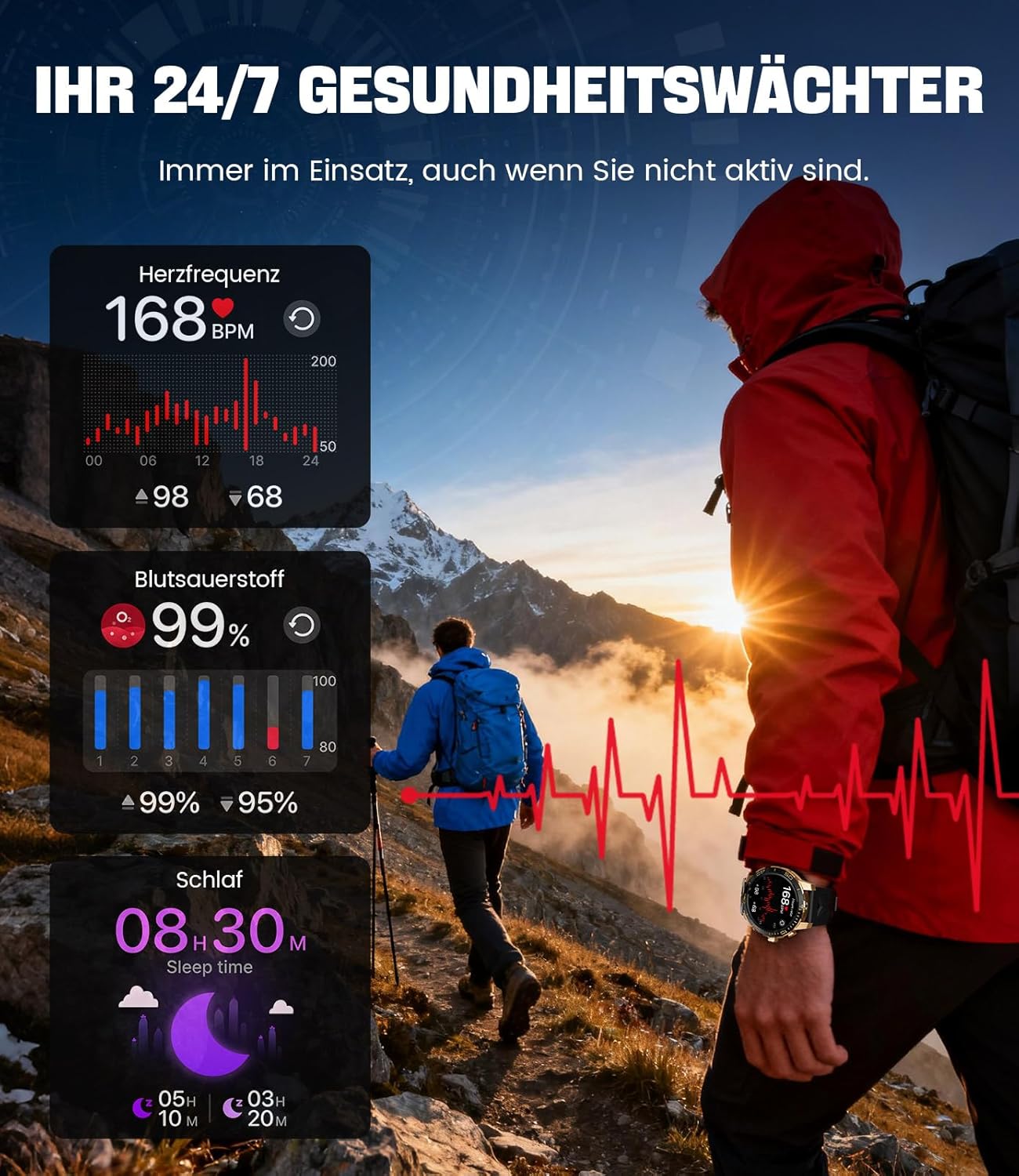
Image: The smartwatch functions as a 24/7 health guardian, monitoring heart rate, blood oxygen, and sleep patterns, even when you are not actively engaged in exercise.
أوضاع الرياضة
With over 200 sports modes, the watch helps you track your workouts and achieve your fitness goals.
- Select your desired sport mode from the watch menu.
- The watch records data such as heart rate, calories burned, and steps taken.
- Automatic recognition for walking, running, and cycling is supported.
- Review your activity data in the "Fit CloudPro" app for performance analysis.

Image: The smartwatch supports over 200 training modes, tracking heart rate, calories, and steps for various activities.
وجوه ساعة قابلة للتخصيص
قم بتخصيص ساعتك الذكية بمجموعة متنوعة من واجهات الساعة.
- The watch comes with several pre-installed classic watch faces.
- Access over 200 additional designs through the "Fit CloudPro" app.
- يمكنك أيضًا تحميل صورك الخاصة لإنشاء وجوه ساعات مخصصة.
مميزات اضافية
- النشرة الجوية: احصل على تحديثات الطقس في الوقت الحقيقي.
- التنبيه: ضبط المنبهات مباشرة من معصمك.
- التحكم عن بعد بالكاميرا: استخدم ساعتك لتشغيل كاميرا هاتفك.
- مصباح يدوي: Activate a flashlight function on your wrist.
- محدد موقع الهاتف: Find your misplaced smartphone using the watch.

Image: The smartwatch features a wrist flashlight function, providing illumination for outdoor activities.
صيانة
تنظيف
- امسح شاشة الساعة وجسمها بقطعة قماش ناعمة وخالية من الوبر.
- للبقع العنيدة، دampبللي القماش بقليل من الماء.
- Avoid using harsh chemicals, abrasive materials, or ultrasonic cleaners.
- تأكد من أن نقاط التلامس الخاصة بالشحن نظيفة وخالية من الشوائب.
مقاومة الماء (IP68)
The LIGE EF21-I Smartwatch is IP68 water-resistant, meaning it can withstand immersion in water up to 1.5 meters for up to 30 minutes. It is suitable for daily use, hand washing, and swimming.
- لا تستخدم الساعة في الماء الساخن أو الساونا أو غرف البخار.
- تجنب الضغط على الأزرار تحت الماء.
- After exposure to water, especially saltwater, dry the watch thoroughly.
استكشاف الأخطاء وإصلاحها
الساعة لا تعمل
- تأكد من شحن الساعة بالكامل. وصلها بالشاحن لمدة 30 دقيقة على الأقل.
- اضغط مع الاستمرار على زر الطاقة لعدة ثوانٍ.
Unable to Pair with App
- تأكد من تمكين البلوتوث على هاتفك الذكي.
- تأكد من شحن الساعة بشكل كافٍ.
- أعد تشغيل كل من هاتفك الذكي وساعتك الذكية.
- Try unpairing and re-pairing the device through the "Fit CloudPro" app.
- تحقق مما إذا كان التطبيق لديه الأذونات اللازمة على هاتفك.
بيانات صحية غير دقيقة
- تأكد من ارتداء الساعة بشكل مريح على معصمك، وليس بشكل فضفاض للغاية أو ضيق للغاية.
- قم بتنظيف المستشعر الموجود على الجزء الخلفي من الساعة.
- تجنب الحركة المفرطة أثناء القياسات.
- Remember that health data is for reference and not for medical use.
لم يتم استلام الإشعارات
- تأكد من أن الساعة متصلة بهاتفك عبر البلوتوث.
- Check notification settings in the "Fit CloudPro" app.
- Ensure your phone's notification settings allow the app to send notifications.
- Disable any battery optimization settings for the "Fit CloudPro" app on your phone.
تحديد
| ميزة | التفاصيل |
|---|---|
| ماركة | ليج |
| رقم الموديل | EF21-I |
| حجم العرض | 1.43 بوصة |
| نوع العرض | أموليد |
| سعة البطارية | 800 مللي أمبير (ليثيوم بوليمر) |
| الاتصال | بلوتوث |
| توافق نظام التشغيل | أندرويد 8.0+ و iOS 12.0+ |
| تصنيف مقاومة الماء | IP68 |
| سعة تخزين الذاكرة | 256 ميجا بايت |
| المميزات الخاصة | Weather forecast, Sedentary reminder, Alarm clock, Touch screen, Always-on display, Bluetooth calling, Heart rate monitor, SpO2 monitor, Sleep monitor, 200+ sports modes, Phone locator |
| نظام تحديد المواقع العالمي (جي بي اس) | نظام تحديد المواقع العالمي (GPS) عبر الهاتف الذكي |

Image: The smartwatch features impact resistance, indicated by a 'Military Grade Drop-Tested' badge.
الضمان والدعم
معلومات الضمان
The product is supported by a 12-month warranty. Please retain your proof of purchase for warranty claims.
دعم العملاء
For technical assistance, troubleshooting, or warranty inquiries, please contact LIGE customer support. Refer to the contact information provided with your purchase or visit the official LIGE webموقع.


