مقدمة
Thank you for choosing the HONOR Choice Earbuds Clip. These open-ear wireless headphones are designed for comfortable listening with advanced features like Bluetooth 5.2 connectivity, AI call noise cancellation, and a long-lasting battery. This manual provides detailed instructions for setup, operation, maintenance, and troubleshooting to ensure optimal performance and user experience.
محتويات الحزمة
- HONOR Choice Earbuds Clip (Left and Right Earbuds)
- حافظة الشحن اللاسلكي
- كابل شحن USB
- دليل المستخدم
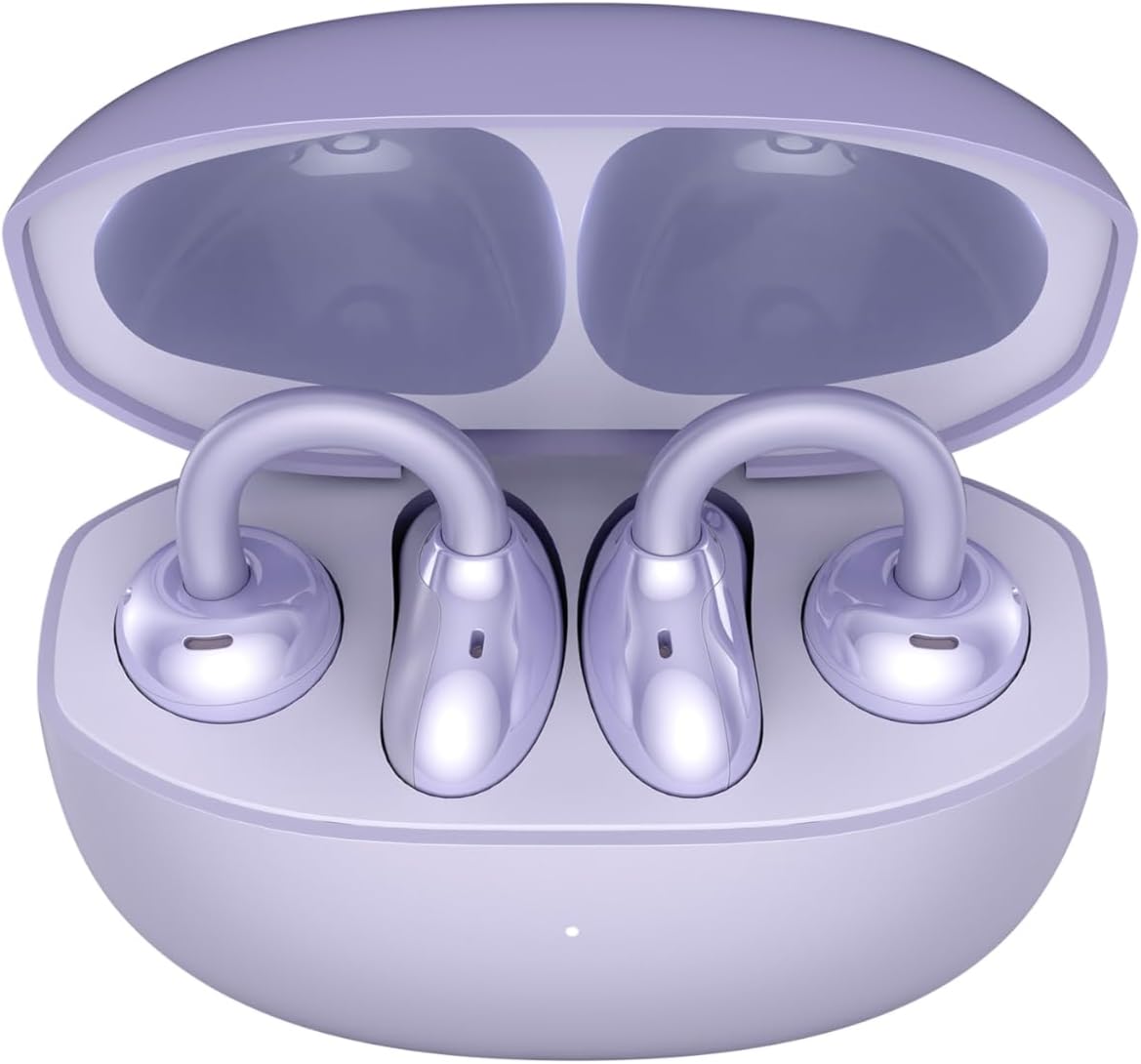
Image: The HONOR Choice Earbuds Clip, showing both earbuds inside their open charging case.
المنتج انتهىview
The HONOR Choice Earbuds Clip features an innovative design and advanced technology for a superior audio experience.
المميزات الرئيسية:
- Titanium Arch Bridge Design: High-performance titanium alloy material covered with scratch and corrosion-resistant PC material for strength and lightweight comfort.
- Asymmetrical Open-Ear Design: Adapts naturally to the ear cup, combined with two rear vents for direct sound waves and reduced sound leakage.
- محرك مغناطيسي مزدوج: 10.8 mm driver with PEEK + Pen titanium-coated membrane for stronger bass, lower distortion, and higher sensitivity.
- عمر بطارية ممتد: Up to 7 hours of single-song playback, extendable to 36 hours with the charging case.
- AI Call Noise Cancellation (DNN): Dual highly sensitive microphones intelligently filter ambient noise for crystal clear calls.
- اتصال بلوتوث 5.2: يضمن اتصالاً لاسلكياً مستقراً وفعالاً.
- مقاومة الماء بمعيار IP54: يوفر الحماية من الغبار والرذاذ.

Image: Diagram highlighting the Titanium Alloy Arch Design of the earbuds, emphasizing comfort and aesthetics.
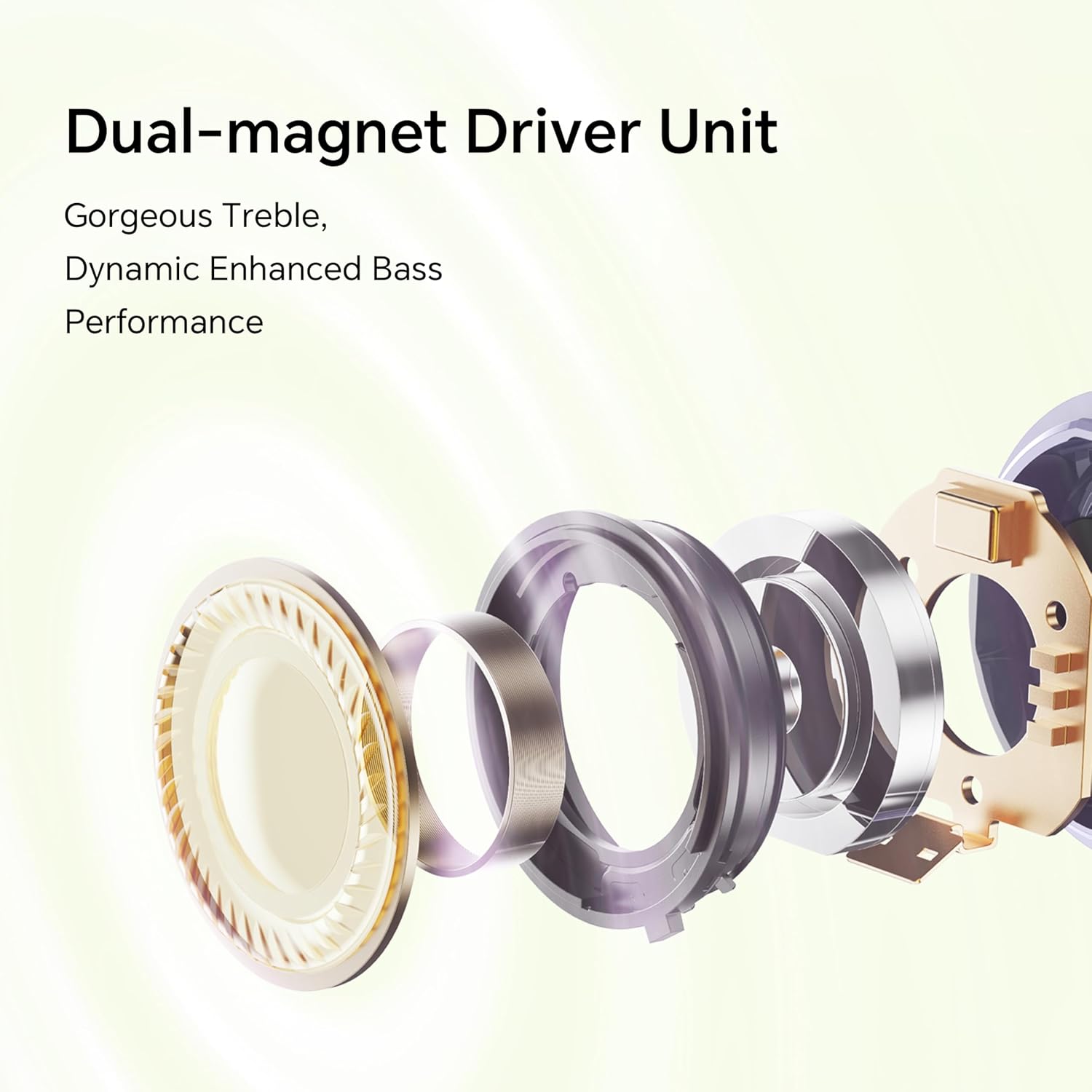
الصورة: انفجرت view diagram of the dual-magnet driver unit, illustrating its components for enhanced audio performance.
يثبت
1. شحن سماعات الأذن والعلبة
قبل الاستخدام الأول، قم بشحن سماعات الأذن وعلبة الشحن بالكامل.
- ضع كلتا سمّاعات الأذن في علبة الشحن.
- Connect the charging case to a power source using a USB charging cable.
- The indicator light on the charging case will show the charging status. A full charge provides up to 36 hours of total listening time.

Image: Graphic illustrating the 36-hour extended battery life of the earbuds with their charging case.
2. الاقتران بجهاز
Follow these steps to pair your HONOR Choice Earbuds Clip with your Bluetooth-enabled device.
- تأكد من أن سماعات الأذن موجودة داخل علبة الشحن وأن غطاء العلبة مفتوح.
- On your device (e.g., smartphone, laptop), go to the Bluetooth settings.
- بحث عن available devices and select "HONOR Choice Earbuds Clip" from the list.
- بمجرد الاتصال، سوف تسمع صوتًا موجهًا، وستكون سماعات الأذن جاهزة للاستخدام.
3. ارتداء سماعات الأذن
The open-ear clip design ensures a comfortable and secure fit.
- Gently clip each earbud onto your ear, ensuring the sound outlet is positioned towards your ear canal.
- Adjust for a comfortable and stable fit. The asymmetrical curve is designed to adapt naturally to the ear cup.

Image: A woman demonstrating the proper way to wear the HONOR Choice Earbuds Clip, highlighting its open clip design and natural fit.
تعليمات التشغيل
عناصر التحكم باللمس
تتميز سماعات الأذن بأزرار تحكم تعمل باللمس سهلة الاستخدام لإدارة تشغيل الصوت والمكالمات.
- تشغيل/إيقاف مؤقت: ضغطة واحدة على أي سماعة أذن.
- المسار التالي: اضغط مرتين على سماعة الأذن اليمنى.
- المسار السابق: اضغط مرتين على سماعة الأذن اليسرى.
- الرد/إنهاء المكالمة: ضغطة واحدة على أي سماعة أذن.
- رفض المكالمة: اضغط مع الاستمرار على أي من سماعتي الأذن لمدة ثانيتين.
- تنشيط مساعد الصوت: اضغط ثلاث مرات على أي سماعة أذن.
إلغاء ضوضاء مكالمات الذكاء الاصطناعي
The earbuds utilize dual microphones and an AI multi-channel call noise cancellation algorithm (DNN) to reduce ambient noise during calls, ensuring your voice is clear to the recipient. This feature is automatically active during phone calls.
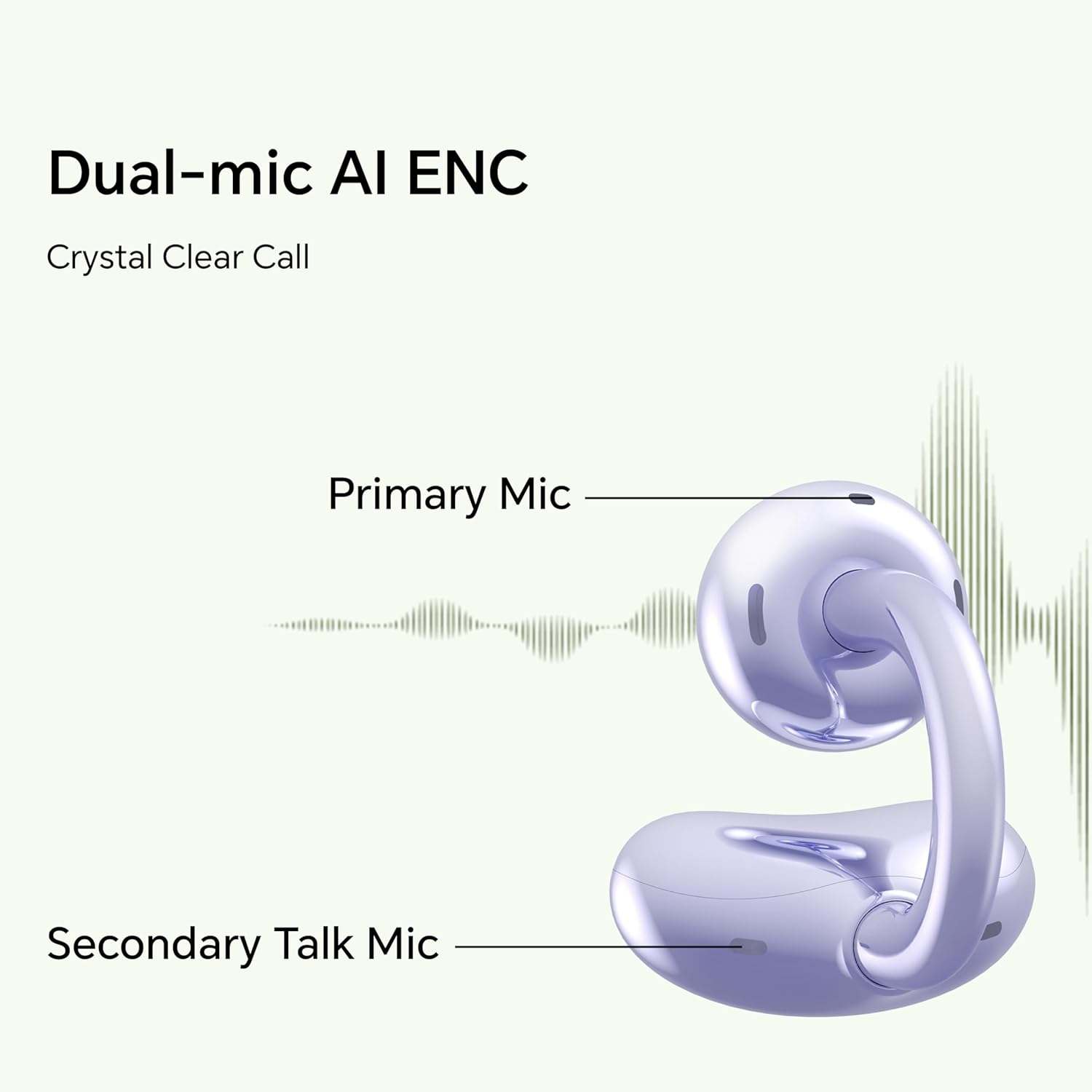
Image: Diagram illustrating the primary and secondary microphones used for AI Enhanced Noise Cancellation (ENC) during calls.
اتصال جهازين
The HONOR Choice Earbuds Clip supports simultaneous connection to two devices. This allows for seamless switching between audio sources, such as listening to music on a laptop and answering a call on a smartphone.
- قم بإقران سماعات الأذن بجهازك الأول.
- Disconnect from the first device (or put earbuds back in case and re-enter pairing mode if needed).
- قم بإقران سماعات الأذن بجهازك الثاني.
- The earbuds will now remember both devices and automatically switch between them based on active audio or call.
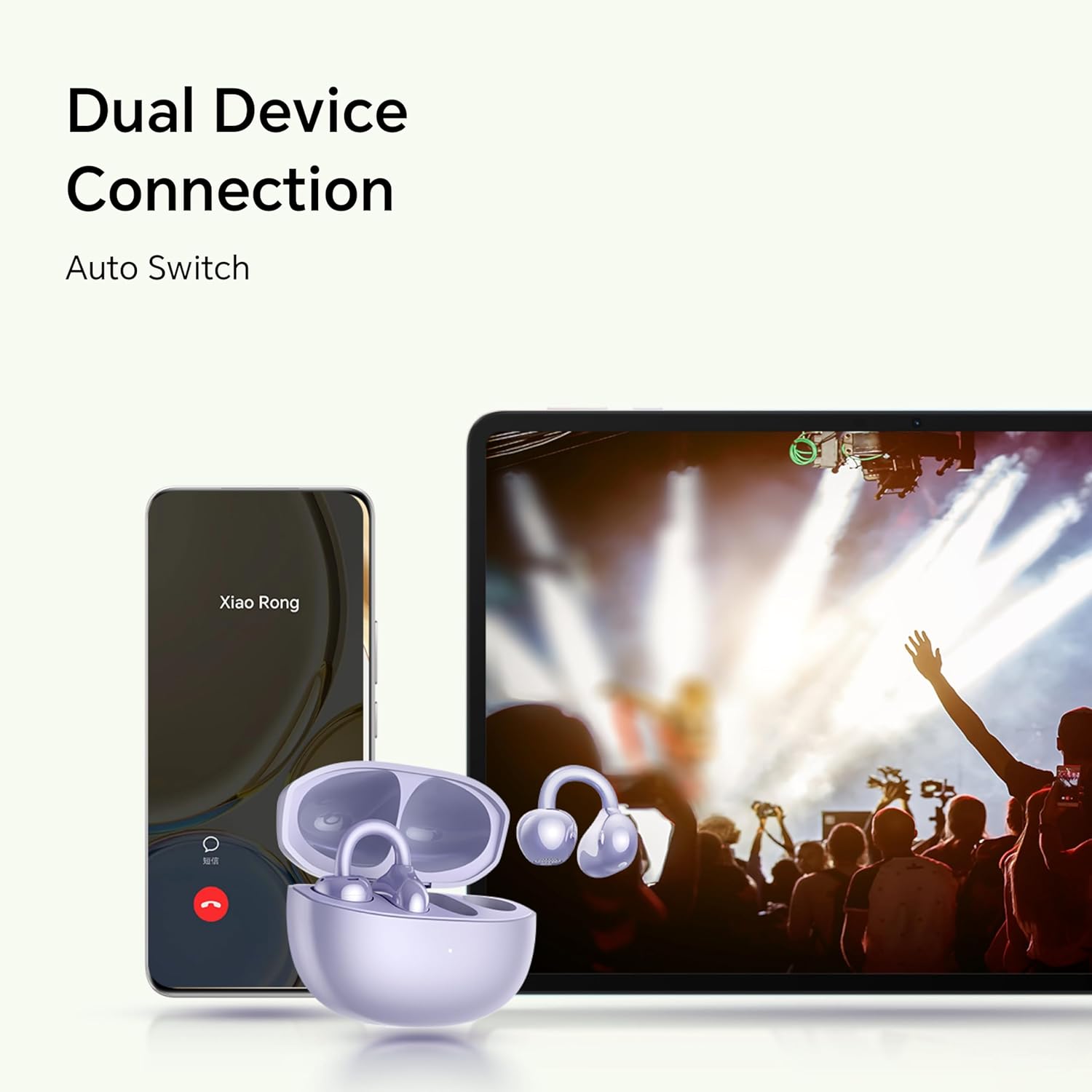
Image: Illustration showing the earbuds connected to both a smartphone and a tablet, demonstrating the dual device connection feature with automatic switching.
صيانة
تضمن الصيانة المناسبة طول عمر سماعات الأذن والأداء الأمثل لها.
- تنظيف: استخدم قطعة قماش ناعمة وجافة وخالية من الوبر لتنظيف سماعات الأذن وعلبة الشحن. تجنب استخدام المواد الكاشطة أو المواد الكيميائية القاسية.
- مقاومة الماء: The earbuds are IP54 rated, meaning they are protected against dust ingress and splashing water from any direction. Do not submerge them in water or expose them to heavy rain. Dry them thoroughly if they get wet.
- تخزين: عند عدم الاستخدام، ضع سماعات الأذن في علبة الشحن لحمايتها والحفاظ على شحنها. خزّنها في مكان بارد وجاف بعيدًا عن درجات الحرارة العالية.
- شحن جهات الاتصال: Periodically check and clean the charging contacts on both the earbuds and inside the case to ensure proper charging.
استكشاف الأخطاء وإصلاحها
إذا واجهت مشاكل مع سماعات الأذن الخاصة بك، فراجع الحلول الشائعة التالية.
| مشكلة | حل |
|---|---|
| Earbuds do not turn on or charge. |
|
| Earbuds do not pair with my device. |
|
| لا يوجد صوت أو مستوى الصوت منخفض. |
|
| جودة المكالمة سيئة. |
|
| سماعة أذن واحدة لا تعمل. |
|
تحديد
Detailed technical specifications for the HONOR Choice Earbuds Clip.
| اسم الموديل | مشبك سماعات الأذن HONOR CHOICE |
| رقم الموديل | 5504ADMY |
| ماركة | شرف |
| تكنولوجيا الاتصال | لاسلكي (بلوتوث) |
| نسخة البلوتوث | 5.2 |
| وضع الأذن | أذن مفتوحة |
| عامل الشكل | في الأذن |
| التحكم في الضوضاء | None (AI Call Noise Cancellation only) |
| ميزة خاصة | Noise Cancellation (AI Call Noise Cancellation) |
| نوع برنامج تشغيل الصوت | سائق ديناميكي |
| حجم برنامج تشغيل الصوت | 10 مليمتر |
| عمر البطارية (سماعات الأذن) | 7 ساعات (شحنة واحدة) |
| إجمالي عمر البطارية (مع العلبة) | حتى ساعتين |
| نوع التحكم | التحكم باللمس |
| مادة | Titanium Alloy, Plastic |
| وزن العنصر | 0.12 كيلوغرام (4.2 أونصة) |
| أبعاد المنتج | 2.36 × 2.36 × 1.18 بوصة |
| تصنيف IP | IP54 |
| المكونات المضمنة | حافظة الشحن اللاسلكي |
الضمان والدعم
For warranty information and customer support, please refer to the official HONOR website or contact your local HONOR service center. Keep your proof of purchase for warranty claims.
- الدعم عبر الإنترنت: Visit the official HONOR support webموقع للأسئلة الشائعة، وبرامج التشغيل، وتحديثات البرامج.
- معلومات الاتصال: راجع عبوة المنتج أو الموقع الرسمي webللحصول على تفاصيل الاتصال بخدمة العملاء، يرجى زيارة الموقع الإلكتروني.


