1. المقدمة
Thank you for choosing the KPAW M1 Automatic Card Shuffler. This device is designed to provide a quick, efficient, and quiet shuffling experience for various card games. Its rechargeable battery and dual operating modes make it a convenient accessory for game nights, family gatherings, and travel. Please read this manual thoroughly before using the product to ensure proper operation and longevity.
2. ماذا يوجد في الصندوق
- 1 × KPAW M1 Automatic Card Shuffler
- 1 × كابل شحن USB-C
- 1 × User Manual (This Document)
- 1 × صندوق تغليف
3. مواصفات المنتج
- تصميم قابل لإعادة الشحن: Equipped with a 2000mAh rechargeable battery, eliminating the need for disposable AA batteries. Charges via USB-C.
- 2-Deck Capacity: Capable of shuffling 1 to 2 decks of cards simultaneously.
- Dual Shuffling Modes: Features both a fully automatic one-click mode and a semi-automatic press-and-hold mode for controlled shuffling.
- تشغيل منخفض الضوضاء: Operates at approximately 65dB, ensuring a quieter gaming experience.
- Fast Shuffling: Shuffles a full deck in approximately 3 seconds.
- صغير الحجم وقابل للحمل: Dimensions of 6.6 x 4.7 x 3.1 inches make it easy to transport for various occasions.
- التوافق الواسع: Suitable for standard playing cards, Poker, UNO, Bridge, Texas Hold'em, Phase 10, and other card games.
4. الإعداد
- Unpack the Shuffler: Carefully remove the KPAW M1 Automatic Card Shuffler and all accessories from its packaging.
- التهمة الاولية: Before first use, ensure the shuffler is fully charged. Connect the provided USB-C cable to the charging port on the device and a suitable USB power source. The charging indicator light will be RED while charging and turn GREEN when fully charged.
- الموقع: Place the shuffler on a flat, stable surface. The design requires a surface beneath it for the shuffled cards to collect.

Figure 4.1: KPAW M1 Automatic Card Shuffler. The device is compact and designed for easy placement on a table.
5. تعليمات التشغيل
The KPAW M1 offers two modes for shuffling cards:
- Load Cards: Place 1 to 2 decks of cards into the two input trays on either side of the shuffler. Ensure the cards are neatly stacked and fit within the trays.
- Select Shuffling Mode: The shuffler features 'Manual' and 'Auto' buttons.
- Fully Automatic Mode: Press the 'Auto' button once for an effortless, complete shuffle. The device will automatically shuffle the cards until finished.
- الوضع شبه التلقائي: Press and hold the 'Manual' button to shuffle. The shuffling will continue as long as the button is held down and stop when released, offering more control over the shuffle duration.
- Retrieve Cards: Once shuffling is complete, lift the shuffler to access the perfectly shuffled deck(s) from the bottom collection area.
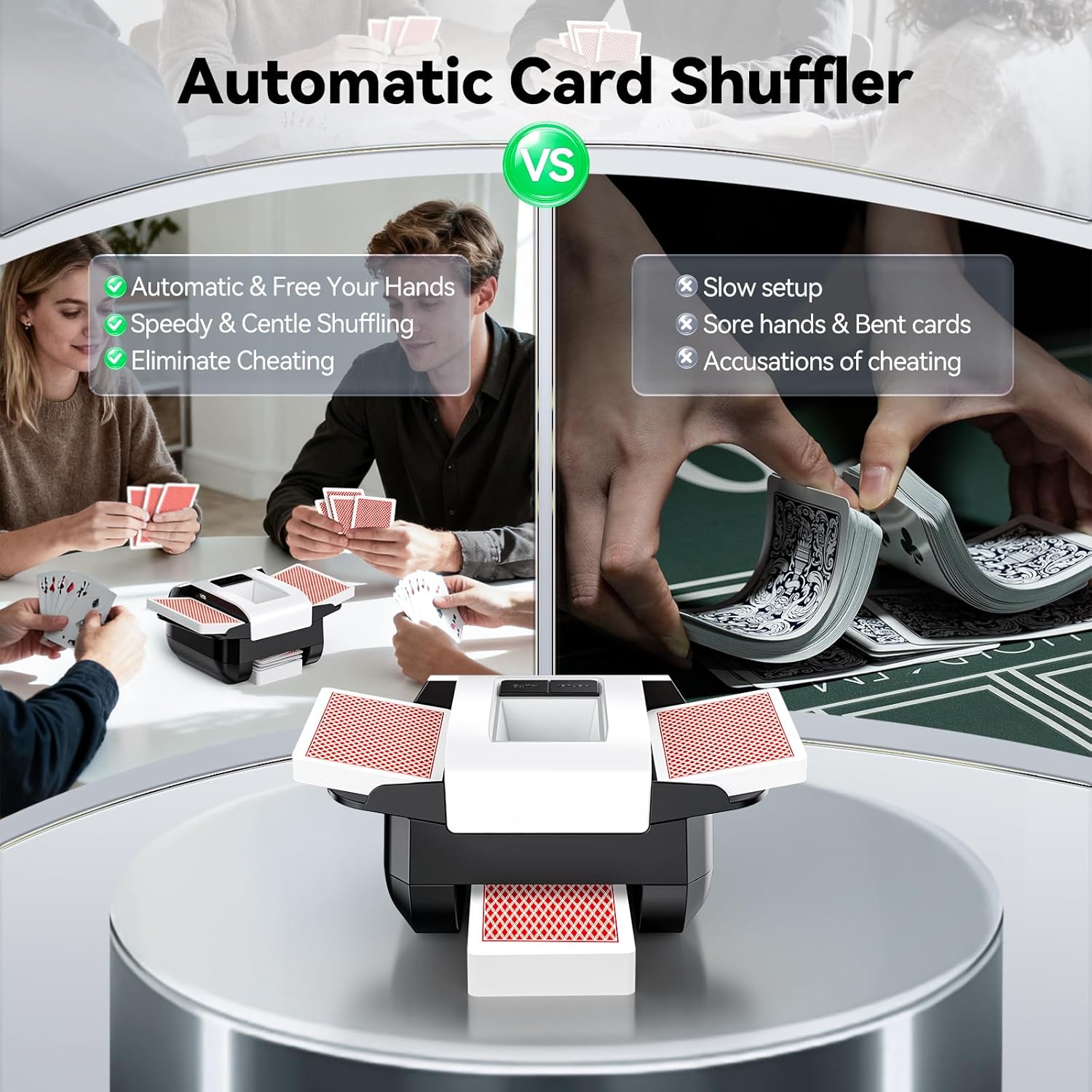
Figure 5.1: The KPAW M1 features distinct 'Manual' and 'Auto' buttons for different shuffling preferences. Cards are placed in the side trays.

Figure 5.2: The KPAW M1 is compatible with a wide range of card sizes, including standard playing cards, UNO, Bridge, Texas Hold'em, and Phase 10.
6. الشحن
The KPAW M1 Automatic Card Shuffler is powered by a 2000mAh rechargeable battery. Use the provided USB-C cable for charging.
- Connect the USB-C end of the cable to the charging port on the shuffler.
- Connect the USB-A end to a compatible power adapter (not included) or a USB port on a computer.
- The indicator light on the charging port will turn RED during charging.
- The indicator light will turn GREEN when the battery is fully charged.
- ملاحظة هامة: The shuffler cannot be operated while charging. Please disconnect the charging cable before use.

Figure 6.1: The USB-C charging port is located on the side of the device for convenient recharging.
7. الصيانة
To ensure the longevity and optimal performance of your KPAW M1 Automatic Card Shuffler, follow these maintenance guidelines:
- تنظيف: Use a soft, dry cloth to wipe the exterior of the shuffler. Do not use abrasive cleaners or solvents. Ensure no liquids enter the internal mechanisms.
- Card Condition: Use clean, undamaged cards. Bent, sticky, or dirty cards can cause jams and reduce the efficiency of the shuffler.
- تخزين: Store the shuffler in a dry, cool place away from direct sunlight and extreme temperatures when not in use.
- تجنب التحميل الزائد: Do not force more than 2 decks of cards into the shuffler, as this can damage the motor or internal components.
8. استكشاف الأخطاء وإصلاحها
If you encounter any issues with your KPAW M1 Automatic Card Shuffler, please refer to the following common problems and solutions:
- Shuffler Not Turning On:
- Ensure the device is fully charged. Check the charging indicator light.
- تأكد من توصيل كابل الشحن بإحكام.
- Cards Not Shuffling or Jamming:
- Check if the cards are inserted correctly and neatly into the trays.
- Ensure you are not attempting to shuffle more than 2 decks at a time.
- Inspect cards for any damage, bends, or stickiness that might impede movement.
- Clean the internal rollers if visible dust or debris is present (use a soft, dry cloth or cotton swab).
- Shuffler is Loud:
- While designed for low noise, some operational sound is normal. Ensure the shuffler is on a flat, stable surface to minimize vibrations.
- Check for any foreign objects inside the shuffler that might be causing unusual noise.
If the problem persists after attempting these solutions, please contact KPAW customer support for further assistance.
9. المواصفات
| اسم الموديل | M1 |
| ماركة | كبو |
| الأبعاد (الطول × العرض × الارتفاع) | 6.6 x 3.1 x 4.68 inches (Item) / 7.28 x 4.88 x 3.23 inches (Package) |
| وزن | 0.7 Pounds (Item) / 0.41 Kilograms (Package) |
| مادة | Acrylonitrile Butadiene Styrene (ABS), Polyoxymethylene (POM), Silicone, Stainless Steel |
| بطارية | 2000mAh Rechargeable (USB-C) |
| مستوى الضوضاء | حوالي 65 ديسيبل |
| Shuffling Capacity | 1-2 Decks |
| لون | أبيض |
10. معلومات الضمان
The KPAW M1 Automatic Card Shuffler comes with a ضمان المصنع لمدة عام. This warranty covers defects in materials and workmanship under normal use. It does not cover damage caused by misuse, accidents, unauthorized modifications, or normal wear and tear. Please retain your proof of purchase for warranty claims. For warranty service or support, please contact KPAW customer service.
11. معلومات السلامة
- احتفظ بالجهاز بعيدًا عن الماء والسوائل الأخرى.
- Do not attempt to disassemble or repair the shuffler yourself. Refer to qualified service personnel.
- Keep out of reach of small children to prevent accidental injury or ingestion of small parts.
- استخدم فقط كابل الشحن المقدم أو كابل USB-C معتمدًا للشحن.
- Avoid operating the shuffler in extremely hot or cold environments.


