1. المقدمة
شكرا لك على الشراءasing the LG 43 inch UHD AI UA73 4K Smart TV. This television combines stunning 4K Ultra High Definition visuals with advanced Artificial Intelligence features and the intuitive webOS25 platform. Enjoy vibrant colors, sharp details, and smart functionalities including AI-powered search and voice control. This manual provides essential information for setting up, operating, and maintaining your new television.
2. معلومات السلامة
يرجى قراءة جميع تعليمات السلامة بعناية قبل استخدام جهاز التلفزيون. احتفظ بهذا الدليل للرجوع إليه مستقبلاً.
2.1 السلامة الكهربائية
- لا تفرط في تحميل منافذ الحائط أو أسلاك التمديد.
- تأكد من توصيل سلك الطاقة بشكل آمن بالتلفزيون والمأخذ الكهربائي في الحائط.
- لا تلمس قابس الطاقة بأيدي مبللة.
2.2 التنسيب
- Place the TV on a stable, level surface or mount it securely to a wall using a compatible VESA mount.
- تأكد من وجود تهوية كافية حول التلفزيون لمنع ارتفاع درجة حرارته.
- أبقِ التلفاز بعيداً عن أشعة الشمس المباشرة ومصادر الحرارة والرطوبة.
2.3 التنظيف
- افصل التلفزيون قبل التنظيف.
- Use a soft, dry cloth to clean the screen and exterior. Do not use liquid cleaners or sprays directly on the TV.
3. محتويات العبوة
تأكد من وجود جميع العناصر في الصندوق:
- LG 43 inch UHD AI 4K Smart TV (Model 43UA73006LA)
- AI Magic Remote Control
- سلك الطاقة
- حامل تلفزيون (قطعتان) ومسامير
- User Manual and Regulatory Information
- بطاريات للتحكم عن بعد (AA x 2)
4. الإعداد
4.1 فك التغليف وتركيب الحامل
- أخرج التلفاز من عبوته بحرص. يُنصح بوجود شخصين للقيام بهذه الخطوة.
- ضع شاشة التلفزيون لأسفل على سطح ناعم ومستوٍ لمنع التلف.
- Attach the stand pieces to the TV using the provided screws, ensuring they are securely fastened. Refer to the diagram in the quick setup guide for specific screw locations.
- Alternatively, if wall-mounting, follow the instructions provided with your VESA-compatible wall mount kit.
4.2 توصيل الأجهزة الطرفية
Connect external devices such as Blu-ray players, game consoles, or soundbars to the appropriate ports on the back of the TV.
- منافذ HDMI: للفيديو والصوت عالي الدقة.
- منافذ USB: لتوصيل أجهزة تخزين USB.
- مدخل الهوائي/الكابل: لتوصيل هوائي أو تلفزيون الكابل.
- مخرج الصوت الرقمي البصري: للاتصال بشريط الصوت أو جهاز استقبال الصوت.
4.3 التشغيل الأولي والاتصال بالشبكة
- قم بتوصيل سلك الطاقة بالتلفزيون ثم بمقبس الحائط.
- اضغط على زر الطاقة الموجود في جهاز التحكم عن بعد أو في التلفزيون.
- Follow the on-screen instructions for the initial setup wizard. This will guide you through language selection, time zone, and network connection.
- Select your Wi-Fi network and enter the password, or connect an Ethernet cable for a wired connection.
5. التشغيل
5.1 AI Magic Remote Control
The AI Magic Remote allows for intuitive control of your TV, including point-and-click navigation and voice commands.
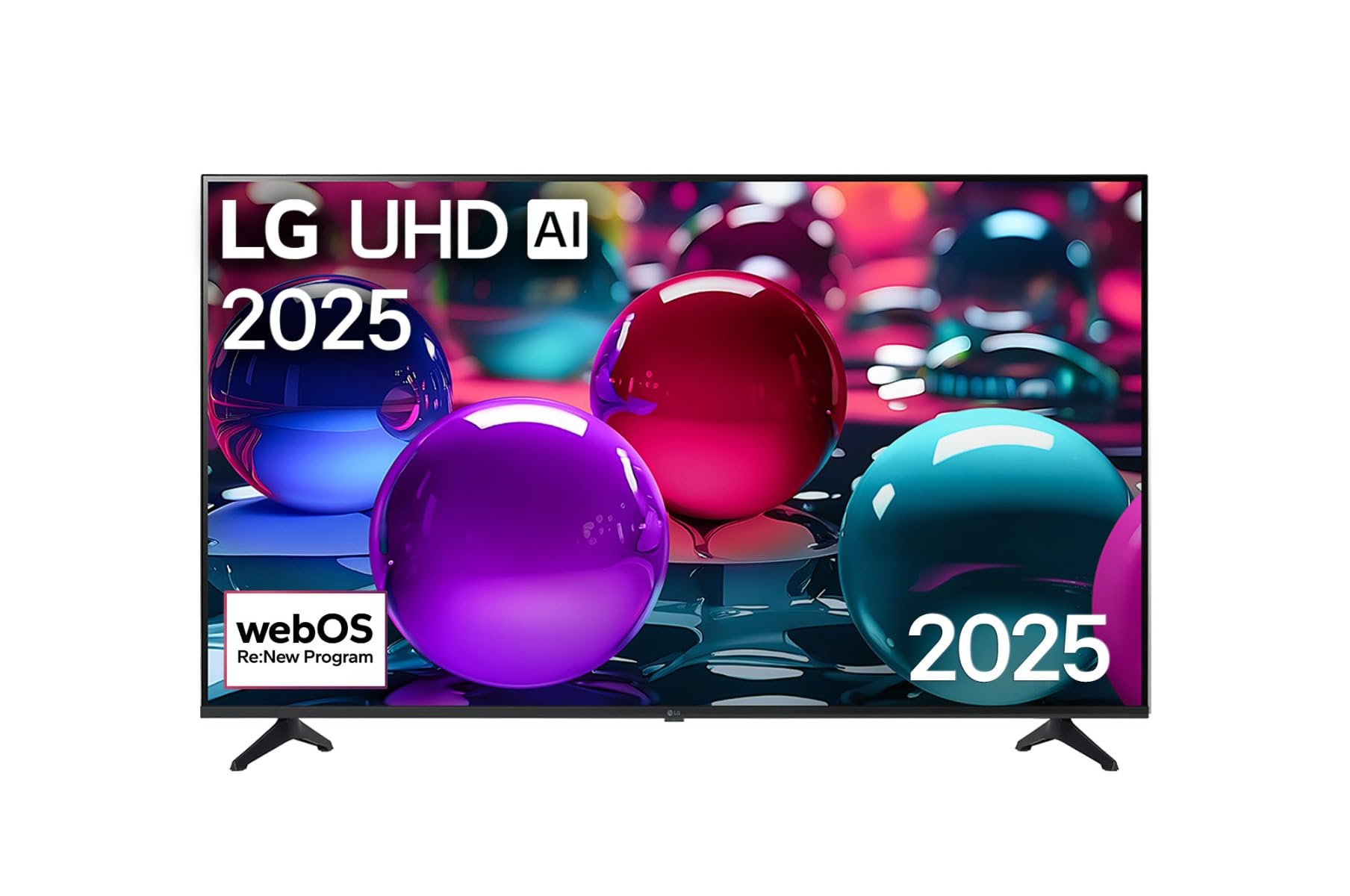
This image displays the LG 43 inch UHD AI 4K Smart TV, highlighting its webOS Re:New Program and Artificial Intelligence features. The accompanying AI Magic Remote is shown with a speech bubble indicating 'Just speak!', emphasizing its voice control capabilities.
- زر الطاقة: تشغيل التلفزيون أو إيقاف تشغيله.
- عجلة التمرير/زر موافق: التنقل عبر القوائم وتأكيد الاختيارات.
- زر الأمر الصوتي: Press and hold to activate AI Search, AI Chatbot, or AI Concierge. Speak your command into the remote.
- زر الصفحة الرئيسة: يصل إلى webالشاشة الرئيسية لنظام التشغيل.
- زر الرجوع: العودة إلى الشاشة السابقة.
- رفع/خفض الصوت: ضبط مستوى الصوت.
- القناة لأعلى/لأسفل: يغير القنوات.
5.2 webواجهة نظام التشغيل
ال webOS Home screen provides quick access to apps, inputs, and settings. Use the Magic Remote to point and click on desired options or navigate with the directional buttons.
- مشغل التطبيقات: Customize and access your favorite streaming services and applications.
- محدد المدخلات: Switch between HDMI inputs, USB, or live TV.
- إعدادات: Adjust picture, sound, network, and general TV settings.
5.3 ميزات الذكاء الاصطناعي
Leverage the power of AI for enhanced TV experience:
- بحث الذكاء الاصطناعي: Use voice commands to find content, information, or apps quickly.
- روبوت محادثة يعمل بالذكاء الاصطناعي: Interact with the TV for assistance or information.
- خدمة الكونسيرج بالذكاء الاصطناعي: Receive personalized content recommendations and smart home integration.
6. الصيانة
6.1 تنظيف التلفزيون الخاص بك
للحفاظ على مظهر وأداء التلفزيون:
- افصل دائمًا التلفاز عن الكهرباء قبل التنظيف.
- استخدم قطعة قماش ناعمة وخالية من الوبر لمسح الشاشة برفق. لإزالة البقع الصعبة، امسحها برفق.ampبللي قطعة القماش بالماء، ثم جففيها على الفور.
- نظف إطار التلفزيون وحامله بقطعة قماش ناعمة وجافة.
- Do not use abrasive cleaners, alcohol, benzene, or thinners, as these can damage the screen or finish.
6.2 تحديثات البرامج
Your LG Smart TV periodically receives software updates to improve performance and add new features. Ensure your TV is connected to the internet to receive these updates automatically. You can also manually check for updates in the TV's settings menu.
7. استكشاف الأخطاء وإصلاحها
إذا واجهت مشكلات مع التلفزيون الخاص بك، فراجع الحلول الشائعة التالية:
| مشكلة | الحل المحتمل |
|---|---|
| لا يوجد طاقة | Check if the power cord is securely plugged in. Try a different power outlet. |
| لا توجد صورة، ولكن الصوت موجود | تأكد من اختيار مصدر الإدخال الصحيح. تحقق من توصيلات الكابلات بالأجهزة الخارجية. |
| لا يوجد صوت ولكن الصورة موجودة | Check volume levels and mute settings. Verify audio output settings in the TV menu. |
| جهاز التحكم عن بعد لا يعمل | Replace batteries. Ensure there are no obstructions between the remote and the TV. Re-pair the Magic Remote if necessary (refer to TV settings). |
| لا يمكن الاتصال بشبكة Wi-Fi | أعد تشغيل جهاز التوجيه والمودم. تحقق من كلمة مرور شبكة Wi-Fi. تأكد من أن التلفزيون ضمن نطاق جهاز التوجيه. |
| مشاكل جودة الصورة (على سبيل المثال، ضبابية، مشوهة) | Check the resolution of the input source. Adjust picture settings in the TV menu. |
إذا استمرت المشكلة، يرجى الاتصال بدعم عملاء إل جي.
8. المواصفات
| ميزة | التفاصيل |
|---|---|
| ماركة | LG |
| اسم الموديل | 43UA73006LA |
| حجم الشاشة | 43 بوصة |
| تكنولوجيا العرض | قاد |
| دقة | 4K UHD (3840 × 2160) |
| نسبة العرض إلى الارتفاع | 16:9 |
| نظام التشغيل | webنظام التشغيل25 |
| المميزات الخاصة | AI Processor, AI Magic Remote, HDR10, Sleep Timer |
| لون | أسود |
| وزن العنصر | 6.8 كيلوجرام (14.96 رطل) |
| أبعاد المنتج | 37.68 × 37.68 × 21.97 بوصة |
| تاريخ أول توفر | 28 نوفمبر 2025 |
9. الضمان والدعم
9.1 ضمان المنتج
Your LG 43 inch UHD AI UA73 4K Smart TV is covered by a limited manufacturer's warranty. Please refer to the warranty card included in your package for specific terms, conditions, and duration of coverage. Keep your proof of purchase for warranty claims.
9.2 دعم العملاء
للحصول على المساعدة التقنية، أو استكشاف الأخطاء وإصلاحها خارج نطاق هذا الدليل، أو خدمة الضمان، يرجى الاتصال بدعم عملاء إل جي:
- Webموقع: قم بزيارة موقع دعم LG الرسمي webالموقع مخصص للأسئلة الشائعة والتنزيلات وطلبات الخدمة.
- هاتف: Refer to your warranty card or LG's official webموقع لأرقام الاتصال الإقليمية.