مقدمة
This manual provides detailed instructions for the setup, operation, and maintenance of your Rapoo VT3 MAX Gen-2 Wireless Gaming Mouse. Please read this manual thoroughly to ensure optimal performance and longevity of your device.

Image: The Rapoo VT3 MAX Gen-2 Wireless Gaming Mouse, showcasinج- تصميمه المريح.
محتويات الحزمة
تأكد من تضمين جميع العناصر المدرجة أدناه في الحزمة الخاصة بك:
- 1 x Wireless Gaming Mouse
- 1 × كابل من النوع C
- 1 x USB Adapter (2.4G wireless dongle)
- 1 x Anti-Slip Sticker
- 1 x Replacement PTFE Mouse Feet

Image: An illustration detailing the mouse dimensions and the included accessories: Type-C cable, USB adapter, anti-slip stickers, and replacement PTFE feet.
المنتج انتهىview
The Rapoo VT3 MAX Gen-2 is designed for high-performance gaming, featuring advanced technology for precision and comfort.
المميزات الرئيسية:
- 53g Ultra Lightweight Design: Optimized hand grip and accessible side buttons enhance comfort and accuracy, reducing strain during extended use.
- Up to 750 Hours Battery Life: Equipped with a Nordic nRF54L15 MCU, this mouse offers extended usage at 1000Hz polling rate.
- True 8K Wireless Polling Rate: Delivers native 8000Hz wireless performance without requiring additional software or dongles, ensuring responsive tracking.
- 120-Million Optical Switch: Utilizes infrared light for click registration, eliminating double-click issues and debounce delay, with a prolonged lifespan.
- 30K Independent X/Y DPI: Provides pixel-precise tracking with 99.9% resolution accuracy and customizable X/Y-axis DPI settings.
- A Hub for Windows & Mac OS: Dedicated driver software for advanced features, including programmable buttons and macros, with onboard memory.
تفاصيل الميزة:

Image: The mouse highlighting its 53g ultra-lightweight design for enhanced maneuverability.

Image: Visual representation of the mouse's extended battery life, capable of up to 750 hours.

Image: The mouse demonstrating its true 8K wireless polling rate for superior responsiveness.

Image: An illustration of the Rapoo optical switch, highlighting its 120-million click lifespan and lack of debounce delay.
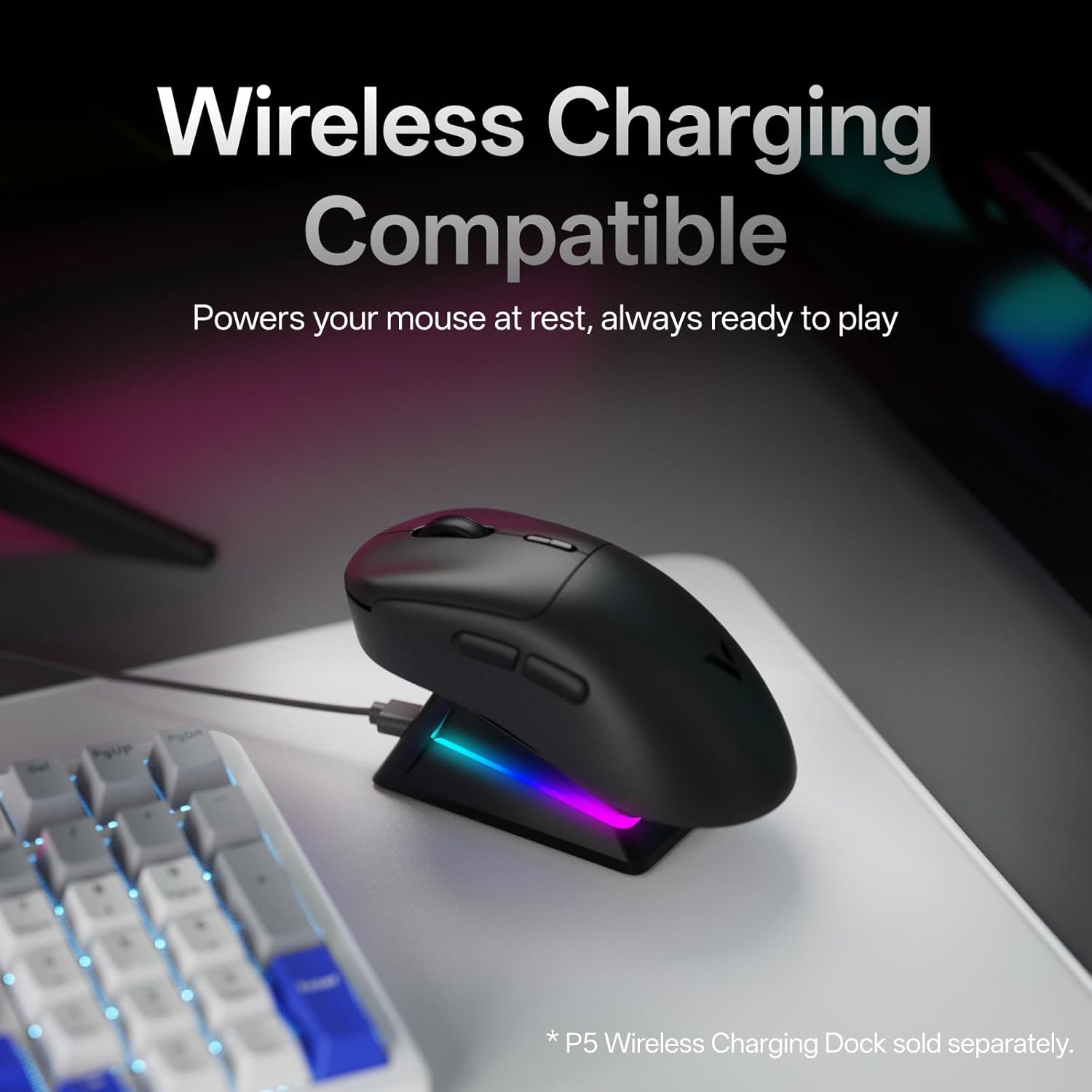
Image: The mouse placed on a wireless charging dock (sold separately), illustrating its wireless charging compatibility.

Image: Screenshots of the 'A Hub' software interface for Windows and Mac OS, showing customization options for the mouse.
يثبت
- شحن الماوس: Connect the included Type-C cable to the mouse and a USB power source (e.g., computer USB port, wall adapter). The mouse will begin charging.
- اتصال لاسلكي 2.4G:
- Locate the USB adapter (dongle) in the package.
- Plug the USB adapter into an available USB port on your computer.
- قم بتشغيل الماوس باستخدام مفتاح الطاقة الموجود في أسفل الماوس.
- يجب أن يتصل الماوس بالكمبيوتر تلقائيًا.
- الاتصال السلكي:
- Connect the Type-C cable directly from the mouse to a USB port on your computer.
- سيعمل الماوس في الوضع السلكي ويتم شحنه في نفس الوقت.
- تثبيت البرنامج (اختياري ولكن يوصى به):
- Download the 'A Hub' driver software from the official Rapoo webموقع.
- Install the software to access advanced features such as programmable buttons, macro settings, and independent X/Y DPI adjustments.
تعليمات التشغيل
تعديل DPI:
The mouse features dedicated DPI +/- buttons, typically located near the scroll wheel. Press these buttons to cycle through preset DPI levels. For fine-tuning and independent X/Y DPI settings, use the 'A Hub' software.
Programmable Buttons and Macros:
The Rapoo VT3 MAX Gen-2 includes 10 programmable buttons. Utilize the 'A Hub' software to assign custom functions, macros, or key combinations to these buttons. Settings are stored in the mouse's onboard memory, allowing them to be used across different devices and operating systems without re-configuration.
معدل التصويت:
The mouse supports a true 8K wireless polling rate. This setting can be managed and optimized through the 'A Hub' software to suit your preferences and system capabilities.
إدارة الطاقة:
Use the ON/OFF switch on the bottom of the mouse to conserve battery life when not in use. The mouse also features an ultra-low-power wireless technology for extended battery performance.
صيانة
- تنظيف: استخدم قطعة قماش ناعمة وجافة لتنظيف سطح الفأرة. لإزالة الأوساخ العنيدة، امسحها برفق بقطعة قماش جافة.amp يمكن استخدام قطعة قماش مع التأكد من عدم دخول أي سائل إلى الفأرة. تجنب استخدام المواد الكيميائية القاسية أو المواد الكاشطة.
- تخزين: قم بتخزين الفأرة في مكان بارد وجاف بعيدًا عن أشعة الشمس المباشرة ودرجات الحرارة القصوى.
- Replacing Mouse Feet: If the mouse feet show signs of wear, use the included replacement PTFE mouse feet for optimal glide performance. Carefully peel off the old feet and apply the new ones, ensuring they are securely attached.
استكشاف الأخطاء وإصلاحها
| مشكلة | السبب المحتمل | حل |
|---|---|---|
| الماوس لا يستجيب | Low battery; Power switch OFF; USB adapter not connected; Driver issue. | Charge the mouse; Turn ON the power switch; Reconnect USB adapter; Reinstall 'A Hub' software. |
| اتصال متقطع | Interference; USB adapter too far; Low battery. | Move mouse closer to adapter; Ensure no strong interference sources; Charge the mouse. |
| الأزرار لا تعمل كما هو متوقع | Incorrect software settings; Physical damage. | Check 'A Hub' software for button assignments; Contact support if physical damage is suspected. |
| مؤشر الماوس يتحرك بشكل غير منتظم | Dirty sensor; Uneven surface; Software issue. | Clean the optical sensor; Use a clean, even mouse pad; Update or reinstall 'A Hub' software. |
تحديد
| ميزة | التفاصيل |
|---|---|
| رقم الموديل | VT3 MAX |
| أبعاد المنتج | 4.96 × 2.68 × 0.04 بوصة (126.2 × 68.2 × 42.4 مم) |
| وزن العنصر | 1.87 أونصات (53 جرام) |
| تكنولوجيا الاتصال | Radio Frequency (2.4G Wireless), USB (Wired) |
| تقنية كشف الحركة | PAW 3950 Ultimate |
| معدل التصويت | True 8K Wireless (8000Hz) |
| نوع المفتاح | 120-Million Optical Switch |
| نوع البطارية | 1 بطارية ليثيوم أيون (مضمنة) |
| المميزات الخاصة | Lightweight, Programmable Buttons, Rechargeable, True 8K Wireless Polling Rate, Wireless Charging Compatible |
| دعم نظام التشغيل | ويندوز، ماك أو إس |
الضمان والدعم
For warranty information and technical support, please refer to the official Rapoo webالموقع أو تواصل مع خدمة العملاء مباشرةً. احتفظ بإيصال الشراء لطلبات الضمان.
Rapoo is committed to providing quality products and support. For the latest drivers, FAQs, and contact information, visit the official Rapoo support page.


