1. المقدمة
Welcome to your NIMO N15A 15.6" FHD Light-Gaming-Laptop. This manual provides essential information for setting up, operating, maintaining, and troubleshooting your device to ensure optimal performance and longevity.
2. ماذا يوجد في الصندوق
- 1 x NIMO N15A Laptop
- شاحن سريع من النوع C بقوة 100 واط بتقنية الشحن السريع PD
- 1 × دليل المستخدم
- ويندوز 11 هوم (مثبت مسبقًا)
- 2 Years Warranty & 90 Days Return Information
3. الإعداد الأولي
3.1 فك التعبئة
أزل جميع المكونات من العبوة بعناية. تأكد من وجود جميع العناصر المدرجة في قسم "محتويات العلبة".
3.2 الشحن الأولي
Before first use, connect the provided 100W USB-C PD Fast Charger to the laptop's USB-C port and a power outlet. Allow the battery to charge fully. The charging LED indicator will show the charging status.
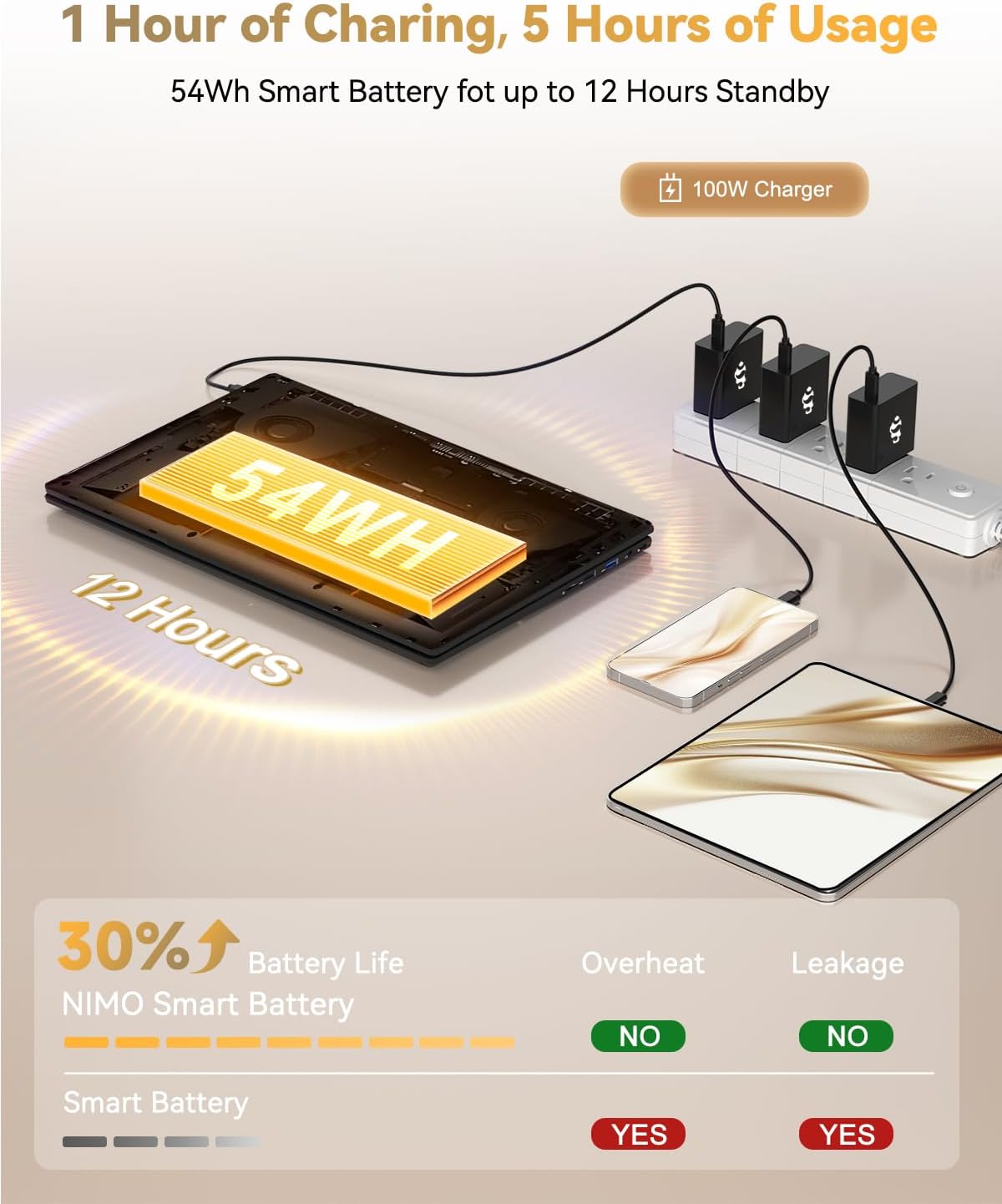
Figure 1: NIMO N15A Laptop connected to its 100W USB-C fast charger.
3.3 Power On and Windows Setup
Open the laptop lid and press the power button located on the keyboard. Follow the on-screen instructions to complete the Windows 11 Home setup, including language selection, region, network connection, and user account creation.

Figure 2: NIMO N15A Laptop displaying the Windows 11 desktop during initial setup.
4. Operating Your NIMO N15A Laptop
4.1 العرض
The NIMO N15A features a 15.6-inch Full HD (1920x1080) IPS anti-glare display, offering clear and vibrant visuals suitable for work, study, and entertainment.

Figure 3: The NIMO N15A display provides a lighting fast and smooth visual experience.
أداء 4.2
Equipped with an AMD Ryzen 7 Pro 6850U processor (8 cores, 16 threads, up to 4.7GHz turbo speed) and an integrated AMD Radeon 680M GPU, this laptop delivers robust performance for demanding tasks, content creation, and light gaming. The 32GB LPDDR5 RAM ensures smooth multitasking, while the 1TB PCIe 4.0 SSD provides rapid data access and ampلو التخزين.
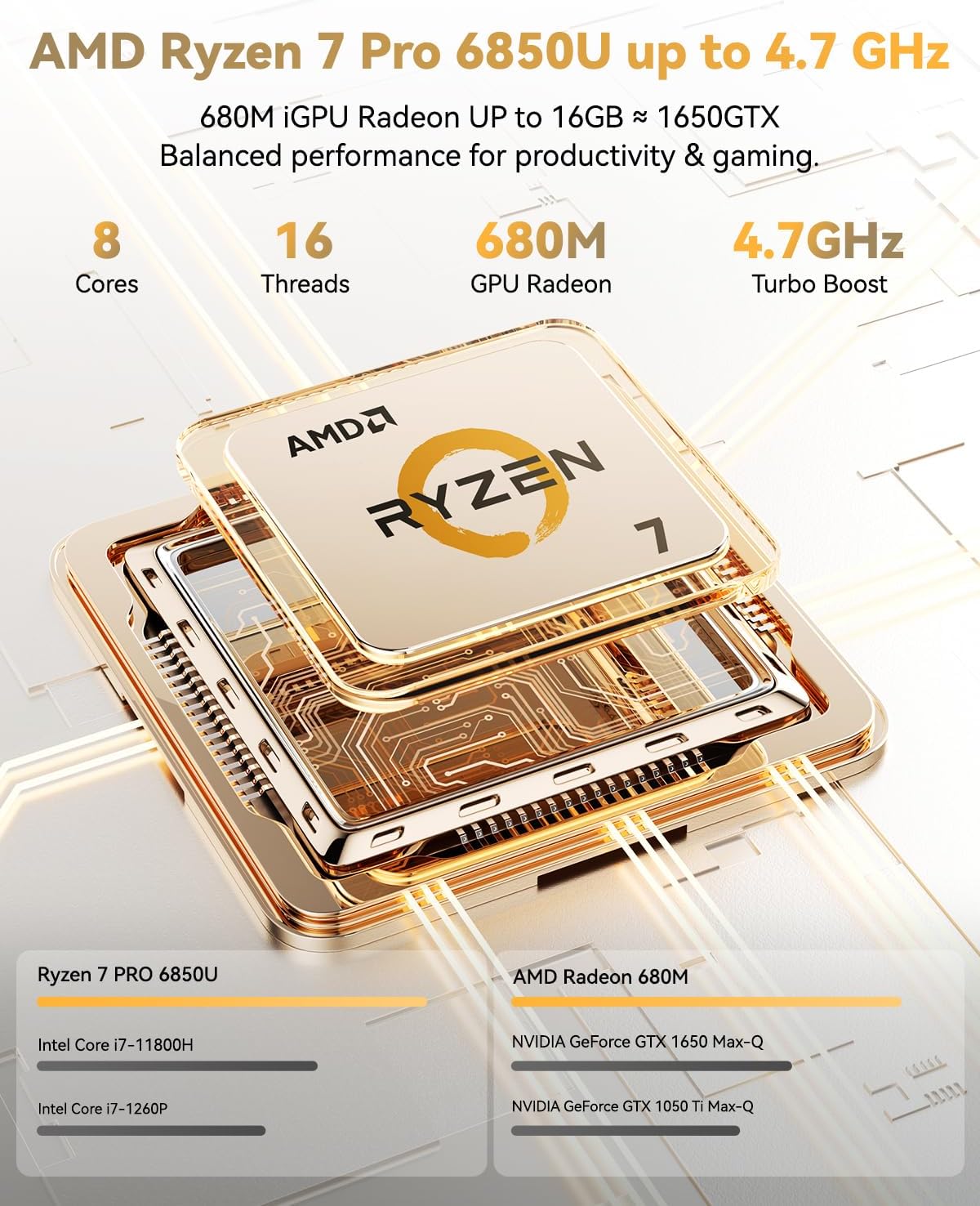
Figure 4: AMD Ryzen 7 Pro 6850U processor details.
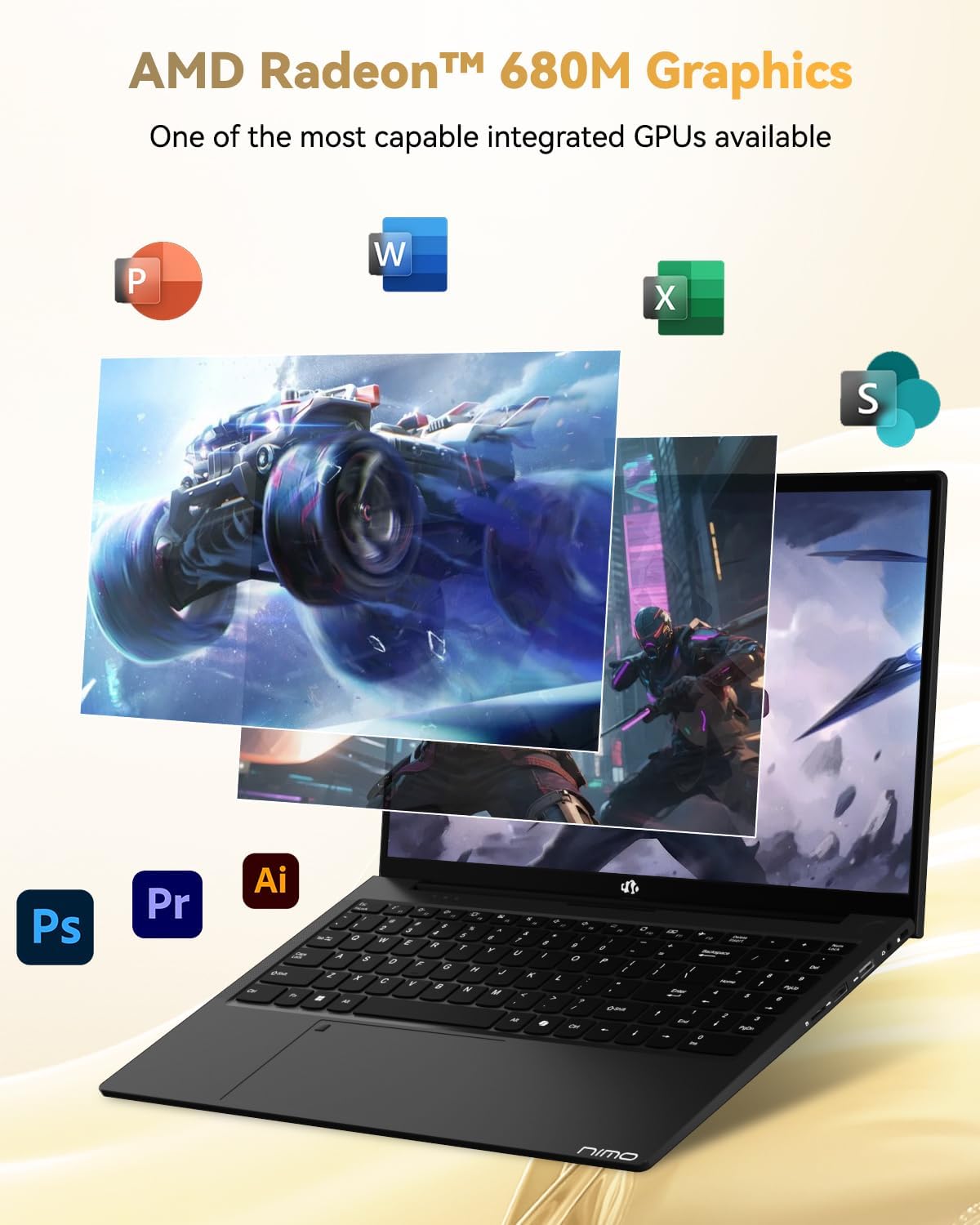
Figure 5: AMD Radeon 680M Graphics in action.

الشكل 6: تعدد المهام بسلاسة و ampإمكانيات التخزين.
4.3 لوحة المفاتيح ولوحة اللمس
The ergonomic backlit keyboard ensures comfortable and accurate typing in low-light environments. The precision gesture touchpad includes an integrated fingerprint reader for secure and instant login, enhancing privacy and convenience.

Figure 7: Backlit keyboard and fingerprint reader for enhanced usability and security.
4.4 الاتصال (المنافذ)
The NIMO N15A offers a comprehensive selection of ports for versatile connectivity:
- الجانب الأيسر: 2x USB-C (multifunction), 1x USB 3.2 Type-A, 1x HDMI 2.1
- الجانب الأيمن: 1x Micro SD reader, 1x USB 2.0 Type-A, 1x USB 3.2 Type-A, 1x 3.5mm headphone/microphone combo jack, 1x Kensington Lock slot
For wireless connectivity, the laptop supports WiFi 6 and Bluetooth 5.2, ensuring fast and stable connections to networks and peripherals.
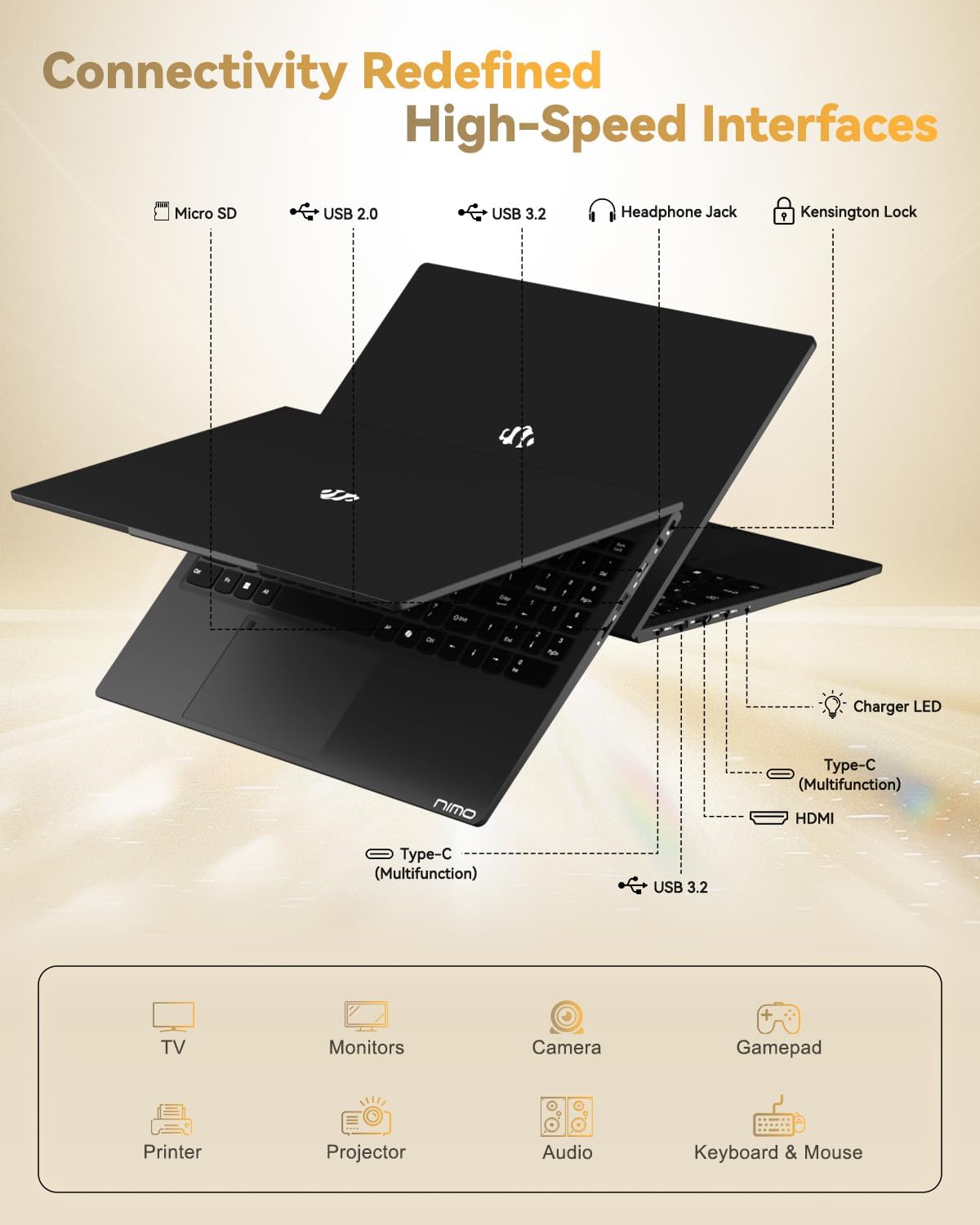
Figure 8: High-speed interfaces for next-generation connectivity.
4.5 البطارية والشحن
The 54Wh smart battery provides up to 9 hours of average battery life. The included 100W USB-C PD Fast Charger allows for quick power-ups, delivering up to 2 hours of use with just 15 minutes of charging. This compact charger is also versatile, capable of powering other compatible devices.
4.6 Webكاميرا
The laptop features a 2MP webcam, ideal for video calls and online meetings. It includes a physical privacy switch, allowing you to easily disable the webcam when not in use for enhanced security.
Video 1: A comprehensive introduction to the NIMO 15.6-inch laptop, showcasinج- مميزاته وتصميمه.
Video 2: Demonstrating the NIMO 15.6-inch laptop's backlit keyboard and features for students.
Video 3: Highlighting the NIMO Laptop's suitability for work and study, anytime and anywhere.
5. الصيانة والعناية
- تنظيف: Use a soft, lint-free cloth to gently clean the screen and chassis. Avoid using harsh chemicals or abrasive materials.
- تحديثات البرامج: قم بالتحقق من تحديثات نظام التشغيل (Windows 11) وتحديثات برامج التشغيل وتثبيتها بانتظام لضمان الأداء الأمثل والأمان والتوافق.
- ادارة التخزين: إعادة بشكل دوريview وحذف غير الضروري files, applications, and temporary data to maintain the performance of your 1TB SSD.
- العناية بالبطارية: To prolong the lifespan of your 54Wh Lithium Polymer battery, avoid exposing it to extreme temperatures. It is recommended to keep the battery charged between 20% and 80% for daily use and avoid frequent full discharges.
6. استكشاف الأخطاء وإصلاحها
6.1 الكمبيوتر المحمول لا يعمل
- Ensure the 100W USB-C PD Fast Charger is securely connected to both the laptop and a working power outlet.
- Verify that the charging LED indicator is lit.
- If the laptop does not respond, try holding the power button for 10-15 seconds to perform a hard reset.
6.2 الأداء البطيء
- أغلق التطبيقات غير الضرورية التي تعمل في الخلفية.
- تحقق من وجود أي تحديثات معلقة لنظام التشغيل Windows أو تحديثات برامج التشغيل وقم بتثبيتها.
- Ensure your 1TB SSD has sufficient free space (at least 15-20% recommended).
6.3 مشاكل الاتصال (واي فاي/بلوتوث)
- تأكد من تمكين Wi-Fi أو Bluetooth في إعدادات Windows.
- Restart your router/modem if experiencing Wi-Fi issues.
- Update your wireless and Bluetooth drivers from the NIMO support webموقع.
6.4 مشاكل العرض
- Adjust the screen brightness using the function keys (Fn + F-keys).
- If using an external monitor, ensure the HDMI cable is properly connected and the display settings are configured correctly.
- قم بتحديث برامج تشغيل الرسومات الخاصة بك.
7. المواصفات الفنية
| ميزة | مواصفة |
|---|---|
| اسم الموديل | NIMO N15A |
| عرض | 15.6" FHD IPS Anti-Glare (1920x1080) |
| المعالج | AMD Ryzen 7 Pro 6850U (8 Cores, 16 Threads, up to 4.7 GHz) |
| الرسومات | AMD Radeon 680M (مدمجة) |
| كبش | 32 جيجابايت LPDDR5 (6400 ميجاهرتز) |
| تخزين | 1TB PCIe 4.0 SSD (Upgradable to 2TB) |
| نظام التشغيل | ويندوز 11 هوم |
| الاتصال اللاسلكي | واي فاي 6، بلوتوث 5.2 |
| الموانئ | 2x USB-C (multifunction), 2x USB 3.2 Type-A, 1x USB 2.0 Type-A, 1x HDMI 2.1, 1x Micro SD Reader, 1x 3.5mm Audio Jack, 1x Kensington Lock |
| Webكاميرا | 2MP with Privacy Switch |
| بطارية | 54Wh Lithium Polymer (Up to 9 hours average use) |
| شاحن | 100W USB-C PD Fast Charger |
| وزن | 3.75 رطل (1.7 كجم) |
| الأبعاد (الطول × العرض × الارتفاع) | 14.07 × 8.98 × 0.76 بوصة |
8. الضمان والدعم
8.1 تغطية الضمان
Your NIMO N15A laptop is backed by a 2-year manufacturer warranty, covering defects in materials and workmanship under normal use. This warranty ensures peace of mind and reliable performance.
8.2 سياسة الإرجاع
NIMO offers a 90-day no-hassle return policy. Please refer to your purchase documentation for specific terms and conditions regarding returns.
8.3 دعم العملاء
For any product-related questions, technical assistance, or warranty claims, please contact NIMO customer support. You can find detailed contact information in the included user manual or by visiting the official NIMO webموقع.
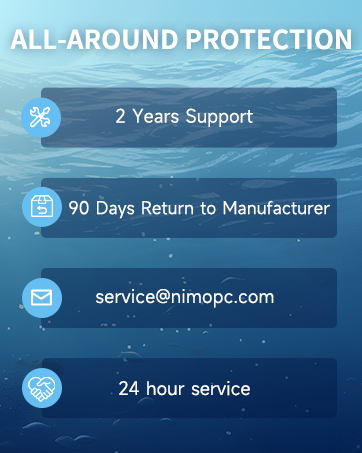
Figure 9: NIMO's professional customer assistance team.

Figure 10: NIMO products are covered by a 2-year support.

Figure 11: 90-day return policy for NIMO products.


