1. المقدمة
This manual provides essential information for the safe and effective operation of your SIMREX X41 Mini Drone. Designed for kids and beginners, this RC quadcopter features user-friendly controls and robust safety mechanisms. Please read this manual thoroughly before first use to ensure proper setup and enjoyable flight experiences.

Figure 1: SIMREX X41 Mini Drone and included accessories.
2. محتويات العبوة
تأكد من وجود جميع العناصر في الحزمة الخاصة بك:
- SIMREX X41 Mini Drone
- جهاز التحكم عن بعد
- Drone Battery (x2)
- Propellers (spare set)
- مفك البراغي
- كابل شحن USB
- دليل المستخدم
3. انتهى المنتجview
Familiarize yourself with the drone and its remote control.

Figure 2: SIMREX X41 Mini Drone and Remote Control.
مكونات الطائرات بدون طيار
- مراوح: Four propellers for lift and movement.
- حراس المروحة: Integrated guards protect propellers and surroundings.
- أضواء LED: Cool LED lights for visibility and aesthetic appeal.
- حجرة البطارية: Located at the rear for modular battery insertion.
تخطيط التحكم عن بعد

Figure 3: Remote Control Button Functions.
- Speed Key: Long press to fine-tune.
- Left Operating Lever: Controls altitude and rotation.
- One-Button Takeoff/Landing: Long press for emergency stop.
- Roll Button: Long press for light switch.
- Right Operating Lever: يتحكم في الحركة للأمام/للخلف ولليسار/لليمين.
- مفتاح التشغيل: يقوم بتشغيل/إيقاف جهاز التحكم عن بعد.
Note: The remote control requires 3 AAA batteries (not included).
4. شحن البطارية
To ensure optimal flight time, fully charge the drone batteries before each use.
- قم بتوصيل بطارية الطائرة بدون طيار بكابل شحن USB.
- Plug the USB cable into a compatible USB power source (e.g., computer, USB wall adapter).
- The indicator light on the charging cable will show charging status (refer to cable instructions for specific light behavior).
- تستغرق عملية الشحن عادةً ما بين 45 و60 دقيقة لكل بطارية.
- The remote control requires 3 AAA batteries (not included). Install them according to the polarity markings inside the battery compartment.

Figure 4: Modular batteries for extended flight time.
5. إعداد وحدة التحكم
Follow these steps to prepare your remote control for flight:
- Install 3 AAA batteries into the remote control, observing correct polarity.
- Turn on the remote control using the Power Switch. The indicator light will flash.
- ضع الطائرة بدون طيار على سطح مستوٍ ومستوٍ.
- Turn on the drone by pressing and holding its power button. The drone's LED lights will flash.
- To pair, push the left operating lever on the remote control fully up, then fully down. The remote control will beep, and the drone's LED lights will become solid, indicating successful pairing.
6. قائمة مراجعة ما قبل الرحلة
Before each flight, ensure the following:
- Drone and remote control batteries are fully charged.
- المراوح مثبتة بإحكام وغير متضررة.
- Flight area is clear of obstacles, people, and pets.
- Drone and remote control are successfully paired.
7. تعليمات التشغيل
Master the flight controls and special features of your SIMREX X41 Mini Drone.
7.1 One-Key Takeoff/Landing
For effortless starts and finishes:
- After pairing, press the One-Button Takeoff/Landing button. The drone will automatically ascend and hover at a stable altitude.
- To land, press the same button again. The drone will slowly descend and land automatically.

Figure 5: One-tap takeoff and landing for beginners.
7.2 تثبيت الارتفاع
This feature allows the drone to maintain a consistent altitude, making it easier to control and ideal for beginners.
- Once the drone is airborne, release the left operating lever. The drone will automatically hold its current altitude.
- Adjust altitude by pushing the left operating lever up or down.
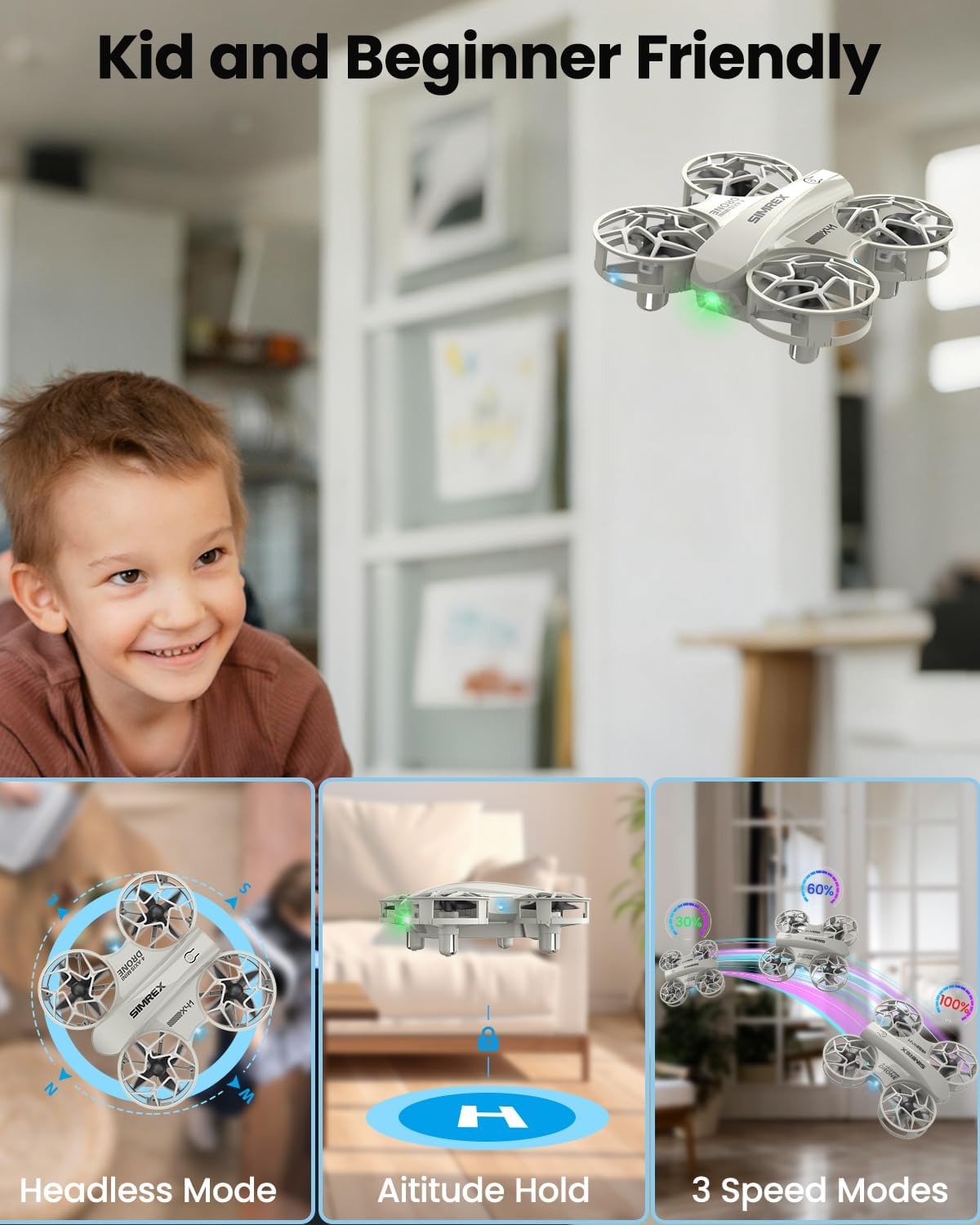
Figure 6: Altitude Hold feature for stable hovering.
7.3 وضع مقطوعة الرأس
Eliminates the need to distinguish the drone's head or tail direction, simplifying flight control.
- اضغط على الوضع بدون رأس button (refer to remote control diagram for location).
- In Headless Mode, the drone's orientation is relative to the pilot, regardless of its actual front-facing direction.
Figure 7: Headless Mode simplifies drone orientation.
7.4 أوضاع للسرعة
Adjust the drone's speed to match your skill level:
- اضغط على مفتاح السرعة to cycle through 3 speed modes: Low, Medium, and High.
- Start with Low speed for learning and gradually increase as you gain confidence.
Figure 8: Three speed modes for progressive skill development.
7.5 Stunt Flip (360° Flip)
Perform exciting aerial stunts with ease:
- While flying, press the Roll Button.
- Immediately push the right operating lever in any direction (forward, backward, left, or right) to execute a 360° flip in that direction.

Figure 9: Performing a 360-degree stunt flip.
8. ميزات السلامة
Your SIMREX X41 Mini Drone is equipped with features to enhance durability and safety.
8.1 حراس المروحة
The integrated propeller guards protect the propellers from damage during collisions and prevent accidental contact with users.

Figure 10: Integrated propeller guards for enhanced safety.
8.2 Loss-of-Signal Protection
If the drone loses connection with the remote control, it will automatically initiate a safe landing to prevent uncontrolled flight.
8.3 Stuck-Rotor Protection
This feature helps prevent motor damage by automatically cutting power to the motors if a propeller becomes jammed or stuck.
9. الصيانة
تضمن الصيانة الدورية طول عمر وأداء طائرتك بدون طيار.
- تنظيف: Use a soft, dry cloth to clean the drone body and propellers. Avoid water or harsh chemicals.
- فحص المروحة: Regularly check propellers for cracks or damage. Replace any damaged propellers using the provided screwdriver and spare parts.
- العناية بالبطارية: خزّن البطاريات في مكان بارد وجاف. لا تقم بشحنها أو تفريغها بشكل زائد.

Figure 11: Inspect propellers regularly for damage.
10. استكشاف الأخطاء وإصلاحها
إذا واجهتك مشاكل، فراجع هذه الحلول الشائعة:
- الطائرة بدون طيار لا تقترن: Ensure both drone and remote control are powered on and fully charged. Repeat the pairing process (left lever up then down).
- رحلة غير مستقرة/انجراف: Perform a calibration. Place the drone on a flat surface, then push both joysticks down and to the bottom-right corner simultaneously for a few seconds until the lights flash.
- مدة الرحلة القصيرة: Ensure batteries are fully charged. Flight time can vary based on speed mode and environmental factors.
- Propellers not spinning: Check for obstructions or damage to propellers. Ensure the drone is paired and motors are unlocked.
11. المواصفات
| ميزة | التفاصيل |
|---|---|
| ماركة | سيمريكس |
| اسم الموديل | Z10 (Manufacturer Part Number: X41) |
| ميزة خاصة | 360 درجة قلب |
| الفئة العمرية | طفل |
| لون | رمادي |
| تكنولوجيا الاتصال | واي فاي |
| مستوى المهارة | مبتدئ |
| سعة البطارية | 10 مليamp ساعات |
| تقنية التحكم عن بعد | واي فاي |
| مادة | بلاستيك |
| وزن العنصر | 7.5 أونصات |
| أبعاد المنتج | 7.6 بوصة طول × 5.43 بوصة عرض × 2.28 بوصة ارتفاع |
12. مقاطع فيديو رسمية للمنتج
Watch these official videos from SIMREX for additional guidance and demonstrations.
فيديو تعريفي بالمنتج
This video provides a general introduction to the SIMREX Mini Drone, highlighting its key features and ease of use.
SIMREX Mini Drone for Kids & Beginners
A detailed video showcasing the SIMREX Mini Drone's features and demonstrating its operation for new users.
13. الضمان والدعم
For warranty information, technical support, or service inquiries, please refer to the contact details provided on the product packaging or visit the official SIMREX webالموقع. احتفظ بإيصال الشراء كإثبات للشراء.


