1. انتهى المنتجview
The Lian Li Hydroshift II 360 CL ARGB Liquid CPU Cooler is an all-in-one (AIO) liquid cooling solution designed for high-performance desktop systems. It features a 3.4-inch IPS LCD screen for real-time monitoring and customization, daisy-chainable ARGB fans, and broad compatibility with various Intel and AMD CPU sockets.
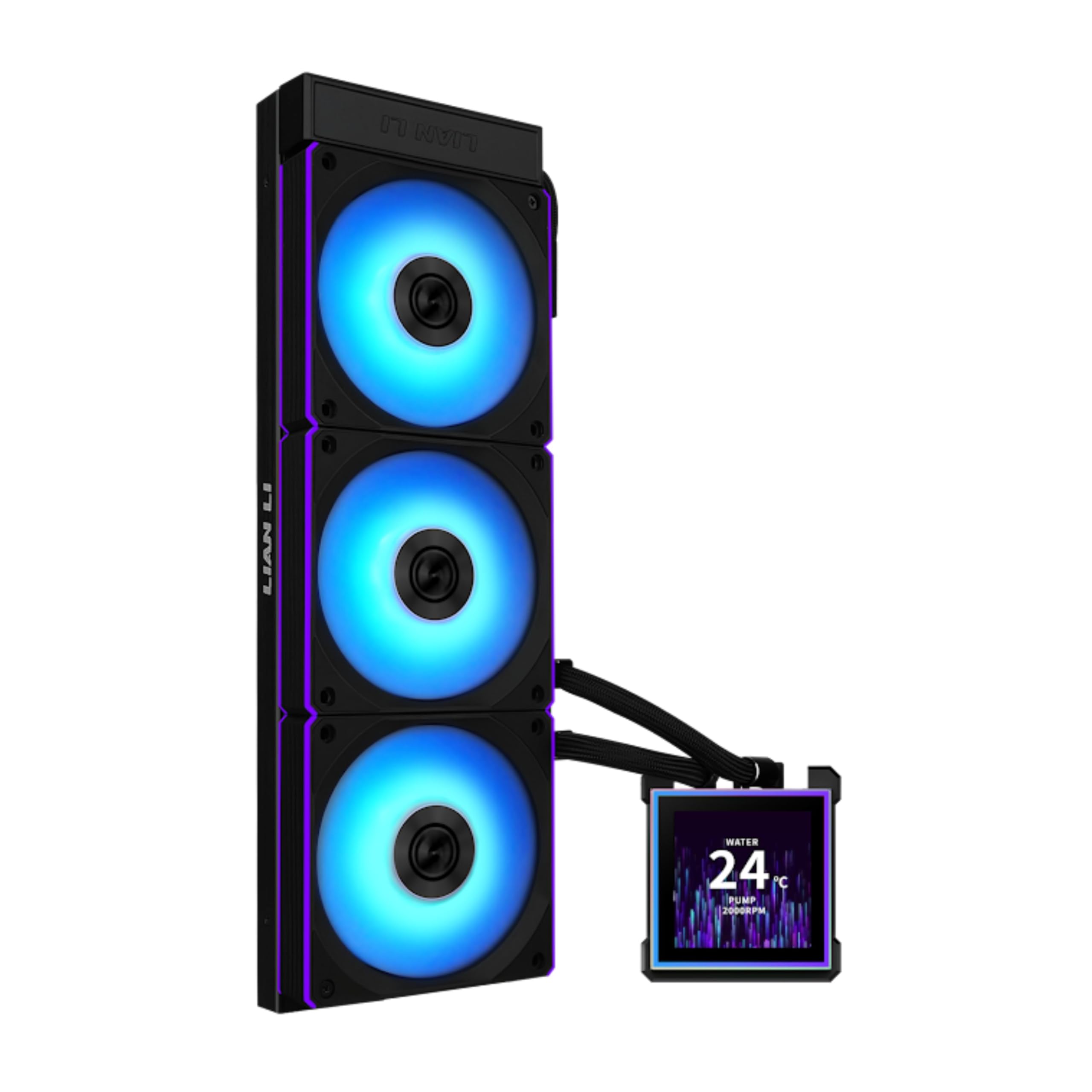
Figure 1: Lian Li Hydroshift II 360 CL ARGB Liquid CPU Cooler.
2. ماذا يوجد في الصندوق
تأكد من وجود كافة المكونات قبل متابعة التثبيت:
- Lian Li Hydroshift II 360 CL ARGB Liquid CPU Cooler (Radiator, Pump, and Tubing)
- 3x CL120 ARGB Fans
- Mounting Hardware for Intel LGA 1851/1700
- Mounting Hardware for AMD AM5/AM4
- L-Wireless Controller (for CL-version models)
- كابل أوسب شنومك
- PWM Power Cable
- Thermal Paste (pre-applied or included separately)
- دليل المستخدم
فيديو فتح العلبة
Video 1: Unboxing the Hydroshift II-S 360 AIO water cooler. This video demonstrates the contents of the product packaging and initial presentation of the cooler components.
3. الميزات الرئيسية
- 3.4" IPS LCD with 2 Control Modes: Features a 480x480 resolution, 500 nits brightness, and 60Hz refresh rate. Choose between Wireless Mode for remote control or Advanced USB-connected Mode for comprehensive customization via L-Connect 3 software.
- Adjustable Tube Routing: Innovative sliding tube clamp allows for precise tube alignment, enhancing aesthetics and installation ease.
- Compact and Efficient Radiator: Slim 24mm thick radiator (400x122x24mm) ensures compatibility with various cases while maintaining excellent cooling performance.
- Hot-Swappable Screen: Easily replace the display without powering down, thanks to the magnetically guided, pogo-pin connection.
- Pre-Installed X3 CL120 ARGB Fans: Fan Speed 200-2200 RPM, 72 CFM airflow, 3.0 mmH2O static pressure, and 31 dBA noise level with wireless ARGB control.
ميزة المنتج انتهتview
Video 2: Lian Li HydroShift II LCD-S AIO Product Video. This video provides a general overview of the cooler's design and features.
4. دليل التثبيت
خطوات التثبيت العامة
- تحضير اللوحة الأم: Remove any existing CPU cooler and clean the CPU surface.
- تثبيت تصاعد بين قوسين: Attach the appropriate mounting brackets for your CPU socket (Intel LGA 1851/1700 or AMD AM5/AM4) to the motherboard. Ensure correct orientation as indicated in the accessory box.
- تطبيق المعجون الحراري: ضع طبقة رقيقة ومتساوية من المعجون الحراري على موزع الحرارة المتكامل (IHS) الخاص بوحدة المعالجة المركزية.
- Mount Pump Block: Carefully place the pump block onto the CPU, ensuring even pressure. Secure it with the provided thumb screws.
- تركيب المبرد والمراوح: Mount the radiator and fans to your PC case in a suitable location (e.g., top, front, or side).
- توصيل الكابلات: Connect the pump, fan, and LCD cables to the motherboard and power supply as instructed in the L-Connect 3 software guide.
- Attach LCD Screen: The LCD screen is hot-swappable and attaches magnetically to the pump block.
دليل التثبيت بالفيديو
Video 3: PC Crazy: Hydroshift II-S Installation Guide Video. This video provides a detailed walkthrough of the installation process for the cooler.
LCD Screen Mounting
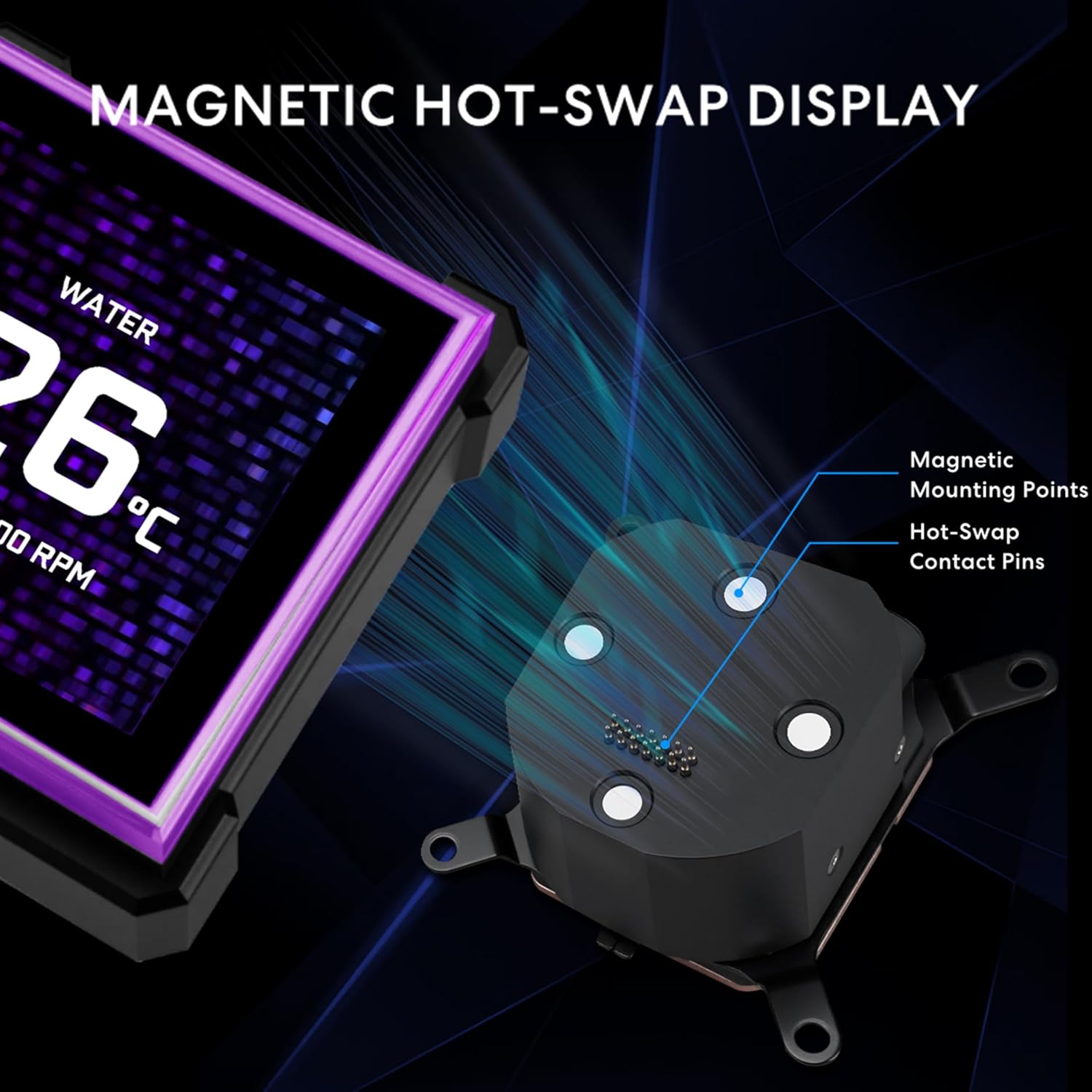
Figure 2: The LCD screen features magnetic mounting points and pogo-pin contacts for easy, hot-swappable installation or removal.
Video 4: Demo Video of the Hydroshift II-S LCD Screen Mounting. This video demonstrates the magnetic attachment and removal of the LCD screen.
Radiator and Tube Management

Figure 3: The innovative side-mounted tubing runs cleanly along the radiator edge, reducing visual clutter. Cables are integrated within the sleeved tubing for a seamless, cable-free look.

Figure 4: For hidden-tube installations, the top mounting area of the case should measure at least 280 x 400 mm. The tube bracket can be adjusted or removed to fit a wide range of case configurations.

Figure 5: For compact cases with limited space, adjust the tube bracket position accordingly. Align the bracket directly behind the CPU and route excess tubing behind the radiator. The leftmost tube bracket can be removed for a better fit.

Figure 6: For small form factor cases, remove the upright bracket and adjust the two tube holders, routing any excess tubing neatly behind the radiator. Note: This configuration may not support the use of tube support brackets, depending on available clearance.

Figure 7: The cooler features a cable organizer for neat and secure tubing, and industrial-grade corrugated tubing for durability and consistent flow.
5. أوضاع التشغيل
The Hydroshift II LCD-S offers three distinct operating modes for its display and control:
5.1. Offline Mode (No USB Connection)
Operates with preset themes to monitor coolant temperature and pump speed. No cables or system resources are required for this mode. Lighting themes and effects cannot be changed in offline mode.

Figure 8: Display showing coolant temperature and pump speed in Offline Mode.
5.2. Wireless Mode (L-Wireless Controller Connection)
Connect through the L-Wireless 2.4G Controller to customize screen themes, parameters, and lighting effects via L-Connect 3. This mode allows for lighting synchronization with other wireless products (CL Wireless and TL Wireless) while keeping your motherboard's USB 9P ports free. This results in reduced cable clutter and minimal system load.
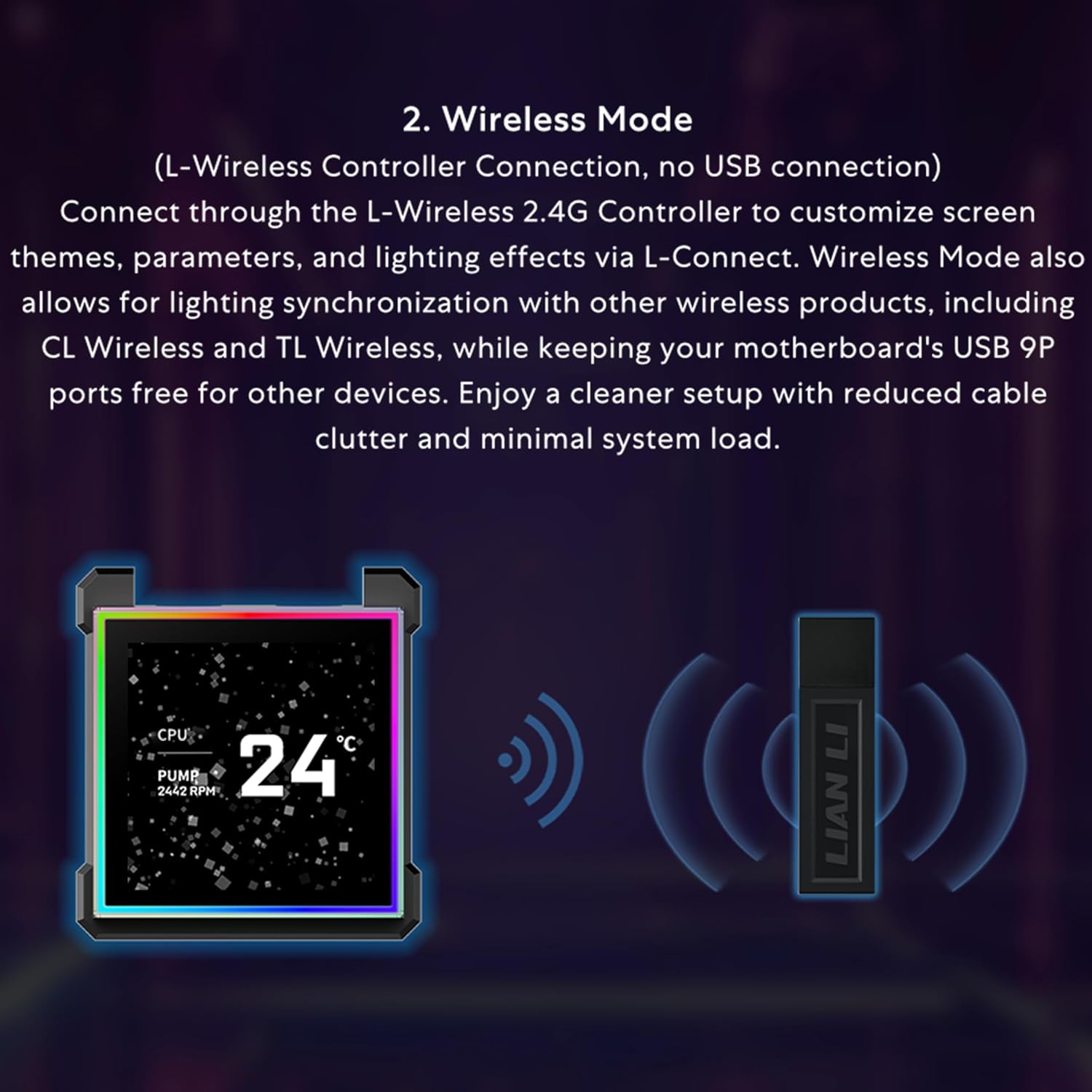
Figure 9: Illustration of Wireless Mode connection using the L-Wireless Controller.
5.3. Streaming Mode (USB Connection)
Connect via USB to gain full control through L-Connect 3. Easily switch screen themes, upload custom images or videos, and design personalized layouts. This mode turns the display into a dynamic secondary screen that enhances both functionality and visual appeal. It supports secondary display functionality, image/video uploads, and customizable widgets.

الشكل 10: مثالamples of customizable screens and layouts in Streaming Mode via L-Connect 3 software.
6. L-Connect 3 Software
The L-Connect 3 software provides intuitive control and complete customization for your Hydroshift II LCD-S cooler. It offers fast theme switching and layout customization with integrated hardware monitoring. You can capture screenshots, record videos using built-in editing tools, and enhance your display with 3D effects, sensor-based visuals, overlays, and watermarks.
7. التوافق
The Hydroshift II 360 CL is compatible with the following CPU sockets:
- إنتل LGA 1851
- إنتل LGA 1700
- AMDAM5
- AMDAM4
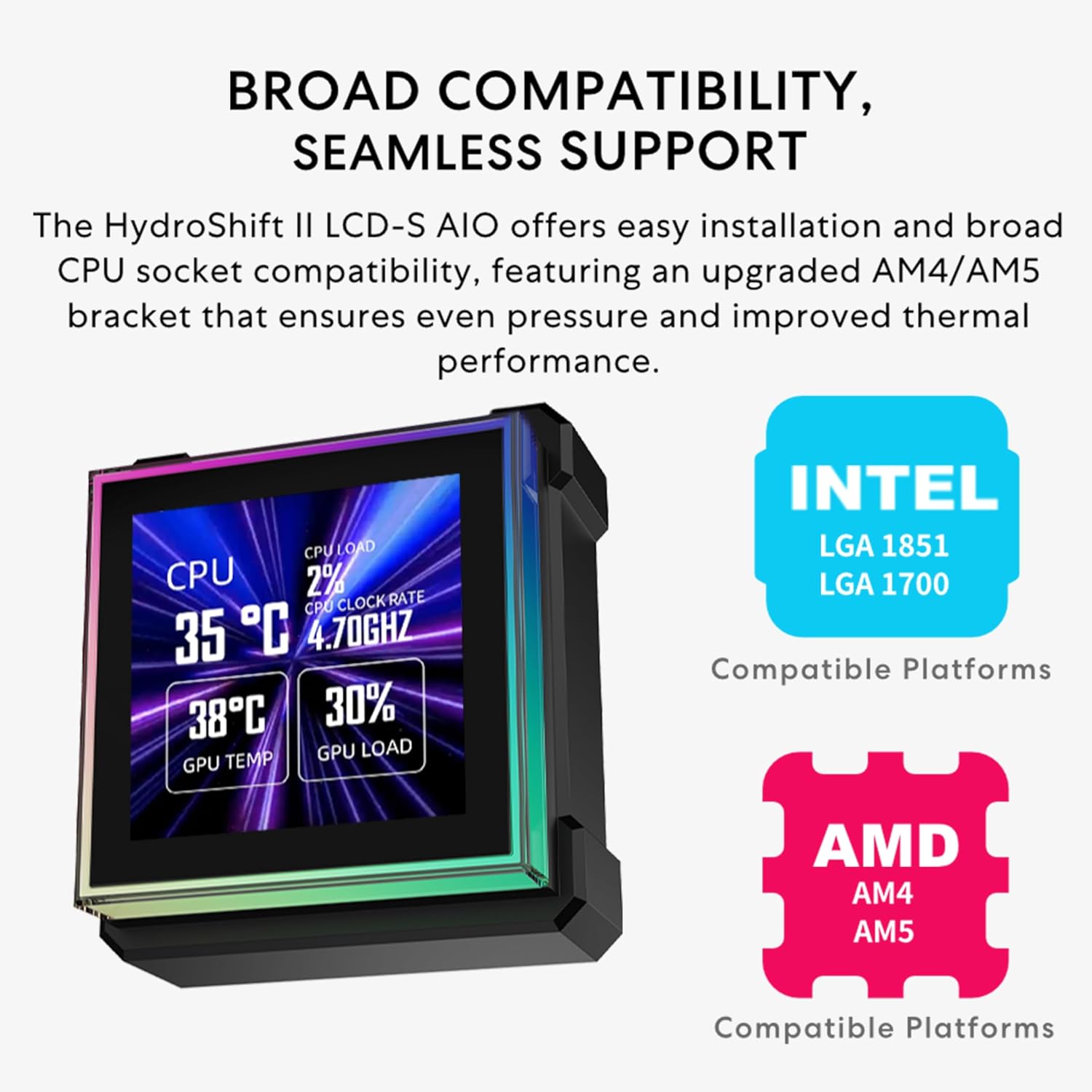
Figure 11: The Hydroshift II LCD-S AIO offers broad CPU socket compatibility, featuring an upgraded AM4/AM5 bracket for even pressure and improved thermal performance.
ملاحظة هامة: The HydroShift II LCD-S LCD may interfere with the ROG MAXIMUS Z890 EXTREME and ROG MAXIMUS Z890 HERO motherboards. An upgraded LCD (redesigned with an opening) is available for support if needed. Please contact customer support for assistance.
8. استكشاف الأخطاء وإصلاحها
- AIO USB Connection Not Recognized: If the AIO USB connection is not recognized, follow the troubleshooting steps provided in the L-Connect 3 software guide. If the issue persists, contact customer support.
- UNI FAN CL Fan Speed Issue (USB Mode): If UNI FAN CL fans show inconsistent speeds when using USB mode (without the L-Wireless Controller), or if the first or second fan is not spinning and displays 0 RPM in L-Connect 3, update the AIO receiver firmware via Local Update. Firmware fileيمكن تنزيلها من Lian Li's official webموقع. Open L-Connect 3 → Settings → Firmware → Local Update to complete the update. This firmware update is only required for HydroShift II CL-version models.
- AMD Mounting Bracket Overheating: If you experience overheating issues while using the AMD mounting bracket, visit Lian Li's official website to check for tolerance issues. A replacement version can be provided if necessary.
9. الصيانة
To ensure optimal performance and longevity of your Lian Li Hydroshift II 360 CL ARGB Liquid CPU Cooler, regular maintenance is recommended:
- تنظيف الغبار: Periodically clean the radiator fins and fan blades to prevent dust buildup, which can impede airflow and cooling efficiency. Use compressed air or a soft brush.
- إدارة الكابلات: Ensure all cables are neatly routed and secured to prevent interference with moving parts or airflow.
- تحديثات البرامج: Keep the L-Connect 3 software and firmware updated to benefit from performance improvements and bug fixes.
10. المواصفات
| ميزة | التفاصيل |
|---|---|
| ماركة | ليان لي |
| رقم الموديل | HS2LCDS36CB |
| طريقة التبريد | ماء |
| أبعاد الرادياتير | 400 × 122 × 24 ملم |
| مادة المبرد | الألومنيوم |
| طول الأنابيب | 450/470 مم |
| قطر الأنبوب | 28 ملم |
| سرعة المضخة | تصل إلى 3200 دورة في الدقيقة |
| Noise Level (Pump) | 31 ديسيبل |
| لوحة LCD | شاشة IPS مقاس 3.4 بوصات |
| لد القرار | 480×480 |
| سطوع شاشة LCD | 500 شمعة |
| معدل تحديث شاشات الكريستال السائل | 60 هرتز |
| نموذج مروحة | CL120 ARGB Fans |
| سرعة المروحة | 200-2200 دورة في الدقيقة |
| تدفق الهواء | 72 قدم مكعب في الدقيقة |
| الضغط الثابت | 3.0 ملم ماء |
| Noise Level (Fan) | 31 ديسيبل |
| نوع المحمل | محمل ديناميكي سائل (FDB) |
| دعم مقبس وحدة المعالجة المركزية | Intel: LGA1851/1700, AMD: AM5/AM4 |
| أبعاد المنتج | 15.75 × 4.8 × 0.86 بوصة |
| وزن العنصر | 6.32 رطل |

Figure 12: Temperature test results comparing HydroShift II LCD-S, HydroShift II LCD-C, and HydroShift I models under specific test conditions.
11. الضمان والدعم
11.1. 6-Year Hardware Protection
Lian Li offers a 6-year hardware protection for lasting confidence and smooth performance.
11.2. AIO Cooler Protection Policies
- قضايا التسرب: If a product quality issue (non-human damage) causes leakage during the hardware protection period, Lian Li provides full liquid damage coverage.
- إثبات الشراء: Customers must provide a valid purchase record and receipt to confirm the product was purchased through an authorized dealer.
- Product Return: The product must be returned to Lian Li for inspection. If confirmed to be a quality issue (non-human damage), Lian Li will provide repair or replacement service handled by a dedicated support representative.
11.3. Compensation Policy (for Leakage Issues)
If a non-human-related leakage issue causes damage to internal computer components (e.g., motherboard, CPU, memory, hard drive, or GPU, excluding data loss), compensation will be provided according to the following terms:
- Depreciation Calculation: Hardware compensation is calculated with a 15% annual depreciation rate.
- Year 1: 100% of hardware value
- Year 2: 85% of hardware value
- Year 3: 70% of hardware value
- Year 4: 55% of hardware value
- Year 5: 40% of hardware value
- Year 6: 25% of hardware value
11.4. دعم العملاء
For further assistance, technical support, or warranty claims, please reach out to Lian Li via their official support channels or webموقع: ليان لي الرسمية Webموقع.


