1. المقدمة
The Baseus Inspire XP1 Adaptive Noise Cancelling Earbuds are designed to provide a high-fidelity audio experience with advanced noise cancellation capabilities. Featuring Sound by Bose technology and Dolby Spatial Audio, these earbuds offer immersive sound and clear communication. This manual provides instructions for setup, operation, and maintenance to ensure optimal performance.
2. محتويات العبوة
تأكد من وجود جميع العناصر في الحزمة الخاصة بك:
- Baseus Inspire XP1 Noise Cancelling Wireless Earbuds
- حافظة الشحن
- أطراف الأذن (مقاسات صغيرة/متوسطة/كبيرة)
- كابل شحن USB-C
- دليل المستخدم

Image: Package contents of the Baseus Inspire XP1 earbuds.
3. انتهى المنتجview
The Baseus Inspire XP1 earbuds feature a contoured in-ear fit with umbrella-shaped liquid silicone tips for comfort and noise isolation. They are equipped with a 6-mic sound sensor array for clear calls and touch-sensitive surfaces for control.

Image: Baseus Inspire XP1 Earbuds.
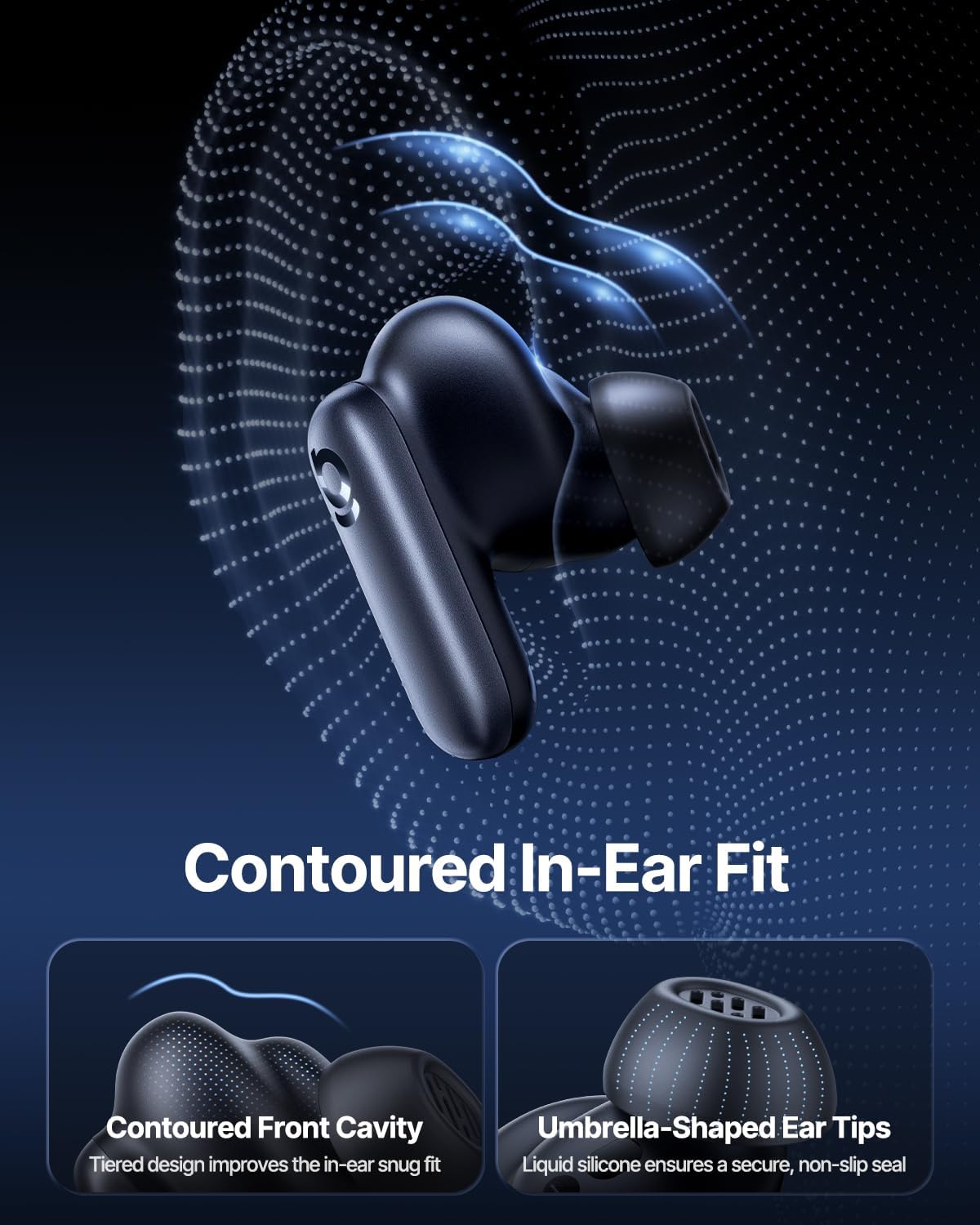
Image: Contoured In-Ear Fit and Umbrella-Shaped Ear Tips.
4. الإعداد
4.1 الاقتران الأولي
- شحن سماعات الأذن: Place both earbuds into the charging case and close the lid. Connect the USB-C charging cable to the case and a power source. The indicator light on the case will show charging status.
- تنشيط وضع الاقتران: افتح علبة الشحن. ستدخل سماعات الأذن تلقائيًا في وضع الاقتران، ويُشار إلى ذلك بضوء وامض على سماعات الأذن أو العلبة.
- الاتصال عبر البلوتوث: على جهازك (الهاتف الذكي، الجهاز اللوحي، الكمبيوتر المحمول)، انتقل إلى إعدادات البلوتوث وقم بتمكين البلوتوث. بحث عن "Baseus Inspire XP1" in the list of available devices and select it to connect.
- تأكيد: Once connected, a voice prompt will confirm successful pairing, and the indicator light will turn solid or off.
4.2 تثبيت تطبيق Baseus
For full functionality, including Dolby Audio, custom EQ settings, and adaptive tuning, download the official Baseus App from your device's app store (iOS App Store or Google Play Store). The app allows for personalized control of your listening experience.
صورة: واجهة التحكم في التطبيق الذكي.
5. تعليمات التشغيل
5.1 تشغيل/إيقاف التشغيل
- تشغيل الطاقة: افتح علبة الشحن، وستقوم سماعات الأذن بتشغيل نفسها تلقائيًا ومحاولة الاتصال بآخر جهاز مقترن بها.
- إيقاف التشغيل: أعد وضع سماعات الأذن في علبة الشحن وأغلق الغطاء. ستتوقف تلقائيًا وتبدأ عملية الشحن.
5.2 الضوابط التي تعمل باللمس
The earbuds feature touch-sensitive surfaces for various functions:
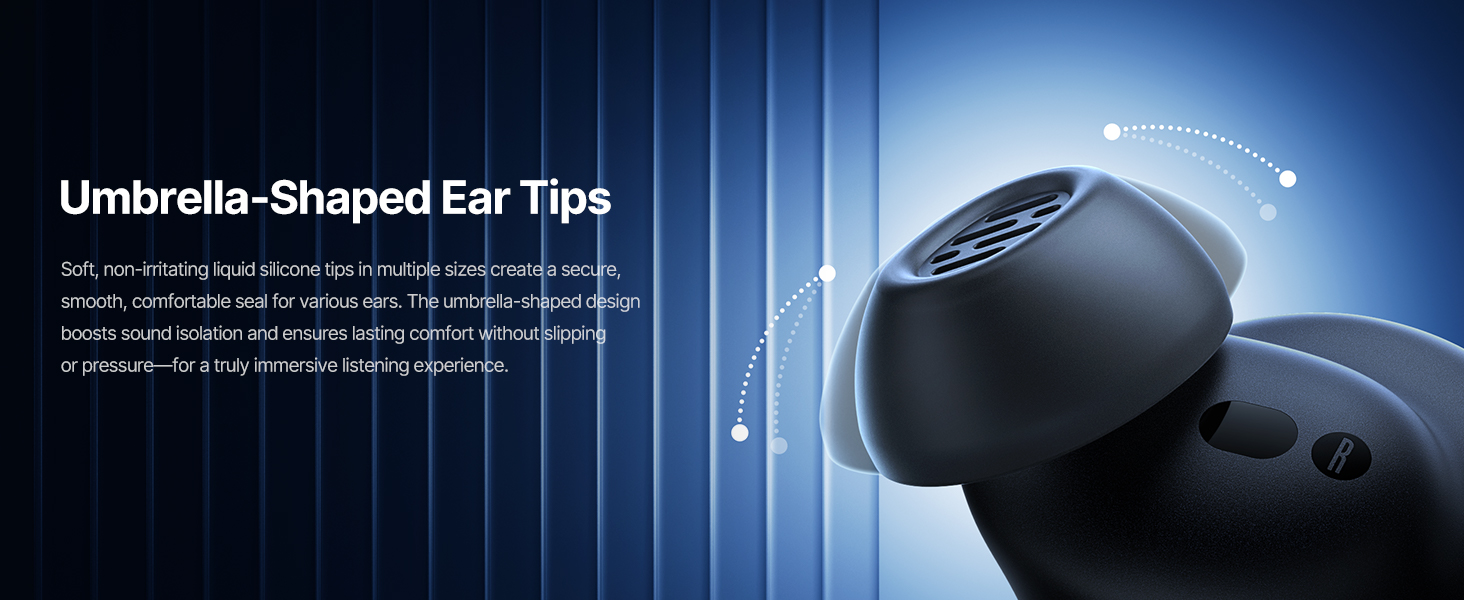
Image: Touch Control Guide.
- تشغيل/إيقاف الموسيقى: انقر نقرًا مزدوجًا على أي سماعة أذن.
- الرد / إنهاء المكالمات: انقر نقرًا مزدوجًا على أي سماعة أذن.
- رفض المكالمات: انقر مع الاستمرار فوق أي من سماعتي الأذن لمدة 1.5 ثوانٍ.
- تبديل وضع ANC/الشفافية: انقر مع الاستمرار فوق أي من سماعتي الأذن لمدة 1.5 ثوانٍ.
- تنشيط مساعد الصوت: اضغط ثلاث مرات على أي سماعة أذن.
5.3 Adaptive Noise Cancellation (ANC) and Transparency Mode
The Inspire XP1 earbuds feature Premium Adaptive ANC, which dynamically adjusts noise reduction up to -50 dB based on your environment. Transparency Mode allows you to hear your surroundings without removing the earbuds.

Image: Premium Adaptive ANC in use.
Switch between ANC and Transparency Mode by tapping and holding the touch surface for 1.5 seconds, or manage settings via the Baseus App.
5.4 High-Efficiency Clear Calls
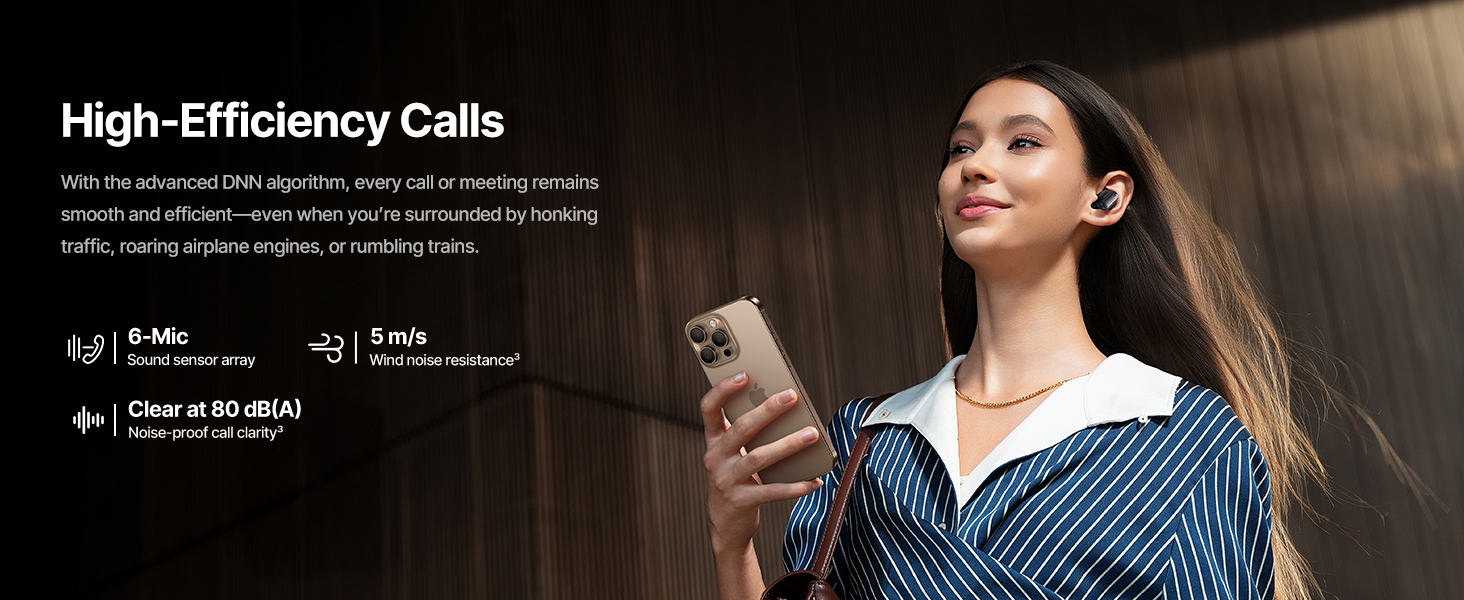
Equipped with a 6-mic sound sensor array and AI algorithms, the earbuds provide clear calls by reducing wind noise and environmental distractions up to 80 dB(A).
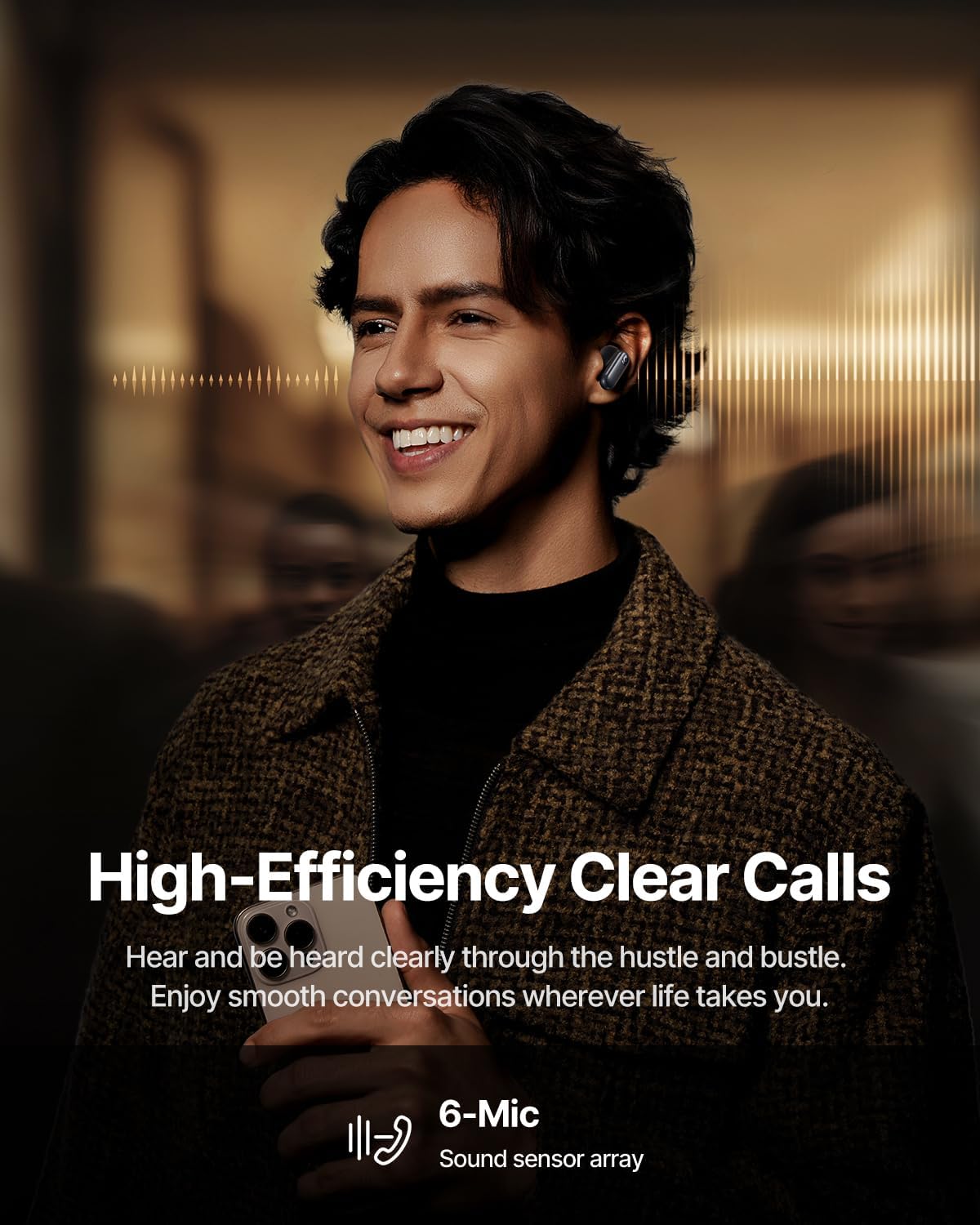
Image: High-Efficiency Clear Calls.
5.5 الشحن وعمر البطارية
The earbuds offer extended playtime with the charging case:
- إيقاف ANC: Up to 8 hours per charge, and up to 45 hours with the charging case.
- تشغيل ANC: Up to 6 hours per charge, and up to 35 hours with the charging case.
- الشحن السريع: يوفر الشحن لمدة 10 دقائق ما يقارب 2.5 ساعات من التشغيل.

Image: Day-and-Night Playtime.
5.6 اتصال فوري متعدد النقاط
Utilize Baseus Smart-Connect and Bluetooth 6.1 for seamless switching between two paired devices, such as a phone and a laptop, enabling uninterrupted calls and multitasking.
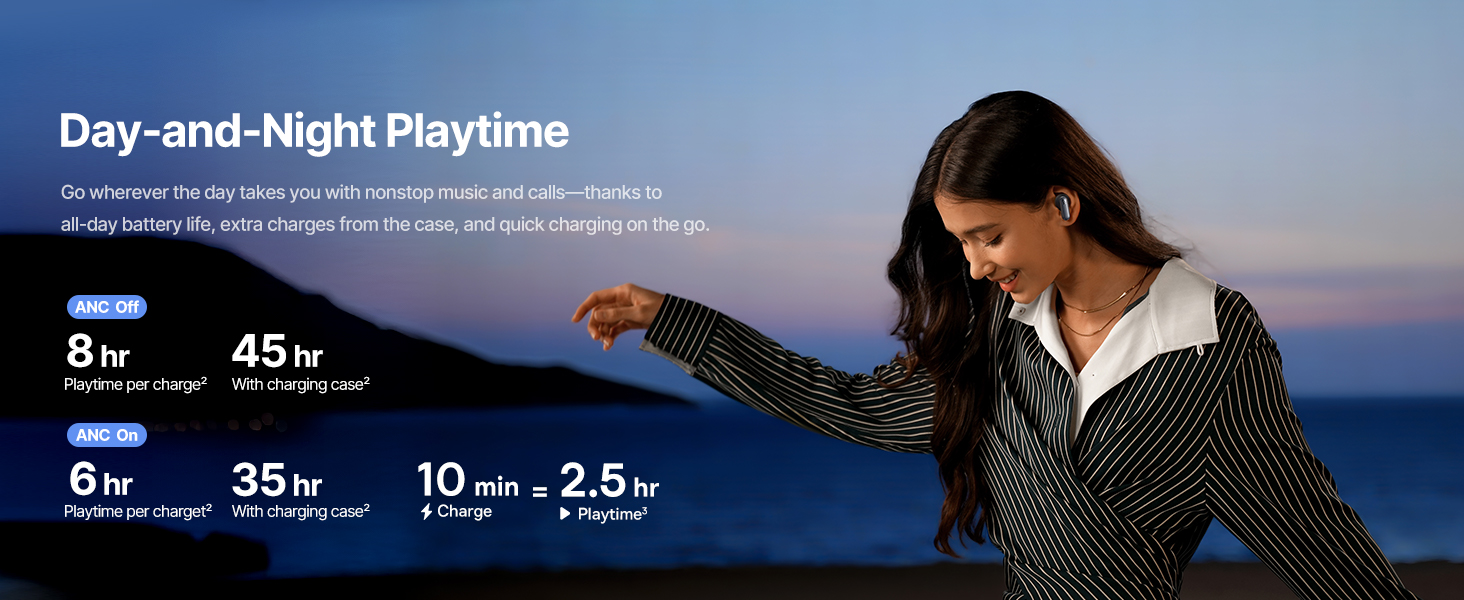
Image: Instant Multipoint Connection.
6. الصيانة
- تنظيف: نظّف سماعات الأذن وعلبة الشحن بانتظام باستخدام قطعة قماش ناعمة وجافة وخالية من الوبر. لا تستخدم مواد كاشطة أو مواد كيميائية قاسية.
- نصائح الأذن: Remove and clean the silicone eartips with mild soap and water if necessary. Ensure they are completely dry before reattaching.
- منافذ الشحن: حافظ على منفذ الشحن USB-C خالياً من الغبار والحطام.
- تخزين: When not in use, store the earbuds in their charging case to protect them and maintain battery life. Avoid extreme temperatures.
7. استكشاف الأخطاء وإصلاحها
7.1 سماعات الأذن غير مقترنة
- Ensure the earbuds are charged and the charging case lid is open.
- قم بإيقاف تشغيل البلوتوث على جهازك وتشغيله مرة أخرى.
- قم بحذف الجهاز من إعدادات البلوتوث وحاول إعادة الاقتران.
- Try resetting the earbuds (refer to the Baseus App or Baseus support for specific reset instructions).
7.2 لا يوجد صوت أو مستوى الصوت منخفض
- تحقق من مستويات الصوت على كل من جهازك وسماعات الأذن.
- تأكد من تثبيت سماعات الأذن بشكل صحيح في أذنيك.
- تأكد من توصيل سماعات الأذن بمخرج الصوت الصحيح على جهازك.
- قم بتنظيف أي حطام من مكبرات صوت سماعات الأذن.
7.3 قضايا الشحن
- تأكد من توصيل كابل الشحن بشكل آمن بكل من العلبة ومصدر الطاقة.
- حاول استخدام كابل USB-C ومحول طاقة مختلفين.
- قم بتنظيف نقاط اتصال الشحن الموجودة على سماعات الأذن وداخل العلبة.
8. المواصفات
Image: Product Specifications.
| اسم الموديل | Baseus Inspire XP1 |
| تكنولوجيا الاتصال | بلوتوث 6.1، لاسلكي |
| تكنولوجيا الاتصالات اللاسلكية | بلوتوث 6.1 |
| التحكم في الضوضاء | Adaptive Noise Cancellation, Environmental Noise Cancellation |
| حجم برنامج تشغيل الصوت | 10 مليمتر |
| نطاق التردد | 20 هرتز - 20,000 هرتز |
| عمر البطارية (مع إيقاف خاصية إلغاء الضوضاء النشط) | 8 ساعات (سماعات الأذن)، 45 ساعة (مع علبة الشحن) |
| منفذ الشحن | يو اس بي-سي |
| طريقة التحكم | التطبيق، اللمس |
| مادة | سيليكون |
| وزن العنصر | 7.8 أونصات |
9. الضمان والدعم
Baseus products are covered by a limited warranty. For detailed warranty information, product support, or to contact customer service, please visit the official Baseus webقم بزيارة الموقع أو راجع بطاقة الضمان المضمنة في الحزمة الخاصة بك.
يمكنك أيضًا زيارة متجر Baseus على أمازون لمزيد من الموارد ومعلومات المنتج.


