1. ماذا يوجد في الصندوق
Your Google TV Streamer 4K package includes the following items:
- Google TV Streamer (4K)
- Voice Remote (with 2 included AAA batteries)
- محول الطاقة
- كابل الطاقة (1.8 متر)
- دليل البدء السريع (غير معروض)
- Safety & Warranty Document (not shown)
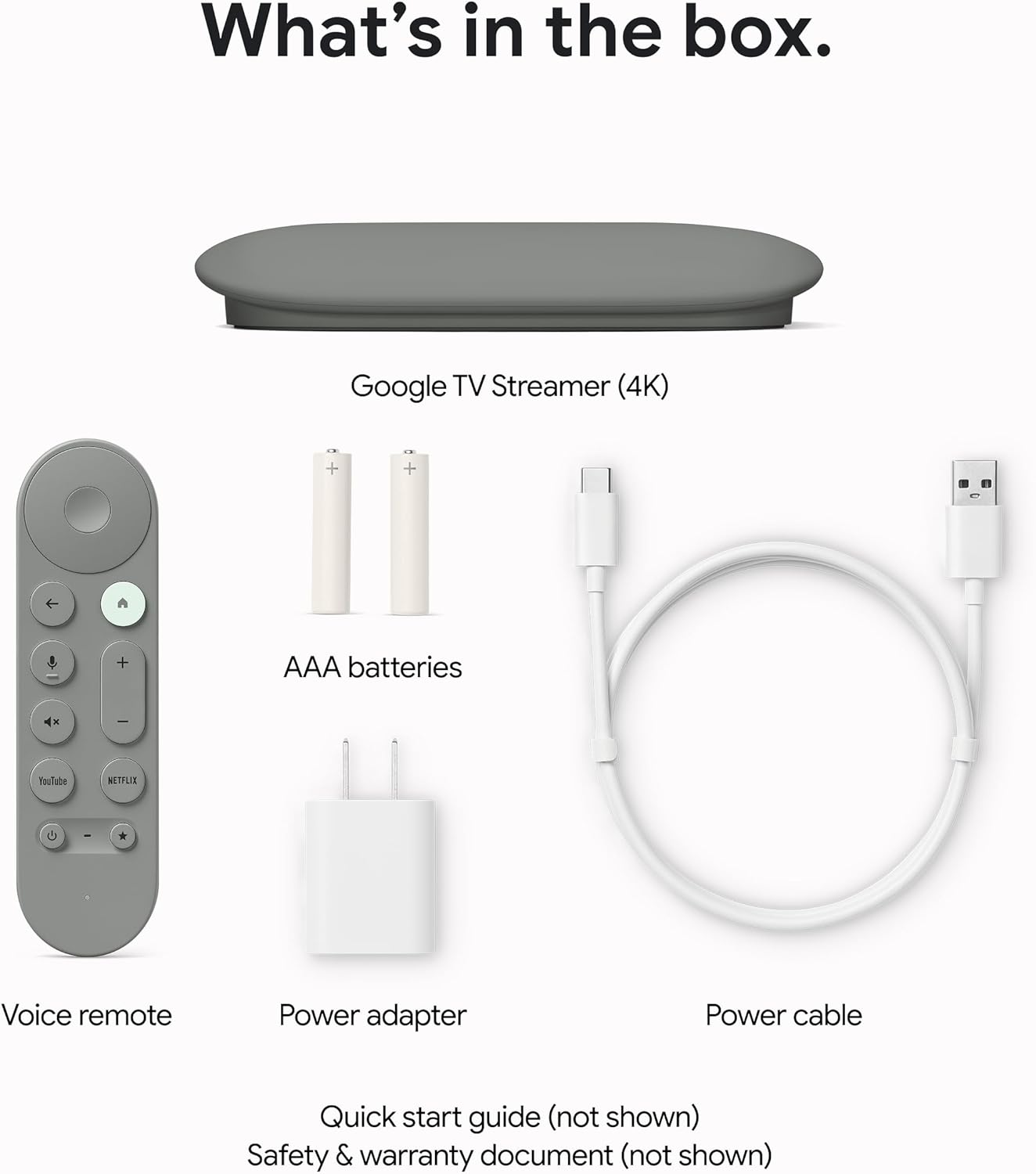
الصورة 1.1: All components included in the Google TV Streamer 4K package.
2. الإعداد
2.1 توصيل الجهاز
- Connect the Google TV Streamer to an available HDMI port on your television. An HDMI 2.1 cable is recommended for optimal performance (sold separately).
- Connect the power cable to the Google TV Streamer and then plug the power adapter into a wall outlet.

الصورة 2.1: The Google TV Streamer 4K connected and ready for use.
2.2 إعداد جهاز التحكم عن بعد
Insert the two included AAA batteries into the Voice Remote. The remote is designed for easy setup and can control your TV's power and volume.

الصورة 2.2: The Google TV Streamer 4K Voice Remote.
2.3 Initial On-Screen Configuration
اتبع التعليمات التي تظهر على الشاشة لإكمال الإعداد الأولي. يتضمن ذلك عادةً ما يلي:
- اختيار اللغة والمنطقة.
- جارٍ الاتصال بشبكة الواي فاي الخاصة بك.
- Signing in with your Google Account for personalized recommendations and app access.
- Pairing the Voice Remote.
3. Operating the Google TV Streamer 4K
3.1 التنقل في Google TV
The Google TV interface organizes all your content in one place, providing fast performance and responsive navigation. You'll find tailored recommendations based on your interests and viewعادات جي.

الصورة 3.1: The Google TV home screen with app icons and content suggestions.
3.2 Voice Remote Features
Use the redesigned Voice Remote to find shows, get answers, and control smart home devices. The customizable button allows you to quickly open your favorite app or the home panel. If you misplace your remote, you can easily find it by making it ring through your Google Home device.
3.3 التحكم الذكي في المنزل
Control your smart home devices directly from your TV using the new home panel. Dim lights or view live camera feeds without interrupting your shows.
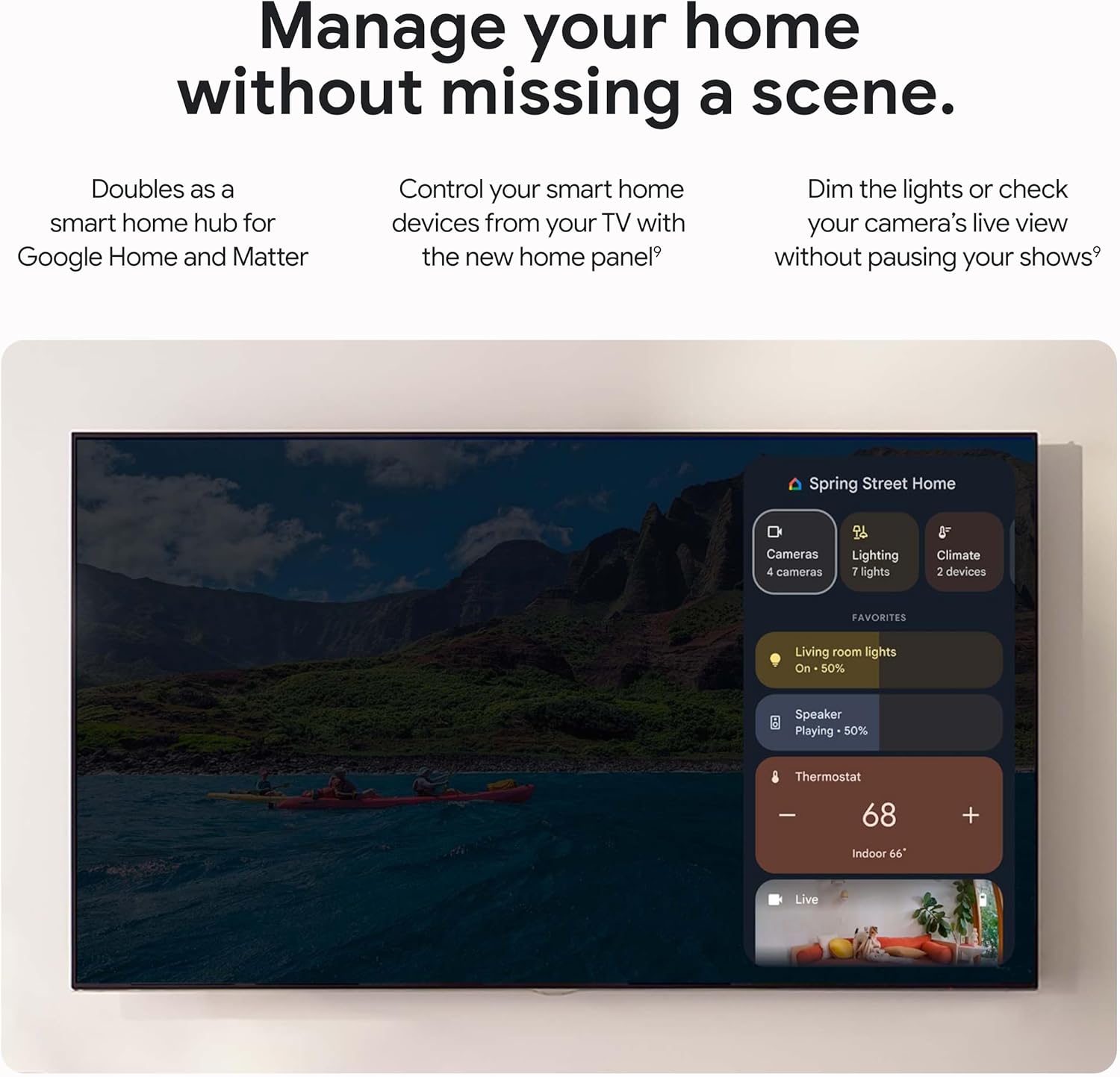
الصورة 3.2: Smart Home Control panel on Google TV.
3.4 محتوى البث
Effortlessly cast content from compatible Android and iOS apps on your phone, tablet, or laptop directly to your Google TV Streamer 4K.
4. الصيانة
4.1 العناية العامة
To ensure the longevity of your Google TV Streamer 4K, keep the device clean and free from dust. Avoid exposing it to extreme temperatures or moisture. Use a soft, dry cloth for cleaning.
4.2 تحديثات البرامج
The device will periodically receive software updates to improve performance, add new features, and enhance security. Ensure your device is connected to the internet to receive these updates automatically. Updates may require a restart of the device.
5. استكشاف الأخطاء وإصلاحها
5.1 Performance Issues (Lagging/Slow)
The Google TV Streamer 4K features a 22% faster processor and twice the memory compared to the previous generation, designed for smooth navigation and quick app switching. If you experience lagging, try the following:
- أعد تشغيل الجهاز عن طريق فصله عن مصدر الطاقة لمدة 30 ثوانٍ ثم إعادة توصيله.
- Ensure your internet connection is stable and strong.
- أغلق أي تطبيقات غير مستخدمة تعمل في الخلفية.
5.2 Lost Remote
If you cannot find your Voice Remote, you can make it ring by pressing a button on your streamer device or by asking your Google Assistant-enabled device (e.g., Google Home speaker) to find your remote.
5.3 Volume Control Not Working
If the volume control on your remote occasionally stops working, power your TV off and then back on. This often resolves the issue.
5.4 مشاكل الاتصال
Ensure your Wi-Fi connection is active. For a more stable connection, consider using the built-in Ethernet port (Ethernet cable sold separately).
6. المواصفات
| ميزة | التفاصيل |
|---|---|
| دقة | Up to 4K HDR with Dolby Vision |
| صوتي | دعم Dolby Atmos |
| كبش | 4 جيجا بايت |
| تخزين | 32 جيجا بايت |
| تكنولوجيا الاتصال | إيثرنت، واي فاي |
| نوع الموصل | منفذ HDMI |
| المميزات الخاصة | Miracast, Voice Search |
| نوع وحدة التحكم | التحكم عن بعد ، التحكم الصوتي |
| أبعاد المنتج | 6.4 × 3 × 1 بوصة |
| وزن العنصر | 5.7 أونصات |
| البطاريات | 2 بطاريات AAA المطلوبة (مضمنة) |

الصورة 6.1: Detailed specifications and comparison with other models.
7. الضمان والدعم
7.1 خطط الحماية
تتوفر خطط حماية اختيارية للشراء لتمديد التغطية لما بعد الضمان القياسي:
- خطة الحماية لمدة عامين: $9.99 (one-time)
- خطة الحماية لمدة عامين: $13.49 (one-time)
- حماية كاملة: $16.99 (monthly) - Covers all eligible past and future purchases.
7.2 دعم العملاء
For further assistance, troubleshooting, or warranty claims, please refer to the official Google support website or the contact information provided in your product's Safety & Warranty Document.


