1. المقدمة
Thank you for choosing the Nobsound G3 Bluetooth 5.0 Stereo Amplifier. This compact HiFi power amplifier is designed to enhance your home or desktop audio experience with versatile connectivity and adjustable sound controls. Please read this manual thoroughly before operation to ensure proper setup and optimal performance.

Image 1: Nobsound G3 Bluetooth 5.0 Stereo Ampليفير، أمامي view with antenna.
2. محتويات العبوة
يرجى فحص العبوة بعناية للتأكد من وجود جميع العناصر وأنها في حالة جيدة.
- 1x Nobsound G3 Ampالقمامة
- هوائي بلوتوث واحد
- 1 × محول طاقة تيار مستمر 19 فولت
- 1x دليل المستخدم (هذه الوثيقة)

Image 2: Contents of the Nobsound G3 amplifier package, including the amplifier unit, Bluetooth antenna, power adapter, and user manual.
3. انتهى المنتجview
The Nobsound G3 amplifier features a compact design with essential controls and connectivity options for a versatile audio setup.
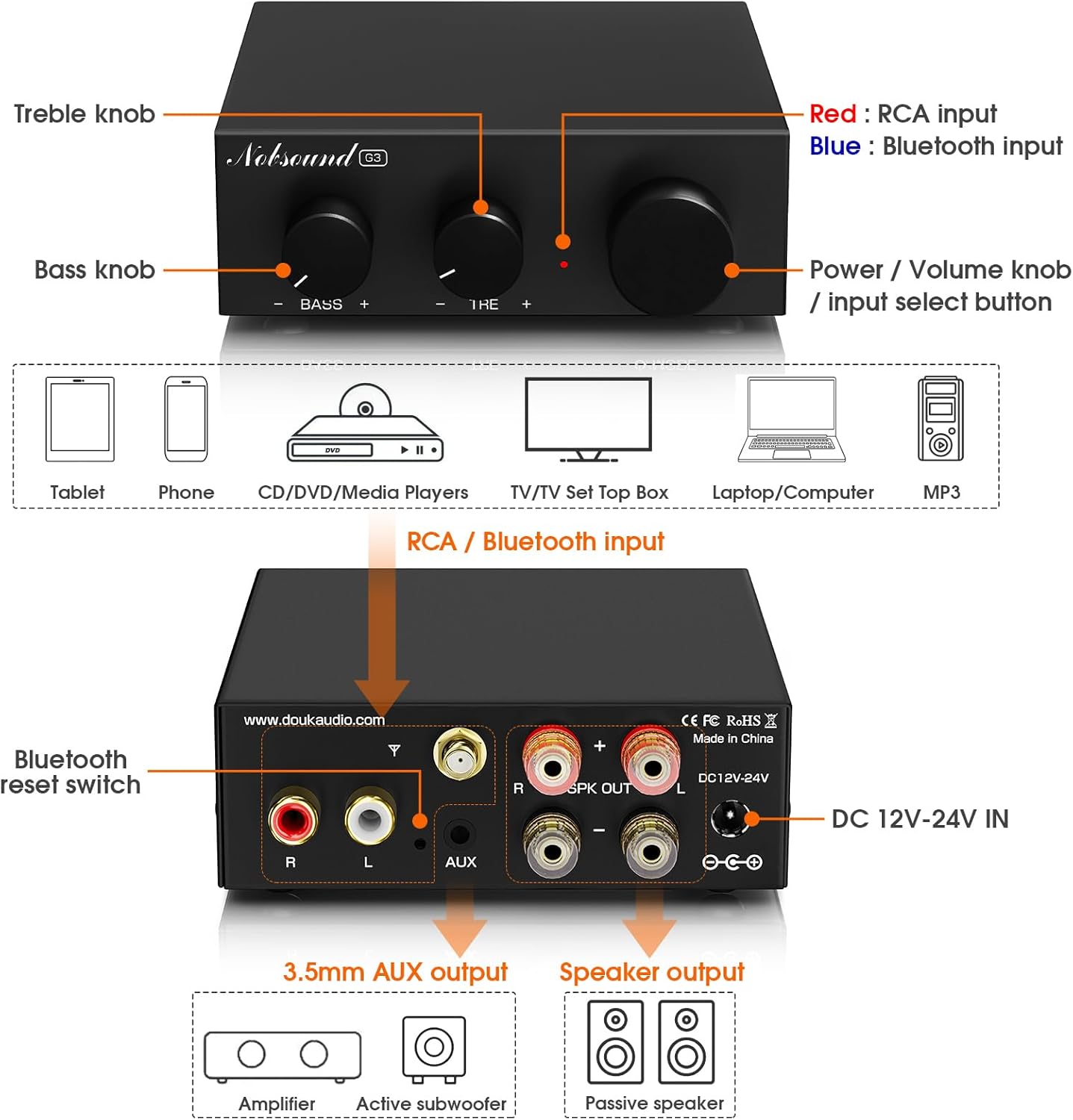
Image 3: Diagram illustrating the front panel controls (Bass, Treble, Power/Volume/Mode knob) and rear panel connections (RCA input, Bluetooth antenna port, 3.5mm AUX pre-out, speaker outputs, DC power input).
ضوابط اللوحة الأمامية:
- مقبض الجهير: يضبط خرج التردد المنخفض.
- مقبض ثلاثي: يضبط خرج الترددات العالية.
- Power / Volume Knob / Input Select Button:
- اضغط مع الاستمرار للتشغيل / إيقاف التشغيل.
- قم بتدوير لضبط مستوى الصوت.
- Short press to switch between RCA and Bluetooth inputs.
وصلات اللوحة الخلفية:
- مدخل RCA (يسار/يمين): For connecting traditional audio sources like CD players, TVs, or PCs.
- منفذ هوائي البلوتوث: Connect the included Bluetooth antenna for wireless connectivity.
- 3.5mm AUX Pre-Out: For connecting an active subwoofer to create a 2.1 channel system.
- مخرج السماعات (يسار/يمين): Connect passive bookshelf or tower speakers (4-8Ω impedance).
- DC 12V-24V IN: Power input for the included DC 19V power adapter.
- Bluetooth Reset Switch: A small button to reset Bluetooth pairing.
4. تعليمات الإعداد
4.1 توصيل مكبرات الصوت
- تأكد من ampمكبر الصوت متوقف.
- Connect your passive bookshelf or tower speakers to the مخرج السماعات (يسار/يمين) terminals on the rear panel. Ensure correct polarity (+ to + and - to -) for each speaker. The amplifier supports speakers with 4-8Ω impedance.
4.2 توصيل مصادر الصوت
The Nobsound G3 offers two primary input methods: Bluetooth and RCA.
4.2.1 اتصال البلوتوث
- Screw the included Bluetooth antenna firmly into the antenna port on the rear panel.
- الطاقة على ampمكبر.
- Short press the Power/Volume knob to select Bluetooth input mode. The indicator light will flash, indicating it's ready for pairing.
- On your Bluetooth device (e.g., smartphone, tablet), search for "Nobsound G3" in the Bluetooth settings and pair.
- Once paired, the indicator light will remain solid.
4.2.2 وصلة RCA
- Connect your audio source (e.g., TV, PC, CD player) to the RCA Input (L/R) ports on the rear panel using an RCA cable. Ensure left and right channels are connected correctly.
- Short press the Power/Volume knob to select RCA input mode. The indicator light will be solid (and a different color than Bluetooth, typically red for RCA and blue for Bluetooth, refer to Image 3).

Image 4: The Nobsound G3 amplifier connected to speakers via RCA cables from a laptop, and wirelessly via Bluetooth to a smartphone. This illustrates both wired and wireless input options.
4.3 Connecting an Active Subwoofer (Optional)
To create a 2.1 channel audio system with enhanced bass, you can connect an active subwoofer.
- قم بتوصيل 3.5mm AUX Pre-Out on the rear panel of the G3 amplifier to the input of your active subwoofer using a 3.5mm to RCA or 3.5mm to 3.5mm cable, depending on your subwoofer's input type.
- Adjust the subwoofer's volume and crossover frequency as desired.
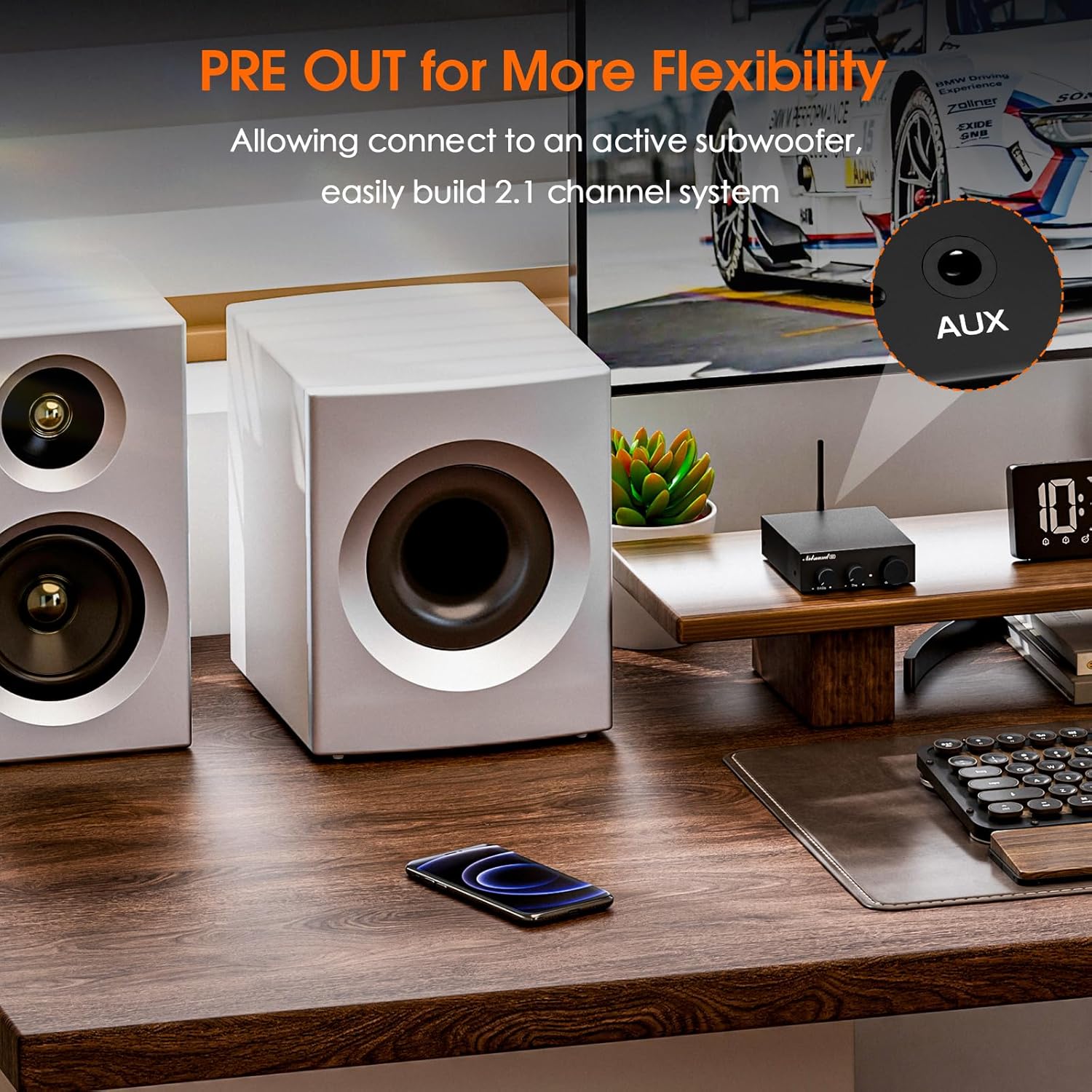
Image 5: The Nobsound G3 amplifier positioned on a desk with a connected active subwoofer, demonstrating the 2.1 channel pre-out functionality.
4.4 توصيل الطاقة
- قم بتوصيل محول الطاقة DC 19V بـ تيار مستمر 12 فولت-24 فولت في المنفذ على اللوحة الخلفية.
- قم بتوصيل محول الطاقة بمأخذ الحائط المناسب.
5. تعليمات التشغيل
5.1 تشغيل/إيقاف التشغيل
- To power on, press and hold the Power/Volume knob for approximately 3 seconds.
- To power off, press and hold the Power/Volume knob for approximately 3 seconds.
5.2 اختيار المدخلات
Short press the Power/Volume knob to cycle between Bluetooth and RCA inputs. The indicator light color will change to reflect the selected input (e.g., blue for Bluetooth, red for RCA).
5.3 التحكم في مستوى الصوت
قم بتدوير مقبض الطاقة/مستوى الصوت باتجاه عقارب الساعة لزيادة مستوى الصوت وعكس اتجاه عقارب الساعة لخفض مستوى الصوت.
5.4 ضبط النغمة
استخدم باس و ثلاثي knobs on the front panel to fine-tune the audio output to your preference.
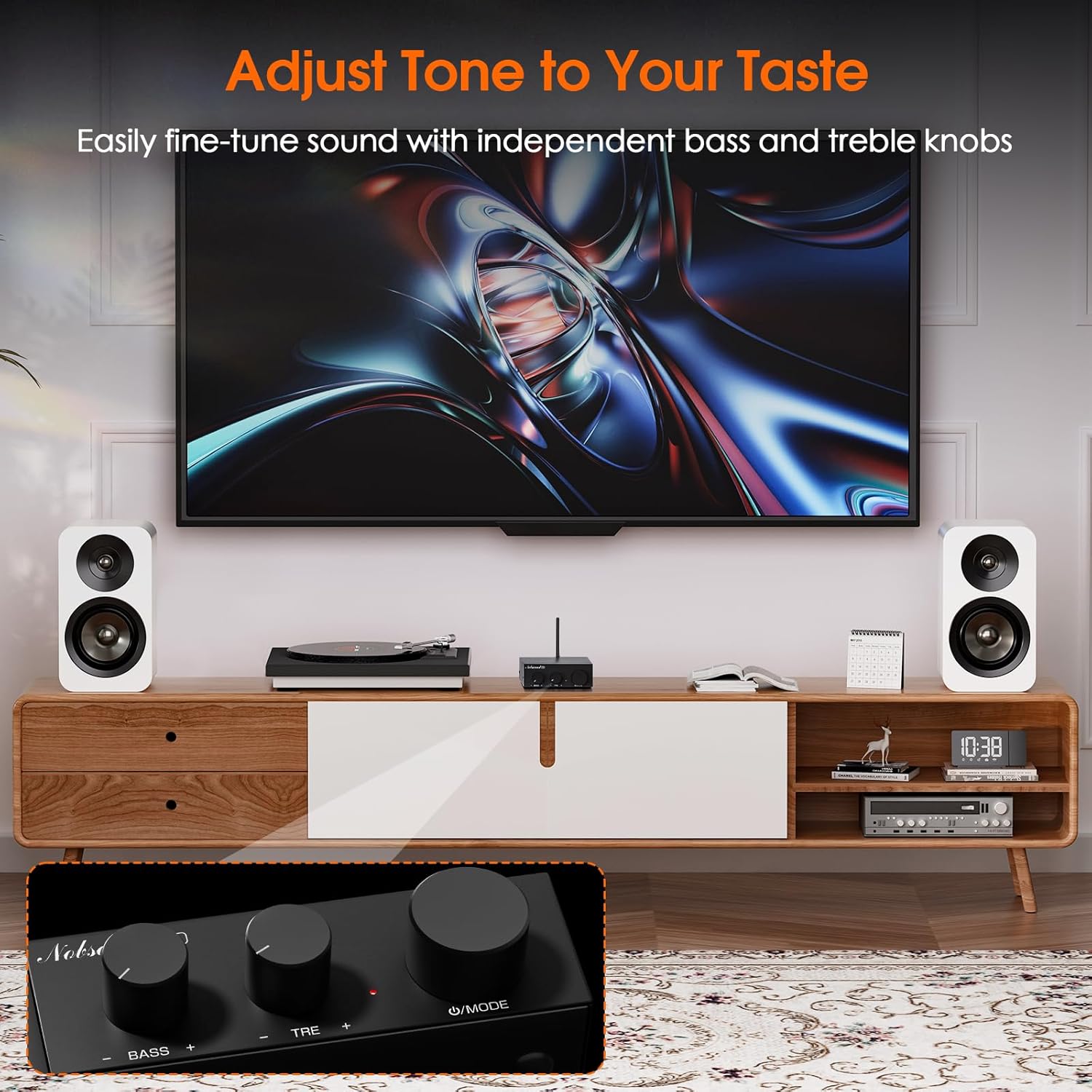
Image 6: The Nobsound G3 amplifier in a living room setup, highlighting the bass and treble adjustment knobs on the front panel for sound customization.
6. الصيانة
- احفظ amplifier in a dry, well-ventilated area, away from direct sunlight, heat sources, and moisture.
- نظّف الجزء الخارجي بقطعة قماش ناعمة وجافة. لا تستخدم المنظفات السائلة أو المذيبات.
- Ensure proper airflow around the unit to prevent overheating.
- تجنب وضع الأشياء الثقيلة فوقها ampمكبر.
7. استكشاف الأخطاء وإصلاحها
| مشكلة | السبب المحتمل | حل |
|---|---|---|
| لا يوجد طاقة / ضوء المؤشر مطفأ | Power adapter not connected or faulty; unit not powered on. |
|
| لا يوجد مخرج صوت | Incorrect input selected; loose speaker connections; low volume; faulty audio source. |
|
| مشاكل اقتران البلوتوث | Bluetooth not in pairing mode; device too far; interference. |
|
| صوت مشوه | Volume too high; incorrect tone settings; poor audio source quality. |
|
8. المواصفات
| ميزة | التفاصيل |
|---|---|
| ماركة | نوبسوند |
| رقم الموديل | SUC-G3-US |
| الاتصال | Bluetooth 5.0, RCA |
| انتاج واتtage | 110 Watts (Max. 55W x2 stereo output) |
| الأجهزة المتوافقة | Passive Speakers (4-8Ω), Active Subwoofer, CD Player, PC, TV |
| قبل الخروج | 3.5mm AUX for active subwoofer |
| التحكم في النغمة | Adjustable Bass and Treble |
| مدخلات الطاقة | DC 12V-24V (19V adapter included) |
| مادة | الألومنيوم |
| لون | أسود |
| وزن العنصر | 13.4 أونصة (حوالي 380 جرامًا) |
| أبعاد المنتج | 4.13 × 3.54 × 1.18 بوصة (105 × 90 × 30 مم) |

Image 7: The Nobsound G3 amplifier placed on top of a speaker, illustrating its compact dimensions and suitability for various spaces.
9. الضمان والدعم
For warranty information or technical support, please contact Nobsound Direct, the seller of this product. You can typically find their contact information through your purchase platform or by visiting the Nobsound brand store.
الدعم عبر الإنترنت: For further assistance, please visit the official Nobsound store or contact customer service via the platform where you purchased the product.


