1. المقدمة
شكرا لك على الشراءasing the ZEBRONICS Zeb Vigor 100 Tower Speaker. This manual provides essential information for the safe and efficient operation of your device. Please read it thoroughly before use and retain it for future reference.
2. تعليمات السلامة
- لا تعرض السماعة للماء أو الرطوبة.
- لا تفتح مكبر الصوت جasinج؛ إحالة جميع الخدمات إلى الموظفين المؤهلين.
- أبقِ السماعة بعيدة عن أشعة الشمس المباشرة ومصادر الحرارة واللهب المكشوف.
- تأكد من وجود تهوية مناسبة حول السماعة لمنع ارتفاع درجة حرارتها.
- Use only the power cord supplied with the device.
- تجنب الاستماع إلى مستويات صوت عالية لفترات طويلة لمنع تلف السمع.
3. محتويات العبوة
تأكد من وجود جميع العناصر في العبوة:
- Trolley DJ Speaker: 1 Unit
- جهاز التحكم عن بعد: 1 وحدة
- Wireless Microphone: 1 Unit
- سلك الطاقة: 1 وحدة
- Input Cable (3.5mm): 1 Unit
- QR Code Guide: 1 Unit
4. انتهى المنتجview
The ZEBRONICS Zeb Vigor 100 is a versatile tower speaker designed for various audio applications, featuring multiple connectivity options and a robust sound output.
المميزات الرئيسية:
- Triple Full Range 20.32cm Drivers for comprehensive sound.
- 100W RMS Output for powerful audio delivery.
- TWS (True Wireless Stereo) Function for connecting two speakers.
- Karaoke & Mic Recording Function with included Wireless MIC.
- Multiconnectivity: Bluetooth v5.0, USB, mSD, AUX, FM.
- LED Display for easy navigation.
- جهاز التحكم عن بعد لعملية مريحة.
- Carry Handle & Wheels for portability.
- RGB Lights for visual effects.
- Dual 6.3mm Microphone input.
- بطارية مدمجة قابلة لإعادة الشحن.
- Dedicated Control Buttons for intuitive use.
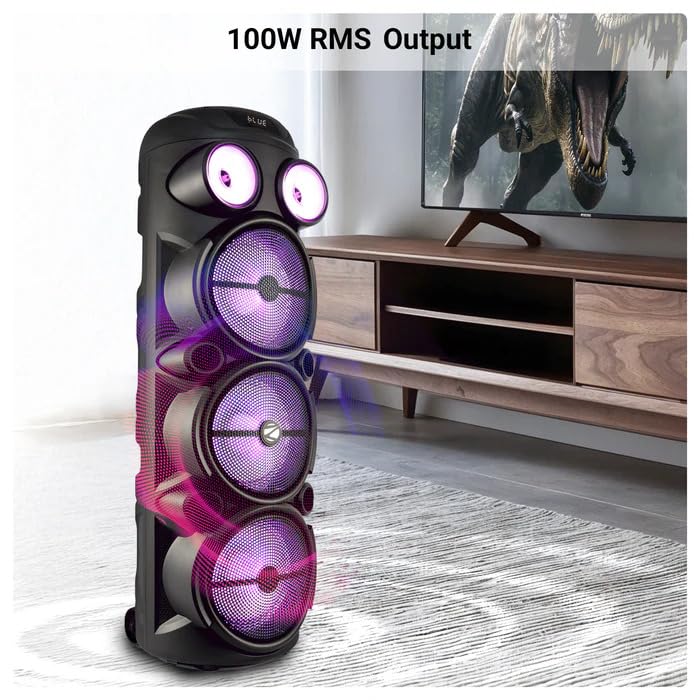
Image: The ZEBRONICS Zeb Vigor 100 Tower Speaker showcasing its 100W RMS output, positioned next to a television.
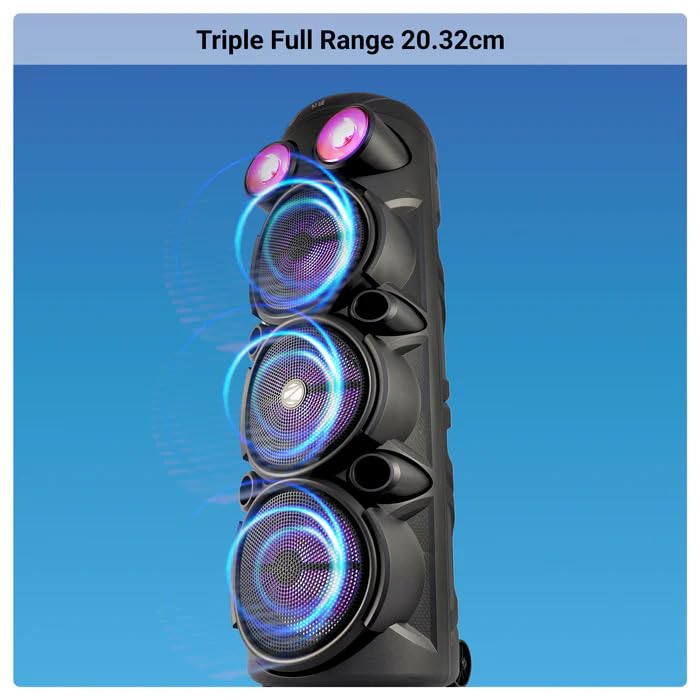
الصورة: عن قرب view of the ZEBRONICS Zeb Vigor 100 highlighting its triple full-range 20.32cm drivers.
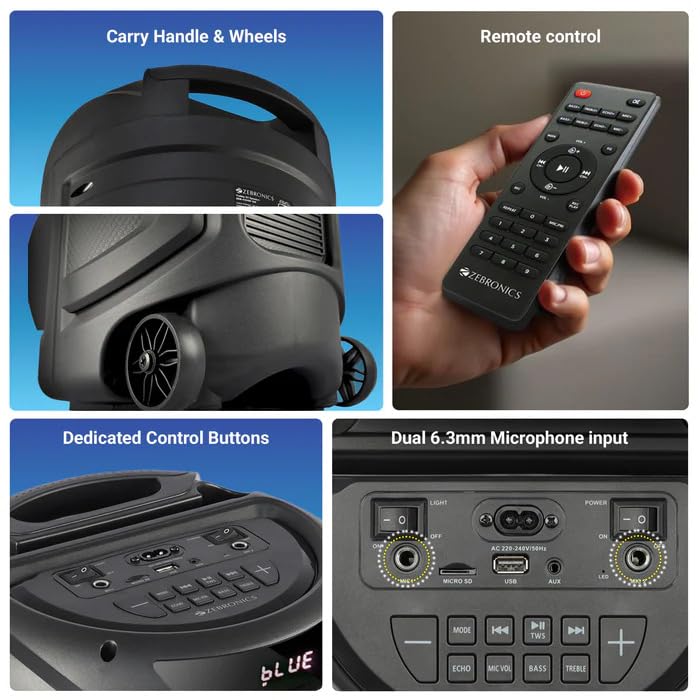
Image: A collage showing the speaker's carry handle and wheels for portability, the included remote control, the dedicated control buttons on the top panel, and the dual 6.3mm microphone inputs on the rear panel.
5. الإعداد
5.1 شحن السماعة
Before initial use, fully charge the speaker. Connect the provided power cord to the speaker's AC input and a suitable power outlet. The charging time is approximately 9.8 hours. A full charge provides up to 5 hours of playback at 50% volume with LED lights off.
5.2 تشغيل/إيقاف التشغيل
Locate the power switch on the speaker's control panel. Toggle the switch to the 'ON' position to power on the speaker. Toggle to 'OFF' to power off.
6. تعليمات التشغيل
6.1 Bluetooth Connection (BT v5.0)
- Power on the speaker. The speaker will automatically enter Bluetooth mode or you can select it using the 'MODE' button.
- قم بتفعيل البلوتوث على جهازك المحمول أو جهاز الكمبيوتر.
- بحث عن available devices and select "ZEB-VIGOR 100" from the list.
- بمجرد الاقتران، سيشير مكبر الصوت إلى نجاح الاتصال، ويمكنك البدء في تشغيل الصوت.
6.2 USB/mSD Playback
- Insert a USB flash drive or mSD card (up to 32GB) containing MP3 audio fileإلى المنفذ المعني.
- The speaker will automatically detect the storage device and begin playback. If not, press the 'MODE' button to select USB or mSD mode.
- Use the control buttons or remote to play, pause, skip tracks, or adjust volume.
6.3 مدخل ايه يو اكس
- Connect one end of the 3.5mm input cable to the AUX port on the speaker.
- قم بتوصيل الطرف الآخر بمقبس إخراج الصوت الخاص بجهازك الخارجي (مثل الهاتف الذكي أو مشغل MP3).
- Press the 'MODE' button to select AUX input.
- Control playback and volume from your external device or the speaker.
6.4 راديو FM
- Press the 'MODE' button to select FM radio mode.
- Press the Play/Pause button to auto-scan and save available FM stations (frequency range 87.5 MHz - 108 MHz).
- استخدم أزرار المسار السابق/التالي للتنقل بين المحطات المحفوظة.
6.5 Karaoke & Mic Recording Function
- Connect the wireless microphone or a wired microphone (not included) to one of the dual 6.3mm microphone inputs.
- Adjust the microphone volume and echo using the dedicated controls.
- To record, ensure a USB drive or mSD card is inserted. Press the 'REC' button (if available on the control panel/remote) to start recording. Press again to stop.
وظيفة 6.6 TWS (ستيريو لاسلكي حقيقي)
To connect two Zeb Vigor 100 speakers for a stereo experience:
- تأكد من تشغيل كلا مكبري الصوت ووضعهما في وضع البلوتوث.
- On one speaker (this will be the master), press and hold the 'TWS' button. The speaker will indicate it is searching for another TWS device.
- The two speakers will automatically pair. Once connected, they will function as a stereo pair.
- قم بتوصيل جهازك المحمول بالسماعة الرئيسية عبر البلوتوث كما هو موضح في القسم 6.1.
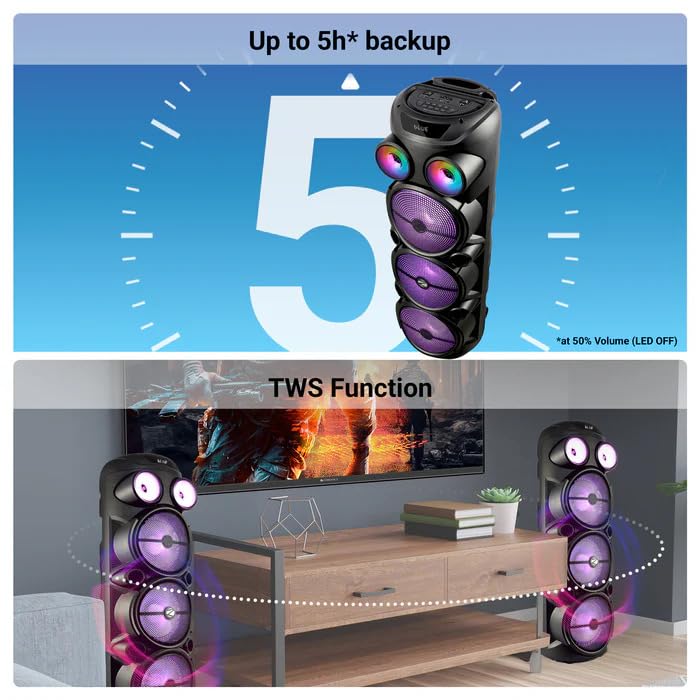
Image: The ZEBRONICS Zeb Vigor 100 speaker highlighting its up to 5-hour battery backup and the True Wireless Stereo (TWS) function, showing two speakers connected wirelessly.
6.7 أضواء RGB
The speaker features dynamic RGB lights. Use the dedicated 'LIGHT' switch or button on the control panel or remote to cycle through different light modes or turn them off.
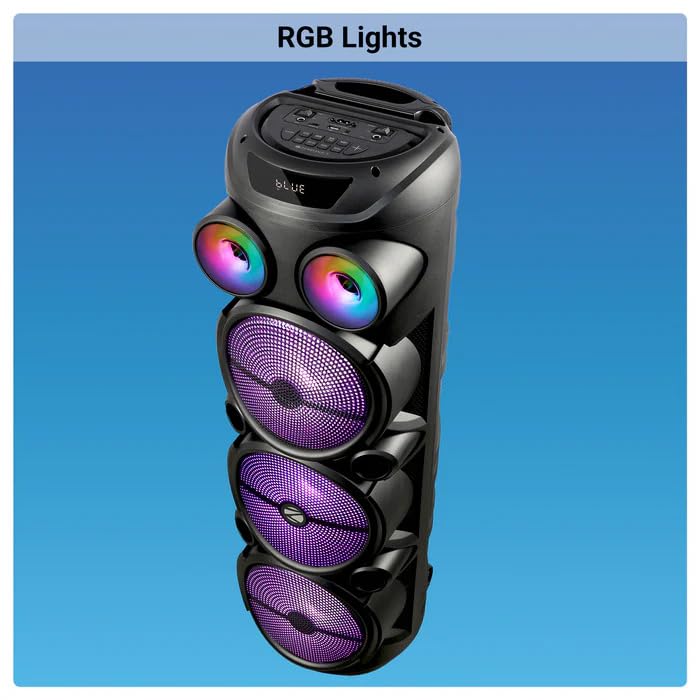
Image: The ZEBRONICS Zeb Vigor 100 Tower Speaker with its vibrant RGB lights illuminated.
6.8 لوحة التحكم وجهاز التحكم عن بعد
The speaker features a top-mounted control panel with buttons for mode selection, playback control, volume adjustment, microphone controls, and light control. A remote control is also provided for convenient operation from a distance.
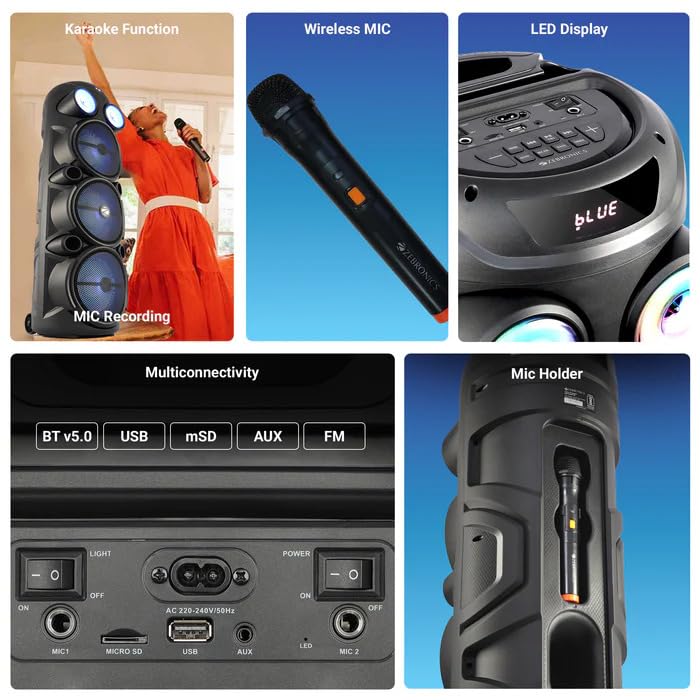
الصورة: تفصيلية view of the ZEBRONICS Zeb Vigor 100's control panel, showing options for Bluetooth v5.0, USB, mSD, AUX, and FM connectivity, along with various control buttons.
7. الصيانة
- تنظيف: استخدم قطعة قماش ناعمة وجافة لتنظيف الجزء الخارجي من مكبر الصوت. لا تستخدم منظفات أو مذيبات كاشطة.
- تخزين: عند عدم الاستخدام لفترات طويلة، قم بتخزين السماعة في مكان بارد وجاف، بعيدًا عن أشعة الشمس المباشرة ودرجات الحرارة القصوى.
- العناية بالبطارية: لإطالة عمر البطارية، تجنب تفريغها بالكامل بشكل متكرر. اشحن السماعة بانتظام، حتى في حالة عدم استخدامها.
8. استكشاف الأخطاء وإصلاحها
| مشكلة | السبب المحتمل | حل |
|---|---|---|
| لا يتم تشغيل مكبر الصوت. | Battery is depleted or power cord is not connected. | اشحن السماعة أو تأكد من توصيل سلك الطاقة بإحكام. |
| لا يوجد إخراج صوت. | Volume is too low, incorrect mode selected, or device not properly connected. | Increase volume, select the correct input mode (BT, USB, AUX, FM), or re-establish connection. |
| فشل اقتران البلوتوث. | Speaker is not in pairing mode, or device is too far. | Ensure speaker is in Bluetooth mode, move device closer, or clear previous pairings on your device. |
| الميكروفون لا يعمل. | Microphone not powered on, or volume too low. | Ensure wireless mic has batteries and is powered on. Adjust mic volume. |
9. المواصفات
| ميزة | مواصفة |
|---|---|
| طاقة الخرج (RMS) | 100 واط |
| حجم السائق | Full range 20.32cm x 3, Tweeter 3.8cm |
| مقاومة | Full range 4Ω x 1, 8Ω x 2; Tweeter 8Ω |
| استجابة التردد | 65 هرتز - 18 كيلو هرتز |
| نسبة الإشارة إلى الضوضاء | ≥60 ديسيبل |
| File Format Support (USB/SD) | إم بي 3 |
| إدخال الخط | 3.5 ملم |
| Max Supported USB/SD Memory Size | 32 جيجا بايت |
| نطاق التردد FM | 87.5 ميجاهرتز - 108 ميجاهرتز |
| وقت الشحن | 9.8 ساعات |
| وقت التشغيل | 5 hours* (at 50% Volume, LED OFF) |
| اسم البلوتوث | زيب-فيجور 100 |
| نسخة البلوتوث | الإصدار 5.0 |
| أبعاد المنتج (العرض × العمق × الارتفاع) | 28.6 × 28.5 × 90 سم |
| الوزن الصافي | 6.4 كجم |
| نوع الموصل | مدخل إضافي، منفذ USB |
| عدد القنوات | 2 |
| مدخل الصوت | Wired Microphone, Wireless Microphone, Line-Level Input |
| لون | أسود |
| الأجهزة المتوافقة | Audio Player, DJ Mixer, DVD Player, Drum, Guitar, Headphone, Headset, Karaoke System, Keyboard, Laptop, MP3 Player, Microphone, Piano, Smartphone, Tablet, Television |
10. الضمان والدعم
10.1 معلومات الضمان
The ZEBRONICS Zeb Vigor 100 Tower Speaker comes with a ضمان لمدة سنة واحدة من تاريخ الشراء. يُرجى الاحتفاظ بإيصال الشراء للمطالبة بالضمان. يغطي الضمان عيوب التصنيع في ظروف الاستخدام العادية.
10.2 الشركة المصنعة
Zebronics India Pvt Ltd.
13/7 Smith Road, Royapettah, Chennai, Tamil Nadu - 600 002, India
10.3 دعم العملاء
For technical assistance, service, or warranty inquiries, please contact Zebronics customer support through their official website or the contact information provided in the QR code guide included in your package.


