1. المقدمة
This manual provides essential information for setting up, operating, and maintaining your Tecno Pova Slim 5G smartphone. Please read this guide carefully to ensure proper use and to maximize the device's performance and longevity.
The Tecno Pova Slim 5G is a 5G-enabled smartphone featuring a slim design, a 3D curved display, and a large battery capacity. It incorporates advanced features such as a Dynamic Mood Light and Ella AI with regional language support.

الصورة 1.1: الأمام والخلف view of the Tecno Pova Slim 5G smartphone.
2. ماذا يوجد في الصندوق
Upon unboxing your Tecno Pova Slim 5G, verify that all the following items are included:
- Tecno Pova Slim 5G Smartphone
- محول الطاقة
- كابل يو اس بي
- حافظة الهاتف
- واقي الشاشة (مثبت مسبقًا أو موجود في العلبة)
- أداة إخراج درج بطاقة SIM
- دليل البدء السريع (هذا الدليل)
3. انتهى الجهازview
Familiarize yourself with the physical components of your Tecno Pova Slim 5G smartphone.
3.1. التخطيط المادي
- أمام: Curved AMOLED display, front camera, earpiece.
- خلف: Dual rear cameras, LED flash, Dynamic Mood Light, Tecno branding.
- الجانب الأيمن: زر الطاقة، أزرار رفع/خفض الصوت.
- الجانب الأيسر: درج بطاقة SIM.
- قاع: USB Type-C port, microphone, speaker grille.
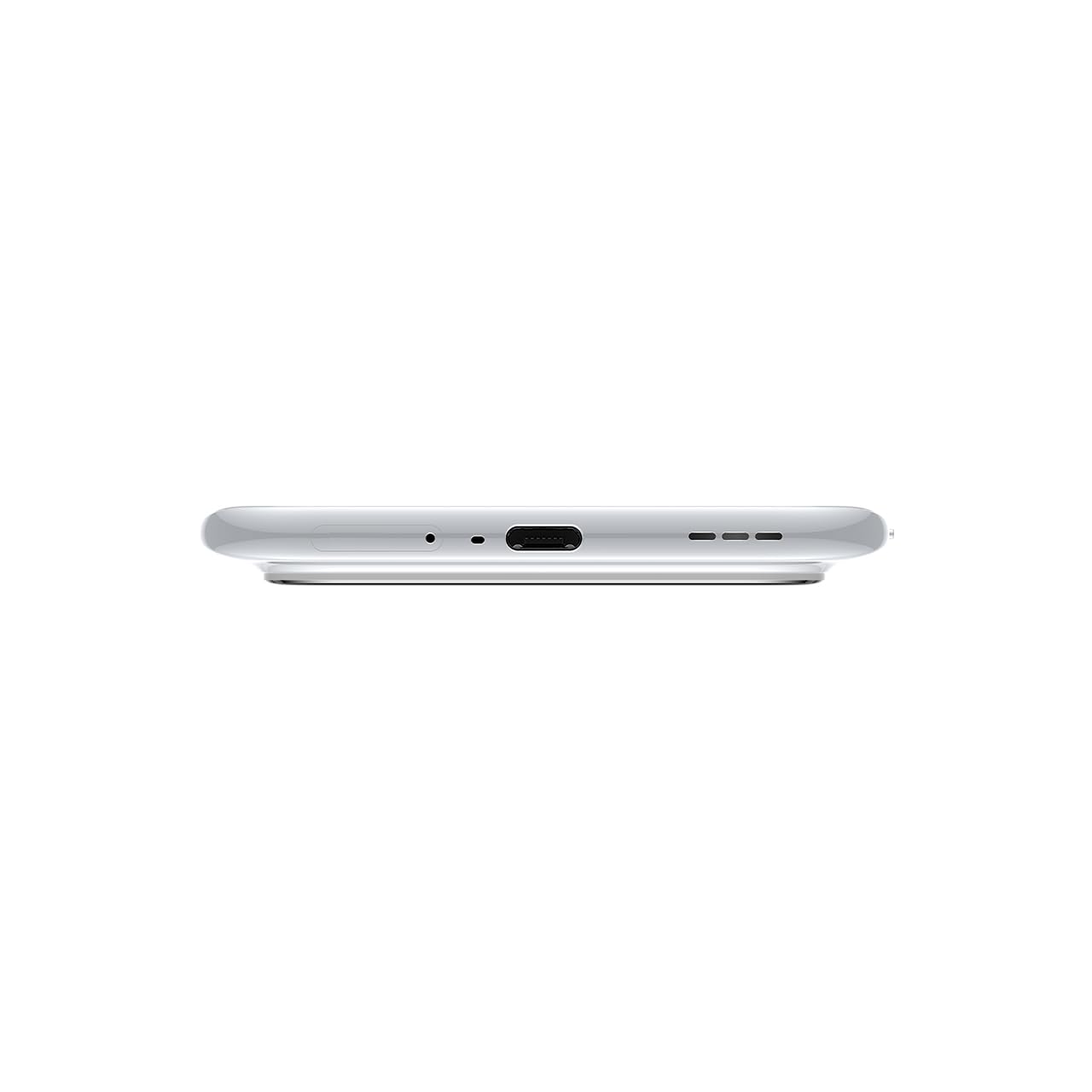
الصورة 3.1: الأسفل view of the device, highlighting the USB-C port and speaker.
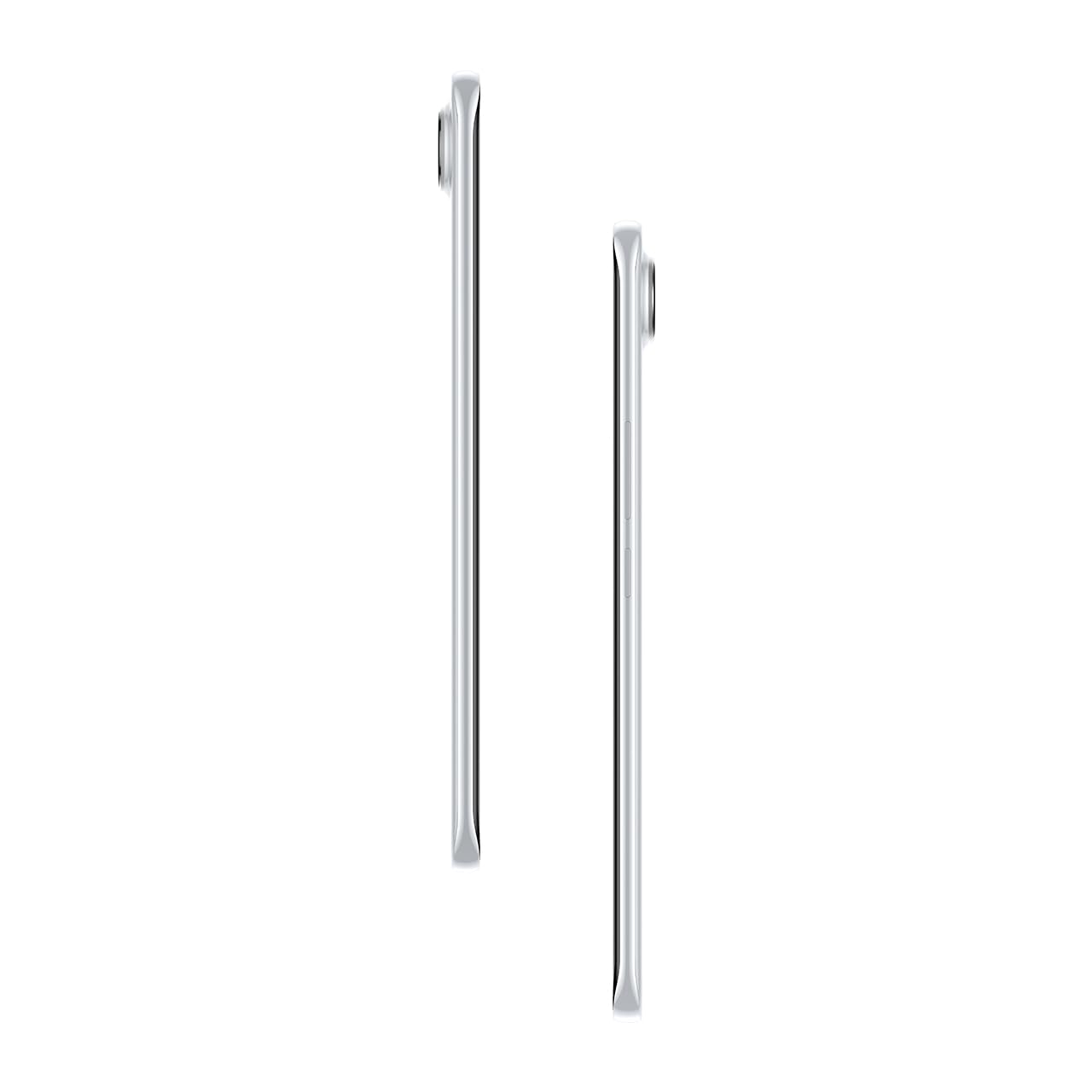
الصورة 3.2: الجانب view يوضح الشكل النحيف الاحترافيfile من الهاتف الذكي.
4. الإعداد
4.1. إدخال بطاقة SIM
- حدد مكان درج بطاقة SIM على الجانب الأيسر للجهاز.
- قم بإدخال أداة إخراج درج بطاقة SIM في الفتحة الصغيرة الموجودة بجوار الدرج واضغط برفق حتى يخرج الدرج.
- ضع بطاقة (بطاقات) Nano-SIM في الفتحات المخصصة لها على الدرج. تأكد من أن نقاط التلامس الذهبية متجهة لأسفل.
- قم بدفع الدرج بعناية إلى داخل الهاتف حتى يستقر في مكانه.
4.2. تشغيل / إيقاف التشغيل
- لتشغيل: Press and hold the Power button on the right side of the phone until the Tecno logo appears.
- لإيقاف التشغيل: اضغط مع الاستمرار على زر الطاقة، ثم حدد "إيقاف التشغيل" من الخيارات الموجودة على الشاشة.
- لإعادة التشغيل: اضغط مع الاستمرار على زر الطاقة، ثم حدد "إعادة التشغيل" من الخيارات.
4.3. التكوين الأولي
Upon first power-on, follow the on-screen instructions to set up your device. This includes selecting your language, connecting to Wi-Fi, setting up your Google account, and configuring security features like fingerprint or face unlock.
5. تشغيل جهازك
5.1. ميزات العرض
The Tecno Pova Slim 5G features a 1.5K Curved AMOLED display with a 144Hz refresh rate, providing smooth visuals. It offers up to 4500 nits peak brightness for clear visibility in various lighting conditions and is protected by Corning Gorilla Glass 7i.
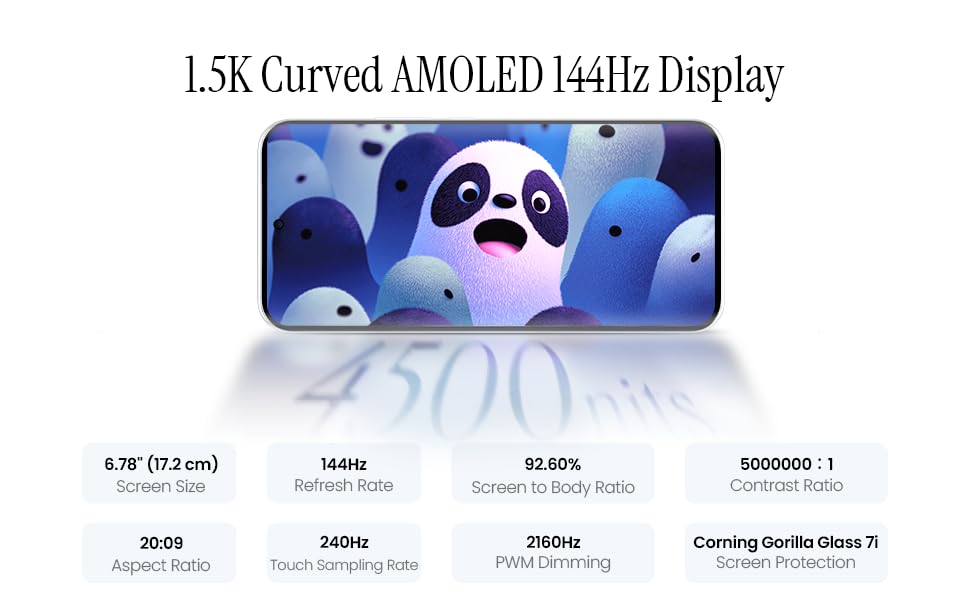
Image 5.1: Display specifications including screen size, refresh rate, and brightness.
5.2. استخدام الكاميرا
The device is equipped with a 50MP AI camera system. To take photos or record videos, open the Camera application. You can switch between different modes (Photo, Video, Portrait, Night, etc.) and adjust settings like zoom, flash, and filters.
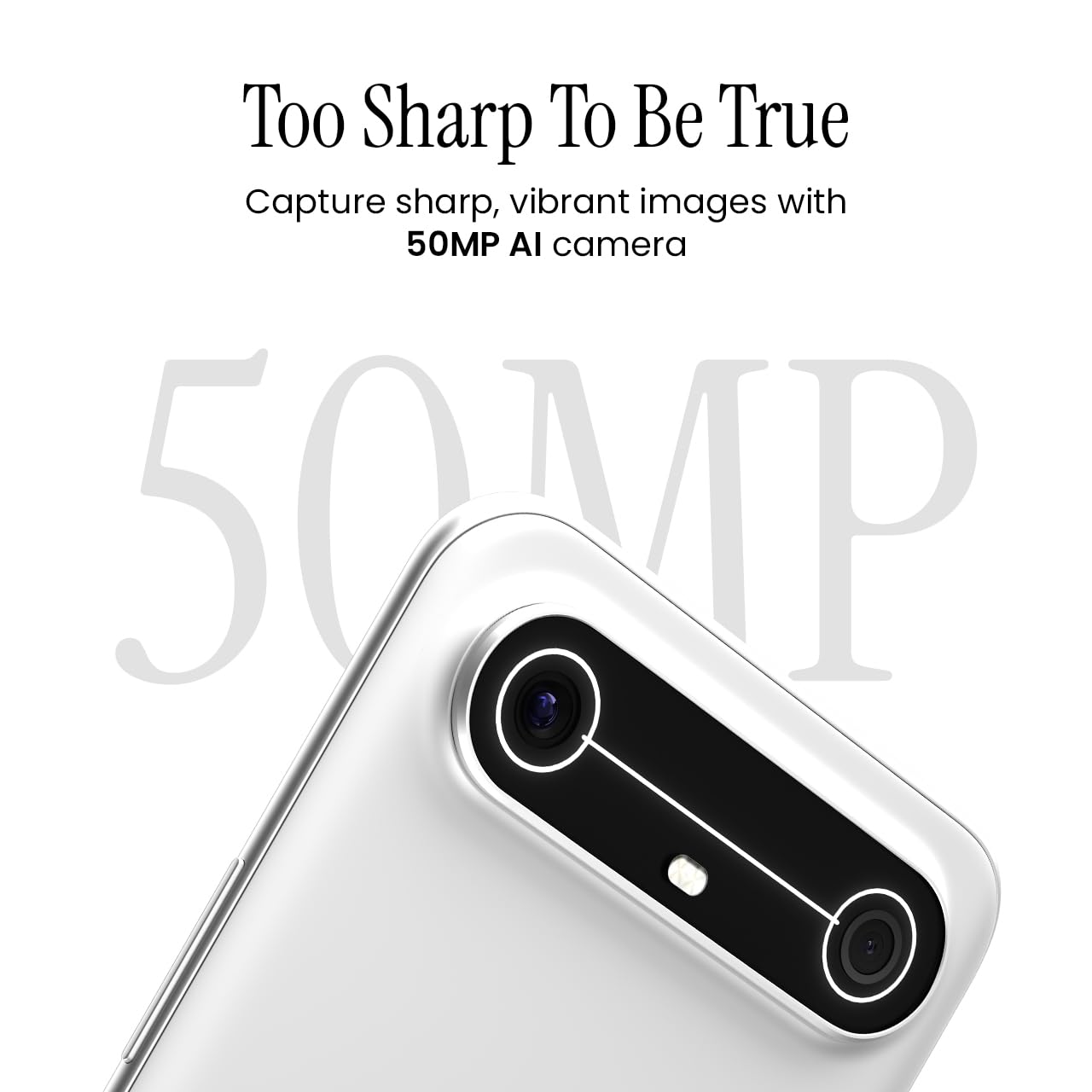
Image 5.2: Detail of the 50MP AI camera module.
5.3. Dynamic Mood Light
The Dynamic Mood Light is an integrated lighting feature on the back of the device that responds to various notifications, calls, and system events, providing visual cues.

Image 5.3: The Dynamic Mood Light design on the device's rear.
5.4. Ella AI Features
Ella AI provides intelligent assistance, including support for Indian regional languages. Key features include:
- AI Writing Assistant: Helps in drafting messages and content.
- دائرة للبحث: Allows users to search for information by circling objects on the screen.
- فهم اللغة: Processes and responds to voice commands in various Indian languages.
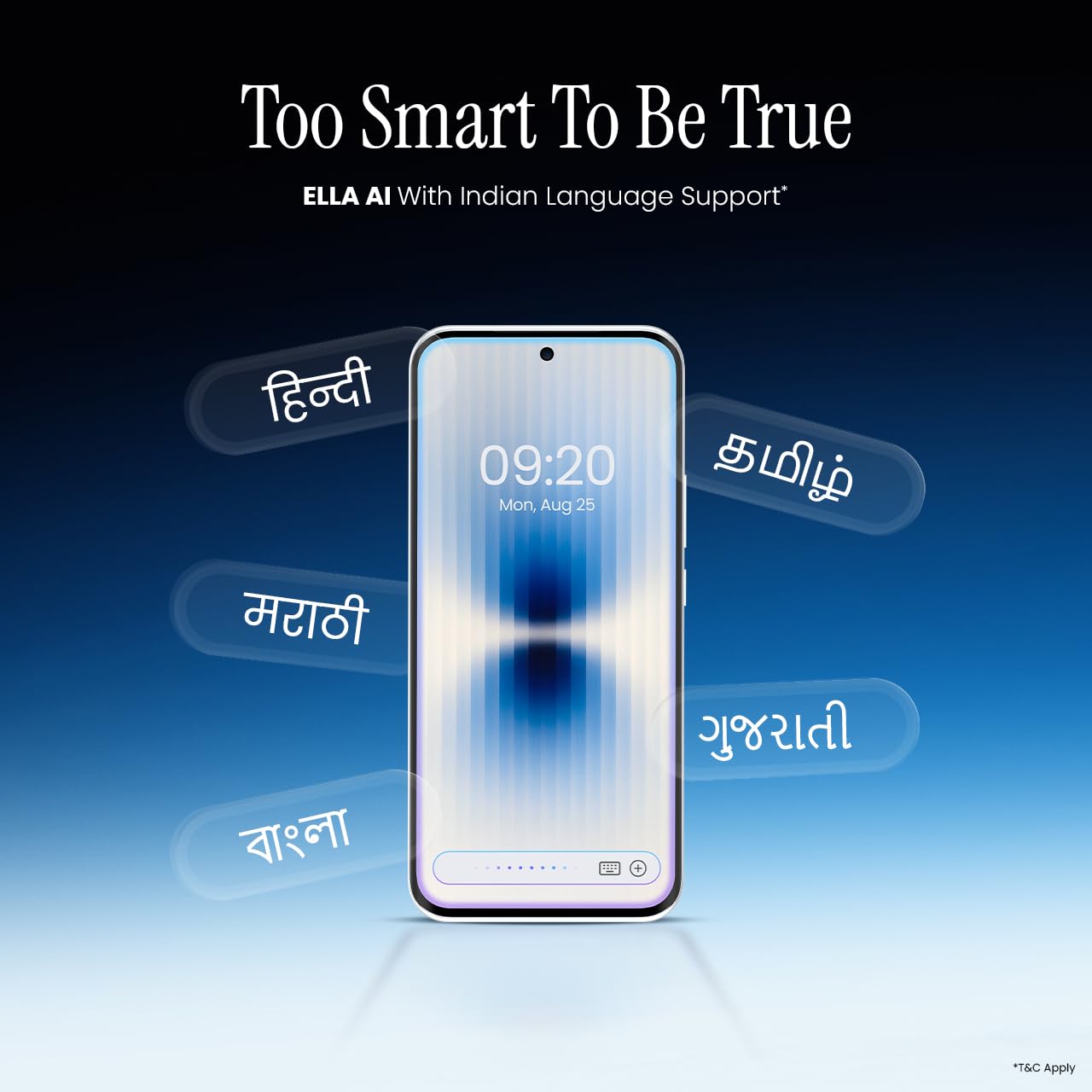
Image 5.4: Ella AI demonstrating Indian language support.
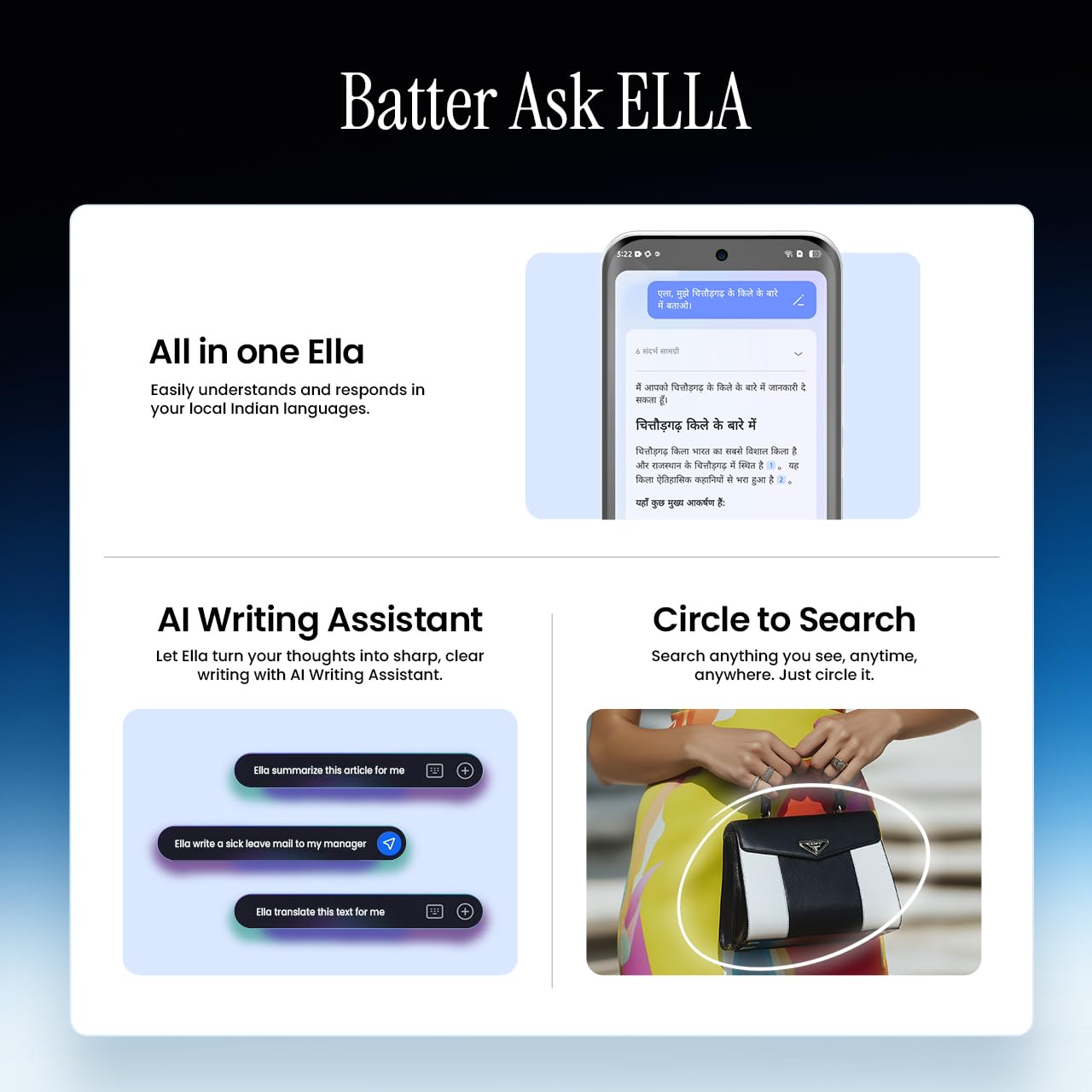
Image 5.5: Visual representation of Ella AI's writing assistant and circle to search functions.
5.5. الاتصال
The Pova Slim 5G supports 5G networks for high-speed data, Wi-Fi for local network access, and Bluetooth for connecting to accessories. It features an Intelligent Signal Hub System with 4x4 MIMO & N28 Band for enhanced network performance.
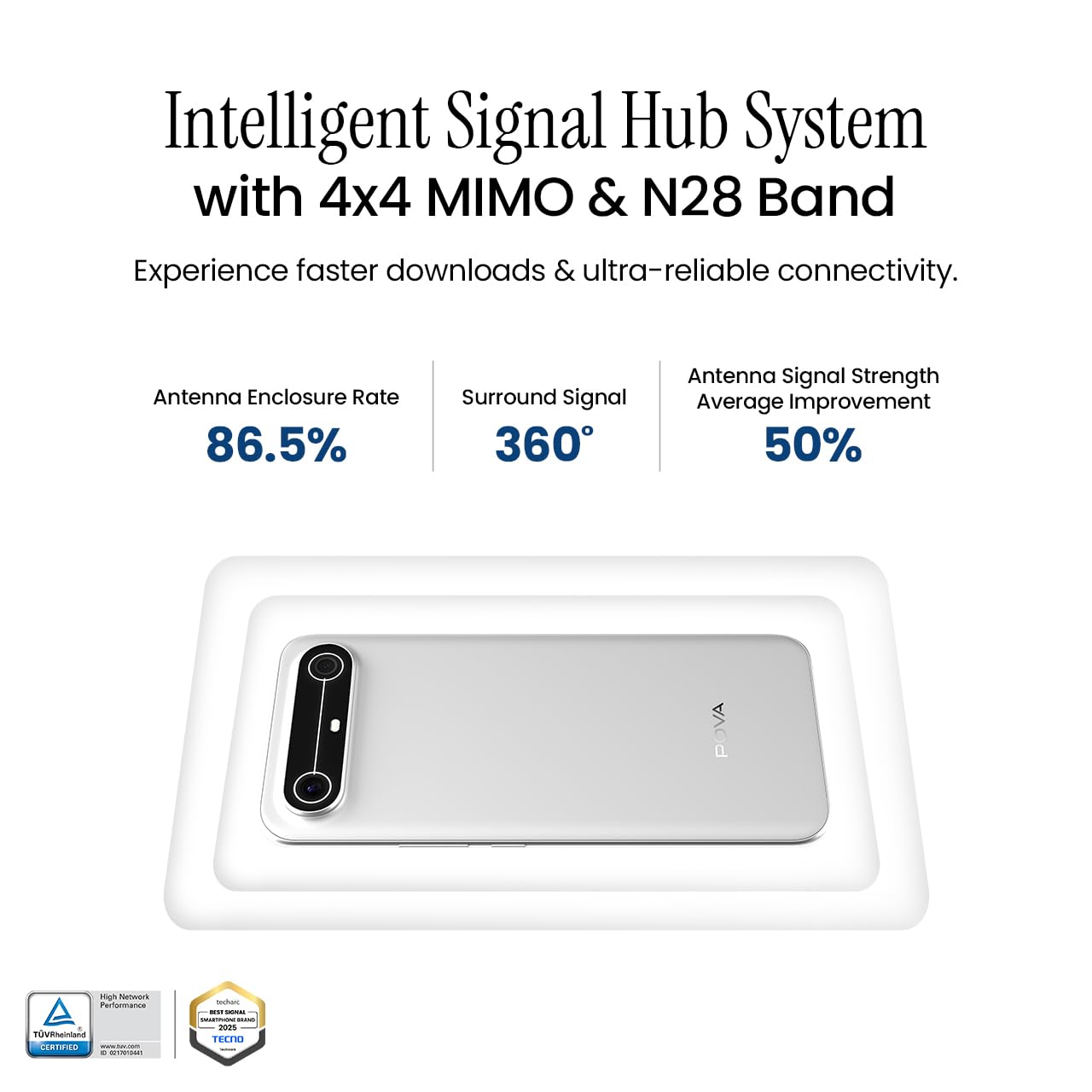
Image 5.6: Diagram illustrating the Intelligent Signal Hub System.
5.6. البطارية والشحن
The device is powered by a 5160mAh battery and supports 45W fast charging. Use the provided power adapter and USB cable for optimal charging performance. Avoid using uncertified chargers or cables.

Image 5.7: Representation of the 5160mAh battery and 45W charging capability.
6. الصيانة
6.1. العناية بالبطارية
- تجنب درجات الحرارة القصوى، لأنها قد تؤدي إلى تدهور عمر البطارية.
- لا تقم بتفريغ البطارية بالكامل بانتظام؛ اشحنها قبل أن ينخفض مستوى شحنها كثيراً.
- افصل الشاحن بمجرد امتلاء البطارية لمنع الشحن الزائد.
6.2. تنظيف جهازك
استخدم قطعة قماش ناعمة وخالية من الوبر لتنظيف شاشة هاتفك وجسمه. تجنب استخدام المواد الكيميائية القاسية أو المواد الكاشطة. لإزالة البقع الصعبة، افرك برفق.ampبلل قطعة القماش بالماء أو بمنظف الشاشة المصمم خصيصًا للإلكترونيات.
6.3. تحديثات البرامج
Regularly check for and install software updates. Updates often include security patches, performance improvements, and new features. To check for updates, go to الإعدادات > النظام > تحديث النظام.
6.4. ميزات المتانة
The Pova Slim 5G is built with durability in mind, featuring MIL-STD-810H military-grade toughness, IP64 dust and splash resistance, and Corning Gorilla Glass 7i for screen protection.

Image 6.1: Indication of MIL-STD-810H military-grade protection.
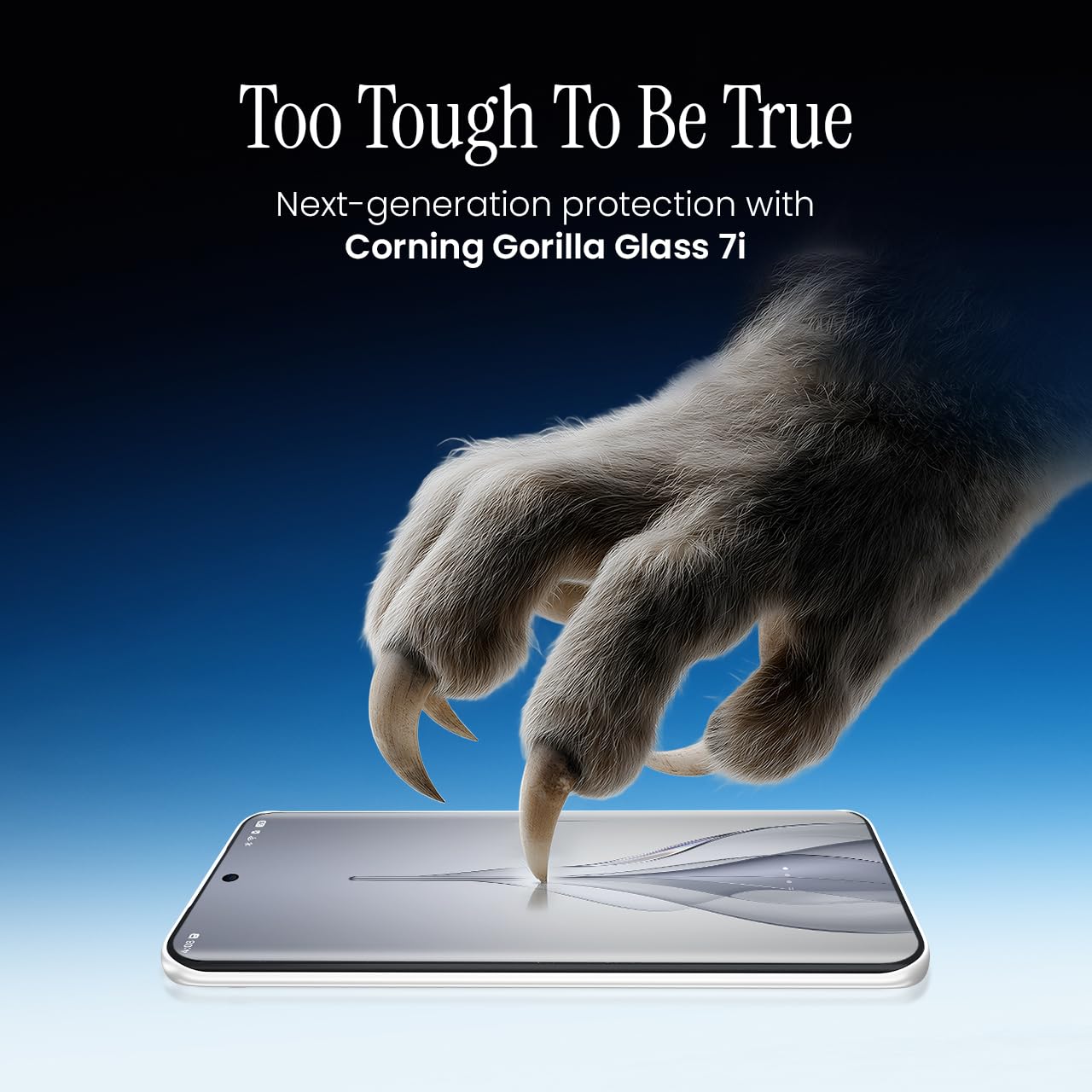
Image 6.2: Visual representation of Corning Gorilla Glass 7i protection.

Image 6.3: Device shown with IP64 dust and splash resistance.
7. استكشاف الأخطاء وإصلاحها
إذا واجهت مشاكل مع جهازك، فجرب الحلول التالية:
- الجهاز لا يتم تشغيله: تأكد من شحن البطارية. وصّل الشاحن وانتظر بضع دقائق قبل إعادة تشغيل الجهاز.
- مشاكل الاتصال بالشبكة: Check if your SIM card is properly inserted. Try restarting the device. Verify that mobile data or Wi-Fi is enabled in settings.
- الأداء البطيء: Close unnecessary background applications. Clear cache from apps. Consider restarting the device. Ensure sufficient storage space is available.
- استنزاف البطارية بسرعة: Reduce screen brightness. Disable unused features like Bluetooth or GPS. Limit background app activity.
- تعطل التطبيقات: Clear the app's cache and data (Settings > Apps > [App Name] > Storage > Clear Cache/Clear Data). If the issue persists, reinstall the app.
For persistent issues, contact customer support or visit an authorized service center.
8. المواصفات
| ميزة | مواصفة |
|---|---|
| رقم الموديل | كم9 |
| نظام التشغيل | أندرويد 15 |
| حجم ذاكرة الوصول العشوائي المثبتة | 8 جيجا بايت |
| التخزين (ROM) | 128 جيجا بايت |
| سرعة وحدة المعالجة المركزية | 2، 2.5 جيجاهرتز |
| أبعاد المنتج | 16.4 × 7.6 × 0.6 سم |
| وزن العنصر | 156 جرام |
| تصنيف طاقة البطارية | 5160 مللي أمبير |
| دقة | 1224 × 2720 بكسل |
| تقنيات الاتصال | Bluetooth, Infrared, USB, Wi-Fi |
| لون | Slim White |
| بلد المنشأ | الهند |
9. الضمان والدعم
Your Tecno Pova Slim 5G smartphone comes with a limited manufacturer's warranty. Please refer to the warranty card included in your product packaging for specific terms and conditions, including coverage period and limitations.
For technical support, service inquiries, or to find authorized service centers, please visit the official Tecno website or contact their customer service helpline. Keep your purchase receipt and device's serial number handy when seeking support.
الدعم عبر الإنترنت: Tecno India Support


