1. المقدمة
This manual provides essential information for the proper use and maintenance of your Baseus Inspire XH1 Adaptive Active Noise Cancelling Headphones. Please read this manual thoroughly before using the product to ensure optimal performance and longevity.

Image 1.1: Baseus Inspire XH1 Headphones
2. محتويات العبوة
تأكد من وجود جميع العناصر في العبوة:
- سماعات رأس Baseus Inspire XH1 بخاصية إلغاء الضوضاء النشطة × 1
- كابل مساعد × 1
- كابل USB-C × 1
- حقيبة حمل ×1

الصورة 2.1: محتويات العبوة
3. مخطط المنتج وعناصر التحكم
Familiarize yourself with the headphone's physical controls and ports.
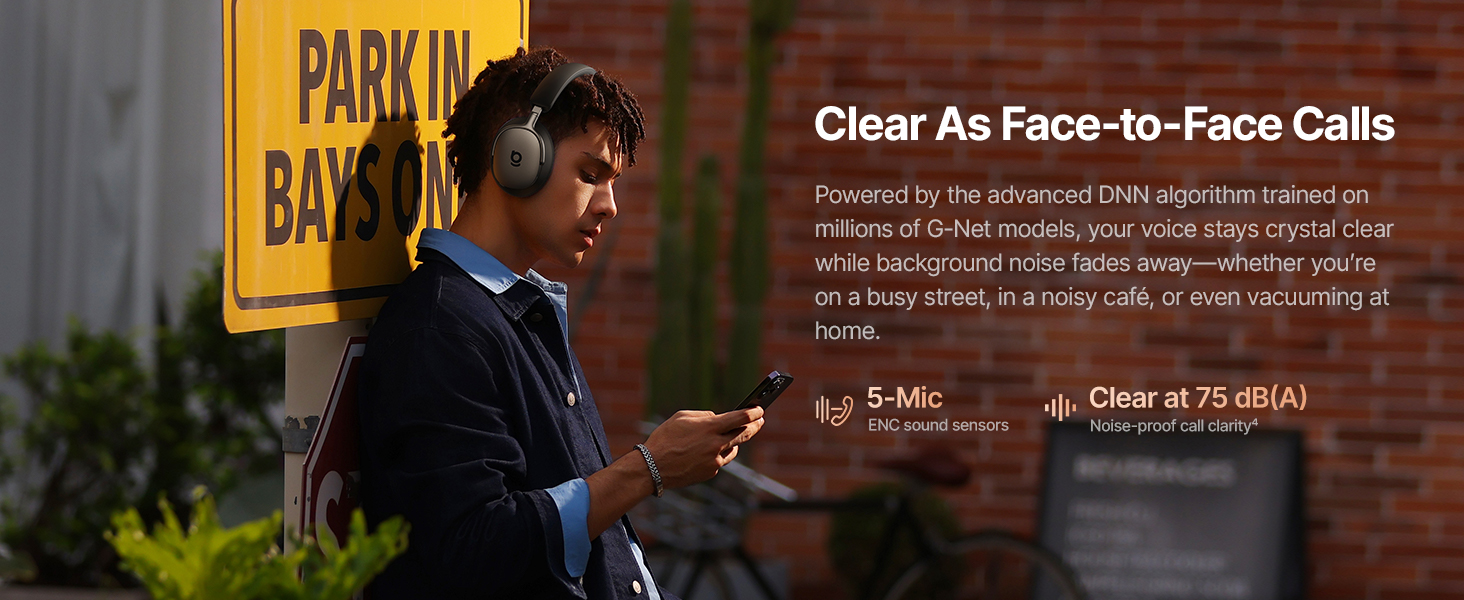
Image 3.1: Headphone Controls Overview
وظائف الأزرار:
- زر ANC:
- Press once: Toggle ANC Mode (ANC On / ANC Off / Transparency).
- Press and hold for 2 seconds: Activate Quick Attention (one-press transparency and volume down).
- زر متعدد الوظائف:
- Press once: Play or pause audio.
- Press once: Answer or end calls.
- Press twice: Toggle Dolby Audio off or on.
- Press twice: Reject calls.
- Press three times: Activate Low Latency mode.
- أزرار التحكم في الصوت (+/-):
- Press once (+): Volume up.
- Press once (-): Volume down.
- Press and hold (+) for 2 seconds: Previous track.
- Press and hold (-) for 2 seconds: Next track.
4. الإعداد
4.1 الشحن الأولي
Before first use, fully charge the headphones. Connect the supplied USB-C cable to the charging port on the headphones and to a compatible USB power source. The charging indicator will show the charging status.
4.2 تشغيل/إيقاف التشغيل
- تشغيل الطاقة: Press and hold the Multifunction Button until the indicator light illuminates.
- إيقاف التشغيل: Press and hold the Multifunction Button until the indicator light turns off.
4.3 اقتران بلوتوث
- تأكد من إيقاف تشغيل سماعات الرأس.
- Press and hold the Multifunction Button for approximately 5 seconds until the indicator light flashes rapidly, indicating pairing mode.
- على جهازك (الهاتف الذكي، الكمبيوتر المحمول، إلخ)، قم بتمكين البلوتوث وابحث عن الأجهزة المتاحة.
- Select "Baseus Inspire XH1" from the list of devices.
- بمجرد توصيله، سيتوقف ضوء المؤشر عن الوميض ويظل ثابتًا.
4.4 تثبيت تطبيق Baseus
For full functionality, including SoundFit hearing personalization, advanced EQ settings, and noise reduction modes, download and install the Baseus App (V2.8.9+) from your device's app store. Ensure your headphone firmware (V1.1.07+) is updated via the app for the best experience.

Image 4.1: Baseus App Interface
5. التشغيل
5.1 أوضاع إلغاء الضوضاء النشط (ANC)
The Baseus Inspire XH1 features Adaptive ANC. Press the ANC button to cycle through modes:
- تشغيل ANC: Reduces external noise by up to -48 dB. Ideal for noisy environments.
- وضع الشفافية: يسمح للأصوات المحيطة بالمرور، مما يبقيك على دراية بالبيئة المحيطة بك.
- إيقاف ANC: تشغيل الصوت القياسي بدون خاصية إلغاء الضوضاء.

Image 5.1: Adaptive ANC in Action
5.2 إدارة المكالمات
The headphones feature 5-Mic ENC and AI-powered noise reduction for clear calls.
- الرد/إنهاء المكالمة: اضغط على الزر متعدد الوظائف مرة واحدة.
- رفض المكالمة: Press the Multifunction Button twice.

Image 5.2: Clear Call Functionality
5.3 تشغيل الموسيقى
Control your audio playback directly from the headphones:
- تشغيل/إيقاف مؤقت: اضغط على الزر متعدد الوظائف مرة واحدة.
- المسار التالي: اضغط مع الاستمرار على زر خفض الصوت (-) لمدة ثانيتين.
- المسار السابق: اضغط مع الاستمرار على زر رفع الصوت (+) لمدة ثانيتين.
- رفع/خفض الصوت: Press the respective Volume button once.
5.4 اتصال متعدد النقاط
The headphones support simultaneous connection to two devices via Bluetooth 6.1. This allows for seamless switching between audio sources. Enable multipoint connection through the Baseus App.
5.5 الشحن وعمر البطارية
The Inspire XH1 offers extended battery life:
- Up to 100 hours of playtime with ANC off.
- Up to 65 hours of playtime with ANC on.
- A 10-minute fast charge provides approximately 12 hours of playtime.
- Full charge time is approximately 1.5 hours.

Image 5.3: Battery Performance
6. ميزات الصوت
The Baseus Inspire XH1 headphones are engineered for a premium audio experience.
- الصوت من Bose: Delivers a signature premium audio experience.
- Dolby Spatial Audio: Provides immersive 360° sound. Can be toggled via the Multifunction Button or Baseus App.
- صوت عالي الدقة وLDAC: Certified for high-resolution audio, with LDAC support for 3 times the audio detail of standard Bluetooth.
- SuperBass 3.0 & SuperBalance 3.0: Optimized acoustic chambers and angled drivers provide deep bass and balanced sound.
- تخصيص السمع بتقنية ساوند فيت: Available via the Baseus App, this feature customizes the sound profile based on your unique hearing.

Image 6.1: Sound by Bose Integration

Image 6.2: Internal Audio Components
7. الراحة والتصميم
The Inspire XH1 headphones are designed for extended wear.
- Velvet-Like CloudComfort: Ergonomic over-ear design with protein leather and resilient memory foam padding for comfort.
- سهولة الحمل أثناء السفر: Foldable design and included carrying case for easy transport.

Image 7.1: CloudComfort Earcup

Image 7.2: Travel-Friendly Carrying Case
8. الصيانة
لضمان طول عمر سماعات الرأس وأدائها الأمثل، اتبع إرشادات الصيانة التالية:
- تنظيف: Use a soft, dry cloth to clean the exterior surfaces of the headphones. Do not use abrasive cleaners or solvents.
- تخزين: When not in use, store the headphones in their protective carrying case to prevent damage from dust, scratches, and impacts.
- تجنب الرطوبة: لا تعرض سماعات الرأس للماء أو الرطوبة الزائدة. في حال تعرضها للبلل، جففها جيداً قبل الاستخدام أو التخزين.
- درجة حرارة: Avoid exposing the headphones to extreme temperatures (hot or cold) as this can affect battery life and internal components.
- العناية بالكابلات: Handle the Aux and USB-C cables gently. Avoid sharp bends or excessive pulling to prevent damage.
9. استكشاف الأخطاء وإصلاحها
If you encounter issues with your Baseus Inspire XH1 headphones, refer to the following common solutions:
| مشكلة | الحل المحتمل |
|---|---|
| لا يتم تشغيل سماعات الرأس. | تأكد من شحن سماعات الرأس. وصّلها بمصدر طاقة باستخدام كابل USB-C. |
| لا يمكن الاقتران عبر البلوتوث. | Ensure headphones are in pairing mode (rapidly flashing indicator light). Turn off and on Bluetooth on your device. Forget the device in your Bluetooth settings and try pairing again. |
| لا يوجد صوت أو مستوى الصوت منخفض. | تحقق من مستوى صوت سماعات الرأس والجهاز. تأكد من توصيل سماعات الرأس بشكل صحيح. حاول إعادة تشغيل كلا الجهازين. |
| المؤتمر الوطني الأفريقي لا يعمل بشكل فعال. | Ensure ANC mode is activated (not Transparency or Off). Check for proper fit of earcups to create a seal. Update headphone firmware via the Baseus App. |
| مشاكل جودة المكالمة. | Ensure microphone is not obstructed. Check for strong Bluetooth connection. Move to a quieter environment if possible. |
| Baseus App not connecting or features not working. | Ensure Bluetooth is enabled and headphones are connected. Update the Baseus App to the latest version (V2.8.9+). Update headphone firmware (V1.1.07+) via the app. |
If the problem persists, please contact Baseus customer support for further assistance.
10. المواصفات
| ميزة | التفاصيل |
|---|---|
| اسم الموديل | Baseus Inspire XH1 |
| التحكم في الضوضاء | Adaptive Active Noise Cancellation (-48dB) |
| تكنولوجيا الاتصال | لاسلكي (بلوتوث 6.1) |
| نوع برنامج تشغيل الصوت | سائق ديناميكي |
| حجم برنامج تشغيل الصوت | 35 مليمتر |
| نطاق التردد | 20 هرتز - 40 كيلو هرتز |
| مقاومة | 16 أوم |
| نوع التحكم | Button Control / APP Control |
| مادة | Leather, Foam, Plastic/Silicone |
| عمر البطارية (مع إيقاف خاصية إلغاء الضوضاء النشط) | تصل إلى 100 ساعة |
| عمر البطارية (مع تشغيل خاصية إلغاء الضوضاء النشط) | تصل إلى 65 ساعة |
| شحن سريع | 10 دقيقة لمدة ساعتين من اللعب |
| وقت الشحن الكامل | حوالي 1.5 ساعات |
| أبعاد المنتج | 8.07 × 3.14 × 6.57 بوصة |
| وزن العنصر | 1.87 رطل |
| المكونات المضمنة | Headphones, Aux Cable, USB-C Cable, Carrying Case |
11. الضمان والدعم
للحصول على معلومات الضمان ودعم العملاء، يرجى الرجوع إلى بطاقة الضمان المرفقة في عبوة المنتج أو زيارة موقع Baseus الرسمي. webالموقع. احتفظ بإيصال الشراء الخاص بك كإثبات للشراء في حالة مطالبات الضمان.
الشركة المصنعة: باسيس
رسمي Webموقع: متجر Baseus الرسمي على أمازون


