1. المقدمة
Thank you for choosing the AVMATRIX SD1242-4K HDMI Splitter. This device is designed to distribute a single HDMI 2.0 input signal to four HDMI 2.0 outputs, supporting resolutions up to 4K@60Hz with RGB 4:4:4 color space. It features EDID management and dual power supply options (USB-C and DC) for versatile use in various professional and home environments.
2. معلومات السلامة
- تأكد من وضع الجهاز في منطقة جيدة التهوية لمنع ارتفاع درجة الحرارة.
- لا تعرض الجهاز للرطوبة أو المطر أو درجات الحرارة القصوى.
- استخدم فقط محول الطاقة المرفق أو مصدر طاقة متوافق.
- Avoid disassembling the unit; refer all servicing to qualified personnel.
- أبعد الجهاز عن المجالات المغناطيسية القوية.
3. محتويات العبوة
يرجى التحقق من الحزمة للعناصر التالية:
- AVMATRIX SD1242-4K HDMI Splitter Unit
- محول الطاقة
- كابل USB Type-C
- دليل المستخدم (هذا المستند)
4. انتهى المنتجview
The AVMATRIX SD1242-4K is a compact and robust HDMI splitter designed for high-quality video distribution. It features one HDMI input and four HDMI outputs, allowing a single source to be displayed on up to four screens simultaneously.
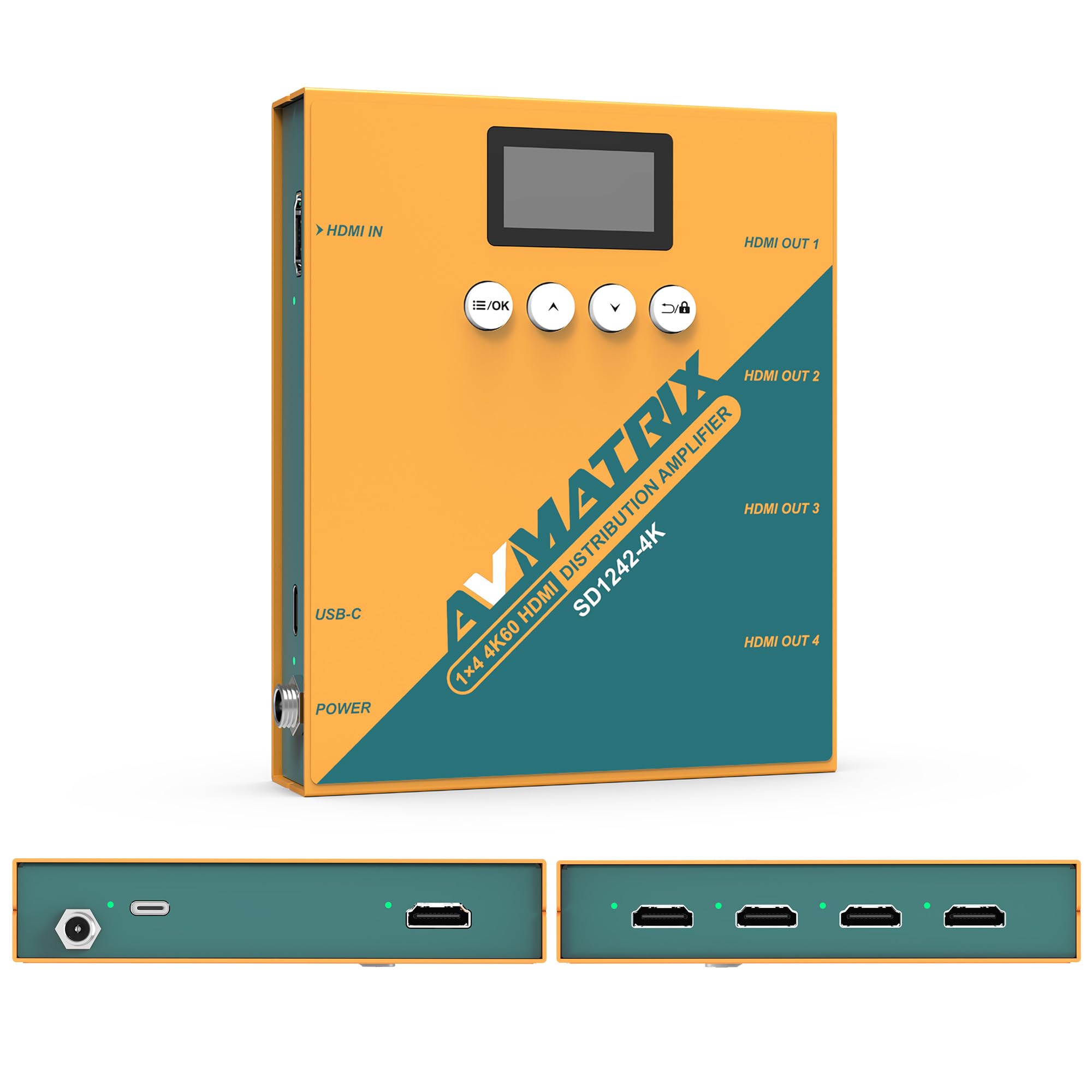
الشكل 1: الأمامي والخلفي view of the AVMATRIX SD1242-4K HDMI Splitter, showing HDMI input, four HDMI outputs, USB-C, and DC power ports.

Figure 2: The AVMATRIX SD1242-4K HDMI Splitter highlighting its HDMI 2.0 inputs/outputs and support for up to 4K@60Hz resolution for ultra-high-definition picture quality.
4.1 المميزات
- 1 HDMI 2.0 input to 4 HDMI 2.0 outputs.
- Supports resolutions up to 4K@60Hz (RGB 4:4:4).
- EDID management with Auto, Standard, Customize, and EDID Copy modes.
- Dual power supply: USB Type-C and DC 12V.
- Built-in OLED display for real-time status.
- Control via front panel buttons or PC software.
5. الإعداد
Follow these steps to set up your AVMATRIX SD1242-4K HDMI Splitter:
- قم بتوصيل مصدر HDMI: Connect your HDMI source device (e.g., PS4, Blu-ray player, computer) to the HDMI IN port on the splitter using a high-quality HDMI 2.0 cable.
- توصيل شاشات HDMI: Connect up to four HDMI display devices (e.g., HDTVs, monitors, projectors) to the HDMI OUT 1-4 ports on the splitter using high-quality HDMI 2.0 cables.
- توصيل الطاقة: Connect the provided power adapter to the DC 12V port on the splitter, or connect a USB Type-C cable to the USB-C port and a compatible USB power source. The device supports both power options.
- تشغيل الطاقة: Ensure all devices (source, splitter, displays) are powered on. The splitter's OLED display will show its status.
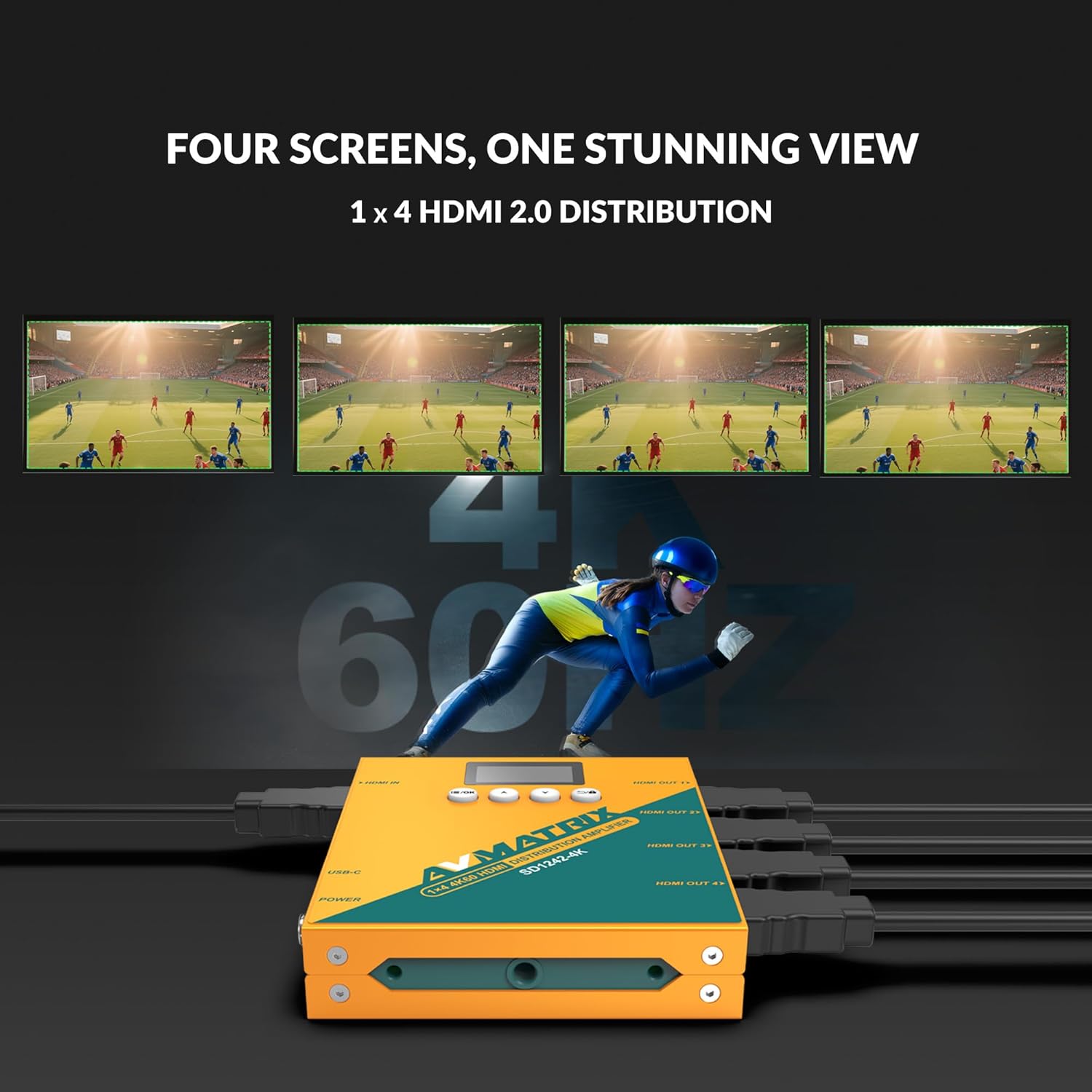
Figure 3: Illustration of the AVMATRIX SD1242-4K HDMI Splitter distributing a single video source to four separate display screens, demonstrating its 1x4 distribution capability.
6. تعليمات التشغيل
6.1 إدارة EDID
The SD1242-4K features EDID management to ensure optimal compatibility and performance between your source and display devices. You can configure EDID settings using the front panel buttons or the PC control software.

Figure 4: Comparison of a display without EDID management (left, showing potential compatibility issues) and with EDID management (right, showing seamless communication and optimal display).
There are four EDID modes available:
- آلي: The splitter automatically detects and selects the best EDID settings based on the connected displays.
- معيار: Uses a default, common EDID setting for broad compatibility.
- تخصيص: Allows users to upload a custom EDID file via PC software.
- نسخة EDID: Copies the EDID from a specific output display (e.g., Output 1) to be used for all outputs.
6.2 خيارات التحكم
The device can be controlled via its front panel buttons or through dedicated PC software.

Figure 5: Demonstrates the two primary control methods for the AVMATRIX SD1242-4K: direct interaction with the front panel buttons and comprehensive control via PC software interface.
- الزر الأمامي: Use the buttons located on the front panel to navigate menus on the OLED display and adjust basic settings, including EDID modes.
- التحكم ببرامج الكمبيوتر الشخصي: Connect the splitter to a computer via its USB port. Install the AVMATRIX control software to access advanced settings, customize EDID, and monitor device status.
6.3 خيارات مصدر الطاقة
The SD1242-4K offers flexible power options for convenience.

Figure 6: Illustrates the dual power supply capabilities of the AVMATRIX SD1242-4K, showing both the traditional DC power input and the modern USB Type-C power input.
- مصدر الطاقة المستمر: Use the included 12V DC power adapter for stable and continuous power.
- USB Type-C Power Supply: For portability or when a DC outlet is unavailable, power the device using a standard USB Type-C cable connected to a compatible USB power source (e.g., power bank, computer USB port).
7. الصيانة
- تنظيف: استخدم قطعة قماش ناعمة وجافة لتنظيف الجزء الخارجي من الجهاز. لا تستخدم المنظفات السائلة أو البخاخات.
- تخزين: عند عدم استخدام الجهاز لفترات طويلة، قم بتخزينه في مكان بارد وجاف بعيدًا عن أشعة الشمس المباشرة.
- تحديثات البرامج الثابتة: Check the AVMATRIX official webقم بزيارة الموقع بشكل دوري لتحديث البرامج الثابتة لضمان الأداء الأمثل والتوافق.
8. استكشاف الأخطاء وإصلاحها
If you encounter issues with your AVMATRIX SD1242-4K, refer to the following common problems and solutions:
| مشكلة | السبب المحتمل | حل |
|---|---|---|
| No video output on displays. | Loose HDMI cables, incorrect EDID setting, power issue. | Check all HDMI cable connections. Ensure the splitter is powered on. Try different EDID modes (Auto or Standard). Test with a different HDMI source or display. |
| Video flickering or unstable image. | Poor quality HDMI cables, signal interference, EDID mismatch. | Use certified high-speed HDMI 2.0 cables. Ensure cables are not excessively long. Adjust EDID settings. Reduce cable length if possible. |
| Displays show different resolutions. | EDID setting not optimized for all displays. | Use EDID Copy mode from the lowest resolution display or a custom EDID that all displays can support. |
| الجهاز لا يعمل. | Power adapter not connected, faulty power source. | Verify power adapter is securely connected to both the splitter and a working power outlet. Try the USB-C power option if DC fails, or vice-versa. |
9. المواصفات
| ميزة | التفاصيل |
|---|---|
| نموذج | SD1242-4K |
| مدخل الفيديو | عدد 1 منفذ HDMI من النوع A |
| مخرج الفيديو | عدد 4 منفذ HDMI من النوع A |
| معيار HDMI | اتش دي ام اي 2.0 |
| اقصي دقة | 4096x2160p 60/59.94/50/30/29.97/25/24/23.98 |
| Color Space & Precision | RGB 4:4:4 8 bit, YUV 4:2:2 8 bit, YUV 4:4:4 8 bit |
| مزود الطاقة | DC 12V / USB-C |
| استهلاك الطاقة | 6W |
| المجلدtage Range (USB) | USB 5V-5.5V |
| المجلدtagالمدى الإلكتروني (DC) | تيار مستمر 5.5 فولت-24 فولت |
| الأبعاد (LWD) | 125.5 × 104 × 24.5 ملم |
| الوزن الصافي | 471 جرام |
| درجة حرارة التشغيل | -20 درجة مئوية ~ 60 درجة مئوية |
| درجة حرارة التخزين | -30 درجة مئوية ~ 70 درجة مئوية |
10. معلومات الضمان
AVMATRIX products are covered by a limited warranty against defects in materials and workmanship. The warranty period typically begins from the date of purchase. Please retain your proof of purchase for warranty claims. For specific warranty terms and conditions, refer to the warranty card included with your product or visit the official AVMATRIX webموقع.
This warranty does not cover damage caused by improper installation, accident, misuse, abuse, natural disaster, or unauthorized modification of the product.
11. دعم العملاء
If you require further assistance or have questions not covered in this manual, please contact AVMATRIX customer support:
- Webموقع: www.avmatrix.net (for product information, drivers, and firmware updates)
- بريد إلكتروني: الرجوع إلى المسؤول webموقع مخصص لعناوين البريد الإلكتروني الخاصة بالدعم.
- هاتف: الرجوع إلى المسؤول webموقع لأرقام الاتصال الإقليمية.
When contacting support, please have your product model (SD1242-4K) and a detailed description of your issue ready.


