1. المقدمة
Thank you for choosing the Redragon H610 Wireless Gaming Headset. This headset is designed to provide an immersive audio experience for gaming and multimedia, featuring Bluetooth 5.3 connectivity, Active Noise Cancellation (ANC), and a built-in microphone. This manual provides detailed instructions for setup, operation, and maintenance to ensure optimal performance.
The H610 is compatible with various platforms including PS5, PS4, PC, Mac, and Nintendo Switch, offering versatile connectivity options through both Bluetooth and a 3.5mm AUX cable.
2. محتويات العبوة
يرجى التأكد من وجود جميع العناصر في الحزمة الخاصة بك:
- سماعة الألعاب اللاسلكية Redragon H610
- كابل شحن USB-C
- 3.5 مللي متر كابل صوت AUX
- دليل المستخدم (هذا المستند)

Image: The Redragon H610 headset shown with its USB-C charging cable and 3.5mm AUX audio cable.
3. انتهى المنتجview
The Redragon H610 headset features intuitive controls and a comfortable design for extended use. Familiarize yourself with the main components:
- عقال قابل للتعديل: For a personalized and secure fit.
- Over-Ear Earcups: Padded with soft PU leather for comfort and passive noise isolation.
- محركات ديناميكية مقاس 40 مم: قدّم صوتًا واضحًا وقويًا.
- ميكروفون مدمج: Integrated into the earcup for clear voice communication.
- أزرار التحكم: Located on the earcups for power, volume, ANC, and mode selection.
- منفذ USB-C: لشحن سماعة الرأس.
- منفذ AUX مقاس 3.5 مم: للاتصال الصوتي السلكي.
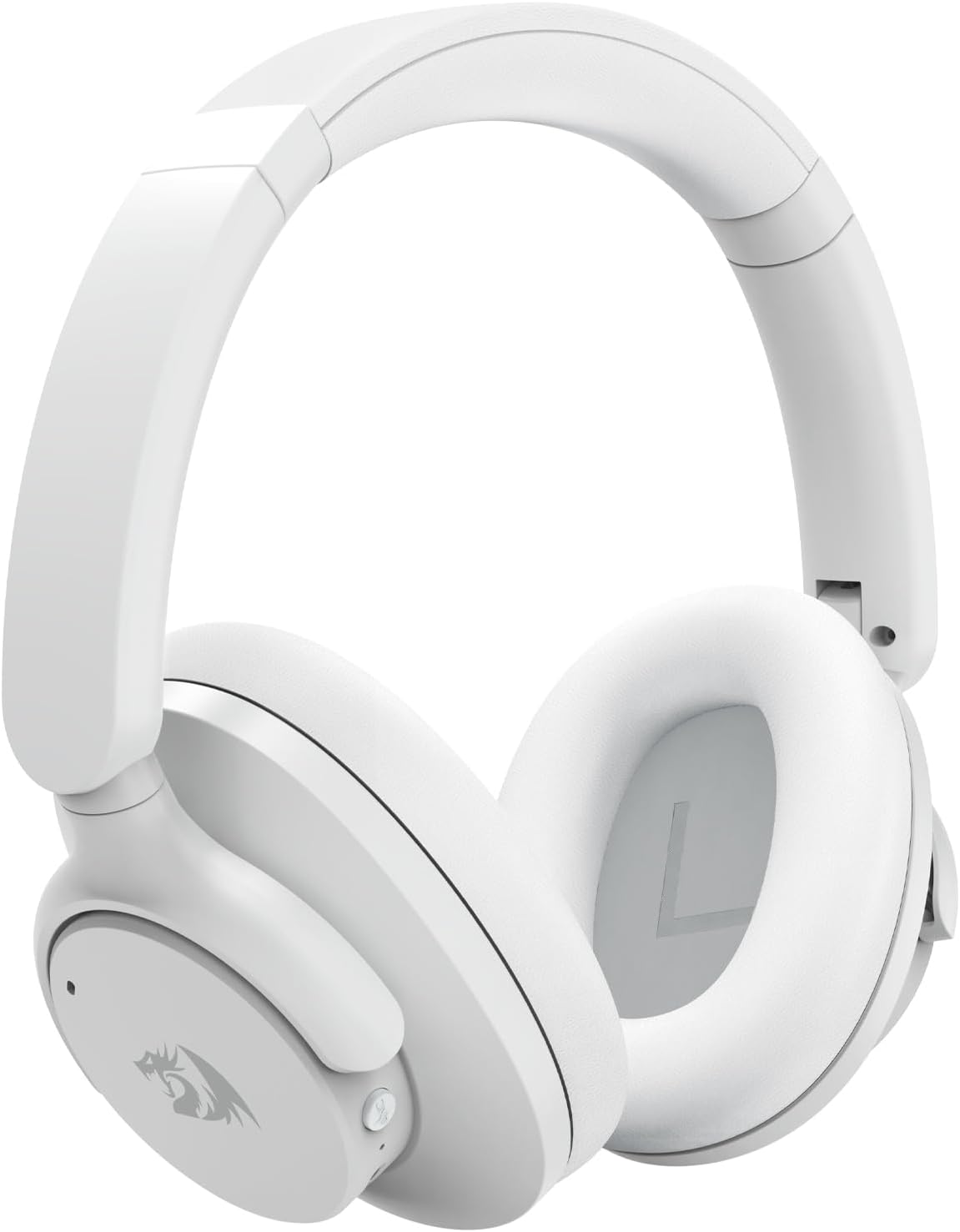
الصورة: واجهة مفصلة view of the Redragon H610 Wireless Gaming Headset, highlighting its sleek white design and over-ear cups.

الصورة: انفجار view diagram illustrating the 40mm large moving coil diaphragm, responsible for the headset's sound quality.
4. الإعداد
4.1 شحن سماعة الرأس
- Connect the supplied USB-C charging cable to the headset's USB-C port.
- قم بتوصيل الطرف الآخر من الكابل بمصدر طاقة USB (على سبيل المثال، منفذ USB في الكمبيوتر، أو محول الحائط).
- The LED indicator on the headset will show charging status. A full charge provides up to 43 hours of battery life (40 hours Bluetooth playback, 36 hours with ANC on).
4.2 اقتران بلوتوث
- تأكد من إيقاف تشغيل سماعة الرأس.
- اضغط مع الاستمرار على زر الطاقة حتى يومض مؤشر LED باللونين الأزرق والأحمر، مما يشير إلى وضع الاقتران.
- On your device (PC, Mac, PS4/PS5 with compatible adapter, Nintendo Switch with compatible adapter, smartphone), enable Bluetooth and search for new devices.
- Select "Redragon H610" from the list of available devices.
- بمجرد الاتصال ، سيتحول مؤشر LED إلى اللون الأزرق الثابت.
4.3 اتصال سلكي (AUX 3.5 مم)
- Connect one end of the 3.5mm AUX audio cable to the headset's 3.5mm port.
- Connect the other end to the 3.5mm audio jack on your device (e.g., PC, PS4 controller, smartphone).
- The headset will operate in passive mode, and battery power is not required for basic audio. ANC functionality may be limited or unavailable in wired mode.
5. تعليمات التشغيل
5.1 تشغيل/إيقاف التشغيل
- تشغيل الطاقة: اضغط مع الاستمرار على زر الطاقة لمدة 3 ثوانٍ تقريبًا.
- إيقاف التشغيل: اضغط مع الاستمرار على زر الطاقة لمدة 5 ثوانٍ تقريبًا.
5.2 التحكم في مستوى الصوت
- رفع الصوت: اضغط على زر "+".
- اخفض الصوت: اضغط على زر '-'.
5.3 إلغاء الضوضاء النشط (ANC)
The H610 features advanced ANC technology to reduce ambient noise by -35 to -40 dB.
- تفعيل/إلغاء تفعيل خاصية إلغاء الضوضاء النشط: Press the dedicated ANC button (usually marked with an 'ANC' icon). The LED indicator will change to confirm activation.
5.4 أوضاع الصوت
قم بالتبديل بين أوضاع الصوت المختلفة لتحسين تجربة الاستماع لديك:
- أوضاع التبديل: Press the 'M' (Mode) button to cycle through Noise Reduction, Game, and Music modes.
- وضع تقليل الضوضاء: Enhances ANC performance.
- وضع اللعبة: Optimizes audio for gaming, emphasizing directional sound cues.
- وضع الموسيقى: يوفر معالج صوت متوازنfile للاستماع إلى الموسيقى.

Image: A user wearing the Redragon H610 headset, demonstrating its use during a gaming session with a computer.
6. الصيانة
6.1 التنظيف
- Use a soft, dry cloth to clean the headset.
- لا تستخدم كيماويات مركزة أو محاليل التنظيف أو المنظفات القوية.
- تجنب دخول الرطوبة إلى أي فتحات.
6.2 التخزين
- قم بتخزين سماعة الرأس في مكان بارد وجاف بعيدًا عن أشعة الشمس المباشرة ودرجات الحرارة القصوى.
- The headset features a foldable design for easy storage and transport. Gently fold the earcups inward as shown in the diagram.

Image: An illustration demonstrating how the Redragon H610 headset can be folded for compact storage and portability.
7. استكشاف الأخطاء وإصلاحها
If you encounter issues with your Redragon H610 headset, please refer to the following common solutions:
| مشكلة | الحل المحتمل |
|---|---|
| لا يوجد صوت من سماعة الرأس |
|
| الميكروفون لا يعمل |
|
| اتصال البلوتوث غير مستقر أو معطل |
|
| خاصية إلغاء الضوضاء النشطة (ANC) غير فعالة |
|
| Headset not compatible with PS5 |
|
8. المواصفات
| ميزة | التفاصيل |
|---|---|
| نموذج | H610 (VIBECORE) |
| الاتصال | Bluetooth 5.3, 3.5mm AUX (Wired) |
| حجم السائق | محركات ديناميكية مقاس 40 مم |
| استجابة التردد | 20 هرتز - 20 كيلو هرتز |
| التحكم في الضوضاء | إلغاء نشطة للضوضاء (ANC) |
| ANC Capability | -35 إلى -40 ديسيبل |
| ميكروفون | مدمج |
| عمر البطارية | Up to 43 hours (Bluetooth playback), 36 hours (with ANC on) |
| منفذ الشحن | يو اس بي-سي |
| مادة | Polyurethane (PU) leather, ABS plastic |
| وزن | 0.62 كجم (1.36 رطل) |
| وضع الأذن | فوق الأذن |
| الأجهزة المتوافقة | Gaming Consoles, Laptops, Desktops, Tablets, Smartphones |
9. الضمان والدعم
For warranty information and customer support, please refer to the documentation included with your purchase or visit the official Redragon webقد تختلف شروط وأحكام الضمان حسب المنطقة والتاجر.
If you require further assistance or have questions not covered in this manual, please contact Redragon customer service through their official channels.


