1. المقدمة
Thank you for choosing the HTC N15 Wireless Clip-On Earbuds. These open-ear earphones are designed to provide audio while allowing you to remain aware of your surroundings. This manual provides detailed instructions for setup, operation, and maintenance to ensure optimal performance and longevity of your device.

Image 1.1: HTC N15 Wireless Clip-On Earbuds and Charging Case.
2. محتويات العبوة
يرجى التحقق من محتويات العبوة عند فتحها. في حال وجود أي أغراض مفقودة أو تالفة، يُرجى التواصل مع خدمة العملاء.
- 1 Pair HTC N15 Clip-On Earbuds
- 1 حالة الشحن
- 1 كابل شحن USB-C
- 1 دليل المستخدم (هذه الوثيقة)
Video 2.1: Unboxing the HTC N15 Wireless Clip-On Earbuds, showing the earbuds, charging case, and USB-C cable.
3. انتهى المنتجview
3.1 Earbud Features
- تصميم الأذن المفتوحة: يُتيح إدراك المحيط.
- Clip-On Fit: Secure and comfortable for various activities.
- التحكم باللمس: Intuitive control for audio and calls.
- ميكروفون مدمج: For clear communication.
- خفيف الوزن: يبلغ وزن كل سماعة أذن حوالي 4.7 جرام.
- مضخم صوت 13 مم: For enhanced sound quality.
3.2 مميزات علبة الشحن
- منفذ شحن USB-C: لشحن مريح.
- مؤشر البطارية: LEDs show charging status and battery level.

الصورة 3.1: انتهىview of HTC N15 earbuds and charging case, highlighting battery life and Type-C charging port.
4. الإعداد
4.1 شحن سماعات الأذن والعلبة
قبل الاستخدام الأول، قم بشحن سماعات الأذن وعلبة الشحن بالكامل.
- ضع سماعات الأذن داخل علبة الشحن.
- قم بتوصيل كابل الشحن USB-C بمنفذ الشحن الموجود على العلبة وبمصدر الطاقة.
- The LED indicators on the case will illuminate to show charging status. A full charge for the case takes approximately 1.5 hours.
- The earbuds provide up to 8 hours of playback on a single charge, and the charging case extends total playtime to 22 hours.

Image 4.1: Visual representation of charging times and battery life for the HTC N15 earbuds and case.
4.2 الاقتران بجهاز
The HTC N15 earbuds use Bluetooth 6.0 for fast and stable connections.
- تأكد من شحن سماعات الأذن ووضعها داخل علبة الشحن.
- افتح علبة الشحن. ستدخل سماعات الأذن تلقائيًا في وضع الاقتران، مع وميض أضواء LED.
- على جهازك (الهاتف الذكي، الجهاز اللوحي، الكمبيوتر المحمول)، انتقل إلى إعدادات البلوتوث وقم بتشغيل البلوتوث.
- بحث عن الأجهزة المتاحة، ثم حدد "HTC NE15" من القائمة.
- بمجرد الاتصال، ستتوقف مصابيح LED الخاصة بسماعات الأذن عن الوميض، وسوف تسمع نغمة تأكيد.
سيتم إعادة توصيل سماعات الأذن تلقائيًا بالجهاز المقترن الأخير عند إزالتها من العلبة، إذا تم تمكين البلوتوث على الجهاز.

Image 4.2: The HTC N15 earbuds offer flexible connectivity with various devices including notebooks, TVs, desktops, watches, phones, and iPads.
5. تعليمات الارتداء
للحصول على أفضل جودة صوت وراحة، تأكد من ارتداء سماعات الأذن بشكل صحيح.
- قم بتحديد سماعات الأذن اليسرى (L) واليمنى (R).
- Confirm the direction of the earbud, ensuring the clip is oriented to hook over the top of your ear.
- Gently clip the earbud onto the thinnest part of your ear, sliding it down until it feels secure.
- Adjust the earbud tip to align with your ear canal for the best sound experience and comfort.

Image 5.1: Step-by-step guide on how to properly wear the HTC N15 Clip-On Earbuds for a secure and comfortable fit.

Image 5.2: Illustration of the ergonomic open-ear clip design and wearing tips for optimal sound alignment.
6. تعليمات التشغيل
The HTC N15 earbuds feature smart touch controls for easy management of audio and calls.

Image 6.1: Diagram illustrating the touch control functions for the HTC N15 earbuds.
6.1 التحكم في الموسيقى
- تشغيل/إيقاف مؤقت: انقر نقراً مزدوجاً على أي من سماعتي الأذن.
- الأغنية التالية: Triple-click the Right (R) earbud.
- الأغنية السابقة: Triple-click the Left (L) earbud.
- رفع الصوت: Click the Right (R) earbud.
- اخفض الصوت: Click the Left (L) earbud.
6.2 التحكم في المكالمات
- الرد/إنهاء المكالمة: Click either earbud.
- رفض المكالمة: اضغط مع الاستمرار على أي من سماعات الأذن لمدة ثانيتين.
6.3 Voice Assistant & Game Mode
- تنشيط مساعد الصوت: Hold the Left (L) earbud for 2 seconds.
- وضع اللعبة: Hold the Right (R) earbud for 2 seconds to activate low-latency mode.

Image 6.2: The HTC N15 earbuds feature a low-latency Game Mode, reducing audio delay to 40ms for an improved gaming experience.
7. الصيانة
7.1 التنظيف
- قم بتنظيف سماعات الأذن وعلبة الشحن بانتظام باستخدام قطعة قماش ناعمة وجافة وخالية من الوبر.
- لا تستخدم المنظفات الكاشطة أو الكحول أو المذيبات الكيميائية.
- تأكد من أن نقاط اتصال الشحن الموجودة على سماعات الأذن والعلبة نظيفة وجافة.
7.2 التخزين
- قم بتخزين سماعات الأذن في علبة الشحن الخاصة بها عند عدم استخدامها لحمايتها وإبقائها مشحونة.
- تجنب التخزين في درجات حرارة عالية أو رطوبة عالية.
7.3 مقاومة الماء والغبار
The HTC N15 earbuds are rated IP45 for water and dust resistance. This means they are protected against dust ingress and low-pressure water jets from any direction. They are suitable for workouts and light rain but should not be submerged in water.
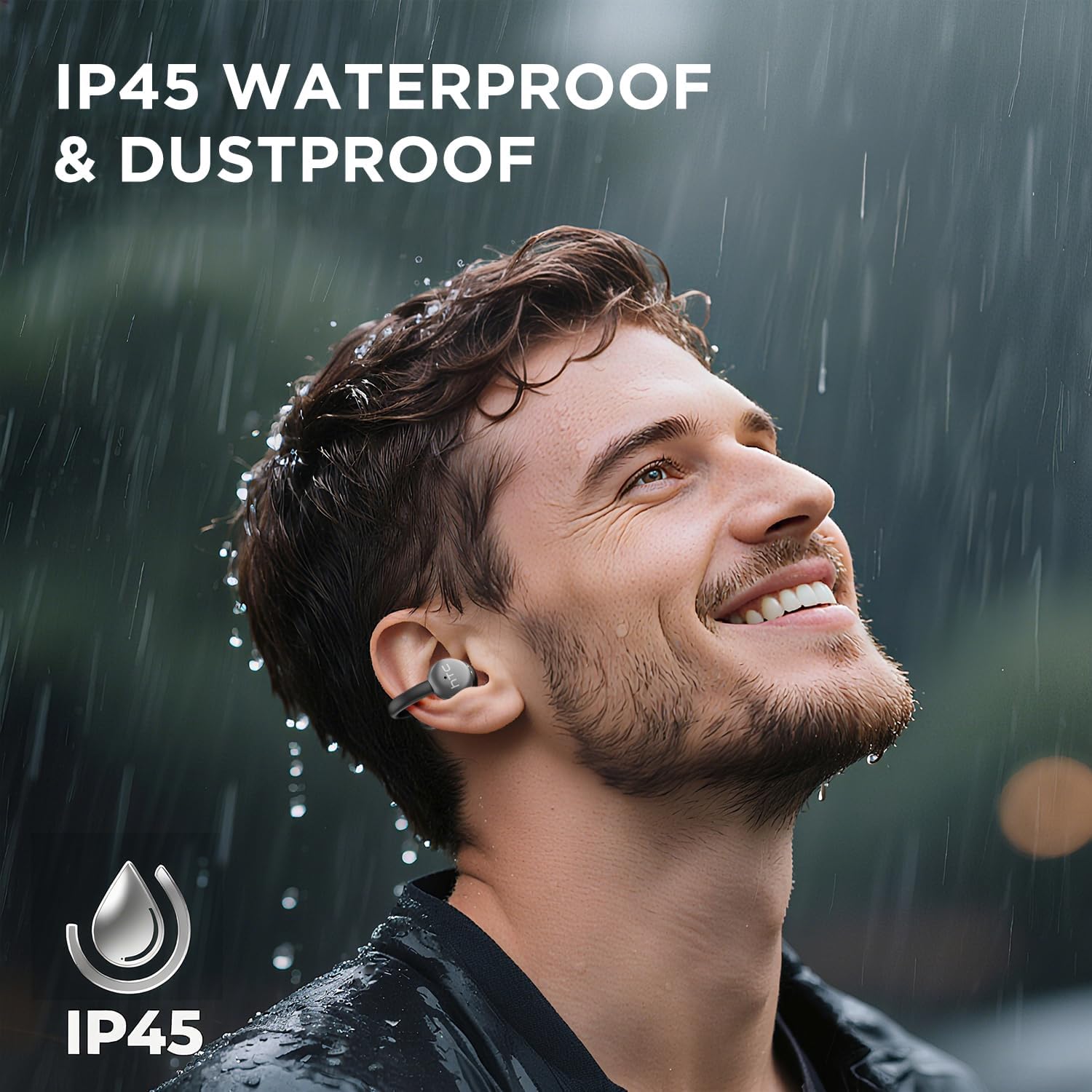
Image 7.1: The HTC N15 earbuds are IP45 rated, offering protection against dust and water splashes, making them suitable for outdoor activities.
8. استكشاف الأخطاء وإصلاحها
| مشكلة | السبب المحتمل | حل |
|---|---|---|
| سماعات الأذن لا تقترن | انخفاض مستوى البطارية؛ إيقاف تشغيل البلوتوث على الجهاز؛ سماعات الأذن ليست في وضع الاقتران؛ تداخل. | Charge earbuds and case. Ensure Bluetooth is enabled on your device. Place earbuds in case, close, then open to re-enter pairing mode. Move closer to your device. |
| لا يوجد صوت أو جودة صوت رديئة | Volume too low; Earbuds not properly seated; Device not connected; Dirty earbuds. | Increase device volume. Adjust earbuds for a proper fit. Reconnect earbuds to your device. Clean earbuds as per maintenance section. |
| سماعات الأذن لا تشحن | Charging cable not connected properly; Dirty charging contacts; Faulty cable/adapter. | Ensure USB-C cable is securely connected. Clean charging contacts. Try a different USB-C cable or power adapter. |
| الضوابط التي تعمل باللمس لا تستجيب | Earbuds not active; Moisture on touch surface; Software glitch. | Ensure earbuds are active and connected. Wipe touch surface dry. Place earbuds back in case, close, then reopen to reset. |
9. المواصفات
| ميزة | مواصفة |
|---|---|
| اسم الموديل | HTC NE15 |
| نسخة البلوتوث | 6.0 |
| تكنولوجيا الاتصال | لاسلكي (بلوتوث) |
| نوع سماعة الأذن | Clip-On, Open-Ear |
| حجم السائق | 13 ملم |
| طريقة التحكم | يلمس |
| ميكروفون | مدمج |
| وقت التشغيل بشحنة واحدة | تصل إلى 8 ساعة |
| إجمالي وقت اللعب (مع الحقيبة) | تصل إلى 22 ساعة |
| Case Fast Charging | حوالي 1.5 ساعات |
| منفذ الشحن | يو اس بي-سي |
| مقاومة الماء | IP45 (مقاوم للماء والغبار) |
| وزن ياربود | حوالي 4.7 غرام (لكل واحدة) |
| الأجهزة المتوافقة | Smartphones, Tablets, Bluetooth-enabled Devices (iOS, Android) |
| رمز المنتج الموحد | 768649989642 |
10. الضمان والدعم
HTC provides customer support for its products. If you encounter any issues or have questions not covered in this manual, please contact our support team.
- دعم العملاء: 7*24 Live Chat Support is available. Refer to the product packaging or official HTC webموقع للحصول على تفاصيل الاتصال.
- معلومات الضمان: Please retain your proof of purchase for warranty claims. Specific warranty terms and conditions may vary by region. Refer to the warranty card included in your package or the official HTC webالموقع للحصول على معلومات مفصلة.


