1. المقدمة
This manual provides essential information for the safe and effective operation of your ZENTALITY Mini Projector A10 PLUS. Please read this manual thoroughly before using the product and retain it for future reference.
المنتج انتهىview
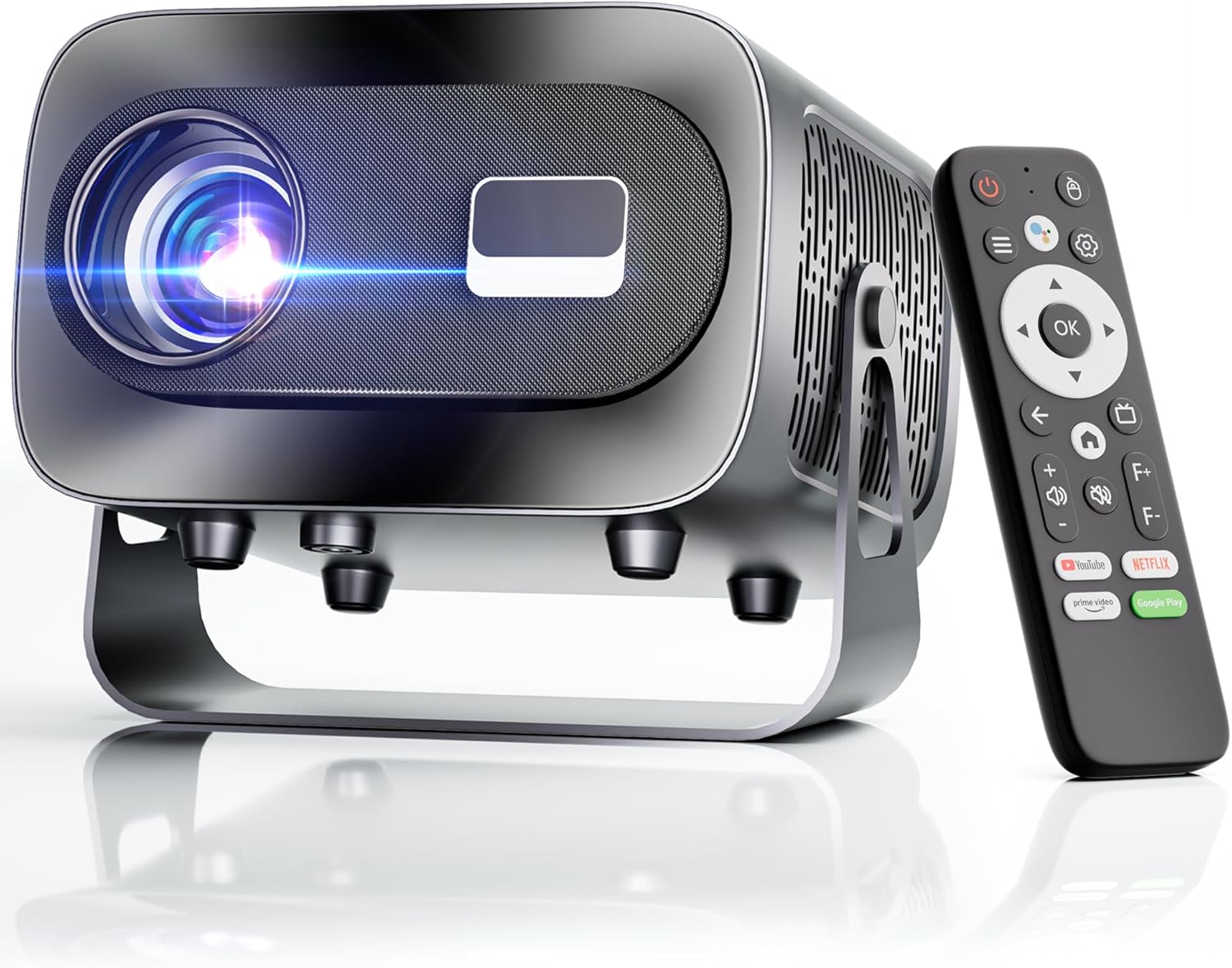
The ZENTALITY Mini Projector A10 PLUS is a smart projector featuring Android 13, designed for versatile home and outdoor entertainment. It supports 4K and 1080P HD content, offers electric focus, auto vertical keystone correction, and includes dual-band WiFi 6 and Bluetooth 5.1 connectivity. Its compact design and multiple input options make it suitable for various applications.
ماذا يوجد في الصندوق
- ZENTALITY Mini Projector A10 PLUS
- كابل HDMI
- محول الطاقة
- جهاز التحكم عن بعد
- دليل المستخدم (هذا المستند)
2. معلومات السلامة
يرجى مراعاة احتياطات السلامة التالية لمنع تلف جهاز العرض وضمان سلامة المستخدم:
- لا تسد فتحات التهوية. تأكد من وجود تدفق هواء كافٍ حول جهاز العرض لمنع ارتفاع درجة حرارته.
- تجنب التعرض المباشر لضوء عدسة جهاز العرض. فالضوء الساطع قد يسبب إجهادًا أو تلفًا للعين.
- Use only the provided power adapter. Using an incompatible adapter may cause fire, electric shock, or damage.
- أبقِ جهاز العرض بعيدًا عن الماء أو السوائل الأخرى. لا تقم بتشغيله في الظلام.amp البيئات.
- لا تحاول تفكيك أو إصلاح جهاز العرض بنفسك. أسند جميع أعمال الصيانة إلى فنيين مؤهلين.
- ضع جهاز العرض على سطح مستوٍ وثابت لمنعه من السقوط.
- يحفظ بعيدًا عن متناول الأطفال.
3. مكونات المنتج والمنافذ
Familiarize yourself with the projector's physical features and connectivity options.

المنافذ المتاحة:
- يو اس بي (×2): For connecting USB drives, external storage, or other USB-compatible devices.
- HDMI: For connecting devices such as laptops, gaming consoles, or TV sticks.
- مخرج الصوت (مقبس 3.5 ملم): لتوصيل مكبرات الصوت الخارجية أو سماعات الرأس.
- مدخلات الطاقة: لتوصيل محول الطاقة.
4. الإعداد الأولي
4.1 توصيل الطاقة
- قم بتوصيل محول الطاقة بمنفذ إدخال الطاقة الخاص بالجهاز العرض.
- قم بتوصيل محول الطاقة بمأخذ الحائط.
- اضغط على زر الطاقة الموجود على جهاز العرض أو جهاز التحكم عن بعد لتشغيله.
4.2 الاقتران بوحدة التحكم عن بعد
Important: The remote control must be paired via Bluetooth before it can operate smoothly within 1-3 meters.
- تأكد من تشغيل جهاز العرض.
- Navigate to the projector's Bluetooth settings (usually found in the 'Settings' menu).
- Select 'Pair new device' or similar option.
- On the remote control, press and hold the designated pairing button (refer to the remote's specific instructions if available, often a combination of 'OK' and 'Volume Down' or a dedicated Bluetooth button).
- Once the remote appears in the projector's Bluetooth device list, select it to complete pairing.

4.3 Placement and Screen Adjustment
The projector offers automatic and electric adjustments for optimal image clarity and alignment.
- التركيز الكهربائي: The projector features electric focus for instant clarity. Use the 'F+' and 'F-' buttons on the remote control to fine-tune the image sharpness.
- تصحيح الانحراف الرأسي التلقائي: The projector automatically corrects vertical image distortion up to ±15°. This ensures a rectangular image even if the projector is not perfectly perpendicular to the screen.
- وظيفة التكبير: Adjust the image size from 50% to 100% without moving the projector. This is useful for fitting the projection to your screen size.


5. تعليمات التشغيل
5.1 Android 13 Interface and App Access
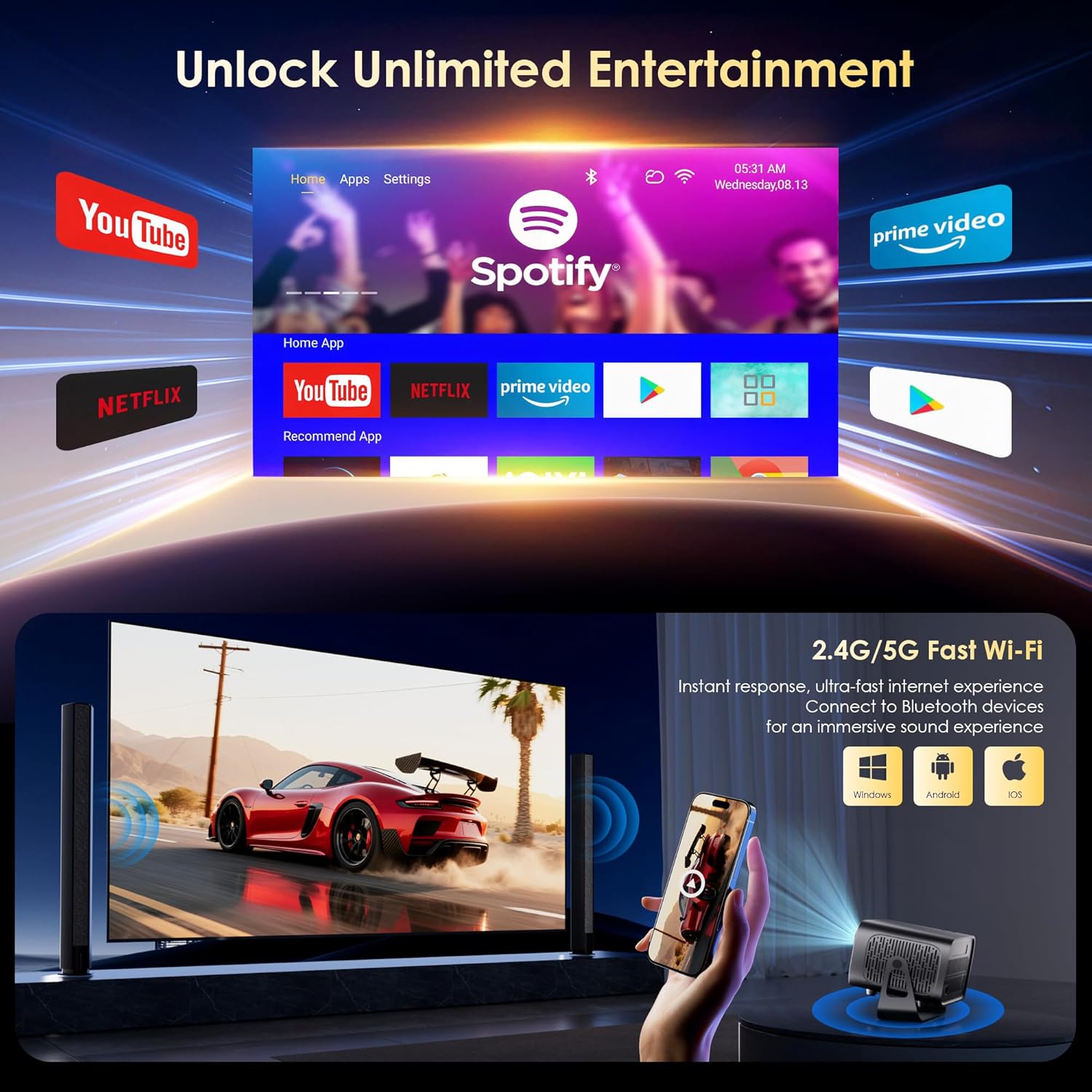
The projector runs on Android 13, providing access to a wide range of streaming applications.
- Upon startup, the home screen will display pre-installed applications like Netflix, Prime Video, and YouTube.
- Navigate using the remote control's directional pad and 'OK' button.
- Access the built-in app store (e.g., Google Play Store) to download additional applications.
- Use the voice assistant feature on the remote control for quick app launching or content search.

5.2 اتصال واي فاي
The projector supports dual-band 5G/2.4G WiFi 6 for stable internet access and screen mirroring.
- Go to 'Settings' on the home screen.
- اختر "الشبكة والإنترنت".
- قم بتشغيل الواي فاي واختر الشبكة التي تريدها من القائمة.
- أدخل كلمة المرور إذا طُلب منك ذلك، ثم قم بالاتصال.
Note: WiFi is required for the first setup or online apps. If you prefer not to connect to WiFi, you can use the projector offline by connecting external devices via the included HDMI cable or the USB port.

5.3 اتصال البلوتوث
The projector features Bluetooth 5.1 for audio streaming.
- Go to 'Settings' on the home screen.
- حدد "الأجهزة المتصلة" أو "البلوتوث".
- قم بتشغيل البلوتوث والبحث عن الأجهزة المتاحة.
- Select your Bluetooth speaker, headphones, or soundbar from the list to pair.
Note: Bluetooth supports audio output only, not video transmission.
5.4 توصيل الأجهزة الخارجية
The projector supports various external devices via its HDMI and USB ports.
- HDMI: Connect your laptop, gaming console, or TV stick using an HDMI cable. The projector will automatically detect the input or you may need to select the HDMI source from the input menu.
- USB: أدخل محرك أقراص USB لتشغيل الوسائط files directly. The projector's media player will typically launch automatically or can be accessed from the home screen.
5.5 أنماط العرض
The projector can be used in various orientations:
- عرض سطح المكتب: Place the projector on a flat surface in front of the screen.
- إسقاط السقف: Mount the projector upside down on the ceiling. Adjust the projection settings in the menu to flip the image.
- ترايبود تصاعد: Use the 1/4'' screw hole at the bottom to mount the projector on a tripod for flexible positioning.

6. الصيانة
6.1 التنظيف
- عدسة: استخدم قطعة قماش ناعمة وخالية من الوبر مصممة خصيصًا للعدسات البصرية. لا تستخدم منظفات أو أقمشة كاشطة.
- الخارج: امسح الجزء الخارجي من جهاز العرض بقطعة قماش ناعمة وجافة. لإزالة الأوساخ المستعصية، استخدم منظفًا خفيفًا.amp يمكن استخدام قطعة قماش، ثم مسحها بقطعة قماش جافة.
- فتحات التهوية: Periodically check and gently clean the ventilation openings to ensure they are free from dust and debris. Use a soft brush or compressed air.
6.2 نظام التبريد
The projector features an advanced dual-fan cooling system designed for low noise and efficient heat dissipation. To ensure its longevity and stable performance:
- Always ensure the projector has adequate space around its ventilation openings.
- Avoid placing the projector on soft surfaces (e.g., blankets, carpets) that might block airflow.
- Operating the projector in extremely hot or humid environments may affect its performance and lifespan.
7. استكشاف الأخطاء وإصلاحها
إذا واجهت مشكلات مع جهاز العرض الخاص بك، فراجع المشكلات والحلول الشائعة التالية:
| مشكلة | السبب المحتمل | حل |
|---|---|---|
| No power/Projector won't turn on | كابل الطاقة غير موصول؛ مأخذ الطاقة معطل | تحقق من توصيل كابل الطاقة؛ جرب منفذًا كهربائيًا مختلفًا. |
| No image/Blank screen | Incorrect input source; Device not connected properly | Select correct input source (HDMI, USB); Reconnect external device |
| Image blurry/Out of focus | لم يتم ضبط التركيز | Use the 'F+' and 'F-' buttons on the remote for electric focus adjustment |
| Image distorted/Trapezoid shape | Keystone not corrected | The projector has auto vertical keystone correction. Ensure it's on or manually adjust if needed. |
| جهاز التحكم عن بعد لا يعمل | Not paired via Bluetooth; Low battery | Pair the remote control via Bluetooth (Section 4.2); Replace remote batteries |
| لا يوجد صوت | مستوى الصوت منخفض جدًا؛ إخراج الصوت غير صحيح؛ البلوتوث غير متصل | Increase volume; Check audio output settings; Ensure Bluetooth speaker is paired |
| مشاكل في اتصال الواي فاي | Incorrect password; Router issues; Out of range | Verify WiFi password; Restart router; Move projector closer to router |
8. المواصفات
Detailed technical specifications for the ZENTALITY Mini Projector A10 PLUS:
- ماركة: زينتاليتي
- رقم الموديل: A10 بلس
- وزن السلعة: 3.1 رطل
- أبعاد المنتج: 7.4 × 6.22 × 4.8 بوصة
- نظام التشغيل: أندرويد 13
- دقة العرض: 1920 × 1080 (دقة عالية كاملة أصلية 1080 بكسل)
- دعم 4K: نعم
- سطوع: شموم شمعة أنسي
- نسبة التباين: 10,000:1
- تقنية الاتصال: 3.5mm Jack, Bluetooth 5.1, HDMI, USB (x2), Wi-Fi 6 (2.4G/5G)
- المميزات الخاصة: Built-In Media Player, Built-In Speaker, Electric Focus, Portable, Wi-Fi Ready, Auto Vertical Keystone Correction
- الاستخدامات الموصى بها: الأعمال، التعليم، الألعاب، السينما المنزلية
- Lamp عمر: تصل إلى 100,000 ساعة

9. الضمان والدعم
ZENTALITY is committed to providing quality products and customer satisfaction.
- ضمان الجودة: 360-Day Quality Guarantee.
- الإرجاعات: 180-Day Free Returns.
- الدعم الفني: دعم فني مدى الحياة.
- خدمة العملاء: 24/7 Fast Customer Service.
For support inquiries, please refer to the contact information provided on the ZENTALITY official webالموقع أو منصة الشراء الخاصة بك.


