مقدمة
This manual provides essential instructions for setting up, operating, and maintaining your Veidoo E8 8.2-inch E-Book Reader. Please read this guide thoroughly to ensure optimal performance and longevity of your device.

Image: The Veidoo E8 E-Book Reader, shown with its protective cover and stylus. The device features an E-Ink screen displaying text and a power button icon.
ماذا يوجد في الصندوق
تأكد من وجود جميع العناصر في العبوة:
- Veidoo E8 E-Book Reader
- New Generation Stylus
- حافظة حماية
- Type-C Adapter (Power Adapter)
- كابل USB-C
- دليل المستخدم (هذا المستند)

Image: A visual representation of the package contents, including the E-Ink ebook reader, stylus, quick guide, Type-C adapter, and protective cover.
يثبت
1. شحن الجهاز
Before first use, fully charge your E-Book Reader. Connect the provided USB-C cable to the device's USB-C port and the other end to the Type-C adapter, then plug into a power outlet. The 3000mAh battery provides weeks of reading on a single charge.

Image: The Veidoo E8 E-Book Reader being charged via a USB-C cable, illustrating its long-lasting battery and fast charging capability.
2. تشغيل/إيقاف التشغيل
- لتشغيل: Press and hold the power button located on the side or top edge of the device until the screen activates.
- لإيقاف التشغيل: Press and hold the power button, then select 'Power off' from the on-screen options.
- للنوم/الاستيقاظ: Briefly press the power button to put the device into sleep mode or wake it up.
3. التكوين الأولي
Upon first power-on, follow the on-screen prompts to select your preferred language, connect to a Wi-Fi network, and set up other basic preferences. The device supports dual-band Wi-Fi (2.4G/5G) for stable and high-speed connections.
4. Stylus Setup
The included stylus is battery-free and requires no charging or pairing. Simply remove it from its magnetic holder on the protective case and begin using it for navigation, writing, and annotation.
Operating the E-Book Reader
1. Display and Reading Experience
The Veidoo E8 features an 8.2-inch E-Ink screen with 1440x1920 resolution (292 PPI), providing a clear, paper-like reading experience. The anti-glare treatment reduces reflections and blue light emission.
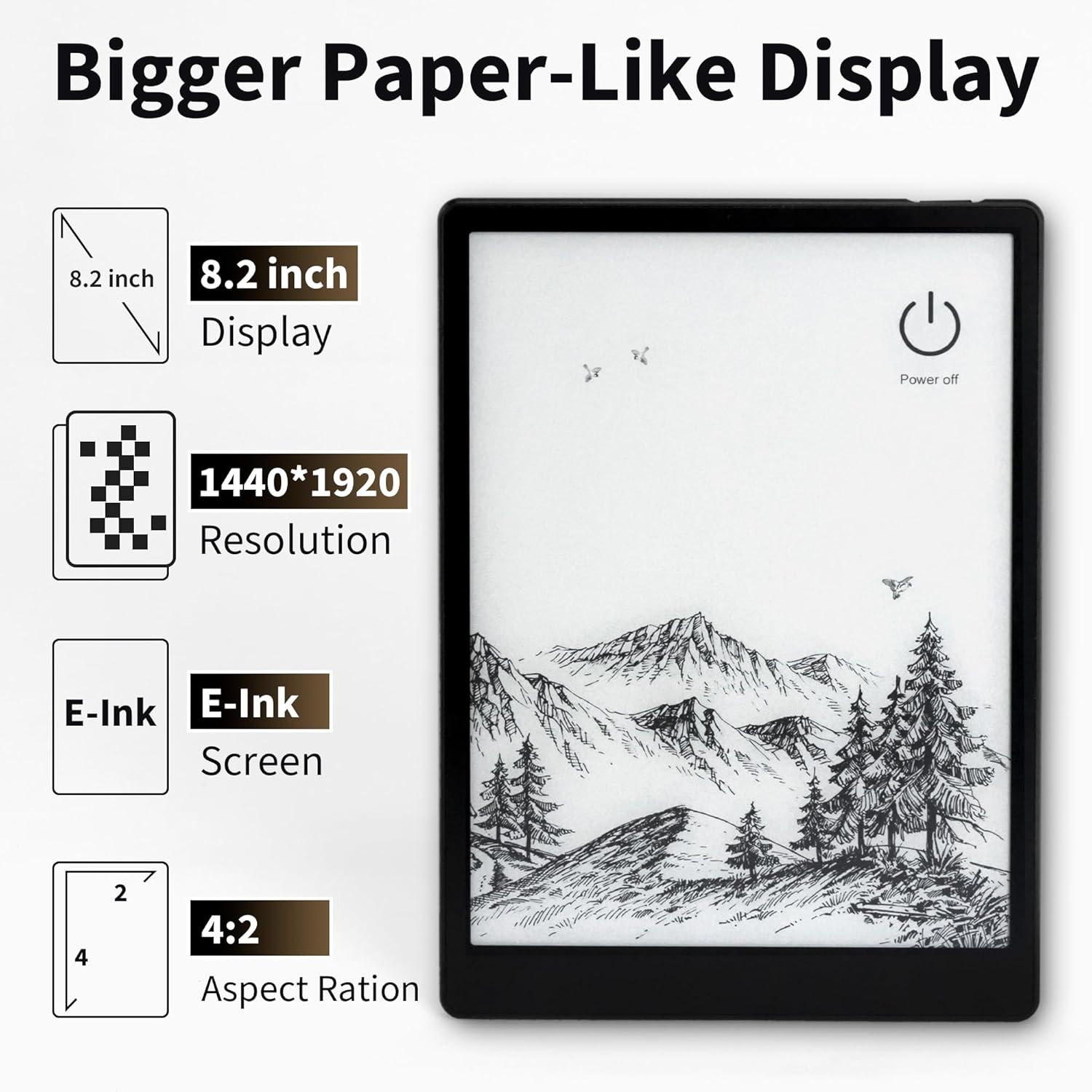
Image: A close-up of the Veidoo E8's 8.2-inch E-Ink display, highlighting its 1440x1920 resolution and paper-like quality.
Adjustable SMARTlight
Customize your reading environment with the adjustable SMARTlight. You can change brightness and color temperature (cool light for daytime, warm light for nighttime) to suit any lighting condition. Access these settings through the quick settings panel or within reading applications.

Image: The adjustable front light feature of the Veidoo E8, showing various screen color temperatures from cool to warm light, and a night reading mode.
التنسيقات المدعومة
The device supports major e-book formats including EPUB, PDF, and MOBI, with smart typesetting optimization for an enhanced reading experience.
2. Navigation and Performance
Equipped with a 1.8GHz quad-core processor and 4GB RAM, the E8 ensures smooth system operation. Page flipping, annotations, and application switching are responsive. The 64GB internal storage can hold over 20,000 e-books.

Image: The Veidoo E8 E-Book Reader's interface showing a library of books, emphasizing its 4GB RAM and 64GB ROM for extensive storage.
3. وظيفة القلم
The battery-free stylus offers precise control for writing, PDF annotation, and note-taking. It features pressure sensitivity for a natural writing feel and an integrated eraser function.

الصورة: تفصيلية view of the Veidoo E8 stylus, highlighting its built-in eraser, pressure sensitivity, and smooth writing experience on the E-Ink screen.
4. ميزات الصوت
The E8 includes dual speakers, enhancing the reading experience by supporting read-aloud functions for audiobooks and other audio content. Bluetooth 5.0 connectivity allows for wireless headphone use.

Image: An illustration showing the Veidoo E8 E-Book Reader with sound waves emanating from its sides, indicating its dual speakers for balanced audio quality.
صيانة
1. تنظيف الجهاز
Use a soft, lint-free cloth to gently wipe the screen and body of the device. Avoid using harsh chemicals or abrasive materials, which can damage the E-Ink display or casing.
2. العناية بالبطارية
To prolong battery life, avoid exposing the device to extreme temperatures. Charge the device regularly, but avoid leaving it fully discharged for extended periods.
3. تحديثات البرامج
Periodically check for software updates in the device settings to ensure optimal performance, security, and access to new features. Connect to Wi-Fi before initiating any updates.
4. حالة وقائية
Always use the provided protective case to shield your E-Book Reader from scratches, impacts, and dust. The case offers 360° protection and features a magnetic stylus holder.
استكشاف الأخطاء وإصلاحها
- الجهاز لا يتم تشغيله: Ensure the device is sufficiently charged. Connect it to the charger for at least 30 minutes, then attempt to power it on again.
- الشاشة لا تستجيب: If the screen is unresponsive, try restarting the device by holding the power button for 10-15 seconds until it reboots.
- مشكلات الاتصال بشبكة Wi-Fi: Check if your Wi-Fi router is working correctly. Try forgetting the network and reconnecting, or restart both the E-Book Reader and your router.
- القلم لا يعمل: Ensure the stylus tip is clean and undamaged. Since it's battery-free, no charging is required. If issues persist, contact support.
- الأداء البطيء: Close any unused applications running in the background. If performance remains slow, consider performing a factory reset (back up your data first).
تحديد
| اسم الموديل | E8 |
| عرض | 8.2-inch E-Ink, 1440x1920 resolution (292 PPI) |
| المعالج | 1.8GHz Quad-core |
| كبش | 4 جيجا بايت |
| التخزين الداخلي | 64 جيجابايت ذاكرة القراءة فقط |
| بطارية | 3000 مللي أمبير |
| الاتصال | Dual-band Wi-Fi (2.4G/5G), Bluetooth 5.0 |
| نظام التشغيل | Android (version not specified, but supports Android apps) |
| التنسيقات المدعومة | EPUB, PDF, MOBI, and others |
| أبعاد | 7.48 × 0.39 × 5.51 بوصة (190 × 10 × 140 مم) |
| وزن | 13.8 أونصات (390 جرام) |
| المكونات المضمنة | E-Book Reader, Stylus, Protective Case, Type-C Adapter, USB-C Cable, User Manual |
الضمان والدعم
معلومات الضمان
Specific warranty details for the Veidoo E8 E-Book Reader are not provided in this manual. Please refer to the warranty card included with your product or visit the official Veidoo webالموقع للاطلاع على شروط وأحكام الضمان الشاملة.
دعم العملاء
For technical assistance, troubleshooting, or any inquiries regarding your Veidoo E8 E-Book Reader, please contact Veidoo customer support. Contact information can typically be found on the official Veidoo webالموقع أو على عبوة المنتج.


