1. المقدمة
Thank you for choosing the Transformers GM04 Lightweight Wireless Gaming Mouse. This manual provides essential information for setting up, operating, and maintaining your new gaming mouse. Designed for precision and comfort, the GM04 features a high-precision PAW3311 sensor, triple connection modes (2.4G wireless, Bluetooth 5.3, and USB-C wired), 5 programmable buttons, and up to 100 hours of battery life. Its ergonomic design and lightweight construction ensure a comfortable and responsive experience for gaming, work, and study.
2. ماذا يوجد في الصندوق
- TF-GM04 Wireless Gaming Mouse x 1
- USB Wireless Dongle x 1
- كابل USB-C × 1
- دليل المستخدم × 1
3. انتهى المنتجview
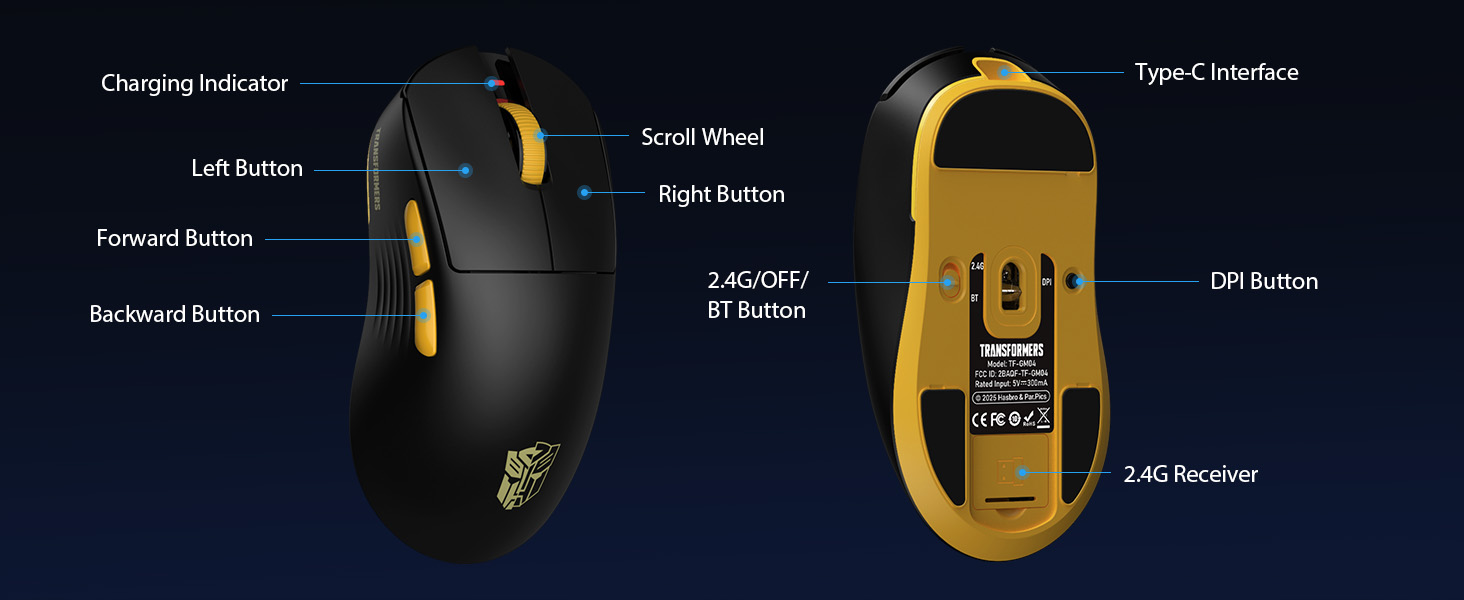
Familiarize yourself with the key features and components of your Transformers GM04 gaming mouse.
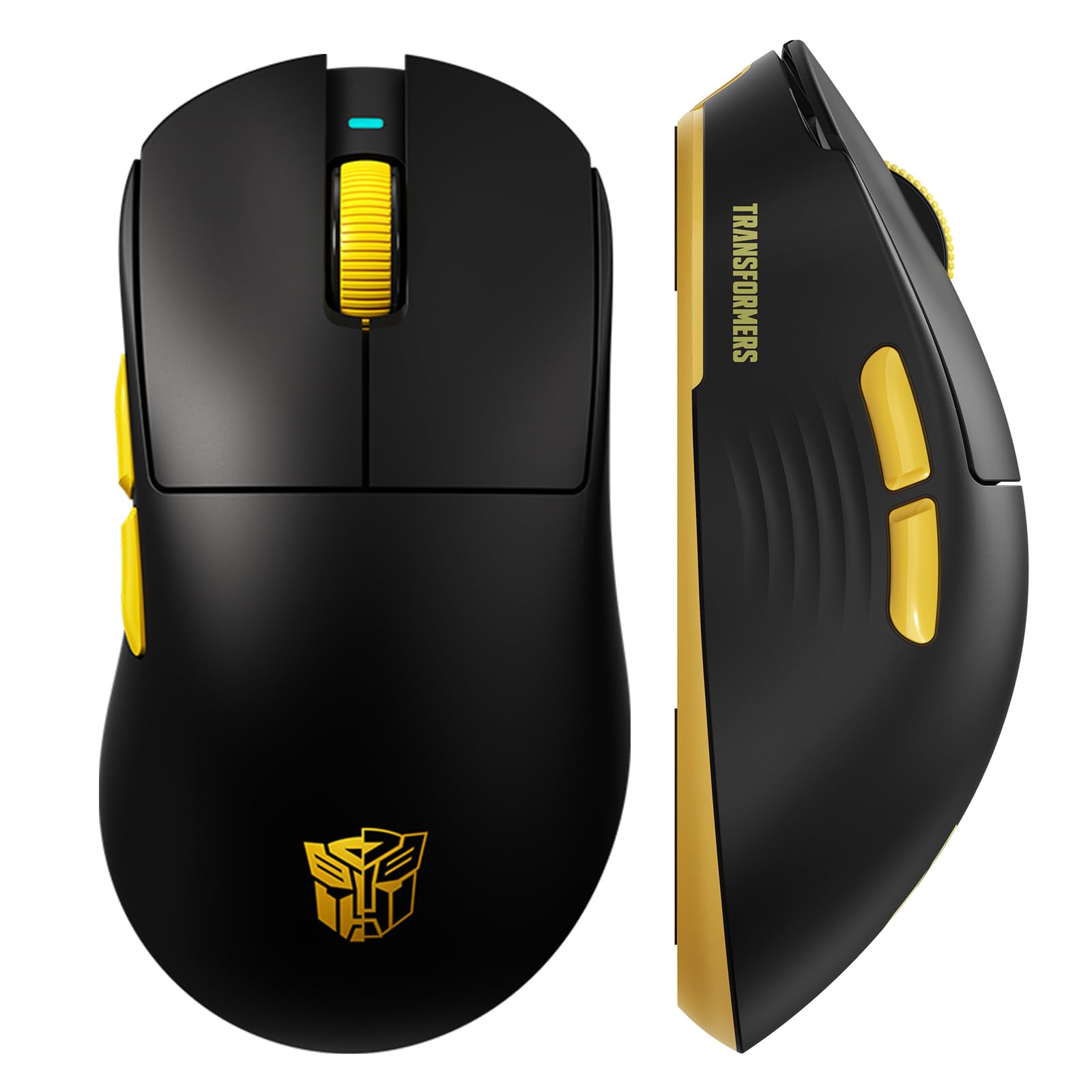
الصورة 1: The Transformers GM04 Wireless Gaming Mouse, showcasing its sleek black and yellow design, along with icons highlighting its core features such as PixArt PAW3311 sensor, up to 12000 DPI, 1000Hz polling rate, 20 million clicks, Tri-Mode connectivity, custom macros, 63g lightweight design, and up to 100 hours of battery life. A USB wireless dongle is also visible next to the mouse.

الصورة 2: A hand demonstrating the ergonomic design of the Transformers GM04 mouse. The image highlights how the mouse fits comfortably in the palm, promoting more comfort and less fatigue during extended use, thanks to its non-slip texture.

الصورة 3: The underside of the Transformers GM04 mouse, detailing the 2.4G/OFF/BT switch for connection modes, the DPI button, and the storage compartment for the 2.4G wireless receiver. This view is crucial for understanding how to switch modes and adjust settings.

الصورة 4: An illustration of the 6-level adjustable DPI settings for the Transformers GM04 mouse. It shows the DPI values (1200, 2400, 3200, 4800, 6400, 12000) and their corresponding LED indicator colors (Red, Green, Blue, Purple, Yellow, Cyan), which helps users identify the current DPI level.
الصورة 5: انفجرت view diagram of the Transformers GM04 mouse, highlighting the HUANO micro switches. This image emphasizes the precision-engineered mechanical switches designed for crisp feedback and a lifespan of over 20 million clicks, ideal for rapid gaming actions.
فيديو 1: An official product video from Transformers Keyboard showcasing the GM04 Lightweight Wireless Gaming Mouse. This short video provides a dynamic overview of the mouse's design and features.
4. الإعداد
4.1. شحن الماوس
Before first use, it is recommended to fully charge your GM04 mouse. Connect the provided USB-C cable to the mouse's front port and the other end to a USB power source (e.g., computer USB port, USB wall adapter). The LED indicator will show charging status.
4.2. توصيل الماوس
The GM04 mouse supports three connection modes: 2.4G Wireless, Bluetooth 5.3, and USB-C Wired. Use the switch on the bottom of the mouse to select your desired mode.
4.2.1. وضع 2.4G اللاسلكي
- Remove the USB wireless dongle from its storage slot on the bottom of the mouse.
- Plug the USB wireless dongle into an available USB-A port on your computer.
- حرك مفتاح الوضع الموجود أسفل الماوس إلى وضع "2.4G".
- يجب أن يتصل الماوس بالكمبيوتر تلقائيًا.
4.2.2. وضع بلوتوث
- حرك مفتاح الوضع الموجود أسفل الماوس إلى وضع "BT".
- على جهاز الكمبيوتر الخاص بك أو جهازك، افتح إعدادات البلوتوث وابحث عن أجهزة جديدة.
- Select "TF-GM04 BT" from the list of available devices to pair.
- The mouse should connect and be ready for use.
4.2.3. وضع USB-C السلكي
- Connect the provided USB-C cable to the mouse's front port and the other end to a USB-A port on your computer.
- سيتحول الماوس تلقائيًا إلى الوضع السلكي ويبدأ الشحن.
5. التشغيل
5.1. ضبط DPI
The GM04 mouse offers 6 default DPI settings. To cycle through these settings, press the زر DPI located on the bottom of the mouse. The LED indicator will change color to reflect the current DPI level:
- أحمر: 1200 نقطة في البوصة
- أخضر: 2400 نقطة في البوصة
- أزرق: 3200 نقطة في البوصة
- أرجواني: 4800 نقطة في البوصة
- الأصفر: 6400 نقطة في البوصة
- ازرق سماوي: 12000 نقطة في البوصة
5.2. أزرار قابلة للبرمجة
The mouse features 5 programmable buttons. To customize these buttons with macro commands, shortcut keys, or other functions, you will need to use the dedicated driver software. This software is typically available for Windows systems under 2.4G wireless and wired modes. Bluetooth mode may not support full software customization.
5.3. تبديل وضع الاتصال
Easily switch between 2.4G Wireless, Bluetooth, and Wired modes using the dedicated switch on the bottom of the mouse. This allows for seamless transitions between multiple devices.
5.4. مؤشرات LED
- مؤشر دي بي اي: Changes color according to the current DPI setting (see 5.1).
- مؤشر الشحن: A green LED near the scroll wheel indicates charging. It turns off when fully charged.
6. الصيانة
6.1. التنظيف
To maintain optimal performance and appearance, regularly clean your mouse. Use a soft, dry cloth to wipe the surface. For stubborn dirt, a slightly damp يمكن استخدام قطعة قماش، مع الحرص على عدم دخول الرطوبة إلى المكونات الداخلية. تجنب استخدام المواد الكيميائية القاسية أو المواد الكاشطة.
6.2. العناية بالبطارية
The GM04 mouse is equipped with a 500mAh high-capacity battery. To prolong battery life:
- تجنب تفريغ البطارية بالكامل بشكل متكرر.
- قم بتخزين الماوس في مكان بارد وجاف عندما لا يكون قيد الاستخدام لفترات طويلة.
- If using wired mode, the mouse will charge automatically.
7. استكشاف الأخطاء وإصلاحها
7.1. عدم استجابة الماوس
- التحقق من البطارية: Ensure the mouse is charged. Connect it via USB-C cable.
- تحقق من وضع الاتصال: Verify the switch on the bottom is set to the correct mode (2.4G, BT, or Wired).
- Re-pair (2.4G/Bluetooth): For 2.4G, try plugging the dongle into a different USB port. For Bluetooth, unpair and re-pair the device in your computer's settings.
- جرب الوضع السلكي: Connect the mouse directly via USB-C cable to see if it functions.
7.2. عدم تغير DPI
- تأكد من الضغط على زر DPI الصحيح الموجود أسفل الماوس.
- Observe the LED indicator for color changes to confirm DPI cycles.
- في حال استخدام برامج مخصصة، تأكد من تطبيق الإعدادات بشكل صحيح.
7.3. Lag or Disconnection in Wireless Mode
- تقليل التداخل: Move the mouse closer to the receiver/device. Avoid obstacles or other wireless devices that may cause interference.
- التحقق من البطارية: Low battery can affect wireless performance.
- تحديث برامج التشغيل: Ensure your computer's Bluetooth or USB drivers are up to date.
8. المواصفات
| ميزة | التفاصيل |
|---|---|
| أبعاد المنتج | 4.68 × 2.52 × 0.1 بوصة |
| وزن العنصر | 2.22 أونصة (حوالي 63 جرامًا) |
| رقم موديل العنصر | تي اف-جي ام 04 |
| تكنولوجيا الاتصال | لاسلكي بتردد 2.4 جيجا هرتز، بلوتوث 5.3، سلكي USB-C |
| تقنية كشف الحركة | بصري (مستشعر PAW3311) |
| إعدادات DPI | 1200/2400/3200/4800/6400/12000 (Adjustable) |
| معدل التصويت | 1000Hz (1ms latency) |
| سرعة التتبع | 300 IPS |
| تسريع | 35 جيجا |
| أزرار | 5 أزرار قابلة للبرمجة |
| نوع المفتاح | HUANO Micro Switches (20 Million Clicks) |
| سعة البطارية | 500 مللي أمبير |
| عمر البطارية | تصل مدة التشغيل إلى 100 ساعة (وضع البلوتوث) |
| التوافق | Windows, Mac OS, and other systems |
9. الضمان والدعم
9.1. معلومات الضمان
The Transformers GM04 Lightweight Wireless Gaming Mouse comes with a standard manufacturer's warranty. Please refer to the packaging or the official Transformers webللاطلاع على شروط وأحكام الضمان بالتفصيل، يرجى زيارة الموقع الإلكتروني. احتفظ بإيصال الشراء كإثبات للشراء في حال تقديم أي مطالبات ضمان.
9.2. دعم العملاء
For technical assistance, troubleshooting, or any questions regarding your Transformers GM04 mouse, please contact Transformers customer support. Contact details can typically be found on the product packaging or the official brand webموقع.


