1. المقدمة
شكرا لك على الشراءasing the Moukey MAMP3 2.0 Channel Stereo Amplifier. This manual provides essential information for the safe and efficient operation of your device. Please read it thoroughly before use and retain it for future reference.
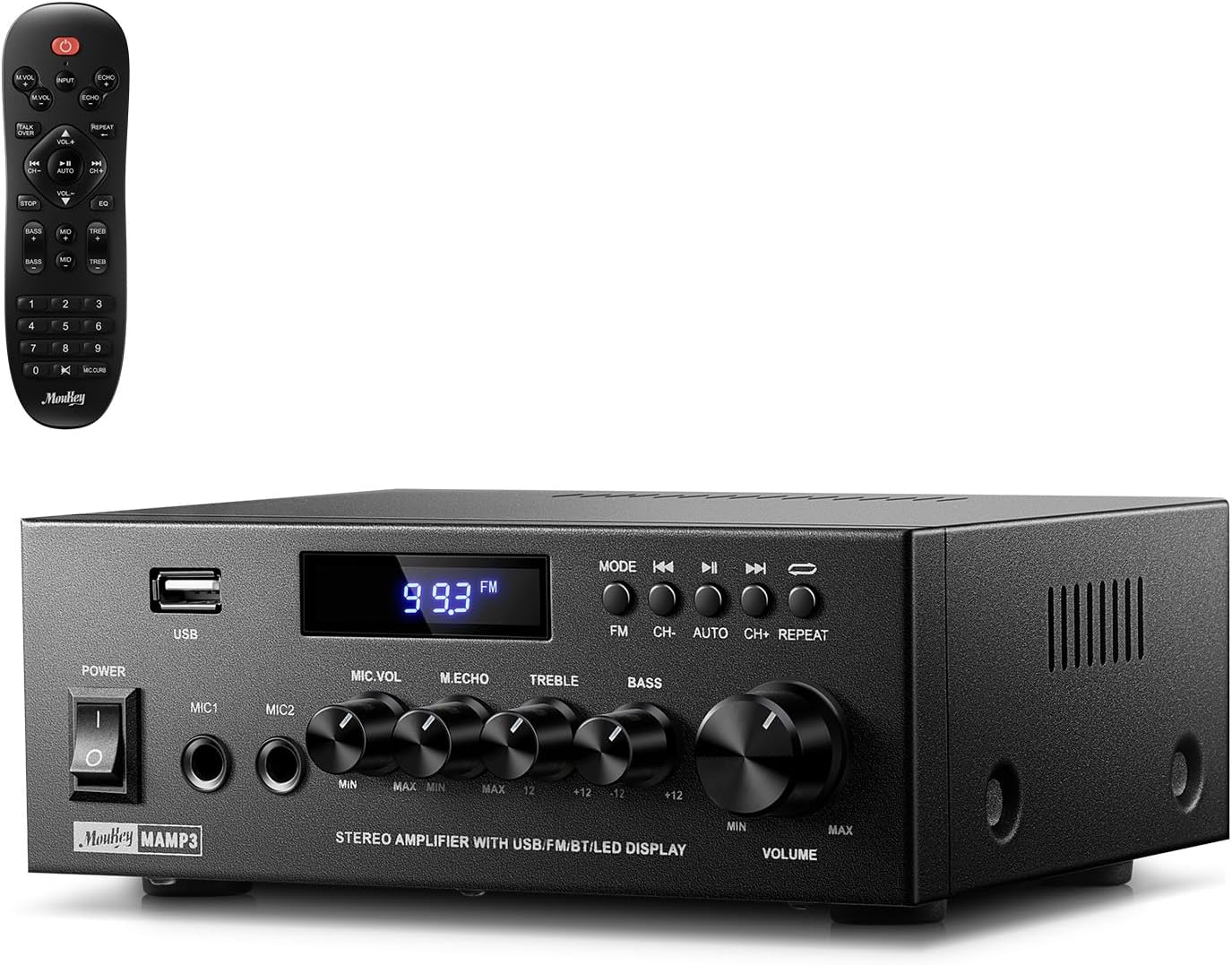
Image 1.1: The Moukey MAMP3 amplifier and its remote control.
2. تعليمات السلامة
- اقرأ جميع التعليمات قبل تشغيل ampمكبر.
- احفظ amplifier away from water, moisture, and extreme temperatures.
- لا تسدّ فتحات التهوية. تأكد من تدفق الهواء بشكل صحيح حول الوحدة.
- استخدم فقط محول الطاقة المرفق مع الوحدة.
- لا تحاول إصلاح أو تعديل الوحدة بنفسك. أحل جميع أعمال الصيانة إلى فنيين مؤهلين.
- Disconnect the power cord from the outlet if the unit will be unused for extended periods.
3. انتهى المنتجview
3.1 الميزات الرئيسية
- 2.0 Channel Stereo Audio Output
- Bluetooth 5.3 for stable wireless connection
- Multiple Audio Inputs: RCA, USB, FM Radio, 2 Microphone Inputs
- Full-function Remote Control with EQ adjustments
- Customizable Treble, Midrange, and Bass controls
- Memory function for mode, volume, and EQ settings
- 300 Watts Peak Power Output
3.2 ضوابط ومؤشرات اللوحة الأمامية

الصورة 3.1: تصميم اللوحة الأمامية
- مفتاح التشغيل: يقوم بتشغيل الوحدة أو إيقاف تشغيلها.
- MIC1/2: مقابس إدخال ميكروفون مقاس 6.35 ملم.
- مقبض صوت الميكروفون: يضبط مستوى صوت الميكروفونات المتصلة.
- مقبض الصدى: يضبط تأثير الصدى للميكروفونات.
- مقبض ثلاثي: يقوم بضبط خرج الصوت عالي التردد.
- مقبض الجهير: يقوم بضبط خرج الصوت منخفض التردد.
- مقبض مستوى صوت الموسيقى: التحكم الرئيسي في مستوى الصوت لجميع مصادر الصوت.
- فتحة USB: لتوصيل أجهزة تخزين USB لتشغيل الصوت.
- عرض الصمام: يعرض الوضع الحالي، أو معلومات المسار، أو تردد FM.
- زر الوضع: Switches between input sources (BT, Aux, CD, USB, FM).
- الزر السابق: Skips to the previous track (USB/BT) or FM station.
- زر التشغيل/الإيقاف المؤقت: Plays or pauses audio (USB/BT).
- زر' التالي: Skips to the next track (USB/BT) or FM station.
- زر التكرار: Repeats current track or all tracks (USB).
3.3 اتصالات اللوحة الخلفية

الصورة 3.2: توصيلات اللوحة الخلفية
- إدخال هوائي FM: قم بتوصيل هوائي FM المرفق لاستقبال الراديو.
- AUDIO INPUT (RCA): Connect external audio sources like CD/DVD players using RCA cables.
- AUDIO OUTPUT (Speaker Terminals): قم بتوصيل السماعات السلبية. تأكد من صحة القطبية (+ إلى + و - إلى -).
- POWER AC INPUT: قم بتوصيل سلك الطاقة بمأخذ التيار المتردد.
4. الإعداد
4.1 فك التعبئة
قم بإزالة amplifier and all accessories from the packaging. Verify that all items listed in the 'What's in the Box' section are present.
4.2 توصيل مكبرات الصوت
همAMP3 amplifier supports two passive speakers. Connect your speakers to the مخرج الصوت terminals on the rear panel. Ensure that the positive (+) terminal on the amplifier connects to the positive (+) terminal on your speaker, and the negative (-) terminal on the amplifier connects to the negative (-) terminal on your speaker. Incorrect polarity can affect sound quality.

Image 4.1: Speaker Connection Diagram
4.3 توصيل مصادر الصوت
ال amplifier offers multiple input options:
- إدخال RCA: Use RCA cables to connect devices such as CD players, DVD players, or other audio equipment to the مدخل الصوت منافذ التوصيل على اللوحة الخلفية.
- مدخل USB: أدخل محرك أقراص فلاش USB في فتحة USB on the front panel for direct audio playback.
- بلوتوث: Pair your Bluetooth-enabled device (smartphone, tablet, laptop) wirelessly.
- راديو FM: قم بتوصيل هوائي FM المرفق بـ مدخل هوائي FM on the rear panel for radio reception. Extend the antenna for optimal signal.
- مدخلات الميكروفون: قم بتوصيل ما يصل إلى ميكروفونين بـ MIC1/2 jacks on the front panel for karaoke or public address.

Image 4.2: Available Signal Inputs
4.4 توصيل الطاقة
قم بتوصيل سلك الطاقة بـ POWER AC INPUT on the rear panel and then plug it into a standard AC power outlet.
5. تعليمات التشغيل
5.1 تشغيل/إيقاف التشغيل
اضغط على مفتاح الطاقة على اللوحة الأمامية لتشغيل amplifier on or off. The LED display will illuminate when the unit is powered on.
5.2 اختيار المدخلات
اضغط على وضع button on the front panel or the remote control to cycle through the available input sources: Bluetooth (BT), Auxiliary (Aux), CD, USB, and FM radio. The selected mode will be shown on the LED display.
5.3 التحكم في مستوى الصوت
قم بتدوير الكبير Music Volume Knob on the front panel clockwise to increase volume and counter-clockwise to decrease it. Volume can also be adjusted using the remote control.
5.4 ضبط المعادل (EQ)
Adjust the sound characteristics using the مقبض ثلاثي و مقبض باس on the front panel. The remote control also provides dedicated buttons for Treble, Midrange, and Bass adjustments. The amplifier will automatically save your preferred EQ settings.
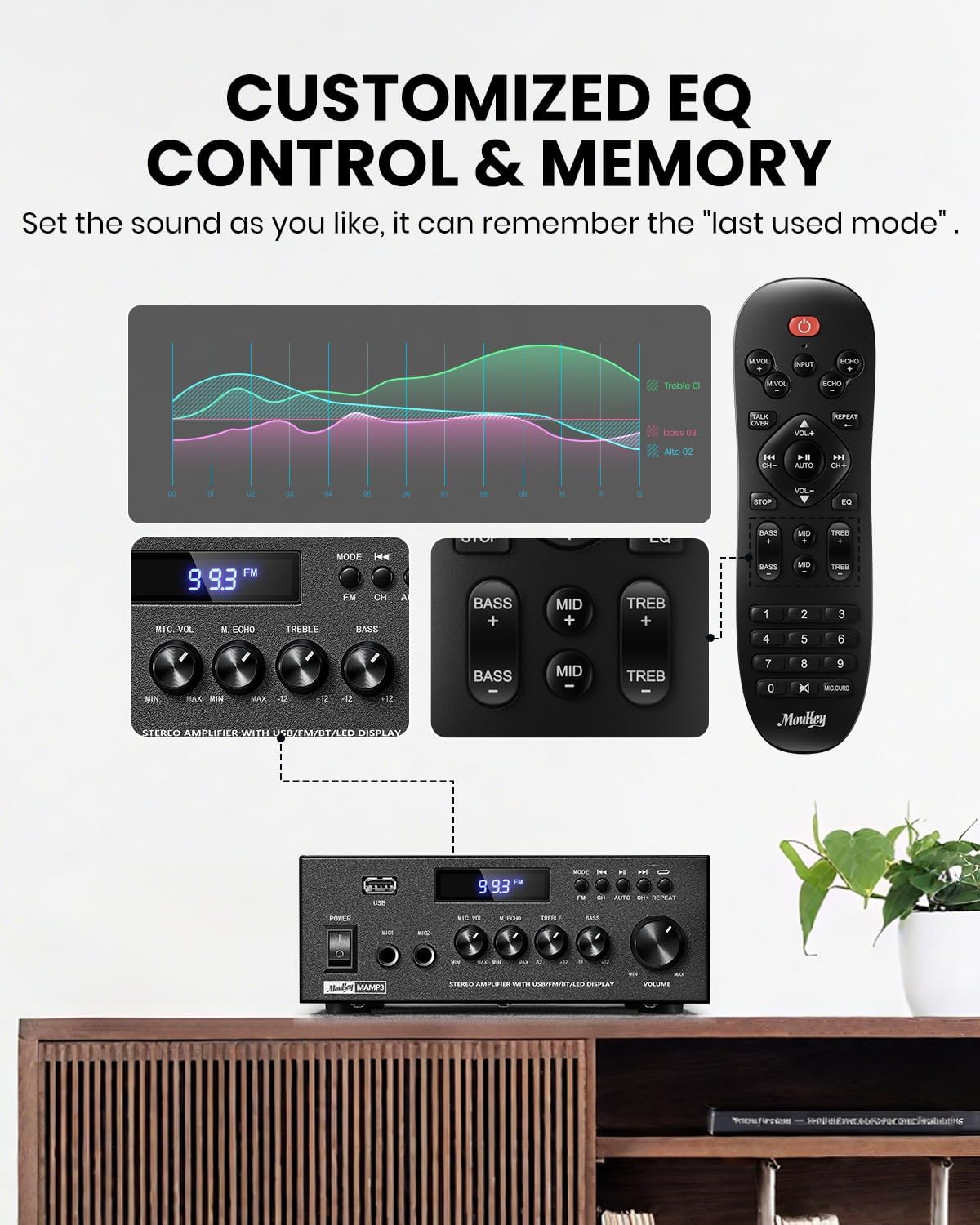
Image 5.1: Customizable EQ Control
5.5 عناصر التحكم في الميكروفون
If microphones are connected, use the مقبض صوت الميكروفون to adjust their output level and the صدى مقبض to add an echo effect. The remote control also features a 'Talkover' function.
5.6 تشغيل بلوتوث
- اضغط على وضع button until "BT" appears on the LED display. The ampمكبر الصوت الآن في وضع الاقتران عبر البلوتوث.
- On your mobile device, enable Bluetooth and search for "Moukey MAMP3".
- Select "Moukey MAMP3" to pair. Once connected, you will hear a confirmation tone.
- يمكنك الآن تشغيل الصوت من جهازك من خلال ampمكبر.

Image 5.2: Bluetooth Pairing
تشغيل راديو 5.7 FM
- اضغط على وضع اضغط على الزر حتى تظهر كلمة "FM" على شاشة LED.
- التأكد الذاتي: Press the "AUTO" button on the remote to automatically scan and save available FM stations.
- ضبط يدوي: Use the number pad on the remote control to directly enter the desired FM frequency (e.g., for 101.1 MHz, enter 1011).
- استخدم سابق و التالي buttons to navigate between saved stations or fine-tune frequencies.
5.8 تشغيل USB
أدخل ذاكرة فلاش USB تحتوي على ملفات صوتية بصيغة MP3 أو WAV fileس في فتحة USB. ال ampسيتحول مكبر الصوت تلقائيًا إلى وضع USB ويبدأ التشغيل. استخدم سابق, تشغيل/إيقاف مؤقت، و التالي buttons to control playback. The يكرر button allows you to repeat the current track or all tracks.
5.9 التحكم عن بعد
The included full-function remote control allows for convenient operation from a distance. It provides control over input selection, volume, EQ settings (treble, midrange, bass), microphone echo, and talkover functions across all input modes.

Image 5.3: Upgraded Remote Control Functionality
6. الصيانة
- تنظيف: استخدم قطعة قماش ناعمة وجافة لتنظيف الجزء الخارجي من الجهاز ampلا تستخدم المنظفات السائلة أو المذيبات.
- تهوية: Ensure that the ventilation openings are free from dust and debris to prevent overheating.
- تخزين: عند عدم الاستخدام لفترات طويلة، قم بتخزينه ampضع جهاز التكييف في مكان بارد وجاف، بعيدًا عن أشعة الشمس المباشرة ودرجات الحرارة القصوى.
7. استكشاف الأخطاء وإصلاحها
| مشكلة | السبب المحتمل | حل |
|---|---|---|
| لا يوجد طاقة | سلك الطاقة غير موصول؛ مأخذ الطاقة معطل؛ مفتاح الطاقة مطفأ. | Ensure power cord is securely connected; Test outlet with another device; Turn power switch on. |
| لا يوجد مخرج صوت | Volume too low; Incorrect input selected; Speaker wires loose/incorrectly connected; Audio source issue. | Increase volume; Select correct input mode; Check speaker wire connections and polarity; Verify audio source is playing. |
| البلوتوث غير متصل | Amplifier not in BT mode; Device too far; Device already connected to another unit; Interference. | يُحوّل amplifier to BT mode; Move device closer; Disconnect from other devices; Reduce interference. |
| استقبال FM ضعيف | الهوائي غير متصل أو في وضع غير مناسب؛ إشارة ضعيفة. | Connect and adjust FM antenna position; Try auto-scan or manual tuning for stronger stations. |
| مشاكل تشغيل USB | غير مدعوم file format; USB drive not formatted correctly; USB drive capacity too large. | يضمن files are MP3/WAV; Format USB drive to FAT32; Use USB drives 32GB or less. |
8. المواصفات
| ميزة | مواصفة |
|---|---|
| رقم الموديل | MAMP3 |
| طاقة الإخراج | 300 واط (الذروة) |
| القنوات | 2.0 ستيريو |
| تكنولوجيا الاتصال | Auxiliary, Bluetooth 5.3, FM, USB |
| الأجهزة المتوافقة | Smartphone, Tablet, Laptop, Computer, Speakers, CD/DVD Player |
| نوع الموصل | RCA, USB, 2 Mic input |
| وضع إخراج الصوت | ستيريو |
| أبعاد المنتج | 6.1 بوصة عمق × 7.1 بوصة عرض × 2.8 بوصة ارتفاع (15.5 × 18.0 × 7.1 سم) |
| وزن العنصر | 2.14 رطل (0.97 كجم) |
| لون | أسود |
8.1 محتويات الصندوق
- موكي مAMP3 Ampالقمامة
- جهاز التحكم عن بعد
- هوائي FM
- دليل المستخدم
- محول الطاقة
9. الضمان والدعم
9.1 معلومات الضمان
Moukey products are designed and manufactured to the highest quality standards. This product is covered by a limited warranty against defects in materials and workmanship. Please refer to the warranty card included with your purchase for specific terms and conditions, or visit the official Moukey webموقع للحصول على معلومات الضمان التفصيلية.
9.2 دعم العملاء
If you encounter any issues or have questions regarding your Moukey MAMP3 amplifier, please contact our customer support team. You can find contact information on the official Moukey webالموقع أو من خلال منصة الشراء الخاصة بك.
Webموقع: www.moukey.com (مثالamp(للحصول على الرابط، يرجى الرجوع إلى وثائق المنتج الفعلية)
بريد إلكتروني: support@moukey.com (مثالample email, please refer to actual product documentation)


