مقدمة
شكرا لك على الشراءasing the CHEREEKI Digital LED Alarm Clock. This manual provides detailed instructions for setting up and operating your new alarm clock. Please read it thoroughly before use and keep it for future reference.
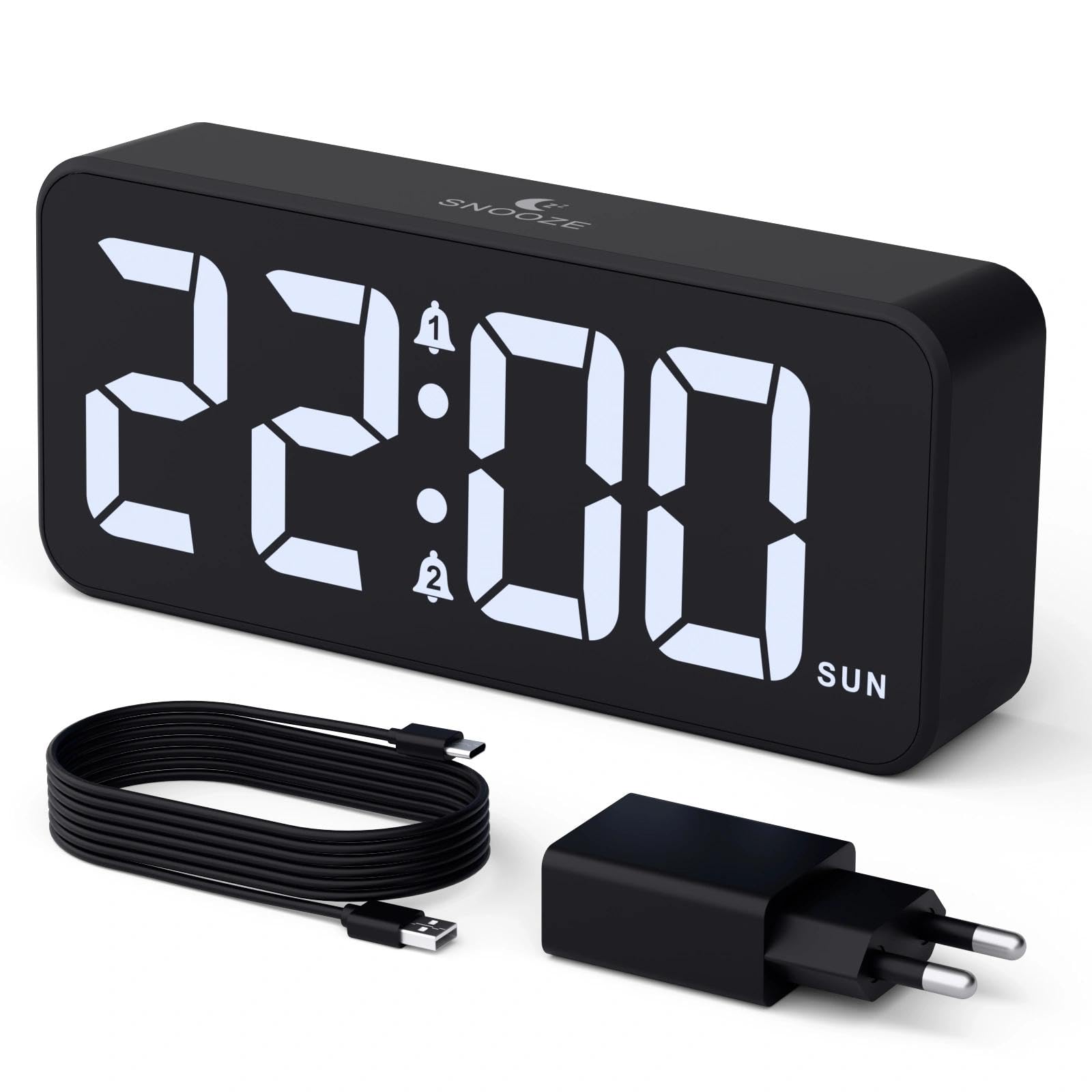
Image: The CHEREEKI Digital LED Alarm Clock, showcasing its large LED display and key features.
معلومات السلامة
- Ensure the power adapter and cable are compatible with the device's voltage requirements (5V/1A or 5V/2A).
- لا تعرض الجهاز للماء أو الرطوبة الزائدة.
- تجنب وضع الجهاز بالقرب من مصادر الحرارة أو تحت أشعة الشمس المباشرة.
- لا تحاول تفكيك الجهاز أو إصلاحه بنفسك. تواصل مع خدمة العملاء في حال وجود أي مشاكل.
- يحفظ بعيدًا عن متناول الأطفال.
محتويات الحزمة
- CHEREEKI Digital LED Alarm Clock
- Power Adapter (5V/1A or 5V/2A)
- كابل شحن USB (1.5 متر)
- دليل المستخدم
- CR2032 Backup Battery (pre-installed or included)

Image: Illustration of the items included in the product package.
تصميم المنتج وضوابطه

Image: Rear panel of the alarm clock with labels for all buttons and ports.
- زر ضبط الوقت: اضغط للدخول إلى وضع ضبط الوقت.
- زر التنبيه 1: Press to set Alarm 1.
- زر التنبيه 2: Press to set Alarm 2.
- أزرار أعلى / أسفل: اضبط القيم أثناء الإعداد.
- Dimmer Knob: Rotate to adjust display brightness (0-100%).
- مقبض الصوت: Rotate to adjust alarm volume (10 levels).
- منفذ إخراج USB: لشحن الأجهزة الخارجية.
- منفذ الإدخال من النوع C: For power supply to the alarm clock.
- زر التوقيت الصيفي: For Daylight Saving Time adjustment.
- حجرة البطارية: Houses the CR2032 backup battery.
يثبت
1. توصيل الطاقة
The alarm clock operates solely on AC power. Connect the provided USB cable to the Type-C input port on the back of the clock and plug the adapter into a standard wall outlet (5V/1A or 5V/2A). The display will light up.

Image: The alarm clock connected to a power source via its adapter.
2. بطارية احتياطية
A CR2032 backup battery is included to retain time and alarm settings during power outages. This battery does not power the display or alarm functions; it only preserves memory. Ensure the battery is correctly installed in the compartment on the back of the clock.

Image: Close-up of the backup battery compartment, indicating its purpose to retain settings during power loss.
تعليمات التشغيل
ضبط الوقت
- Press the "TIME SET" button. The hour digits will flash.
- استخدم زري "أعلى" أو "أسفل" لضبط الساعة.
- Press "TIME SET" again to confirm the hour and move to minute setting. The minute digits will flash.
- استخدم زري "أعلى" أو "أسفل" لضبط الدقائق.
- Press "TIME SET" once more to confirm the minutes and exit time setting mode.
ضبط المنبهات (المنبه 1 والمنبه 2)
This clock supports two independent alarms with three scheduling options.
- Press the "ALARM 1" or "ALARM 2" button. The alarm hour digits will flash.
- Use the "UP" or "DOWN" buttons to adjust the alarm hour.
- Press the respective alarm button again to confirm the hour and move to minute setting. The minute digits will flash.
- Use the "UP" or "DOWN" buttons to adjust the alarm minutes.
- Press the alarm button again to select the alarm schedule:
- أيام الأسبوع: من الاثنين إلى الجمعة
- عطلات نهاية الأسبوع: من السبت إلى الأحد
- يوميًا: من الاثنين إلى الأحد
- Press the alarm button once more to confirm the schedule and exit alarm setting mode.
- To enable/disable an alarm, press the "ALARM 1" or "ALARM 2" button briefly outside of setting mode. An alarm icon will appear/disappear on the display.

Image: The alarm clock demonstrating dual alarm settings with various scheduling options.
وظيفة الغفوة
When the alarm sounds, touch the top of the clock to activate the 5-minute snooze function. The alarm will temporarily stop and sound again after 5 minutes. To turn off the alarm completely, press any other button on the back of the clock.
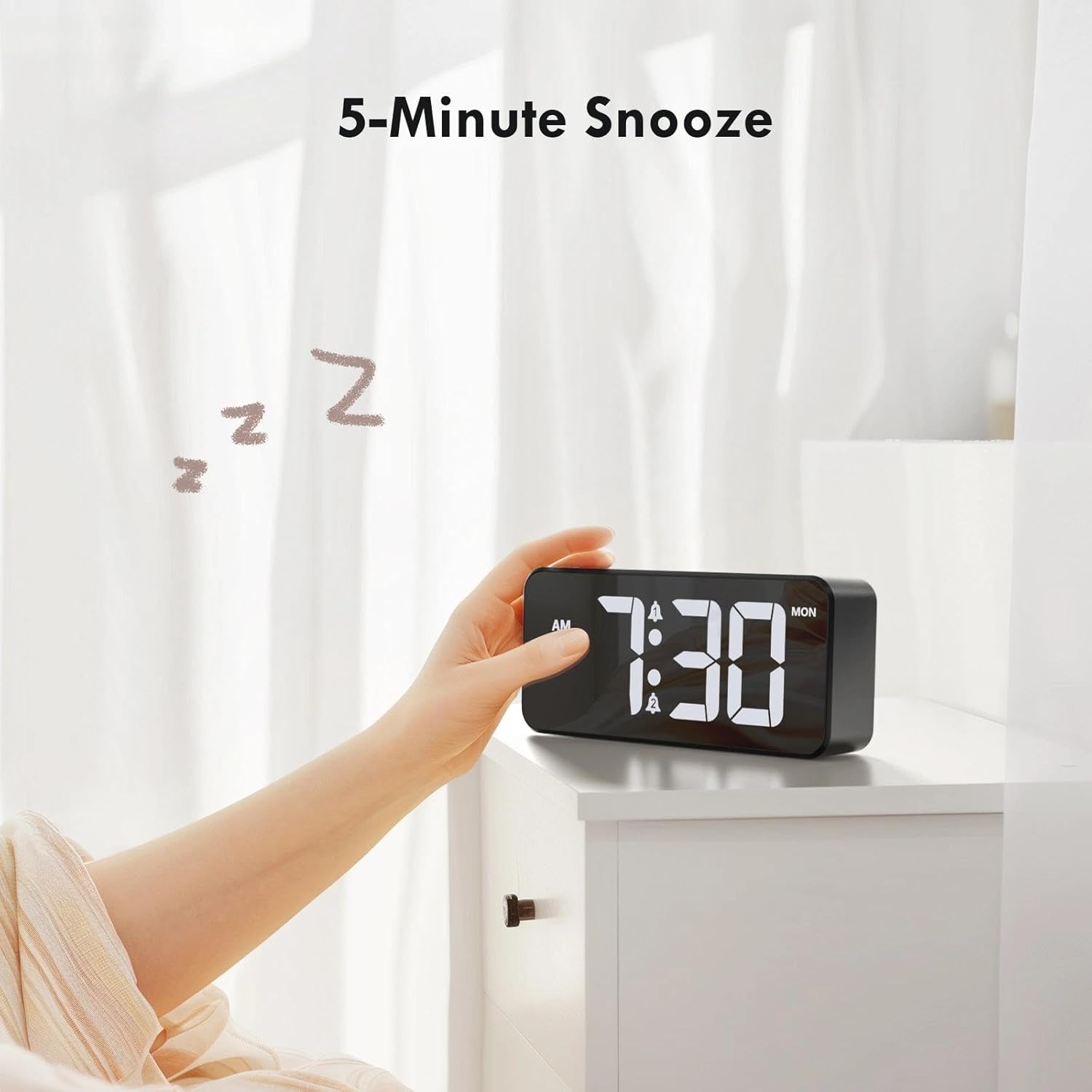
Image: A user activating the snooze function by touching the top of the alarm clock.
ضبط سطوع الشاشة
Rotate the "DIMMER" knob on the back of the clock to adjust the display brightness from 0% (off) to 100% (maximum brightness). This allows for comfortable viewفي أي حالة الإضاءة.

Image: Visual representation of the adjustable brightness feature and the dimmer knob.
ضبط مستوى صوت التنبيه
Rotate the "VOLUME" knob on the back of the clock to select one of the 10 available alarm volume levels. Choose a volume that suits your preference.

Image: The volume control knob and a visual scale indicating adjustable volume levels.
تنسيق 12/24 ساعة
To switch between 12-hour and 24-hour time formats, press and hold the "TIME SET" button for a few seconds until the format changes. In 12-hour format, "AM" or "PM" indicators will be displayed.

Image: The alarm clock showing both 12-hour and 24-hour time display options.
منفذ شحن USB
The USB-A output port on the back of the clock allows you to charge other devices, such as smartphones or tablets. Simply connect your device's charging cable to this port.

Image: The alarm clock charging a smartphone via its integrated USB port.
التوقيت الصيفي (DST)
To adjust for Daylight Saving Time, press the "DST" button on the back of the clock. This will advance or set back the time by one hour. Press it again to revert.
صيانة
- نظّف سطح الساعة بقطعة قماش ناعمة وجافة. لا تستخدم المنظفات الكاشطة أو المذيبات.
- حافظ على الجهاز خاليًا من الغبار والحطام.
- If the backup battery needs replacement, use a CR2032 coin cell battery. Ensure correct polarity.
استكشاف الأخطاء وإصلاحها
| مشكلة | السبب المحتمل | حل |
|---|---|---|
| العرض معطل. | Not connected to power; Dimmer set to 0%. | Ensure the clock is plugged into a working power outlet. Rotate the Dimmer knob to increase brightness. |
| لا يصدر صوت الإنذار. | Alarm not activated; Volume set to minimum. | Press the ALARM 1/2 button to activate the alarm (icon should appear). Rotate the Volume knob to increase volume. |
| الإعدادات المفقودة بعد انقطاع الطاقةtage. | بطارية النسخ الاحتياطي معطلة أو مفقودة. | استبدل بطارية النسخ الاحتياطي CR2032. |
| شحن USB لا يعمل. | Clock not powered; Device cable faulty. | Ensure the alarm clock is powered. Try a different USB cable or device. |
تحديد
- ماركة: CHEREEKI
- نموذج: B0FHHKMP1X
- لون: أسود
- نوع العرض: الصمام الرقمي
- مادة: أكريلونيتريل بوتادين ستايرين (ABS)
- أبعاد المنتج: 14.5 x 3.81 x 6.5 cm (5.7 x 1.5 x 2.5 inches)
- وزن السلعة: 230 جرام (0.5 رطل)
- مصدر الطاقة: Wired Electric (5V/1A or 5V/2A adapter)
- بطارية احتياطية: CR2032 (for memory retention only)
- المميزات الخاصة: Adjustable Brightness, Dual Alarm, Snooze, USB Charging Port, 12/24H Format, Adjustable Volume, Day of Week Display
الضمان والدعم
This CHEREEKI Digital LED Alarm Clock comes with a ضمان مدى الحياة. For any product inquiries, technical support, or warranty claims, please contact CHEREEKI customer service through the retailer where you purchased the product or visit the official CHEREEKI webموقع لمعلومات الاتصال.
يرجى الاحتفاظ بإثبات الشراء لأغراض الضمان.
