مقدمة
Thank you for choosing the pTron Bassbuds Senz Open Ear Wireless Earbuds. These earbuds are designed to provide a comfortable and pressure-free listening experience while keeping you aware of your surroundings. Featuring 13mm dynamic drivers, dual HD microphones with AI-ENC for clear calls, Bluetooth v6.0 connectivity, and IPX5 water resistance, the Bassbuds Senz are ideal for various activities. This manual provides detailed instructions for setup, operation, maintenance, and troubleshooting to ensure optimal performance.
ماذا يوجد في الصندوق
- pTron Bassbuds Senz Wireless Earbuds
- حافظة الشحن
- كابل شحن USB من النوع C
- دليل المستخدم
المنتج انتهىview
The pTron Bassbuds Senz feature an open-ear design for comfort and situational awareness, along with a compact charging case.

Image: pTron Bassbuds Senz Open Ear Wireless Earbuds and Charging Case. This image displays the two earbuds and their oval-shaped charging case.

Image: Key features of pTron Bassbuds Senz. This collage highlights SafeBeats Design, Dual HD Mics, 50 Hours Playtime, 13mm Dynamic Drivers, Bluetooth 6.0, LED Battery Indicator, Type-C Charging, and IPX5 Water & Sweat Resistant.

Image: Diagram showing the 13mm dynamic drivers of pTron Bassbuds Senz. This close-up view illustrates the internal components of the earbud's audio driver.

Image: User wearing pTron Bassbuds Senz, highlighting Dual HD Mics for clear calls. A person is shown wearing one earbud, emphasizing its ergonomic fit and microphone placement.

Image: Close-up of pTron Bassbuds Senz charging case with digital LED display and Type-C charging port. This image shows the charging case with its lid open, revealing the earbuds inside and the battery percentagعرض ه.
تعليمات الإعداد
1. شحن سماعات الأذن والعلبة
Before first use, fully charge the earbuds and charging case. Use the provided USB Type-C cable to connect the charging case to a power source.
- The digital LED display on the charging case will show the battery percentage.
- The earbuds will charge automatically when placed inside the case.
- تستغرق عملية الشحن الكامل عادةً ما يقرب من 1.5 إلى 2 ساعات.
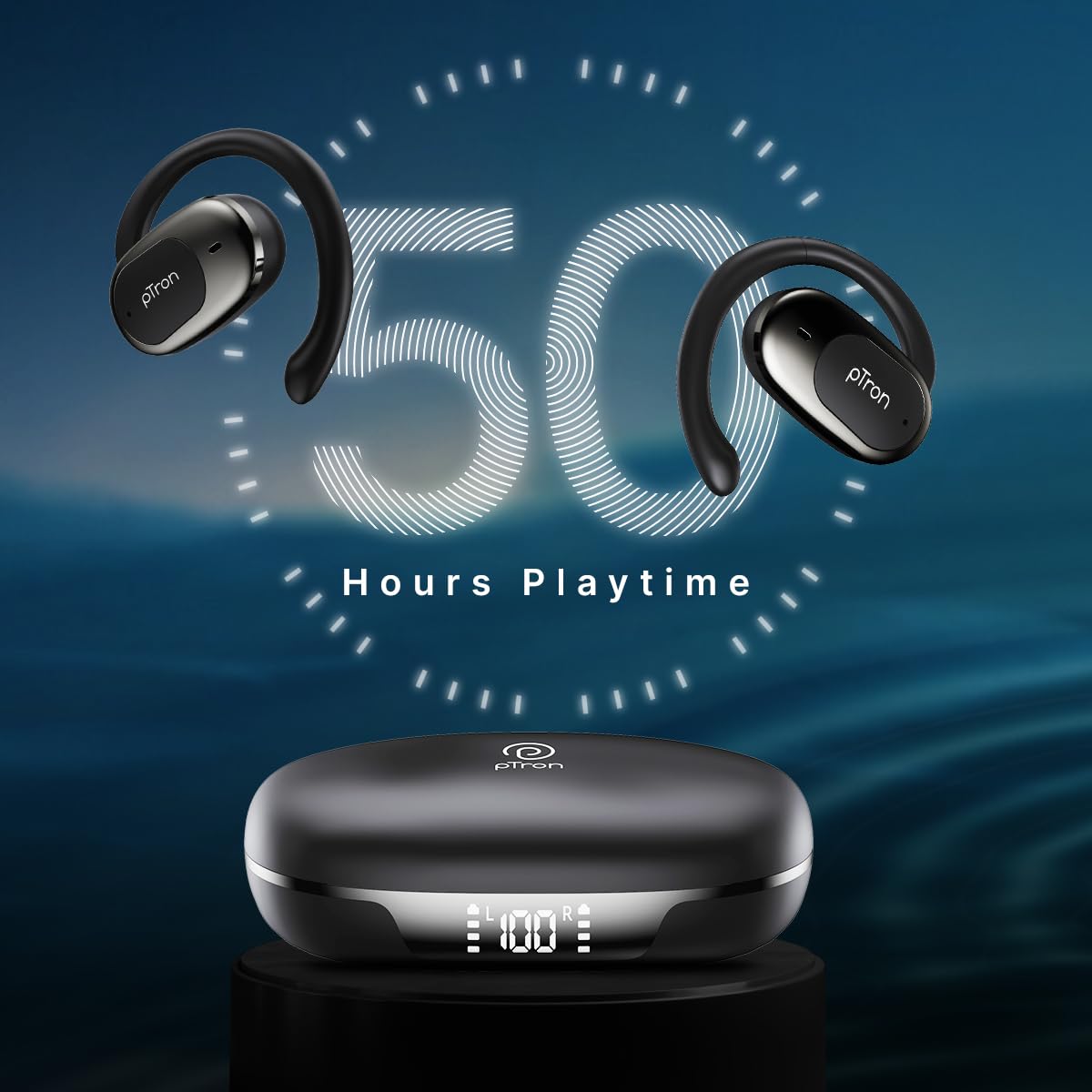
Image: pTron Bassbuds Senz earbuds and charging case, illustrating 50 hours combined playtime. This image visually represents the extended battery life of the product.
2. اقتران بلوتوث
- تشغيل الطاقة: Open the charging case. The earbuds will automatically power on and enter pairing mode. You may hear a voice prompt indicating they are ready to pair.
- تفعيل البلوتوث: On your smartphone or device, go to the Bluetooth settings and turn Bluetooth on.
- اختر جهاز: Look for "pTron OWS" (or similar name) in the list of available devices and select it to connect.
- تأكيد: بمجرد الاتصال، سوف تسمع مطالبة صوتية تؤكد نجاح الاقتران.
- إعادة الاتصال التلقائي: بعد الاقتران الأولي، سيتم توصيل سماعات الأذن تلقائيًا بالجهاز المقترن الأخير عند إخراجها من العلبة، بشرط تمكين البلوتوث على الجهاز.

Image: Smartphone screen showing Bluetooth pairing with pTron OWS, next to the earbuds and charging case. This image demonstrates the process of connecting the earbuds to a mobile device via Bluetooth.
تعليمات التشغيل
The pTron Bassbuds Senz feature touch controls for easy management of music and calls.
عناصر التحكم باللمس
| وظيفة | فعل |
|---|---|
| تشغيل الطاقة | فتح علبة الشحن |
| إيقاف التشغيل | ضع سماعات الأذن مرة أخرى في علبة الشحن وأغلق الغطاء |
| تشغيل/إيقاف الموسيقى مؤقتًا | نقرة واحدة على أي من سماعات الأذن |
| المسار التالي | اضغط مرتين على سماعة الأذن اليمنى |
| المسار السابق | انقر مرتين على سماعة الأذن اليسرى |
| الرد على المكالمة/إنهائها | Single tap on either earbud during an incoming call |
| رفض المكالمة | Long press on either earbud during an incoming call |
| تفعيل المساعد الصوتي | اضغط ثلاث مرات على أي سماعة أذن |
| رفع الصوت | Long press on the Right earbud |
| خفض الصوت | Long press on the Left earbud |
صيانة
تنظيف
- قم بتنظيف سماعات الأذن وعلبة الشحن بانتظام باستخدام قطعة قماش ناعمة وجافة وخالية من الوبر.
- لا تستخدم كيماويات مركزة أو محاليل التنظيف أو المنظفات القوية.
- تأكد من أن نقاط التلامس الخاصة بالشحن على كل من سماعات الأذن والعلبة نظيفة وخالية من أي شوائب.
تخزين
- قم بتخزين سماعات الأذن في علبة الشحن الخاصة بها عند عدم استخدامها لحمايتها وإبقائها مشحونة.
- تجنب التخزين في درجات حرارة قصوى (ساخنة أو باردة) أو في بيئات متربة/رطبة.
العناية بالبطارية
- لإطالة عمر البطارية، تجنب تفريغ سماعات الأذن وعلبة الشحن بالكامل بشكل متكرر.
- قم بشحن الجهاز بانتظام، حتى لو لم يتم استخدامه بشكل متكرر.

Image: User exercising with pTron Bassbuds Senz, demonstrating IPX5 water and sweat resistance. This image shows the earbuds being used during a workout, highlighting their durability against sweat and splashes.
استكشاف الأخطاء وإصلاحها
If you encounter issues with your pTron Bassbuds Senz, refer to the following common solutions:
- سماعات الأذن غير مقترنة بالجهاز:
Ensure both earbuds are charged. Turn off Bluetooth on your device, then turn it back on. Forget "pTron OWS" from your device's Bluetooth list and try pairing again. Make sure the earbuds are in pairing mode (out of the case). - سماعة أذن واحدة فقط تعمل:
Place both earbuds back into the charging case, close the lid, wait a few seconds, then open the lid and take them out. This often resets the connection between the two earbuds. If the issue persists, try re-pairing them with your device. - سماعات الأذن لا يتم شحنها:
Check if the charging cable is securely connected to both the case and the power source. Ensure the charging contacts on the earbuds and inside the case are clean and free of obstructions. Verify the charging case has sufficient battery. - انخفاض مستوى الصوت أو جودة الصوت رديئة:
Adjust the volume on both your device and the earbuds. Ensure the earbuds are properly seated in your ears. Clean any debris from the earbud speakers. - Connectivity issues (disconnections):
Ensure your device is within the 10-meter Bluetooth range. Avoid obstacles between your device and the earbuds. Minimize interference from other wireless devices.
تحديد
| ميزة | التفاصيل |
|---|---|
| اسم الموديل | Bassbuds Senz |
| تكنولوجيا الاتصال | لاسلكي (بلوتوث الإصدار 6.0) |
| مدى البلوتوث | 10 أمتار |
| نوع برنامج تشغيل الصوت | محرك ديناميكي 13 مم |
| Battery Life (Combined) | حتى ساعتين |
| منفذ الشحن | يو إس بي من النوع سي |
| مقاومة الماء | IPX5 (مقاوم للماء) |
| الميكروفونات | Dual HD Mics with AI-ENC |
| طريقة التحكم | يلمس |
| وضع الأذن | أذن مفتوحة |
| مادة | أكريلونيتريل بوتادين ستايرين (ABS) |
| وزن العنصر | 67 جرام |
| أبعاد المنتج | 9.1 × 5.9 × 3.1 سم |
الضمان والدعم
The pTron Bassbuds Senz comes with a 1-year manufacturer warranty from the date of purchase, covering manufacturing defects only.
دعم العملاء
For any queries, support, or warranty claims, please contact pTron customer care:
- هاتف: 040-67138888
- بريد إلكتروني: support@ptron.in
- الشركة المصنعة: شركة بالريد للإلكترونيات المحدودة، رقم القطعة 56، الطابق الأول، غوندلابوتشAMPقرية ألي، مجمع التكنولوجيا MTP، TSIIC-IALA NACHARAM، حيدر أباد - 500076، تيلانجانا، الهند


