مقدمة
Thank you for choosing the TESSAN WS-T188LP Wireless Portable Charger Qi2. This device is designed to provide convenient and efficient power to your compatible electronic devices. Please read this manual thoroughly before use to ensure proper operation and to maximize the lifespan of your product.
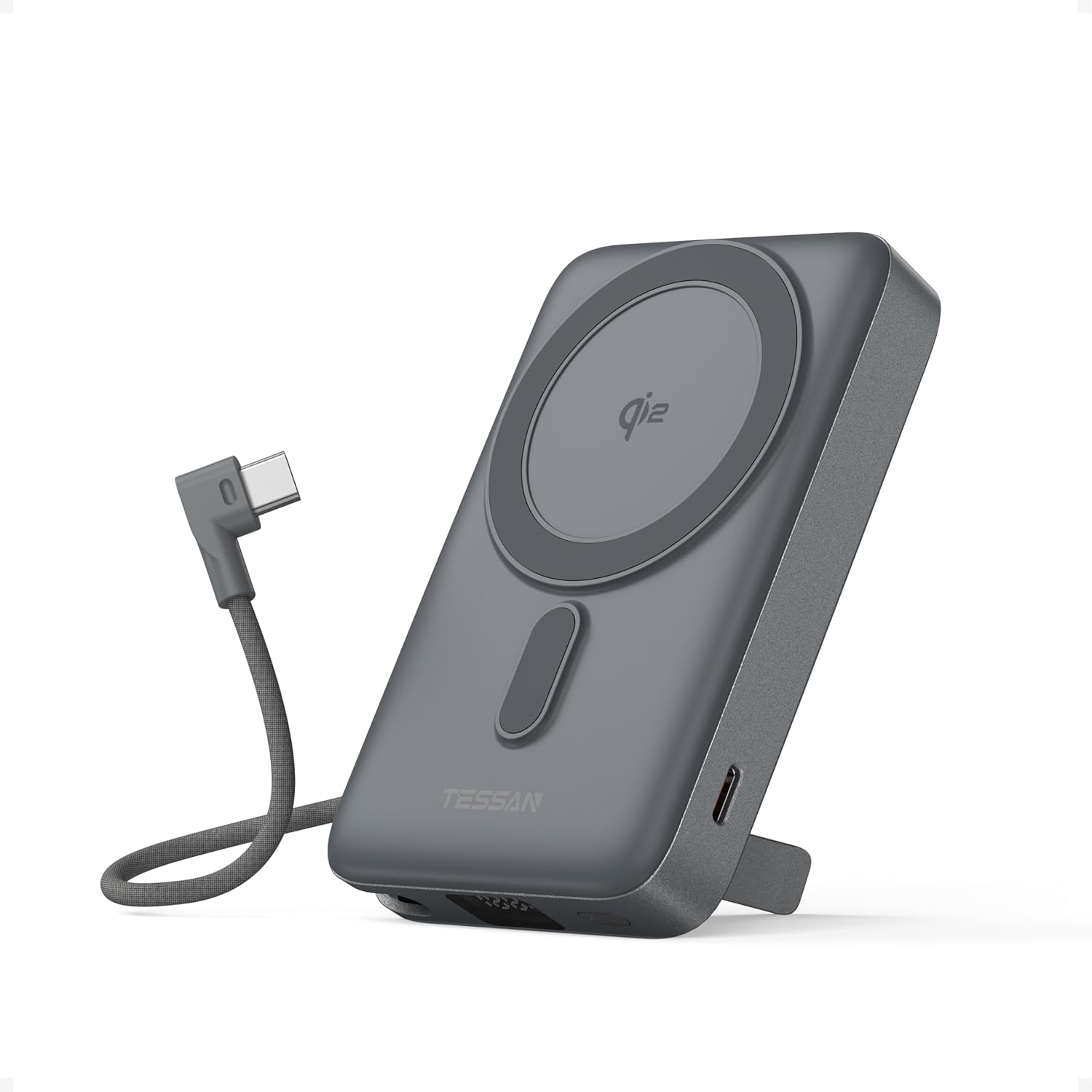
Image: TESSAN WS-T188LP Wireless Portable Charger Qi2, showing its compact design and integrated USB-C cable.
مميزات المنتج
- Strong Magnetic Wireless Charging: Securely attaches to compatible iPhones (17/16/15/14 series) and other Qi-enabled devices for stable, cord-free power. Features automatic coil alignment for uninterrupted charging.
- شحن سريع معتمد بتقنية Qi2 بقدرة 15 واط: Delivers ultra-fast 15W wireless charging, twice the speed of standard wireless chargers. Supports simultaneous charging of two devices with 15W wireless and 35W USB-C wired output.
- High-Capacity & Portable Design: 10,000mAh capacity provides multiple full charges for most smartphones. Compact size and foldable kickstand enhance portability and hands-free viewعمل.
- كابل USB-C مدمج: An integrated USB-C cable is included for convenient wired charging and for recharging the power bank itself.
- حامل قابل للطي مدمج: يسمح بالاستخدام بدون استخدام اليدين viewing of your device while charging, supporting both horizontal and vertical orientations.
- التوافق الواسع: Compatible with MagSafe cases, AirPods, Samsung Galaxy devices, and all Qi-certified gadgets.
- Flight-Safe: Designed to meet airline carry-on regulations for safe travel.
- حماية أمان متقدمة: Offers protection against overheating, short circuits, and over-discharge for safe charging.
يثبت
1. شحن بنك الطاقة
Before initial use, fully charge your TESSAN WS-T188LP power bank. Use the built-in USB-C cable or an external USB-C cable connected to a compatible power adapter (not included). The LED display will show the charging progress.

Image: The TESSAN power bank connected to a USB-C cable for recharging, with an arrow indicating 35W max input.
2. التحقق من مستوى البطارية
اضغط على زر الطاقة مرة واحدة view نسبة البطارية الحاليةtage on the LED display. The display will show the remaining capacity.

Image: The TESSAN power bank with a smartphone magnetically attached, showing the LED display with battery capacity percentage.
تعليمات التشغيل
1. الشحن اللاسلكي (متوافق مع MagSafe)
- Ensure your device is Qi-enabled and MagSafe compatible (for magnetic attachment).
- Align your device with the magnetic charging area on the power bank. The magnets will securely attach the device.
- The power bank will automatically begin 15W wireless charging.

Image: An iPhone magnetically attached to the TESSAN power bank, displaying the charging animation, highlighting 15W wireless charging.
ملحوظة: For optimal magnetic attachment and charging efficiency, use a MagSafe compatible case or no case. Non-magnetic cases may hinder performance.
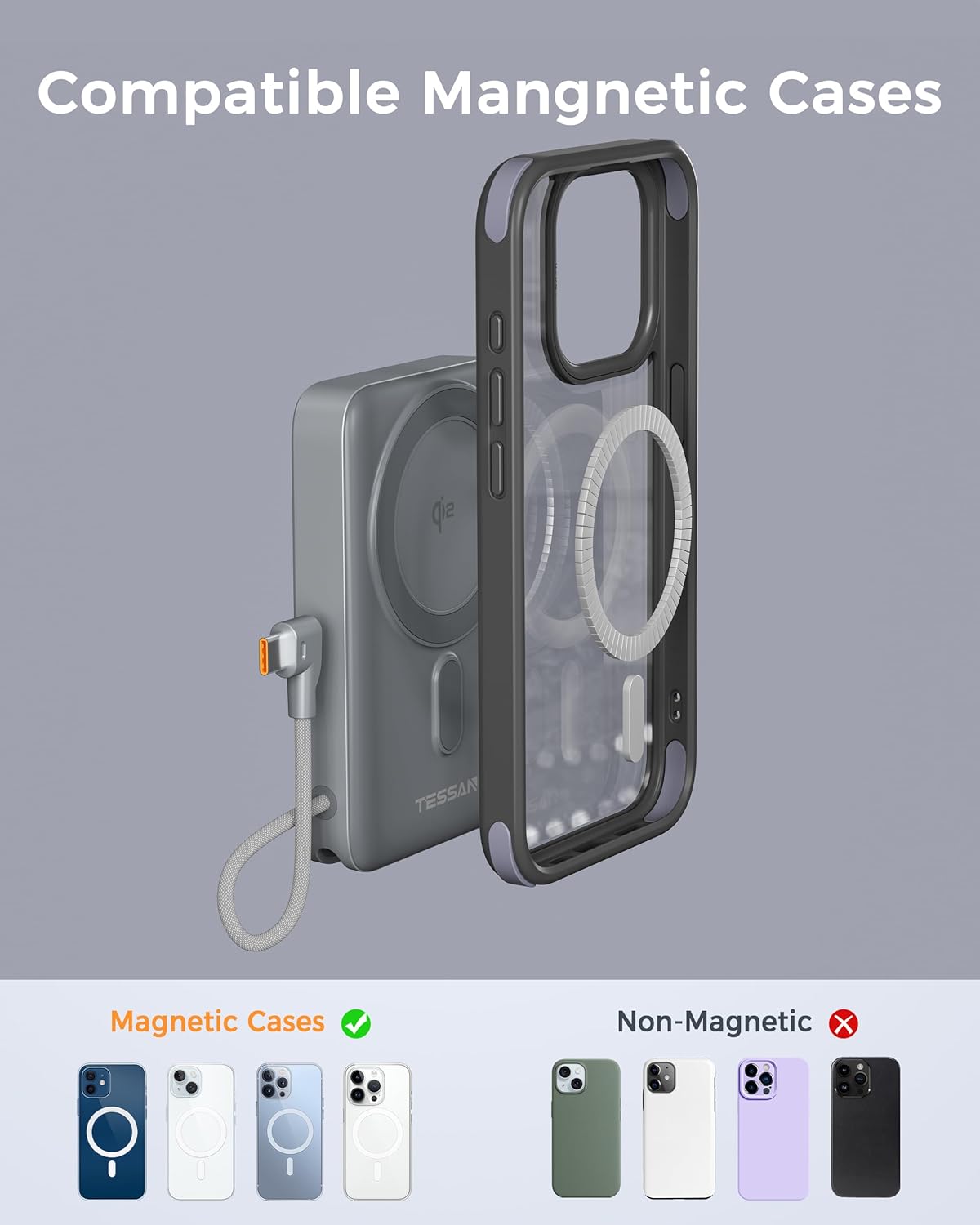
Image: An illustration showing magnetic cases are compatible with the power bank, while non-magnetic cases are not recommended for magnetic attachment.
2. الشحن السلكي
- Pull out the built-in USB-C cable from its storage slot.
- Connect the USB-C cable to your device's charging port.
- The power bank will automatically begin 35W wired charging.

Image: A smartphone being charged by the TESSAN power bank using its integrated USB-C cable, indicating 35W fast charging.
3. الشحن المتزامن
The TESSAN WS-T188LP supports charging two devices simultaneously: one wirelessly via the magnetic pad and another via the built-in USB-C cable.

Image: The TESSAN power bank simultaneously charging an iPhone wirelessly and AirPods via the built-in USB-C cable, demonstrating multi-device charging capability.
4. Using the Built-in Stand
The power bank features a foldable kickstand for hands-free viewing. Simply pull out the stand from the back of the device. You can position your phone vertically or horizontally on the stand while it charges wirelessly.
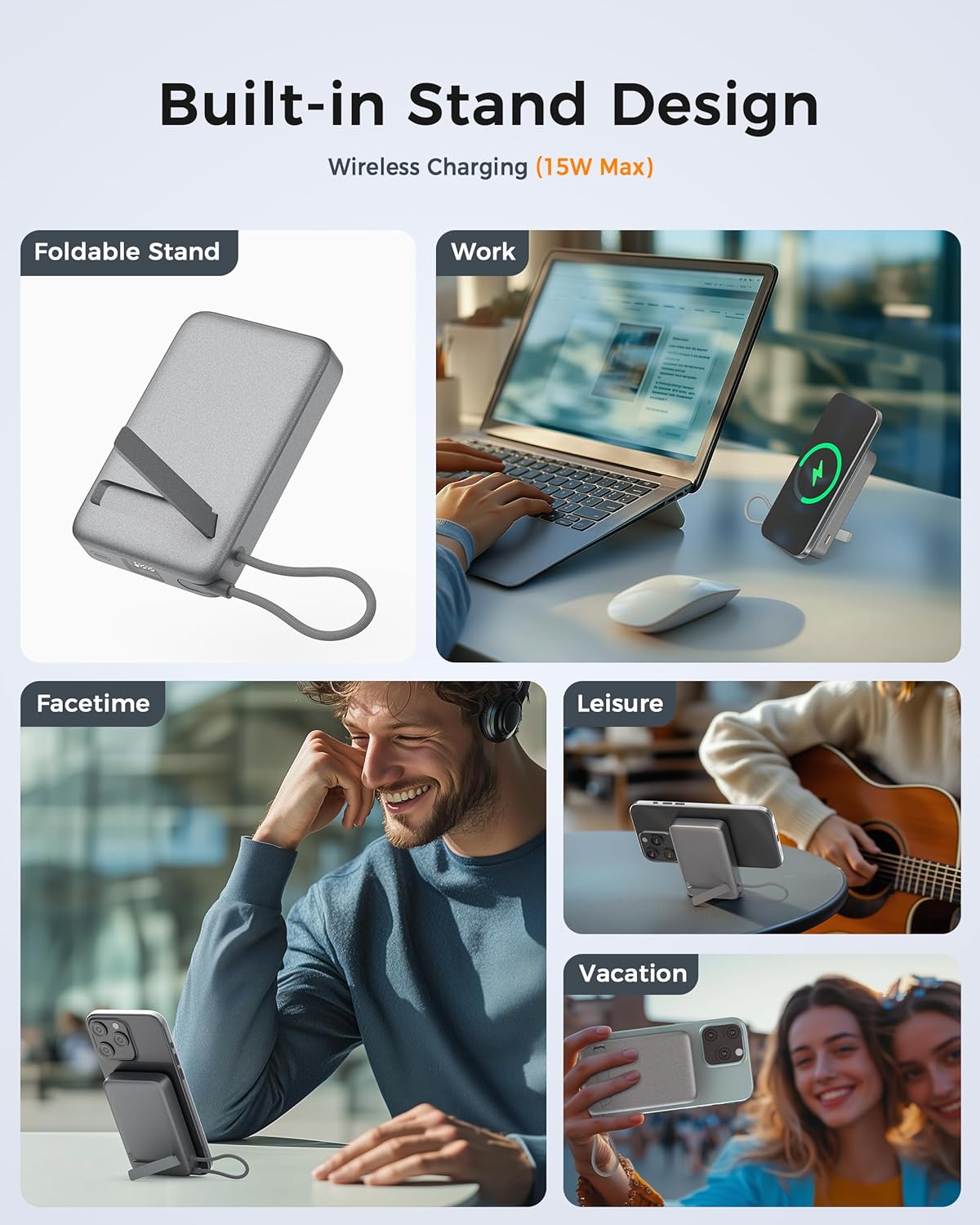
Image: A collage showing the TESSAN power bank's foldable stand in use, supporting a smartphone for work, FaceTime, leisure, and travel.
Video: Demonstration of the TESSAN WS-T188LP Portable Charger, highlighting its magnetic attachment and built-in stand functionality.
صيانة
- احتفظ ببنك الطاقة بعيدًا عن الماء والنار ودرجات الحرارة المرتفعة.
- تجنب إسقاط الجهاز أو تعريضه لصدمات قوية.
- نظّف الجهاز بقطعة قماش ناعمة وجافة. تجنّب استخدام مواد كيميائية قاسية أو مواد كاشطة.
- قم بتخزين الباور بانك في مكان بارد وجاف عند عدم استخدامه.
- Recharge the power bank at least once every three months to maintain battery health.
استكشاف الأخطاء وإصلاحها
- الجهاز لا يشحن:
- تأكد من أن بنك الطاقة مشحون بشكل كافٍ.
- Verify that your device is properly aligned with the magnetic charging area or securely connected via the USB-C cable.
- Check if your device is Qi-enabled and compatible with the power bank.
- Remove any non-MagSafe compatible cases that may interfere with wireless charging.
- الشحن البطيء:
- Ensure your device supports fast charging.
- Check for proper alignment during wireless charging.
- تجنب استخدام جهازك بكثرة أثناء الشحن.
- ارتفاع درجة حرارة بنك الطاقة:
- Charging may temporarily pause if the device or power bank becomes too hot. This is a safety feature. Allow it to cool down before resuming.
- Ensure adequate ventilation around the device and power bank during charging.
تحديد
| رقم الموديل | WS-T188LP |
| سعة البطارية | 10,000 مللي أمبير |
| إخراج الشحن اللاسلكي | 15 وات (معتمد من Qi2) |
| مخرج سلكي (USB-C) | شنومكسو ماكس |
| Wired Input (USB-C) | شنومكسو ماكس |
| أبعاد المنتج | 4.23 × 2.7 × 0.78 بوصة |
| وزن العنصر | 9.6 أونصات |
| لون | رمادي |
معلومات السلامة
- لا تقم بتفكيك أو فتح أو تمزيق بنك الطاقة.
- لا تعرض البطارية المحمولة للحرارة أو النار. تجنب تخزينها تحت أشعة الشمس المباشرة.
- لا تقم بتوصيل بطارية الشحن بدائرة قصر. لا تخزنها بشكل عشوائي في صندوق أو درج حيث قد تتسبب الأجسام المعدنية الأخرى في حدوث ماس كهربائي.
- لا تعرض بنك الطاقة لصدمة ميكانيكية.
- في حال حدوث تسرب، تجنب ملامسة السائل للجلد أو العينين. إذا حدث ملامسة، اغسل المنطقة المصابة بكمية وفيرة من الماء واستشر الطبيب.
- احتفظ بالباور بانك بعيدًا عن متناول الأطفال.
- Only use the power bank for its intended purpose.
- Dispose of the power bank in accordance with local regulations.
الضمان والدعم
TESSAN products come with a standard manufacturer's warranty. For detailed warranty information, product support, or any inquiries, please visit the official TESSAN website or contact our customer service team. Keep your purchase receipt for warranty claims.
معلومات الاتصال: Please refer to the product packaging or the official TESSAN webالموقع للحصول على تفاصيل الاتصال الأكثر تحديثًا.


