1. المقدمة
This manual provides detailed instructions for the setup, operation, maintenance, and troubleshooting of your Tabwee T90 Android 16 Tablet. Please read this manual thoroughly before using your device to ensure proper functionality and to maximize your user experience.

Image: The Tabwee T90 tablet shown with its full suite of accessories, including a detachable keyboard, wireless mouse, stylus, protective case, charging adapter, and USB cable. This illustrates the complete package contents.
2. محتويات العبوة
تأكد من وجود جميع العناصر في العبوة:
- Tabwee T90 Tablet
- لوحة مفاتيح بلوتوث
- ماوس لاسلكي
- قلم ستايلس
- حافظة حماية
- فيلم حامي الشاشة
- Power Adapter (Type-C)
- كابل بيانات USB (النوع C)
- دليل المستخدم

Image: A visual representation of the Tabwee T90 tablet's dimensions and all components included in the retail package, such as the tablet, keyboard, mouse, stylus, and various cables and covers.
3. الإعداد الأولي
3.1 شحن الجهاز اللوحي
Before first use, fully charge the tablet using the provided Type-C power adapter and USB cable. The charging port is located on the side of the tablet.

Image: The Tabwee T90 tablet being charged via its Type-C port, highlighting its 8000mAh battery and estimated usage times for various activities like web browsing, video playback, gaming, and music.
3.2 تشغيل/إيقاف التشغيل
- لتشغيل: اضغط مع الاستمرار على زر التشغيل حتى تضيء الشاشة.
- لإيقاف التشغيل: اضغط مع الاستمرار على زر الطاقة، ثم حدد "إيقاف التشغيل" من الخيارات.
3.3 التكوين الأولي
اتبع التعليمات التي تظهر على الشاشة لإكمال الإعداد الأولي، بما في ذلك:
- اختيار اللغة
- اتصال شبكة Wi-Fi
- تسجيل الدخول إلى حساب جوجل
- إعدادات التاريخ والوقت
- Security settings (PIN, pattern, password, or face recognition)

Image: A collage of screenshots demonstrating key Android 16 features such as real-time notifications, robust security measures, access to the Google Play Store for app downloads, and options for regional language optimization.
3.4 ملحقات التوصيل
The Tabwee T90 comes with a Bluetooth keyboard and mouse. To connect them:
- Enable Bluetooth on your tablet via Settings > Connected devices > Bluetooth.
- Put the keyboard/mouse into pairing mode (refer to their individual manuals if needed).
- حدد الملحق من قائمة الأجهزة المتاحة على جهازك اللوحي لإقرانه.
The stylus pen does not require pairing.
4. تشغيل جهازك اللوحي
4.1 واجهة أندرويد 16
The Tabwee T90 runs on Android 16, offering an intuitive and enhanced user experience with improved security and performance. Features include real-time notifications, efficient multitasking, and smart operational capabilities.
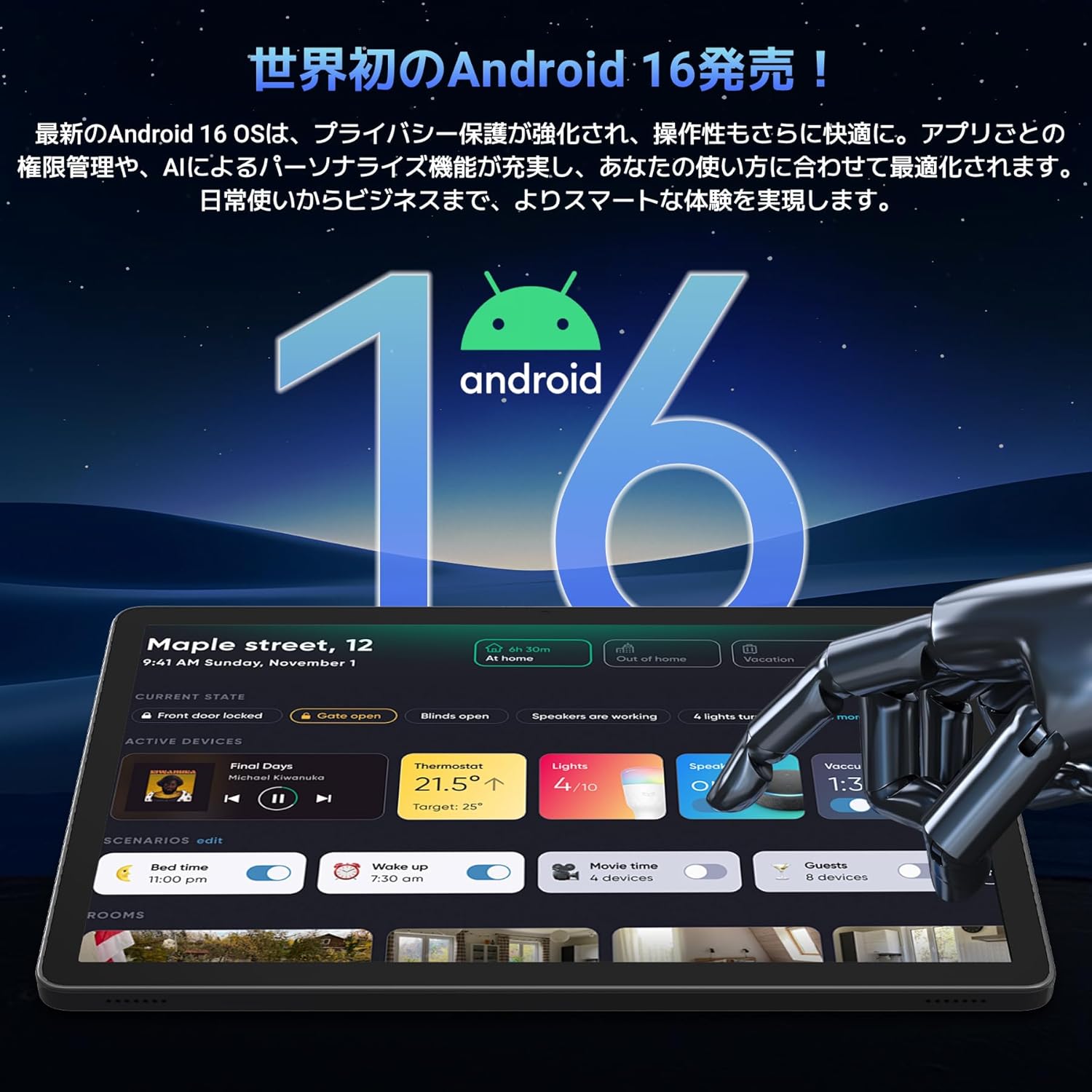
Image: A visual representation of the Android 16 operating system logo and its modern interface displayed on the Tabwee T90 tablet, emphasizing its new features and design.
4.2 Display and Media Playback
The 11-inch FHD IPS display (1920x1200 resolution) provides clear and vibrant visuals. With Widevine L1 support, you can stream high-definition content (1080p and above) from services like Netflix and Amazon Prime Video.

Image: The Tabwee T90 tablet showcasing a high-definition video of a baseball game, demonstrating its 11-inch FHD display and compatibility with streaming platforms like Netflix, YouTube, HBO, and Prime Video via Widevine L1.
4.3 Camera and Imaging
The tablet features a 5MP front camera for video calls and selfies, and a 13MP rear camera for capturing photos. Android 16's AI image processing enhances photo quality, and HEVC video encoding ensures stable editing and improved video quality. Google Lens integration allows for smart recognition, scanning, translation, and search functions.
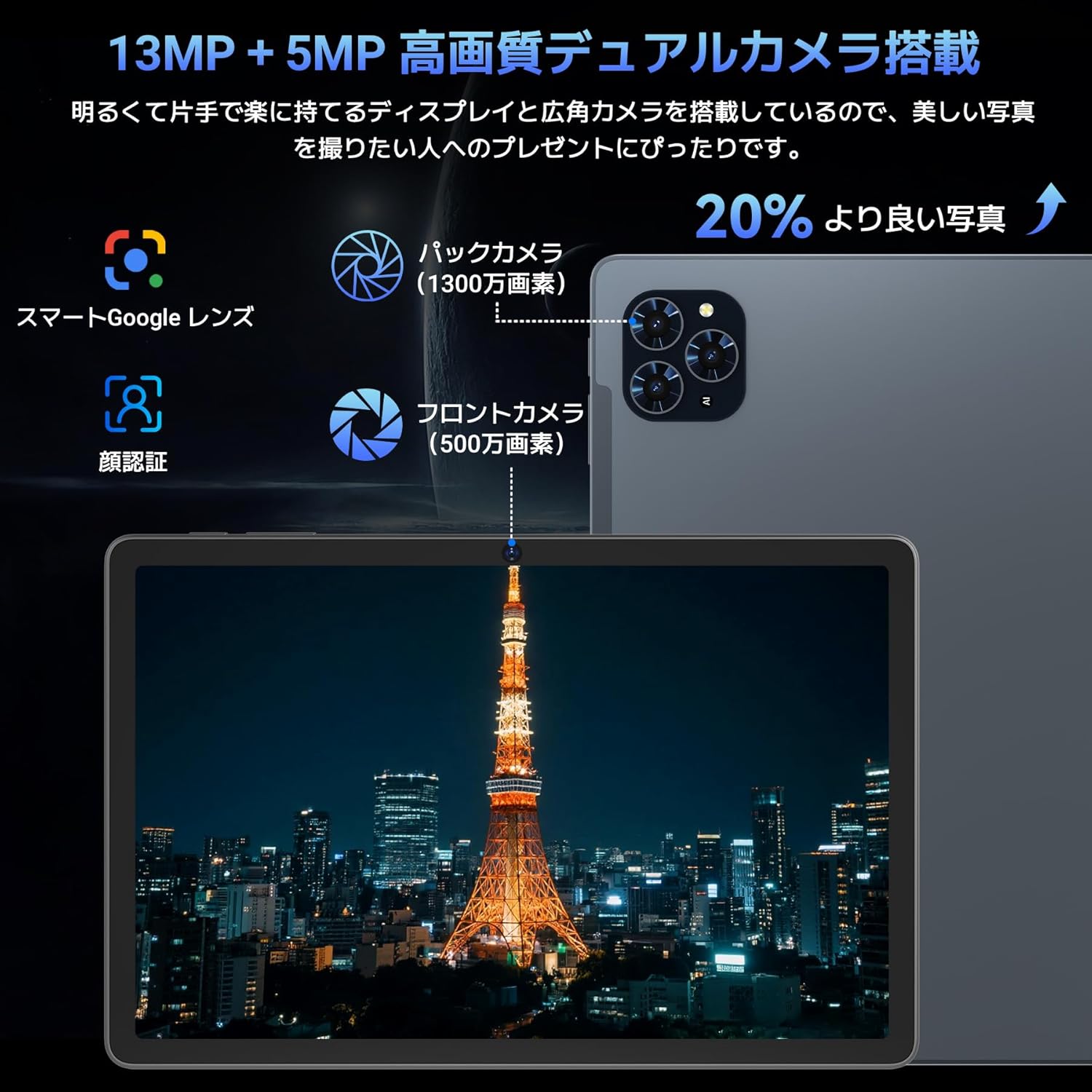
الصورة: تفصيلية view of the Tabwee T90 tablet's camera system, indicating a 13MP rear camera and a 5MP front camera. An example photo of Tokyo Tower is displayed on the screen, illustrating image capture capabilities.
4.4 التعرف على الوجه
Utilize the face recognition feature for quick and secure unlocking of your tablet. Set it up in Settings > Security & privacy > Face unlock.
4.5 دمج الذكاء الاصطناعي في نظام جيميني
The tablet integrates with Gemini AI, optimizing performance across various scenarios. This AI assists with content recommendations, image processing, and semantic understanding, enhancing daily operations.

Image: A conceptual image depicting Gemini AI as a robotic figure interacting with multiple tablet screens, symbolizing its ability to support various tasks like email composition, schedule management, and information retrieval, enhancing user productivity.
4.6 Custom Keyboard Shortcuts
After connecting a Bluetooth keyboard, you can set custom shortcut keys to launch frequently used applications with a single press. Navigate to Settings > System > Keyboard > Keyboard shortcuts to configure.
5. الصيانة
5.1 التنظيف
- استخدم قطعة قماش ناعمة وخالية من الوبر لتنظيف الشاشة وجسم الجهاز اللوحي.
- تجنب استخدام المواد الكيميائية القاسية أو المواد الكاشطة.
- بالنسبة للبقع العنيدة، استخدمي القليل منampانقع قطعة القماش في الماء أو في منظف الشاشة المخصص للإلكترونيات.
5.2 العناية بالبطارية
- تجنب تعريض الجهاز اللوحي لدرجات حرارة شديدة.
- لا تسمح للبطارية بالتفريغ الكامل بشكل متكرر.
- استخدم الشاحن المرفق فقط أو شاحنًا متوافقًا معتمدًا.
5.3 تحديثات البرامج
تحقق من تحديثات النظام بانتظام وثبّتها لضمان الأداء والأمان الأمثل. انتقل إلى الإعدادات > النظام > تحديث النظام.
6. استكشاف الأخطاء وإصلاحها
6.1 الجهاز اللوحي لا يعمل
- تأكد من شحن الجهاز اللوحي بشكل كافٍ. قم بتوصيله بالشاحن لمدة 30 دقيقة على الأقل.
- اضغط مع الاستمرار على زر الطاقة لمدة 10-15 ثانية لإجراء إعادة تشغيل قسرية.
6.2 مشاكل الاتصال بشبكة Wi-Fi
- أعد تشغيل جهاز توجيه Wi-Fi والكمبيوتر اللوحي.
- انسى الشبكة في إعدادات الجهاز اللوحي وأعد الاتصال.
- تأكد من أنك ضمن نطاق إشارة Wi-Fi.
6.3 الملحقات لا تتصل
- تأكد من تفعيل البلوتوث على الجهاز اللوحي.
- Check that the accessory is in pairing mode and has sufficient battery.
- Try restarting both the tablet and the accessory.
6.4 الأداء البطيء
- أغلق التطبيقات الخلفية غير الضرورية.
- مسح ذاكرة التخزين المؤقت للتطبيقات المستخدمة بشكل متكرر (الإعدادات > التطبيقات > [اسم التطبيق] > التخزين وذاكرة التخزين المؤقت > مسح ذاكرة التخزين المؤقت).
- تأكد من توفر مساحة تخزين كافية.
- أعد تشغيل الجهاز اللوحي بشكل دوري.
7. المواصفات
| ميزة | التفاصيل |
|---|---|
| ماركة | TABWEE |
| اسم الموديل | ت90 |
| نظام التشغيل | أندرويد 16 |
| وحدة المعالجة المركزية | Unisoc T615 Octa-core (2x Cortex-A75 @ 2.0GHz, 6x Cortex-A55 @ 1.8GHz) |
| وحدة معالجة الرسوميات | مالي-G57 |
| كبش | 8 جيجابايت (قابلة للتوسيع إلى 24 جيجابايت باستخدام ذاكرة الوصول العشوائي الافتراضية) |
| التخزين الداخلي | 128 جيجا بايت |
| تخزين قابل للتوسيع | Up to 2TB via microSD card (not included) |
| حجم الشاشة | 11 بوصة |
| نوع العرض | شاشة IPS FHD |
| دقة | 1920 × 1200 بكسل |
| الكاميرا الأمامية | 5 ميجا بكسل |
| الكاميرا الخلفية | 13 ميجا بكسل |
| سعة البطارية | 8000 مللي أمبير |
| منفذ الشحن | النوع-C |
| الاتصال | Wi-Fi (2.4G/5G, 802.11ac), Bluetooth 5.0 |
| وزن | 1.37 كجم (حوالي 3.02 رطلاً) |
| أبعاد | 29.1 × 20 × 5.7 سم (التغليف) |
| الشهادات | PSE, GITEKI, GMS |

Image: A detailed diagram illustrating the Unisoc T615 Octa-core CPU, highlighting its architecture with Cortex-A75 and Cortex-A55 cores, Mali-G52 MP1 GPU, and 12nm low power consumption, indicating its high performance.

Image: The Tabwee T90 tablet's screen showing multiple applications, emphasizing its 128GB internal storage and support for up to 2TB external storage, with examples of how many photos, songs, and videos can be stored.
8. الضمان والدعم
The Tabwee T90 Tablet comes with a ضمان لمدة 2 سنوات. This warranty covers manufacturing defects and ensures product quality.
8.1 الاتصال بالدعم
If you encounter any issues or have questions, please contact customer support through your Amazon account:
- Go to your Amazon account > Order History > Select the relevant order.
- Click on the seller's name (TABWEE Official Store).
- Use the "Ask a question" option to send an email.
Support is available from 9:00 AM to 6:00 PM (excluding holidays). Inquiries will be responded to as quickly as possible.

Image: An illustration representing customer support, featuring a person wearing a headset and working on a laptop, symbolizing assistance for product inquiries and warranty claims.


