1. المقدمة
The Rokid AR Spatial system, featuring Max2 AR glasses and the Station2 spatial computer, offers an advanced augmented reality experience. This system is designed for enhanced productivity, immersive gaming, and dynamic entertainment through its unique 3-screen multitasking capabilities and adaptive display modes. This manual will guide you through the proper use and care of your device.
2. ماذا يوجد في الصندوق
يرجى التأكد من تضمين جميع العناصر التالية في الحزمة الخاصة بك:
- نظارات الواقع المعزز Rokid Max 2
- Rokid Station 2 Spatial Computer
- كابل USB-C
- Eyewear Storage Case
- Warranty Card + User Manual

3. الإعداد
3.1 الاتصال الأولي
- Connect the Rokid Max 2 AR Glasses to the Rokid Station 2 using the provided USB-C cable. Ensure the connection is secure.
- Power on the Rokid Station 2 by pressing and holding the power button until the indicator light illuminates.
- Follow the on-screen prompts in the AR glasses for initial setup, including language selection and Wi-Fi connection.

3.2 Myopia and IPD Adjustment
The Max 2 AR glasses support myopia correction up to 600 degrees. Adjust the dials on top of the glasses to achieve optimal visual clarity. For users with myopia exceeding 600 degrees, separate prescription lenses may be required. When paired with Station2, the Interpupillary Distance (IPD) automatically adjusts between 55-72mm for comfortable viewعمل.

4. تعليمات التشغيل
4.1 Display Modes and Multitasking
The Rokid AR Spatial offers versatile display options:
- 3-Screen Multitasking: Simultaneously use up to three applications for enhanced productivity or entertainment. Note: This feature is supported via DLNA protocol when connecting with Android phones. Miracast and ChromeCast connections are limited to single-screen mode.
- 4 Smart Modes: Switch between Reading, Giant Screen, Sports, and Multi-Screen modes.
- 3 Screen Sizes: Adjust the aspect ratio to Wide (16:9), Narrow (3:4), or Ultra-Wide (21:9). In Giant Screen Mode, the aspect ratio can expand up to 32:9 for an immersive viewتجربة رائعة.


4.2 3DoF Functionality
The system supports different degrees of freedom for display stability:
- 3DoF (Three Degrees of Freedom): In Giant Screen Mode and Multi-Screen Mode, the display remains fixed in space, independent of your head movements.
- 0DoF: In Sports Mode and Reading Mode, the screen moves along with your head. Note: Netflix/Apple TV only support 0DoF.

4.3 Visuals and Ecosystem
Experience cinematic visuals with the Max2 AR glasses, featuring a 50% larger Micro OLED display compared to previous models. It boasts a 1920×1200 resolution, 120Hz refresh rate, 600 nits brightness, and 108% sRGB for vivid, lag-free visuals.
Access the exclusive Rokid Ecosystem via Station2's app store for popular streaming services like Netflix, YouTube, and Prime Video, as well as 3D games. The system also allows seamless connection to gaming devices such as Nintendo Switch, PS5, and Xbox for an immersive gaming experience.
4.4 Controls and Interaction
Navigate the Rokid AR Spatial system using various intuitive control methods:
- Gesture-based Spatial Rays: Point and select using hand gestures.
- الأوامر الصوتية: Control the system with your voice.
- يلمس: Utilize touch interactions on the Station2 or connected peripherals.
- الأجهزة الطرفية الخارجية: Connect gamepads or keyboards via Bluetooth/USB for precision control.
The system runs on YodaOS-Master, which receives regular updates to ensure compatibility with evolving AR/XR content.

4.5 Spatial Album & Cross-Device Sharing
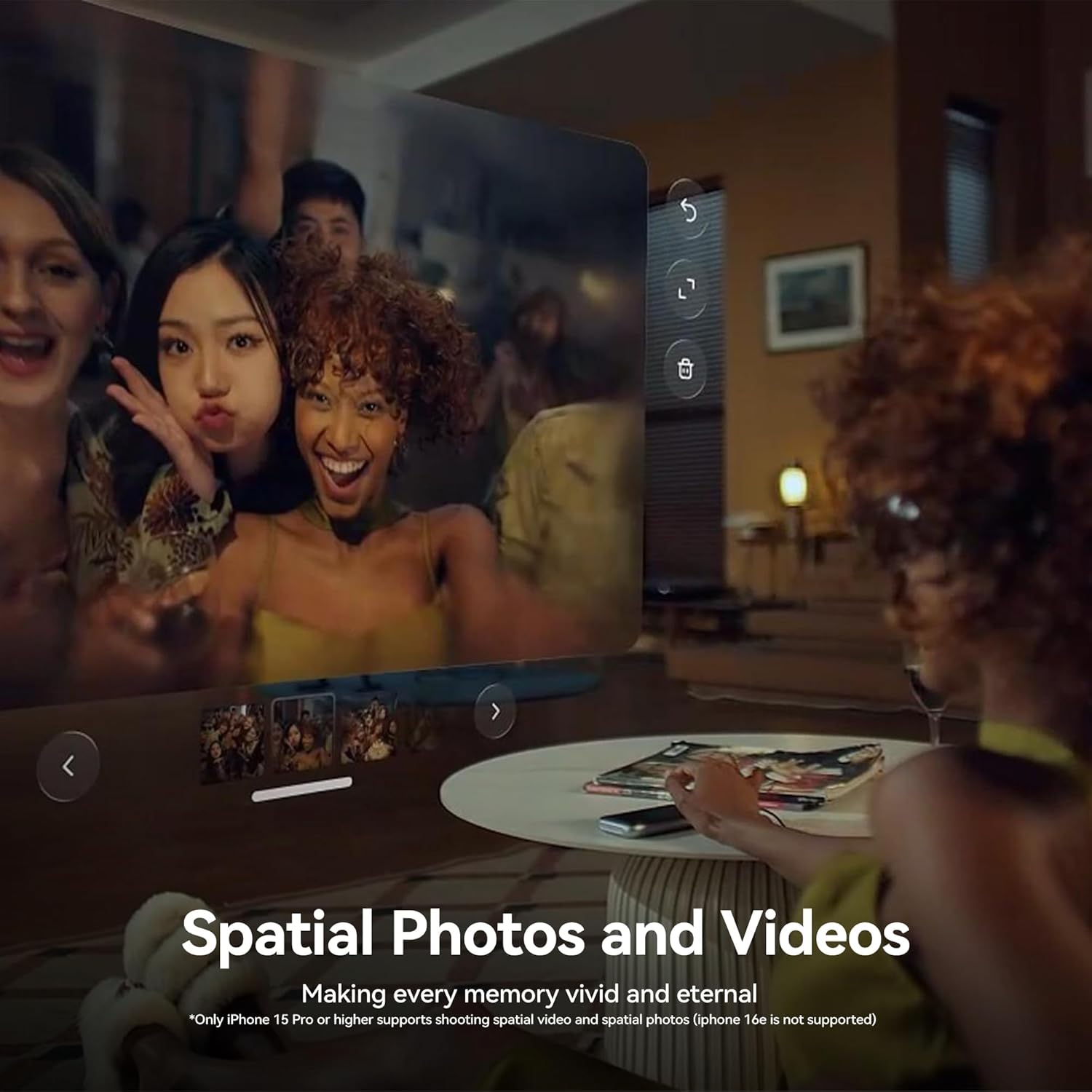
Relive your memories in 3D with the Spatial Album feature, compatible with smartphones. Easily flash-transfer content from your phone or other Station2 devices using the Rokid AR app.
5. الصيانة
5.1 Cleaning the AR Glasses
- Use a soft, lint-free cloth, preferably microfiber, to gently wipe the lenses and frame.
- بالنسبة للبقع العنيدة، استخدمي القليل منampامسح قطعة القماش بالماء أو بمحلول تنظيف العدسات المصمم خصيصًا للأسطح البصرية.
- Avoid using abrasive materials, alcohol, or harsh chemicals, as these can damage the coatings and surfaces.
5.2 Cleaning the Station2
- Wipe the exterior of the Station2 with a soft, dry cloth.
- Keep the USB-C ports free from dust and debris. Use a soft brush or compressed air if necessary.
5.3 التخزين
When not in use, store the Rokid Max 2 AR Glasses and Station 2 in the provided eyewear storage case to protect them from dust, scratches, and impacts. Store in a cool, dry place away from direct sunlight and extreme temperatures.
6. استكشاف الأخطاء وإصلاحها
6.1 No Display in AR Glasses
- Ensure the USB-C cable connecting the glasses to Station2 is securely plugged in at both ends.
- Verify that Station2 is powered on and has sufficient battery charge.
- Restart both the AR glasses (by unplugging and replugging) and the Station2.
6.2 مشاكل الاتصال (واي فاي/بلوتوث)
- Check Wi-Fi settings on Station2 to ensure it's connected to the correct network.
- بالنسبة لأجهزة البلوتوث، تأكد من أنها في وضع الاقتران وأنها ضمن النطاق.
- Restart Station2 and attempt to reconnect.
6.3 3-Screen Multitasking Not Working
- Confirm that your Android phone supports DLNA protocol for multi-screen display. Miracast and ChromeCast are limited to single-screen.
- Ensure the Rokid AR app is updated to the latest version.
6.4 استنزاف البطارية بسرعة
- Reduce screen brightness if possible.
- Close unused applications running in the background on Station2.
- Ensure the device is fully charged before use. Dual Type-C ports allow charging while using.
7. المواصفات
| ميزة | التفاصيل |
|---|---|
| أبعاد المنتج | 8.66 × 6.69 × 5.31 بوصة |
| Item Weight (Glasses) | 2.65 أونصات (75 جرام) |
| رقم موديل العنصر | AR spatial |
| البطاريات | 1 D battery required (included, for Station2) |
| ماركة | روكيد |
| لون | أسود |
| المميزات الخاصة | Gaze Tracking, Sport Follow Mode, Ultra Wide Screen, Ultra-comfortable nose rest, Triple screen |
| تكنولوجيا الاتصال | واي فاي، بلوتوث 5.2 |
| الأجهزة المتوافقة | Game Console, Personal Computer, Smartphone, Tablet, Television |
| استخدامات محددة للمنتج | Gaming, Video, Work |
| الفئة العمرية (الوصف) | بالغ |
| Max2 Glasses Display | Micro OLED, 1920×1200 resolution, 120Hz refresh rate, 600 nits brightness, 108% sRGB |
| دعم قصر النظر | Up to 600 degrees (astigmatism not supported) |
| تعديل IPD | Auto 55–72mm (with Station2) |
| Station2 Battery | 5000mAh (approx. 3.5h runtime) |
| Station2 Storage | 8 جيجا بايت رام + 128 جيجا بايت تخزين |
| Station2 Ports | يو اس بي-سي x2 |
The Rokid Max 2 AR glasses are TÜV Rheinland certified for low blue light, flicker-free display, and eye comfort.

8. الضمان والدعم
Your Rokid AR Spatial system comes with a warranty. Please refer to the included Warranty Card for detailed terms and conditions. For further assistance, technical support, or to access additional resources, please visit the official Rokid website or refer to the comprehensive PDF documents:


