1. Getting Started: Unboxing and Components
This section details the contents of your TABWEE T80 package and provides an overview of the tablet's physical features.
1.1 محتويات العبوة
تأكد من وجود جميع العناصر المدرجة أدناه في الحزمة الخاصة بك:
- TABWEE T80 Android Tablet
- لوحة مفاتيح بلوتوث
- ماوس لاسلكي
- قلم ستايلس
- حافظة حماية
- واقي الشاشة (مثبت مسبقًا أو منفصل)
- حامل لوحي
- Charger and USB-C Cable

1.2 المنتج أكثرview
Familiarize yourself with the tablet's buttons, ports, and camera locations.
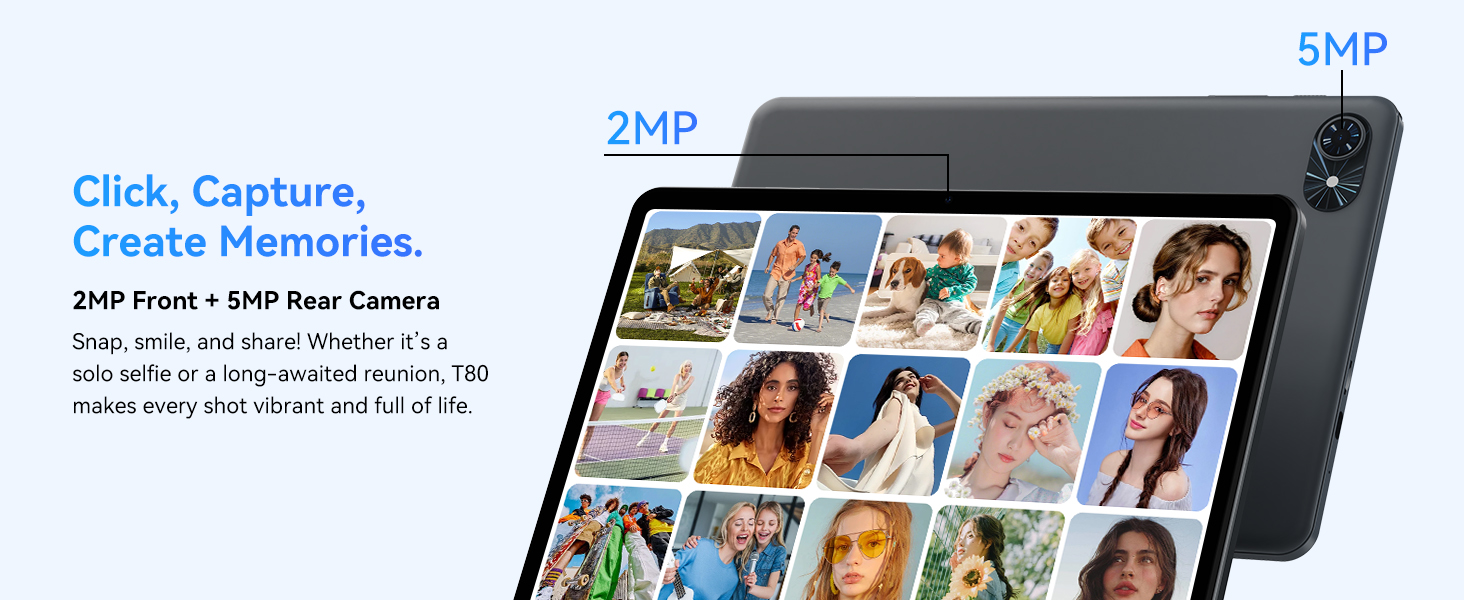
- الكاميرا الأمامية: Located at the top center when held in landscape orientation. (2MP)
- الكاميرا الخلفية: Located on the back panel, typically in the upper left corner. (5MP)
- زر الطاقة: Used to turn the tablet on/off or wake/sleep the screen.
- أزرار التحكم في الصوت: ضبط مستوى إخراج الصوت.
- منفذ USB-C: للشحن ونقل البيانات.
- منفذ كارت الذاكرة الصغيرة: لتوسيع سعة التخزين حتى 2 تيرابايت.
- المتحدثون: مكبرات صوت مزدوجة لإخراج الصوت.
2. تعليمات الإعداد
Follow these steps to set up your TABWEE T80 tablet for first-time use.
2.1 التشغيل الأولي والتكوين الأساسي
- شحن الجهاز اللوحي: Connect the provided USB-C cable and charger to the tablet and a power outlet. Allow the tablet to charge for at least 30 minutes before first use.
- تشغيل الطاقة: Press and hold the Power button until the TABWEE logo appears on the screen.
- اللغة والمنطقة: اتبع التعليمات التي تظهر على الشاشة لتحديد اللغة والمنطقة المفضلة لديك.
- الاتصال بشبكة Wi-Fi: Select your Wi-Fi network from the list and enter the password. A stable internet connection is required for initial setup and updates.
- حساب جوجل: سجّل الدخول باستخدام حسابك على جوجل أو أنشئ حسابًا جديدًا. هذا ضروري لتنزيل التطبيقات من متجر جوجل بلاي.
- التاريخ والوقت: تأكد من إعدادات التاريخ والوقت.
- حماية: قم بإعداد قفل للشاشة (رمز PIN أو نمط أو كلمة مرور) لأغراض الأمان.
2.2 ملحقات التوصيل
The TABWEE T80 comes with several accessories to enhance its functionality.
- Bluetooth Keyboard and Mouse:
- تأكد من شحن لوحة المفاتيح والماوس وتشغيلهما.
- على جهازك اللوحي، انتقل إلى الإعدادات > الأجهزة المتصلة > البلوتوث.
- Enable Bluetooth and scan for new devices.
- Select the keyboard and mouse from the list to pair them. Follow any on-screen prompts.
- قلم ستايلس: The stylus pen can be used directly on the screen for navigation, drawing, or writing. No pairing is typically required for basic capacitive styluses.
- Protective Case and Stand: Attach the protective case to the tablet. The case often includes a foldable stand for hands-free viewعمل.
3. تعليمات التشغيل
This section covers the daily operation of your TABWEE T80 tablet.
3.1 Basic Navigation and Android 15 Features
- الشاشة الرئيسية: Swipe left or right to access different home screens. Tap and hold an empty space to customize widgets, wallpaper, and settings.
- الإخطارات والإعدادات السريعة: اسحب لأسفل من أعلى الشاشة إلى view notifications and access quick settings like Wi-Fi, Bluetooth, and brightness.
- درج التطبيقات: مرر لأعلى من أسفل الشاشة للوصول إلى جميع التطبيقات المثبتة.
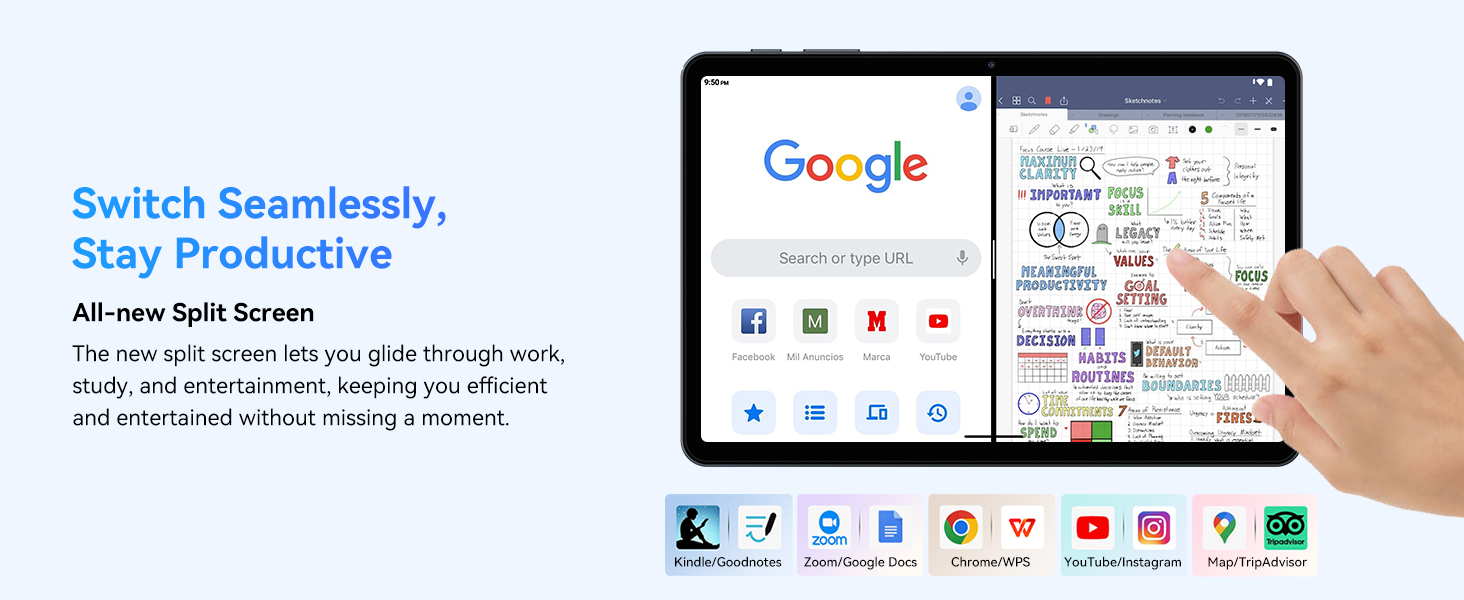
- Multitasking (Split Screen): Android 15 supports enhanced split-screen functionality. To use, open an app, then swipe up from the bottom, hold, and drag another app icon to either side of the screen.
- Gemini AI 2.0: Your tablet integrates Gemini AI 2.0 for enhanced task management, smart chats, text-to-image generation, voice-enabled Q&A, and real-time conversations. Access AI features through compatible apps or dedicated AI interfaces.
- الخصوصية والأمان: Android 15 offers improved privacy controls. Review and adjust app permissions in الإعدادات > الخصوصية.
3.2 الاتصال
- واي فاي: Supports 802.11a/b/g/n/ac for fast 5G Wi-Fi connectivity. Manage Wi-Fi connections in الإعدادات > الشبكة والإنترنت > Wi-Fi.
- بلوتوث شنومكس: For connecting wireless headphones, speakers, keyboards, and mice. Manage Bluetooth devices in الإعدادات > الأجهزة المتصلة > البلوتوث.
- نظام تحديد المواقع العالمي (GPS): The tablet includes GPS functionality for location services and navigation apps.
- OTG (أثناء التنقل): Supports OTG, allowing you to connect USB devices like flash drives or external hard drives using an appropriate adapter.
3.3 استخدام الكاميرا
The TABWEE T80 features a 2MP front camera and a 5MP rear camera.
- افتح تطبيق الكاميرا من الشاشة الرئيسية أو درج التطبيقات.
- اضغط على زر الغالق لالتقاط الصور.
- يمكنك التبديل بين الكاميرا الأمامية والخلفية باستخدام رمز تبديل الكاميرا.
- Explore different modes such as video recording or panorama if available.

3.4 التخزين والأداء
- كبش: The tablet comes with 6GB of physical RAM, expandable virtually to 18GB for smooth multitasking. Adjust RAM settings in إعدادات إذا لزم الأمر.
- التخزين الداخلي: 128GB ROM is provided for apps and files.
- مساحة تخزين قابلة للتوسعة: A MicroSD card slot allows for storage expansion up to 2TB. Insert a compatible MicroSD card into the designated slot.
- المعالج: Powered by a Quad-Core Unisoc T310 processor (1x A75 2.0GHz, 3x A55 1.8GHz) and GE8300 GPU for efficient performance.
3.5 البطارية والشحن
- سعة البطارية: Equipped with a 6000mAh battery, providing over 10 hours of typical usage.
- الشحن: Use the provided 10W fast charger and USB-C cable. Connect the cable to the tablet's USB-C port and the charger to a power outlet.
- تحسين البطارية: Android 15 includes AI Super Power Saving Algorithms to extend battery life. Monitor battery usage in الإعدادات> البطارية.

3.6 Display and Entertainment
- عرض: 10-inch IPS display with a resolution of 1280 x 800 pixels.
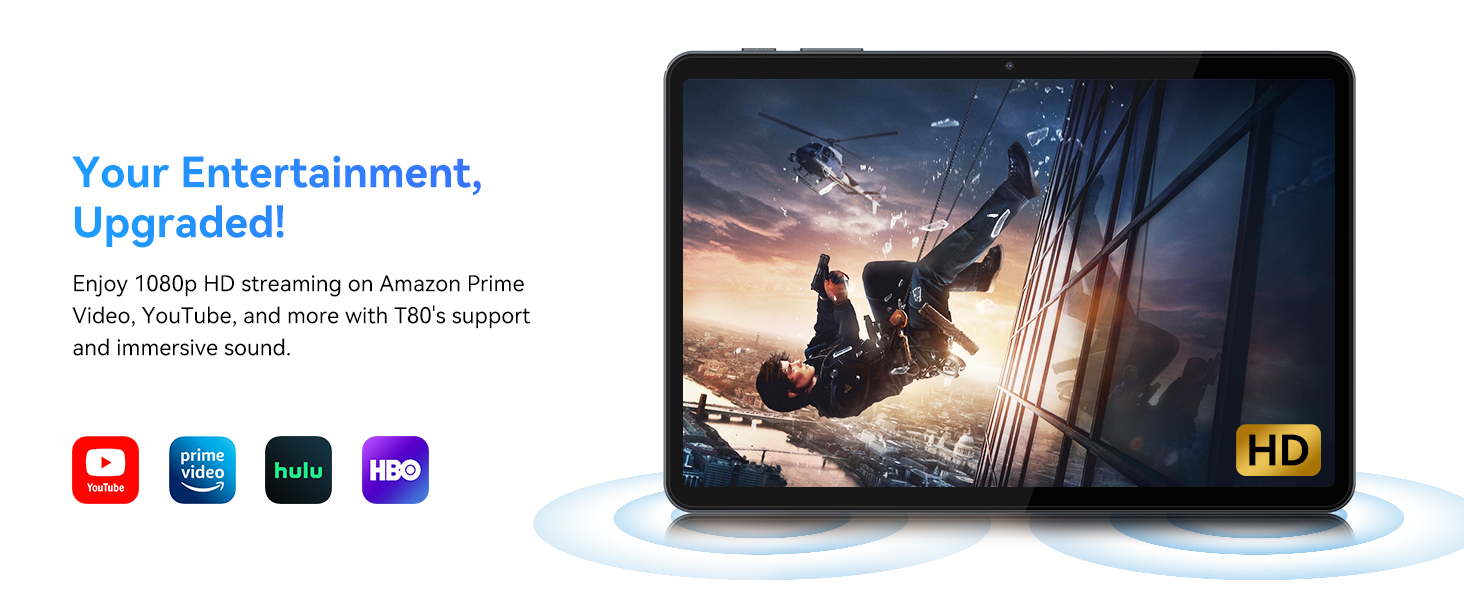
- تشغيل الفيديو: Supports 1080P video playback for streaming services like Amazon Prime Video, YouTube, Hulu, and HBO.
- صوتي: Dual speakers provide clear audio for media consumption.
4. الصيانة
تضمن الصيانة المناسبة طول عمر جهازك اللوحي وأداءه الأمثل.
4.1 العناية بالبطارية
- تجنب درجات الحرارة القصوى، لأنها قد تؤدي إلى تدهور عمر البطارية.
- لا تدع البطارية تنفد تماماً بشكل متكرر. اشحنها قبل أن تصل إلى 0%.
- استخدم الشاحن والكابل المرفقين فقط لتجنب التلف.
4.2 التنظيف
- استخدم قطعة قماش ناعمة وخالية من الوبر لتنظيف الشاشة وجسم الجهاز اللوحي.
- بالنسبة للبقع العنيدة، استخدمي القليل منampاغسل القماش بالماء أو بمحلول تنظيف الشاشة. تجنب المواد الكيميائية القاسية.
- تأكد من أن جميع المنافذ خالية من الغبار والحطام.
4.3 تحديثات البرامج
- Regularly check for and install system updates. These updates often include performance improvements, security patches, and new features.
- اذهب الى الإعدادات > النظام > تحديث النظام للتحقق من التحديثات المتاحة.
5. استكشاف الأخطاء وإصلاحها
This section addresses common issues you might encounter with your TABWEE T80 tablet.
5.1 الجهاز اللوحي لا يعمل
- Ensure the tablet is sufficiently charged. Connect it to the charger and wait a few minutes before attempting to power it on again.
- حاول الضغط باستمرار على زر الطاقة لمدة 10-15 ثانية لإجبار الجهاز على إعادة التشغيل.
5.2 مشاكل اتصال Wi-Fi
- قم بإيقاف تشغيل الواي فاي ثم تشغيله في الإعدادات السريعة.
- أعد تشغيل جهاز توجيه Wi-Fi الخاص بك.
- انسَ أمر الشبكة في الإعدادات > الشبكة والإنترنت > Wi-Fi وأعد الاتصال.
5.3 الأداء البطيء
- أغلق التطبيقات الخلفية غير الضرورية.
- مسح ذاكرة التخزين المؤقت للتطبيقات المستخدمة بكثرة الإعدادات > التطبيقات > [اسم التطبيق] > التخزين والذاكرة المؤقتة > مسح الذاكرة المؤقتة.
- Ensure you have sufficient free storage space. Delete old files or move them to expandable storage.
- أعد تشغيل الجهاز اللوحي بشكل دوري.
5.4 الملحقات لا تتصل
- For Bluetooth accessories, ensure they are charged, powered on, and in pairing mode.
- Verify Bluetooth is enabled on the tablet and try re-pairing the device.
- Check the battery level of the accessories.
6. المواصفات
Detailed technical specifications for the TABWEE T80 Android 15 Tablet.
| ميزة | مواصفة |
|---|---|
| اسم الموديل | T80(6+128) |
| نظام التشغيل | أندرويد 15 |
| حجم الشاشة | 10 بوصة |
| أقصى دقة للشاشة | 1280 × 800 بكسل |
| المعالج | Unisoc T310 Quad-Core (1x A75 2.0GHz, 3x A55 1.8GHz) |
| كبش | 18 جيجابايت (6 جيجابايت فعلي + 12 جيجابايت افتراضي) |
| حجم ذاكرة الفلاش (ROM) | 128 جيجا بايت |
| تخزين قابل للتوسيع | يدعم حتى 2 تيرابايت عبر بطاقة MicroSD |
| نوع لاسلكي | 802.11a, 802.11ac, 802.11b, 802.11g, 802.11n (5G WiFi) |
| بلوتوث | بلوتوث 5.0 |
| سعة البطارية | 6000 مللي أمبير |
| متوسط عمر البطارية | 480 Hours (Standby) / 10+ Hours (Usage) |
| الكاميرا الأمامية | 2 ميجا بكسل |
| الكاميرا الخلفية | 5 ميجا بكسل |
| وزن العنصر | 1.1 رطل |
| أبعاد المنتج | 9.5 × 6.3 × 0.3 بوصة |
| لون | رمادي فضي |
7. الضمان والدعم
Information regarding your product warranty and how to obtain customer support.
7.1 ضمان المنتج
The TABWEE T80 tablet comes with a ضمان لمدة سنتين, covering manufacturing defects and ensuring product reliability. This warranty provides peace of mind and support for your device.
7.2 دعم العملاء
For any technical assistance, inquiries, or warranty claims, please contact TABWEE customer support:
- بريد إلكتروني: serviceplus.linda@gmail.com
- الهاتف (الولايات المتحدة): +1 (717) 896-6060
- الهاتف (المملكة المتحدة): +44 7700 156388
- Phone (CA): +1 (587) 841-0500
- الهاتف (ألمانيا): +49 157 3598 0115
TABWEE offers 24/7 customer support and lifetime technical assistance to ensure you have the best experience with your product.