1. المقدمة وما فوقview
Thank you for choosing the iScooter W6 Electric Scooter. This manual provides essential information for the safe operation, assembly, maintenance, and troubleshooting of your new electric scooter. Please read this manual thoroughly before your first ride to ensure optimal performance and safety.
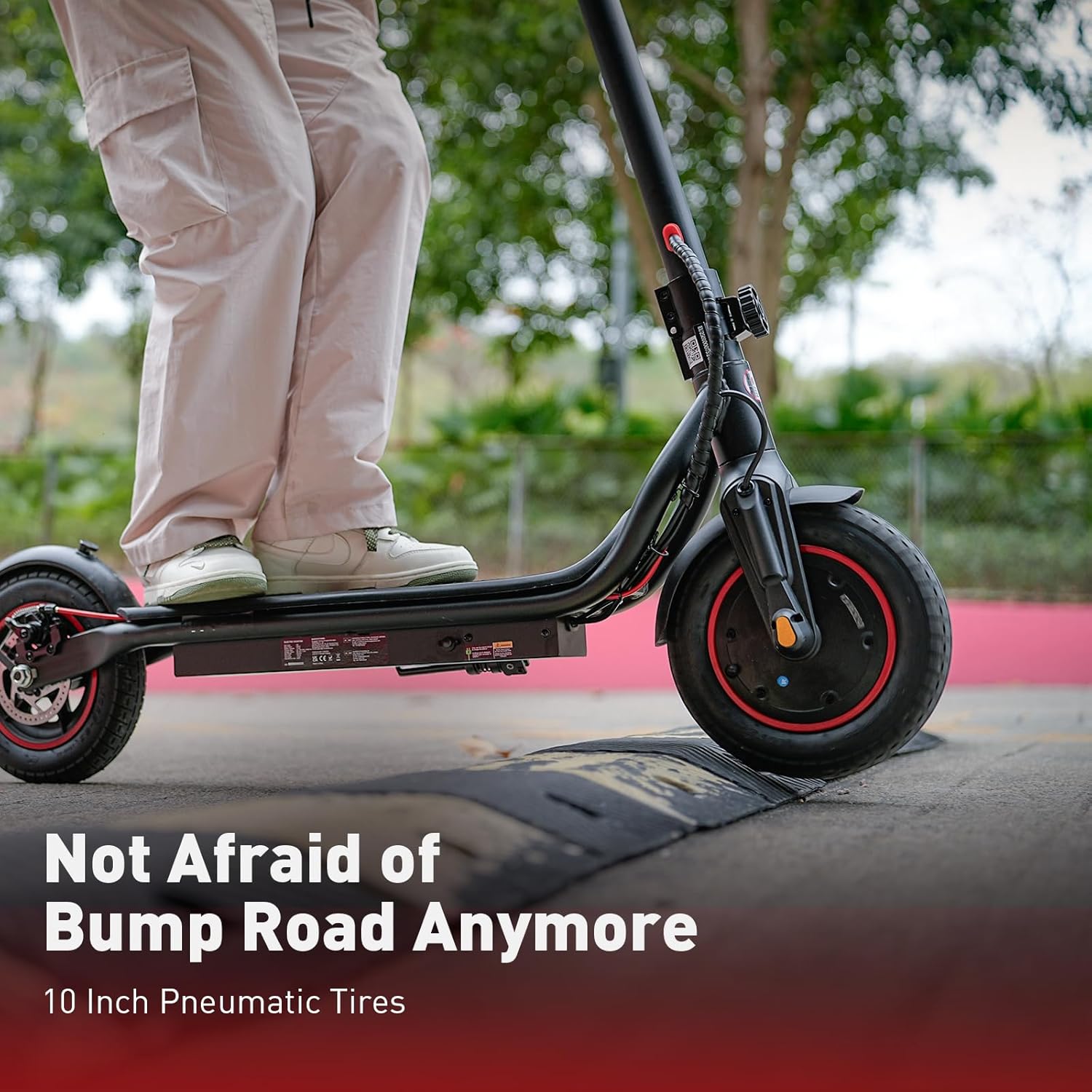
The iScooter W6 is designed for adults and teens, featuring a powerful 500W brushless motor, a top speed of 35 km/h, and a maximum range of 37 km. It is equipped with 10-inch pneumatic tires for a comfortable ride, dual braking systems for enhanced safety, and optional smart APP control for a personalized experience.
2. معلومات السلامة
Your safety is paramount. Always wear a helmet and appropriate protective gear (knee pads, elbow pads) when riding. Familiarize yourself with local laws and regulations regarding electric scooter use.
- ارتدِ دائماً خوذة معتمدة.
- لا تركب السيارة في الأمطار الغزيرة أو عبر البرك التي يزيد عمقها عن 2 سم.
- Avoid riding on slippery surfaces, loose gravel, or steep inclines.
- حافظ على مسافة آمنة من المركبات الأخرى والمشاة.
- لا تتجاوز الحد الأقصى للوزن وهو 120 كجم (264 رطل).
- تأكد من إحكام ربط جميع البراغي والوصلات السريعة قبل كل رحلة.
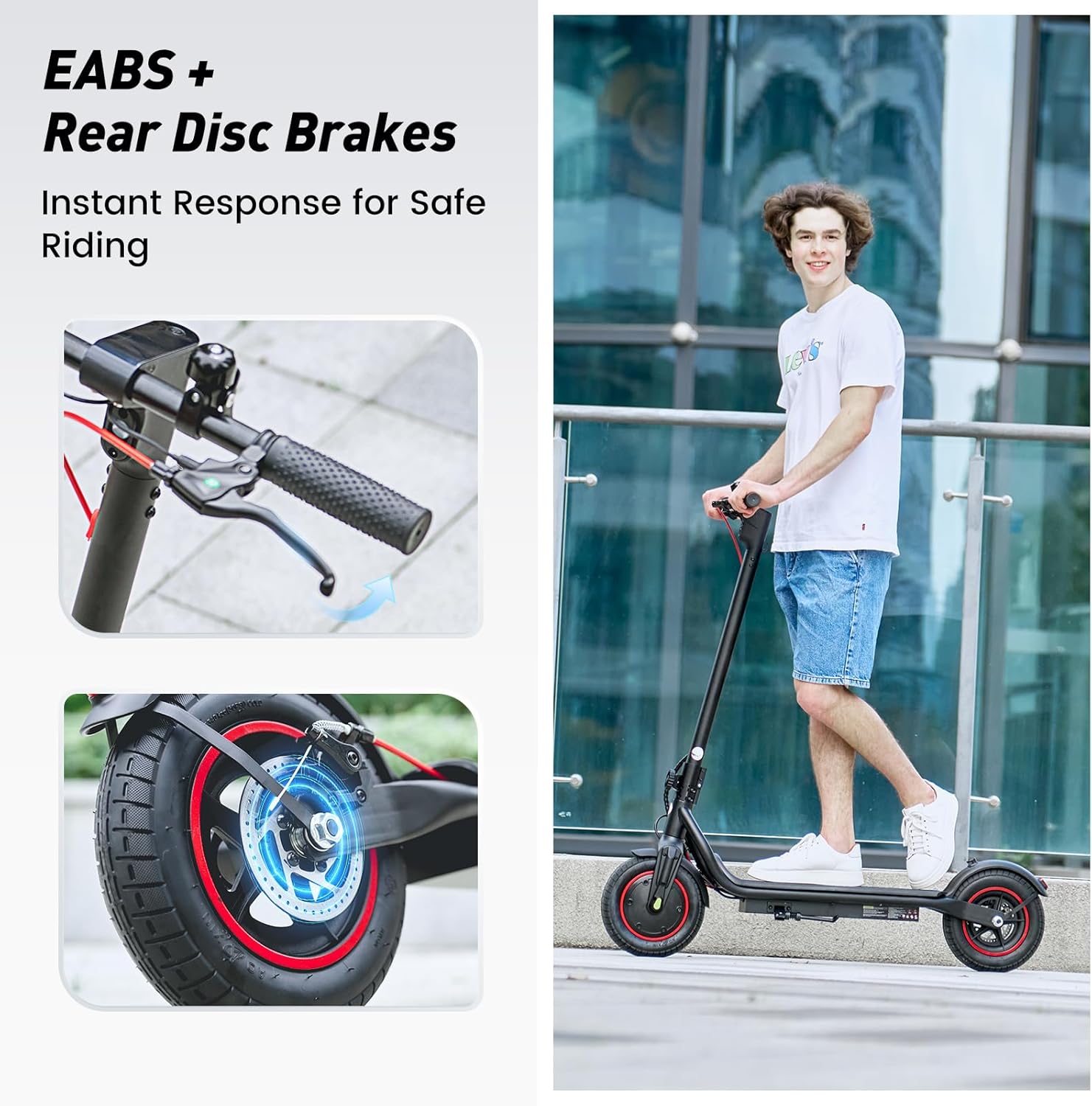
- Use both brakes simultaneously for effective stopping.
- انتبه لما يحيط بك وتجنب المشتتات أثناء القيادة.
3. محتويات العبوة
يرجى التحقق من محتويات طردك. في حال وجود أي عناصر مفقودة أو تالفة، يرجى الاتصال بخدمة العملاء.
- سكوتر كهربائي اي سكوتر W6
- شاحن
- دليل المستخدم
- Screws and Screwdriver for assembly
4. التجميع والإعداد
Your iScooter W6 comes partially assembled. Follow these steps to complete the setup:
- اكشف السكوتر: ارفع ساق المقود بحرص حتى يُثبّت في مكانه. تأكد من تثبيت آلية الطي بإحكام.
- قم بتثبيت المقود: Insert the handlebars into the stem and tighten the screws using the provided screwdriver. Ensure they are firmly attached and aligned.
- التحقق من ضغط الإطارات: Verify that the 10-inch pneumatic tires are inflated to the recommended pressure for optimal ride comfort and range.
- التهمة الاولية: Fully charge the scooter before its first use. Refer to the 'Charging' section for details.

5. تعليمات التشغيل
Before riding, ensure you are in a safe, open area and are wearing all necessary safety gear.
5.1 تشغيل/إيقاف التشغيل
- To power on, press and hold the power button on the display for a few seconds.
- لإيقاف التشغيل، اضغط مع الاستمرار على زر الطاقة مرة أخرى حتى يتم إيقاف تشغيل الشاشة.
5.2 أوضاع الركوب
The iScooter W6 offers three speed modes to suit different riding conditions:
- نمط الصدى: Approximately 14 km/h (9 mph) - For energy saving and beginners.
- وضع القيادة: Approximately 24 km/h (15 mph) - Standard mode for balanced performance.
- الوضع الرياضي: Approximately 35 km/h (22 mph) - For maximum speed and power.
Press the power button once while the scooter is on to cycle through the speed modes.

5.3 التسارع والكبح
- تسريع: Push off with your foot to gain initial momentum, then gently press the throttle lever on the right handlebar.
- الكبح: The scooter features dual braking systems: a rear disc brake and an electronic brake. Squeeze the brake levers on the handlebars to slow down or stop. For emergency stops, apply both brakes firmly.
- نظام تثبيت السرعة: To activate cruise control, maintain a consistent speed for 5 seconds. The scooter will beep, and the cruise control icon will appear on the display. To deactivate, press the throttle or brake lever.
5.4 Lights and Bell
- المصباح الأمامي: Press the power button twice quickly to turn the LED headlight on or off.
- الضوء الخلفي: The rear warning light automatically activates with the headlight and when braking.
- جرس: Use the integrated bell on the left handlebar to alert pedestrians or other riders.
6. Smart APP Control
The iScooter W6 supports smart APP control for enhanced functionality (for models with APP support). Download the official iScooter APP from your smartphone's app store.
- الاقتران: Follow the in-app instructions to pair your scooter via Bluetooth.
- سمات: The APP allows you to lock/unlock the scooter, view real-time ride data (speed, battery level, mileage), switch riding modes, and more.
- Anti-Theft Security: The APP can remotely lock the scooter, making it unridable and providing an additional layer of security.

7. الشحن
Proper charging practices extend battery life and ensure safe operation.
- بطارية: The scooter is equipped with a 42V / 10.5Ah lithium-ion battery.
- وقت الشحن: A full charge typically takes 5–7 hours.
- عملية الشحن: Connect the charger to the charging port on the scooter, then plug it into a standard wall outlet. The indicator light on the charger will change (e.g., red to green) when fully charged.
- أفضل الممارسات: Avoid completely draining the battery. Store the scooter with a partial charge (20-80%) if not used for extended periods. Do not charge unattended.
8. الصيانة
تضمن الصيانة المنتظمة طول عمر وتشغيل السكوتر الخاص بك بشكل آمن.
- تنظيف: امسح السكوتر بالإعلانamp قطعة قماش. لا تستخدم الماء المضغوط أو المنظفات الكاوية.
- الإطارات: Regularly check tire pressure and for any signs of wear or damage. The 10-inch pneumatic tires provide a comfortable ride but require proper inflation.
- الفرامل: Inspect brake levers, cables, and disc brakes for proper function and wear. Adjust or replace components as needed.
- المثبتات: قم بفحص جميع البراغي والصواميل بشكل دوري للتأكد من إحكام ربطها.
- تخزين: قم بتخزين السكوتر في مكان بارد وجاف بعيدًا عن أشعة الشمس المباشرة ودرجات الحرارة القصوى.

9. استكشاف الأخطاء وإصلاحها
If you encounter issues with your iScooter W6, refer to the following common problems and solutions:
| مشكلة | السبب المحتمل | حل |
|---|---|---|
| السكوتر لا يعمل | Low battery; loose connections; power button malfunction | اشحن البطارية؛ تحقق من جميع التوصيلات الظاهرة؛ اتصل بالدعم الفني إذا استمرت المشكلة. |
| نطاق أو سرعة مخفضة | Low tire pressure; heavy load; riding uphill; cold weather; aging battery | Inflate tires to correct pressure; reduce load; ride on flatter terrain; ensure battery is fully charged. |
| الفرامل غير فعالة | Worn brake pads; loose brake cable; disc brake misalignment | Inspect and adjust brake components; replace worn parts; seek professional service if unsure. |
| أصوات غير عادية أثناء التشغيل | Loose components; debris in wheels; motor issue | Check for loose parts and tighten; inspect wheels for obstructions; contact support if noise persists. |
For issues not listed here or if troubleshooting steps do not resolve the problem, please contact iScooter customer support.
10. المواصفات
Key technical specifications for the iScooter W6 Electric Scooter:
| ميزة | مواصفة |
|---|---|
| رقم الموديل | W6 |
| قوة المحرك | 500 واط |
| السرعة القصوى | 35 كم/س |
| أقصى مدى | 37 كم |
| بطارية | 42 فولت / 10.5 أمبير |
| حجم العجلة | 10 بوصة (هوائي) |
| نوع الفرامل | Rear Disc Braking & Electronic Braking |
| الحد الأقصى لوزن السعة | 120 كيلوغرامًا (264 رطلاً) |
| وزن العنصر | 15 كجم |
| مادة | الألومنيوم |
| المميزات الخاصة | 37KM Max Range & 35KM/H Top Speed, 500W Powerful Motor & 10'' Inflatable Tires, Double Braking Systems (Rear Disc Braking & Electronic Braking), Foldable & Commuting, Smart APP Support |
11. الضمان والدعم
iScooter provides a comprehensive warranty and dedicated customer support for your electric scooter.
- فترة الضمان: One-year warranty for the E-scooter, and 180-day warranty for specific parts such as the motor and battery. This warranty is non-transferable after the product's initial sale.
- الإرجاعات: iScooter offers a 7-day no-reason return policy, provided there is no human damage and no stains on the product.
- أضرار الشحن: If shipping damage occurs, please contact iScooter support at support@iscooterglobal.com and provide photo or video proof.
- دعم العملاء: iScooter is committed to providing quality items and service. For any inquiries or assistance, please reach out to our customer support team.


