مقدمة
The Razer BlackShark V3 X HyperSpeed is a wireless esports gaming headset designed for high-performance audio and clear communication across multiple platforms. This manual provides essential information for setting up, operating, maintaining, and troubleshooting your headset.
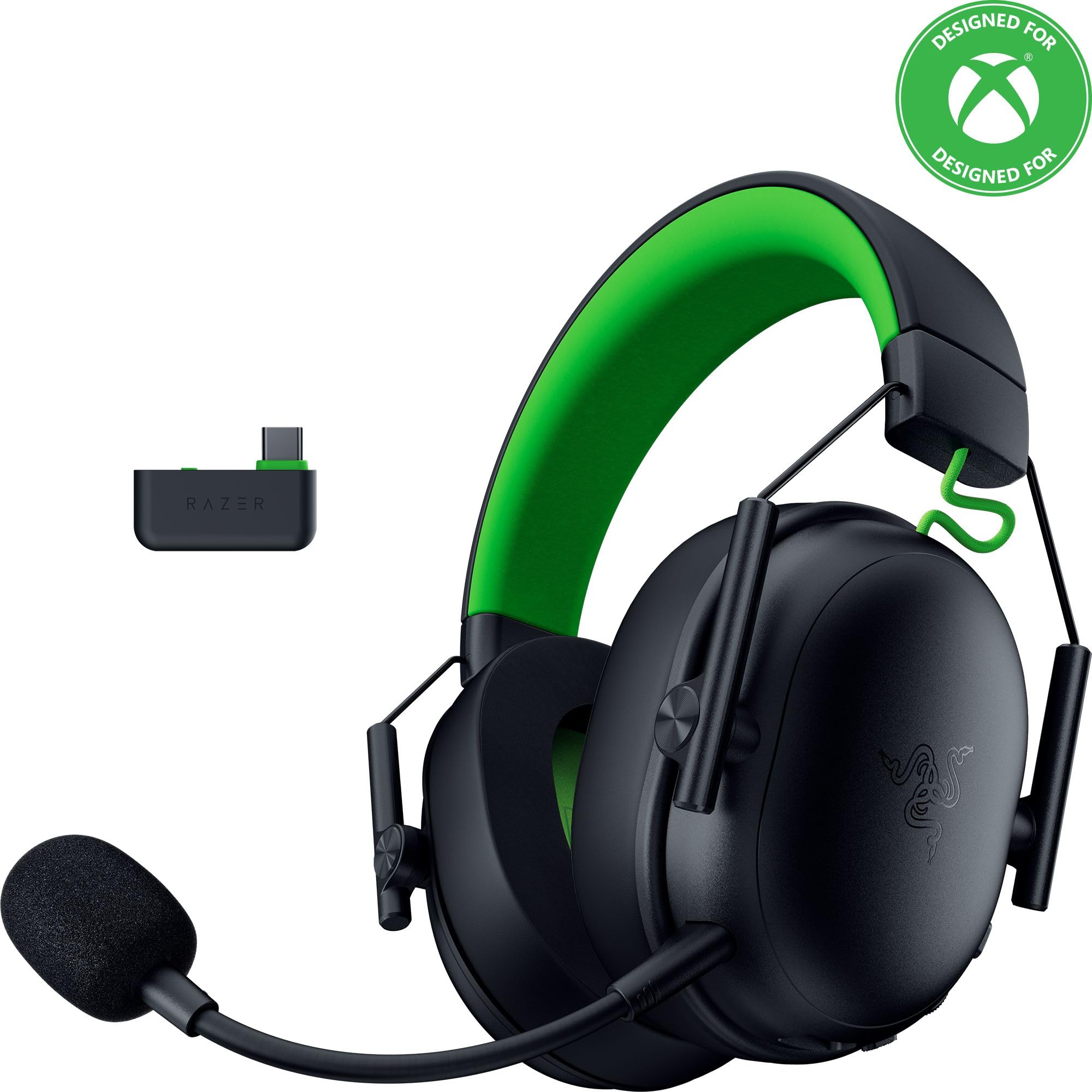
Image: The Razer BlackShark V3 X HyperSpeed Wireless Gaming Headset, showcasinتصميمه وميكروفونه القابل للفصل.
ماذا يوجد في الصندوق
تأكد من وجود جميع المكونات التالية في الحزمة الخاصة بك:
- سماعة الألعاب اللاسلكية Razer BlackShark V3 X HyperSpeed
- دونجل لاسلكي فائق السرعة من Razer بمنفذ USB من النوع C
- ميكروفون Razer HyperClear Cardioid قابل للفصل بقطر 9.9 مم
- USB Type A to Type C Cable (for charging and wired connection)
- كابل محول USB من النوع A إلى النوع C
- دليل المستخدم (هذا المستند)

Image: The Razer BlackShark V3 X HyperSpeed headset on a stand next to its retail packaging, illustrating the product and its box.
يثبت
1. شحن سماعة الرأس
Before initial use, fully charge your headset using the provided USB Type A to Type C cable. Connect the USB-C end to the headset's charging port and the USB-A end to a powered USB port.
2. تركيب الميكروفون
Insert the detachable Razer HyperClear Cardioid 9.9mm Mic into the microphone port located on the left earcup. Ensure it is securely connected.

Image: Close-up of the Razer BlackShark V3 X HyperSpeed headset showing the detachable HyperClear Cardioid microphone attached.
3. خيارات الاتصال
The headset supports three modes of connectivity: 2.4 GHz HyperSpeed Wireless, Bluetooth, and wired USB-C.
- 2.4 GHz HyperSpeed Wireless (PC, Mac, PS5, Nintendo Switch, Xbox Series X|S, Xbox One):
Insert the USB Type C Razer HyperSpeed Wireless Dongle into an available USB-C port on your device. If your device only has USB-A ports, use the provided USB Type A to Type C Adapter Cable. Ensure the switch on the dongle is set to 'USB' for PC/Mac/PS5/Switch or 'XBOX' for Xbox consoles. The headset will automatically connect. - Bluetooth (Smartphones, Tablets, Handheld Gaming Devices):
With the headset powered on, press and hold the power button until the LED indicator blinks blue, indicating pairing mode. On your device, search for and select "Razer BlackShark V3 X HyperSpeed" from the list of available Bluetooth devices. - USB-C سلكي:
Connect the headset directly to your device using the USB Type A to Type C Cable. This mode provides audio and microphone functionality without relying on battery power.

Image: The Razer BlackShark V3 X HyperSpeed headset alongside its USB-C wireless dongle, illustrating the wireless connectivity component.

Image: A visual representation of the headset's three connectivity modes: 2.4 GHz Wireless, Bluetooth, and USB, highlighting its versatility.
تشغيل سماعة الرأس
1. انتهت الضوابطview
تتميز سماعة الرأس بأزرار تحكم سهلة الاستخدام موجودة على غطاء الأذن:
- زر الطاقة: Press and hold to power on/off. Single press to switch between 2.4 GHz HyperSpeed Wireless and Bluetooth modes.
- زر كتم صوت الميكروفون: اضغط لكتم صوت الميكروفون أو إلغاء كتمه.
- عجلة الحجم: يضبط مستوى الصوت الإجمالي.
- Mic Monitoring Wheel: Adjusts the volume of your own voice heard through the headset (sidetone).

الصورة: الجانب view of the Razer BlackShark V3 X HyperSpeed headset, highlighting the location of the power button, volume wheel, and mic mute button.
2. جودة الصوت والميزات
- سماعات Razer TriForce 50mm من الجيل الثاني: Experience powerful, clear audio with enhanced positional accuracy for competitive gaming.
- Razer HyperClear Cardioid 9.9mm Mic: The detachable microphone features a unidirectional pickup pattern to focus on your voice and minimize background noise.
- الصوت المحيط: Enjoy immersive surround sound with Windows Sonic on Xbox and 7.1 Surround Sound on PC for precise audio cues.

الصورة: انفجار view of the Razer TriForce 50mm Drivers Gen-2, illustrating their internal components for powerful and clear audio.

Image: The Razer BlackShark V3 X HyperSpeed headset surrounded by sound waves, representing its advanced surround sound capabilities for Xbox and PC.
3. الراحة والتصميم
Weighing just 270g, the headset is designed for extended gaming sessions with plush memory foam cushions and a fatigue-free design.

Image: The Razer BlackShark V3 X HyperSpeed headset with an icon representing its ultra-lightweight design, emphasizing comfort for long gaming sessions.
4. فيديو المنتج الرسمي
Video: An official product video from Razer showcasing the BlackShark V3 headset line, highlighting its features and design for esports performance.
صيانة
1. التنظيف
- Use a soft, dry cloth to clean the headset's surfaces.
- بالنسبة لأغطية الأذن، امسحها برفق بـamp استخدم قطعة قماش وصابونًا خفيفًا إذا لزم الأمر، ثم جفف جيدًا. تجنب الرطوبة الزائدة.
- لا تستخدم مواد كيميائية قاسية أو مواد كاشطة.
2. التخزين
- قم بتخزين سماعة الرأس في مكان بارد وجاف بعيدًا عن أشعة الشمس المباشرة ودرجات الحرارة القصوى.
- When not in use, consider placing it on a headset stand to maintain its shape and prevent damage.
استكشاف الأخطاء وإصلاحها
No Audio/Poor Audio Quality
- التحقق من الحجم: Ensure the volume wheel on the headset is turned up.
- الاتصال: Verify the headset is correctly connected via 2.4 GHz dongle, Bluetooth, or USB-C. For 2.4 GHz, ensure the dongle switch is set to the correct platform (USB/XBOX).
- إعدادات الجهاز: Confirm the headset is selected as the default audio output device in your computer's or console's sound settings.
- بصلح: For wireless connections, try re-pairing the headset with your device.
الميكروفون لا يعمل
- التحقق من كتم الصوت: Ensure the mic mute button on the headset is not activated.
- Mic Connection: Verify the detachable microphone is securely inserted into the port.
- إعدادات الجهاز: Confirm the headset microphone is selected as the default input device in your computer's or console's sound settings.
- مراقبة الميكروفون: Adjust the mic monitoring wheel to hear your own voice, confirming mic functionality.
مشاكل الاتصال
- تدخل: ابتعد عن الأجهزة اللاسلكية الأخرى التي قد تسبب تداخلاً.
- يتراوح: Ensure you are within the effective range of the wireless dongle or Bluetooth connection.
- Dongle Switch: Double-check that the switch on the USB-C dongle is set to the correct position (USB for PC/Mac/PS5/Switch, XBOX for Xbox).
عمر البطارية أقصر من المتوقع
- الشحن: تأكد من شحن سماعة الرأس بالكامل قبل الاستخدام.
- الاستخدام: High volume levels or continuous use of certain features can reduce battery life.
تحديد
| اسم الموديل | بلاك شارك V3 إكس هايبر سبيد |
| رقم الموديل | RZ04-05420200-R3U1 |
| تكنولوجيا الاتصال | Bluetooth, USB, 2.4 GHz Wireless |
| نوع برنامج تشغيل الصوت | Dynamic Driver (Razer TriForce 50mm Drivers Gen-2) |
| استجابة التردد | 12 هرتز - 28 كيلوهرتز |
| حساسية | 106 ديسيبل |
| ميكروفون | ميكروفون Razer HyperClear Cardioid قابل للفصل بقطر 9.9 مم |
| التحكم في الضوضاء | عزل الصوت |
| الأجهزة المتوافقة | Xbox Series X|S, Xbox One, PS5, PS4, PC, Mac, Nintendo Switch, Smartphones, Tablets |
| وزن العنصر | 270 grams (without mic) |
| البطاريات | 1 بطارية ليثيوم أيون (مضمنة) |
| نسخة البلوتوث | 5.3 |
الضمان والدعم
For warranty information, technical support, or further assistance, please visit the official Razer support webالموقع. احتفظ بإثبات الشراء الخاص بك لتقديم مطالبات الضمان.
الدعم عبر الإنترنت: www.razer.com/support


