1. المقدمة
This manual provides detailed instructions for the setup, operation, and maintenance of your Eyoyo EY-041 Industrial Wireless Barcode Scanner. The EY-041 is a versatile 3-in-1 scanner designed for industrial environments, offering robust durability, IP65 waterproof and dustproof protection, and flexible connectivity options.

The Eyoyo EY-041 barcode scanner shown resting in its charging dock, highlighting its design and readiness for use.
2. محتويات العبوة
يرجى التأكد من وجود جميع العناصر في الحزمة الخاصة بك:
- ماسح الباركود Eyoyo EY-041
- قاعدة الشحن
- كابل يو اس بي
- Base Connection Cable
- شنومكسغ دونغل
- دليل المستخدم
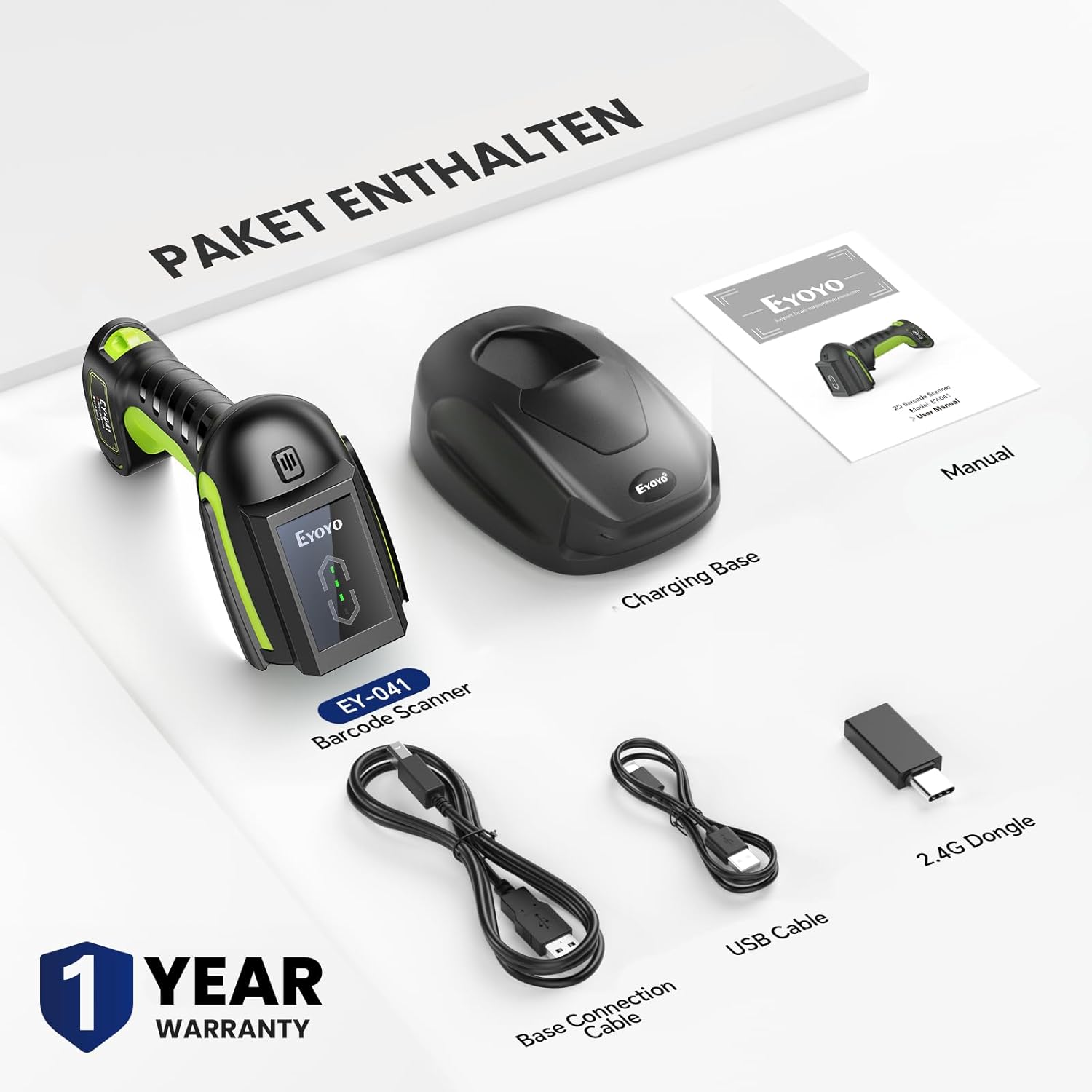
واضح view of all items included in the product package: the EY-041 barcode scanner, charging base, USB cable, base connection cable, and 2.4G dongle.
3. الإعداد
3.1 شحن الماسح الضوئي
Before initial use, fully charge the scanner. Place the scanner into the charging dock. The 4-level power indicator on the scanner will show the charging status (25%-50%-75%-100%). A full charge supports over 57,000 scans or 15+ hours of continuous operation.

Close-up of the scanner's display showing the battery indicator, which provides real-time power status.
3.2 توصيل الماسح الضوئي
يوفر جهاز EY-041 ثلاث طرق للاتصال:
- اتصال لاسلكي 2.4G: Insert the 2.4G dongle into your computer's USB port. The scanner will automatically pair.
- اتصال بلوتوث لاسلكي: Activate Bluetooth on your device (mobile, tablet, computer). Scan the Bluetooth pairing barcode in the manual. Select 'EY-041' from your device's Bluetooth list to connect.
- اتصال سلكي USB: Connect the scanner directly to your computer using the provided USB cable. The scanner will function as a wired device and charge simultaneously.

An illustration detailing the three primary connection methods: 2.4G wireless via dongle, Bluetooth for mobile devices, and direct USB wired connection.
4. أوضاع التشغيل
The EY-041 supports three scanning modes to suit various operational needs:
- وضع التشغيل اليدوي: Press the trigger button to initiate each scan. Ideal for precise, single-item scanning.
- وضع المسح المستمر: The scanner continuously emits a scan beam without requiring trigger presses. Suitable for high-volume scanning when used with the charging base.
- وضع الاستشعار التلقائي: يكتشف الماسح الضوئي تلقائيًا الرمز الشريطي ضمن نطاقه view and scans it without a trigger press. Best utilized when the scanner is placed in its hands-free charging base.

A collage of images demonstrating the three available scanning modes: automatic sensing, continuous scanning without trigger, and manual trigger activation.
4.1 Hands-Free Scanning with Charging Dock
The charging dock doubles as a hands-free stand. When placed in the dock and set to continuous or auto-sensing mode, the scanner can efficiently process items without requiring manual holding, optimizing workflow for tasks like checkout or assembly lines.

The scanner placed in its dock, which serves both as a charging station and a hands-free stand for efficient, continuous scanning.
5. أوضاع تحميل البيانات
The EY-041 supports two data upload modes:
- وضع التحميل الفوري: يتم نقل البيانات الممسوحة ضوئيًا على الفور إلى الجهاز المتصل.
- وضع التخزين: Scanned data is stored internally in the scanner's memory (up to 100,000 barcodes) and can be uploaded later. This mode is useful when operating out of range of Bluetooth or wireless connectivity.
6. إعدادات قابلة للتخصيص
The scanner's behavior can be customized by scanning specific configuration barcodes found in the full user manual. These settings include:
- Adjusting beep sounds and vibration.
- Switching keyboard languages.
- Enabling or disabling specific barcode types (1D, 2D, QR).
- Adding prefixes or suffixes to scanned data.
7. Durability and Performance
7.1 Industrial-Grade Durability
The EY-041 is constructed with high-strength industrial materials, including 70% soft rubber and durable ABS+PC+TPU. It is designed to withstand drops from up to 3 meters (10 feet) onto concrete, making it suitable for demanding environments such as warehouses and manufacturing facilities.

An image illustrating the scanner's robust construction, capable of withstanding drops and dusty environments.
7.2 IP65 Waterproof & Dustproof Protection
With an IP65 rating, the scanner is protected against dust ingress and low-pressure water jets from any direction. This ensures reliable performance in wet, rainy, or dusty conditions. Note: The scanner itself is waterproof; the charging base is not.
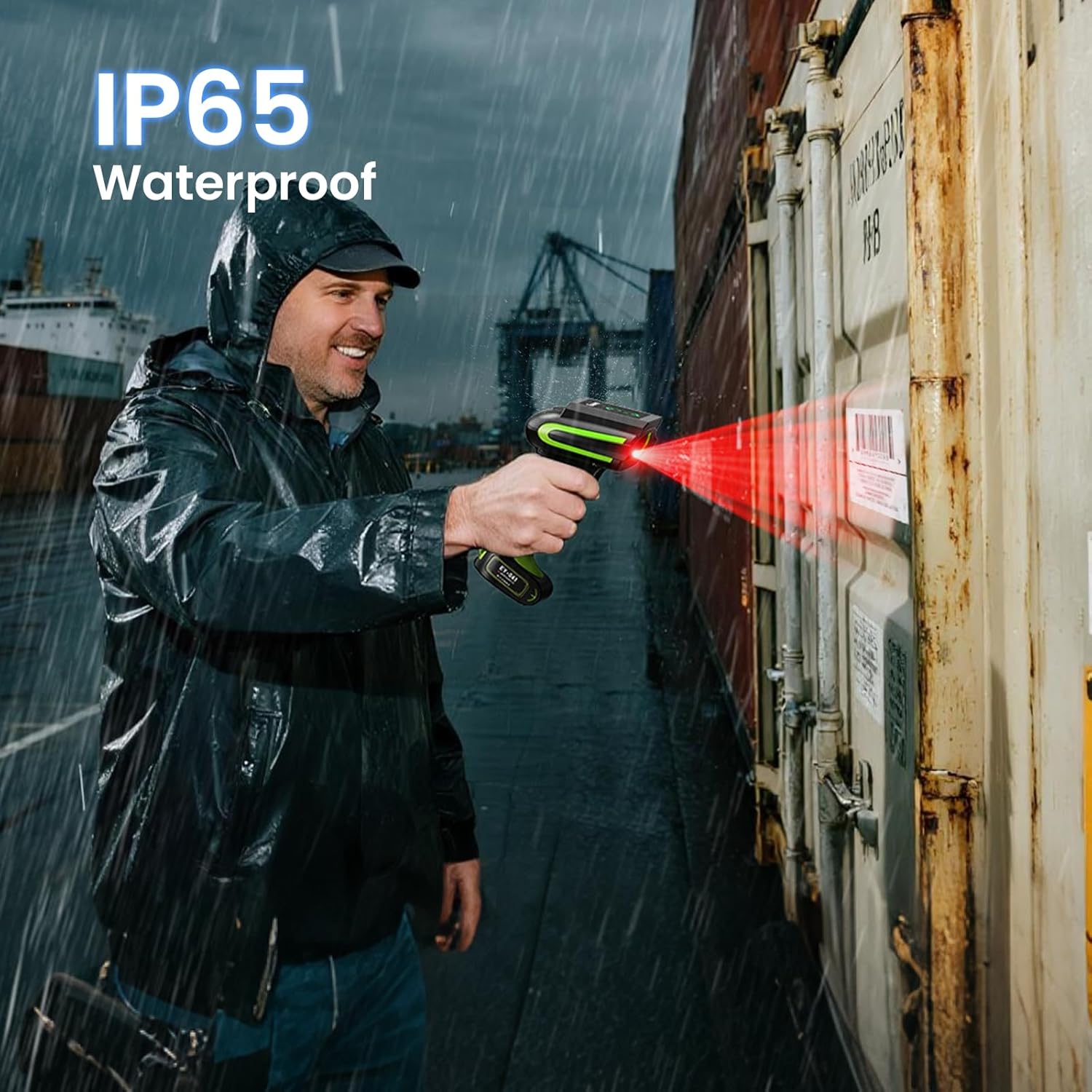
A user scanning a barcode outdoors in rainy conditions, showcasing the scanner's IP65 waterproof protection.
7.3 Superior 1D & 2D Scanning Capability
The EY-041 features a wide scan range and a bright aiming dot, enabling it to read both 1D and 2D barcodes quickly and accurately. It performs well with barcodes printed on paper, labels, or displayed on screens, even those that are damaged, distorted, or of poor quality.

The scanner actively reading both 1D and 2D barcodes, demonstrating its versatile scanning capabilities.
8. الصيانة
- تنظيف: استخدمي قطعة قماش ناعمةamp cloth to clean the scanner's exterior. Avoid abrasive cleaners or solvents.
- تخزين: قم بتخزين الماسح الضوئي في مكان بارد وجاف عند عدم استخدامه.
- العناية بالبطارية: To prolong battery life, avoid fully discharging the battery frequently. Charge the scanner regularly.
9. استكشاف الأخطاء وإصلاحها
If you encounter issues with your EY-041 scanner, consider the following:
- الماسح الضوئي غير متصل: Ensure the scanner is charged. For 2.4G, verify the dongle is properly inserted. For Bluetooth, ensure the scanner is in pairing mode and selected on your device.
- مشاكل المسح الضوئي: Check if the barcode is clean and undamaged. Ensure the scanner is held at an appropriate distance and angle. Verify that the barcode type is enabled in the scanner's settings.
- لا يوجد نقل بيانات: Confirm the scanner is successfully connected to your device. Check if the scanner is in instant upload mode or if data needs to be manually uploaded from storage mode.
- استنزاف البطارية بسرعة: Ensure the scanner is fully charged. Reduce continuous scanning time if possible.
For further assistance, please refer to the comprehensive user manual or contact customer support.
10. المواصفات
| ميزة | مواصفة |
|---|---|
| رقم الموديل | إي واي 041 |
| أبعاد المنتج | 5.43 × 1.18 × 3.62 بوصة |
| وزن العنصر | 1.63 رطل |
| تكنولوجيا الاتصال | 2.4G لاسلكي، بلوتوث، كابل USB |
| مصدر الطاقة | تعمل بالبطارية |
| سعة البطارية | 2500 مللي أمبير |
| متانة | 3m/10ft drop resistance |
| تصنيف الحماية | IP65 مقاوم للماء والغبار |
| القدرة على المسح | 1D & 2D Barcodes |
| الأجهزة المتوافقة | جهاز كمبيوتر مكتبي، جهاز كمبيوتر محمول، نظام نقاط البيع، هاتف ذكي، جهاز لوحي |
11. الضمان والدعم
11.1 معلومات الضمان
The Eyoyo EY-041 Industrial Wireless Barcode Scanner comes with a ضمان لمدة سنتين يسري هذا الضمان من تاريخ الشراء. ويغطي عيوب التصنيع والأعطال الناتجة عن الاستخدام العادي. يرجى الاحتفاظ بإثبات الشراء لتقديم مطالبات الضمان.
11.2 دعم العملاء
For technical support, troubleshooting assistance, or warranty inquiries, please contact Eyoyo customer service. Refer to the contact information provided in your product packaging or visit the official Eyoyo webموقع.
12. فيديو المنتج
عرض فيديو المنتج الرسميasing the features and functionality of the Eyoyo Industrial Wireless Barcode Scanner.


