1. المقدمة
This user manual provides essential information for the safe and efficient operation of your OnePlus Watch 3 43mm Silver Steel. Please read this manual thoroughly before using the device to ensure proper functionality and to prevent damage. Keep this manual for future reference.
2. ماذا يوجد في الصندوق
تأكد من وجود جميع العناصر في العبوة:
- OnePlus Watch 3 (43mm Silver Steel)
- أحزمة الساعات
- كابل الشحن
- دليل البدء السريع

Image: OnePlus Watch 3 43mm Silver Steel, front view with strap.
3. انتهى المنتجview
3.1 التصميم والمكونات
The OnePlus Watch 3 features a 43mm round display encased in polished stainless steel. The crown and side button provide tactile control, complementing the touchscreen interface. The device is designed for comfortable wear with a fluoroelastomer band.
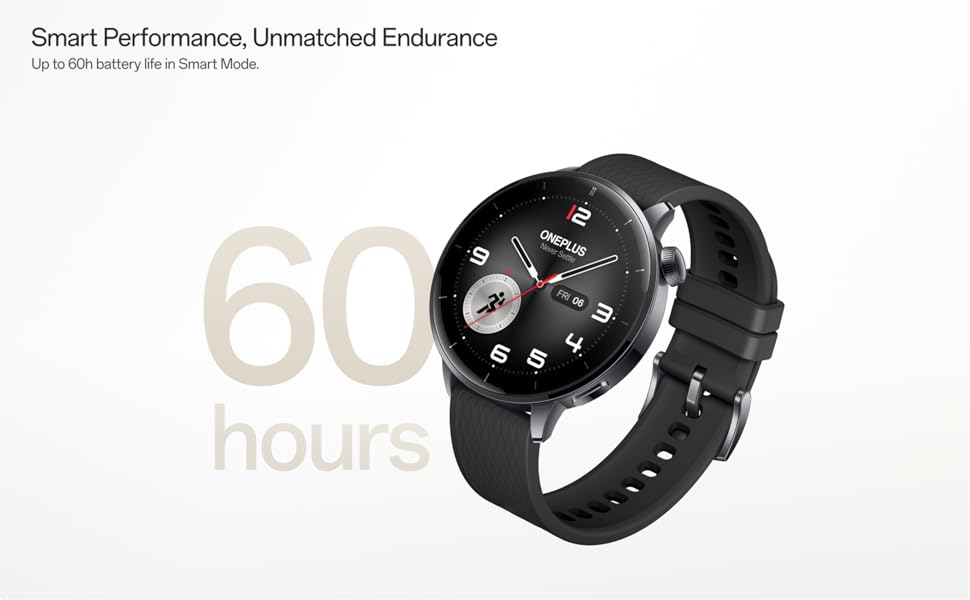
Image: OnePlus Watch 3 43mm Silver Steel, highlighting its refined design and polished stainless steel case.
3.2 الميزات الرئيسية
- عرض: 1.32-inch round AMOLED touchscreen.
- نظام التشغيل: WearOS.
- تخزين: سعة تخزين داخلية 32 جيجابايت.
- الاتصال: Bluetooth, Multi-GNSS (Beidou, GPS, Galileo, GLONASS, QZSS).
- مقاومة الماء: تصنيف IP68.
- بطارية: 345mAh Lithium-Ion, offering up to 60 hours in Smart Mode.
4. الإعداد
4.1 الشحن الأولي
Before first use, fully charge your OnePlus Watch 3. Connect the charging cable to the watch's charging port and a compatible USB power adapter. The watch display will indicate charging status.
4.2 تشغيل/إيقاف التشغيل
- تشغيل الطاقة: Press and hold the side button (crown) until the OnePlus logo appears.
- إيقاف التشغيل: اضغط مع الاستمرار على الزر الجانبي، ثم حدد "إيقاف التشغيل" من الخيارات الموجودة على الشاشة.
4.3 الاقتران بهاتفك الذكي
- Ensure your smartphone has Bluetooth enabled and is connected to the internet.
- Download and install the Wear OS by Google app from your phone's app store.
- Open the Wear OS app and follow the on-screen instructions to pair your OnePlus Watch 3.
- اقبل جميع الأذونات اللازمة لضمان عمل البرنامج بكامل طاقته.
5. تشغيل الساعة
5.1 الملاحة
- شاشة تعمل باللمس: اسحب لأعلى أو لأسفل أو لليسار أو لليمين للتنقل بين القوائم والإشعارات. انقر لتحديد العناصر.
- تاج: Rotate the crown to scroll through lists or adjust settings. Press the crown to return to the watch face or access the app drawer.
- زر جانبي: Customizable for quick access to a specific app or function.
5.2 تخصيص واجهات الساعة
To change your watch face, long-press on the current watch face and swipe left or right to browse available options. Tap to select. Additional watch faces can be downloaded via the Wear OS app or Google Play Store on your watch.
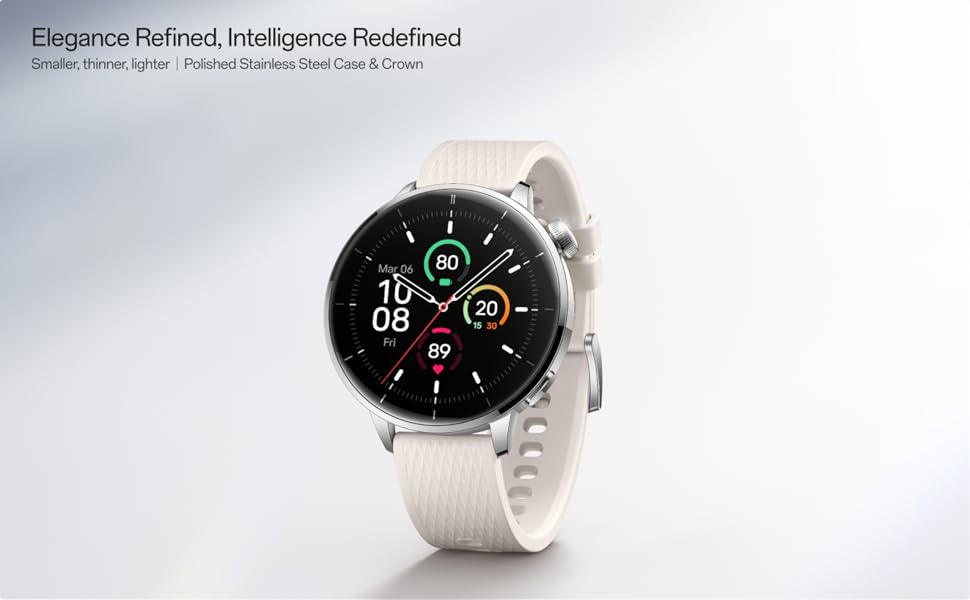
Image: Two OnePlus Watch 3 devices showing different watch faces, illustrating customization options.
6. مراقبة الصحة
The OnePlus Watch 3 offers comprehensive health tracking features:
- رصد معدل ضربات القلب: مراقبة مستمرة لمعدل ضربات قلبك طوال اليوم.
- قياس نسبة الأكسجين في الدم (SpO2): On-demand and continuous blood oxygen level monitoring.
- تتبع النوم: يراقب النومtages, duration, and detects potential sleep breathing risks.
- تتبع الدورة: For tracking menstrual cycles.
- مراقبة الإجهاد: يحلل تقلب معدل ضربات القلب لتقدير مستويات التوتر.

Image: The OnePlus Watch 3 and a smartphone screen showing various health metrics like daily activity, heart rate, and sleep data.
7. تتبع اللياقة البدنية
The watch supports 11 professional fitness modes and provides fat burning evaluation. Utilize the built-in Multi-GNSS for accurate outdoor activity tracking.
- تتبع النشاط: يسجل الخطوات والمسافة والسعرات الحرارية المحروقة والدقائق النشطة.
- أوضاع التمرين: Select from various modes like running, cycling, swimming, and more for tailored tracking.
- تتبع نظام تحديد المواقع: Integrated GPS for precise route mapping during outdoor workouts.

Image: A person wearing the OnePlus Watch 3 during a cycling activity, demonstrating its use for fitness tracking.
8. الميزات الذكية
Running on WearOS, the OnePlus Watch 3 integrates seamlessly with your digital life:
- إشعارات: Receive calls, messages, and app alerts directly on your wrist.
- Google Play Apps: يمكنك الوصول إلى مجموعة واسعة من التطبيقات من متجر جوجل بلاي.
- محفظة جوجل: Make contactless payments.
- التحكم بالموسيقى: تحكم في تشغيل الموسيقى على هاتفك الذكي المتصل.
- مساعد صوت: Utilize Google Assistant for hands-free commands.

Image: The OnePlus Watch 3 screen showing multiple app icons, representing its WearOS ecosystem and access to Google Play apps.
9. إدارة البطارية
The OnePlus Watch 3 is equipped with a 345mAh battery, providing up to 60 hours of use in Smart Mode. Battery life can vary based on usage and settings.
- الشحن: Use the provided charging cable. A full charge takes approximately 30 minutes.
- وضع توفير البطارية: Enable this mode to extend battery life by limiting certain features.
- Tips for Extending Battery Life: قلل سطوع الشاشة، وعطّل خاصية العرض الدائم، وقلّل من تحديث التطبيقات في الخلفية، وأوقف الإشعارات غير الضرورية.
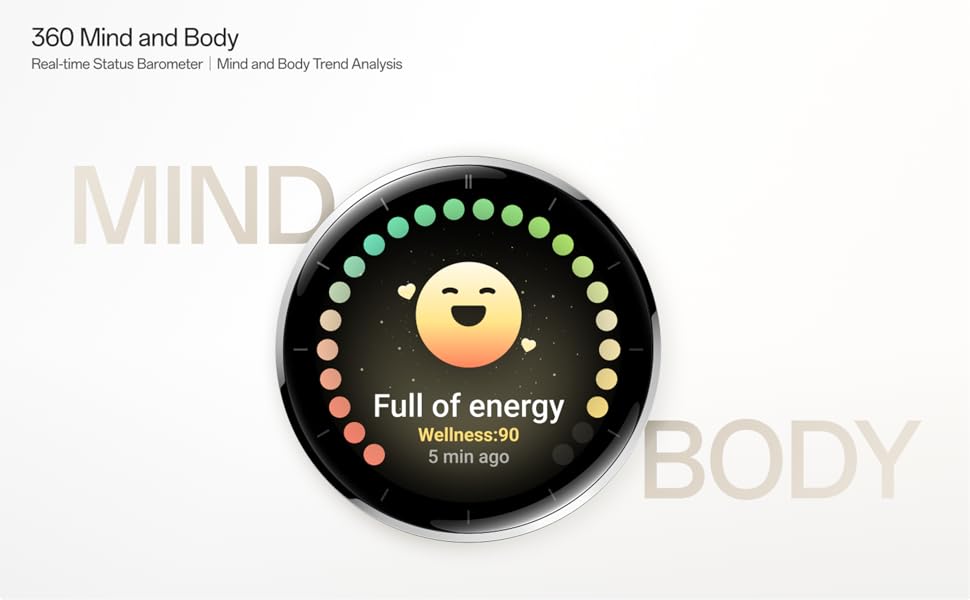
Image: The OnePlus Watch 3 with a large '60 hours' text, emphasizing its extended battery life in Smart Mode.
10. الصيانة
10.1 التنظيف
نظّف ساعتك وحزامها بانتظام لمنع تهيج الجلد والحفاظ على وظائفها.
- امسح شاشة الساعة وجسمها بقطعة قماش ناعمة وخالية من الوبر.
- بالنسبة للحزام، استخدم صابونًا خفيفًا وماءً، ثم اشطفه جيدًا وجففه تمامًا قبل ارتدائه.
- تجنب استخدام المواد الكيميائية القاسية أو المواد الكاشطة.
10.2 مقاومة الماء
The OnePlus Watch 3 has an IP68 water resistance rating. This means it is protected against dust and can withstand immersion in water up to 1.5 meters for 30 minutes. It is suitable for everyday use and activities like hand washing or light rain. Avoid using it for diving, high-pressure water activities, or in hot water/steam.
11. استكشاف الأخطاء وإصلاحها
If you encounter issues with your OnePlus Watch 3, try the following steps:
- الساعة لا تعمل: تأكد من أن الساعة مشحونة بالكامل.
- قضايا الاقتران: Check if Bluetooth is enabled on your phone and watch. Restart both devices and try pairing again.
- قراءات غير دقيقة: تأكد من أن الساعة مُحكمة على معصمك، ليست ضيقة جدًا ولا واسعة جدًا. نظّف المستشعرات الموجودة على ظهر الساعة.
- App Crashes/Slow Performance: Restart the watch. If the issue persists, consider resetting the watch to factory settings (this will erase all data).
- استنزاف البطارية بسرعة: Review نصائح لإدارة البطارية في القسم 9.
For further assistance, refer to the official OnePlus support webالموقع أو الاتصال بخدمة العملاء.
12. المواصفات
| ميزة | مواصفة |
|---|---|
| رقم الموديل | OnePlus Watch 3 |
| حجم العرض | 1.32 بوصة |
| نوع العرض | أموليد |
| نظام التشغيل | وير أو إس |
| سعة تخزين الذاكرة | 32 جيجا بايت |
| الاتصال | بلوتوث |
| نظام تحديد المواقع العالمي (جي بي اس) | بيدو، نظام تحديد المواقع، غاليليو، غلوناس، QZSS |
| سعة البطارية | 345 مللي أمبير من نوع ليثيوم أيون |
| مقاومة الماء | IP68 |
| وزن العنصر | 9.9 أونصة (0.28 كجم) |
| أبعاد الحزمة | 4.72 × 4.69 × 2.56 بوصة |
13. الضمان والدعم
For warranty information, please refer to the warranty card included with your product or visit the official OnePlus website. For technical support, software updates, and frequently asked questions, please visit the OnePlus support page:


