1. المقدمة
This manual provides essential information for setting up, operating, and maintaining your NIMO 15.6-inch FHD Laptop Nimo N155. Please read this manual thoroughly before using your device to ensure proper function and longevity.

Figure 1: NIMO 15.6-inch FHD Laptop Nimo N155 Overview
The NIMO N155 laptop is equipped with an AMD Ryzen 7 6800H processor, 32GB DDR5 RAM, and a 1TB PCIe 4.0 SSD, designed for efficient performance in various computing tasks. It features a 15.6-inch Full HD IPS anti-glare display, a backlit keyboard, and an integrated fingerprint sensor for enhanced security and user experience.
2. ماذا يوجد في الصندوق
تأكد من وجود جميع العناصر في العبوة:
- 1 × كمبيوتر محمول Nimo N155
- شاحن سريع من النوع C بقوة 100 واط بتقنية الشحن السريع PD
- 1 × دليل المستخدم (هذه الوثيقة)
- نظام التشغيل ويندوز 11 هوم (مثبت مسبقًا)
3. الإعداد الأولي
3.1. Charging the Laptop
Before first use, connect the laptop to the power adapter and charge it fully. The Type-C 100W PD Fast Charger provides rapid charging capabilities.
- Connect the Type-C charger to a power outlet.
- Plug the Type-C connector into one of the Type-C ports on your laptop.
- The charge LED indicator will illuminate, indicating that the laptop is charging.

Figure 2: Connecting the Type-C 100W PD Fast Charger
3.2. تشغيل
Press the power button located on the keyboard to turn on the laptop. Follow the on-screen instructions to complete the initial Windows 11 setup, including language selection, network connection, and user account creation.
4. Laptop Components and Ports
Familiarize yourself with the various components and ports of your NIMO N155 laptop.

الشكل 3: منافذ وموصلات الكمبيوتر المحمول
4.1. منافذ الجانب الأيسر
- منفذ USB 2.0: لتوصيل أجهزة USB القديمة.
- منفذ USB 3.0: لتوصيل أجهزة USB عالية السرعة.
- منفذ كارت الذاكرة الصغيرة: For reading and writing to Micro SD cards.
- مقبس سماعة الرأس: لتوصيل سماعات الرأس أو مكبرات الصوت الخارجية.
- فتحة قفل Kensington: لتأمين جهاز الكمبيوتر المحمول الخاص بك بقفل متوافق.
4.2. منافذ الجانب الأيمن
- مؤشر LED للشحن: يشير إلى حالة الشحن.
- Type-C (PD/Charging) Port: Primarily for power delivery and charging.
- Type-C (Multifunction) Port: يدعم نقل البيانات وعرض المخرجات.
- منافذ USB 3.0 (x2): لتوصيل أجهزة USB عالية السرعة.
- منفذ HDMI: للاتصال بالشاشات أو أجهزة العرض الخارجية.
4.3. المكونات الداخلية
- المعالج: AMD Ryzen 7 6800H (8 Cores, 16 Threads, up to 4.7 GHz).
- الرسومات: Integrated AMD Radeon 680M GPU.
- كبش: 32GB DDR5 (upgradeable).
- تخزين: 1TB PCIe 4.0 SSD (upgradeable).
- عرض: 15.6-inch FHD (1920x1080) IPS Anti-Glare Display.
- Webكام: 2.0 MP with privacy shield.
- لاسلكي: 802.11a/b/g/n/ac (Wi-Fi 5) and Bluetooth 5.2.

Figure 4: AMD Ryzen 7 6800H Processor Details

Figure 5: High-Speed RAM and PCIe SSD
5. تشغيل الكمبيوتر المحمول
5.1. العرض
The 15.6-inch Full HD IPS display offers a resolution of 1920x1080 pixels. Adjust brightness and display settings through Windows settings (Right-click on desktop > Display settings).
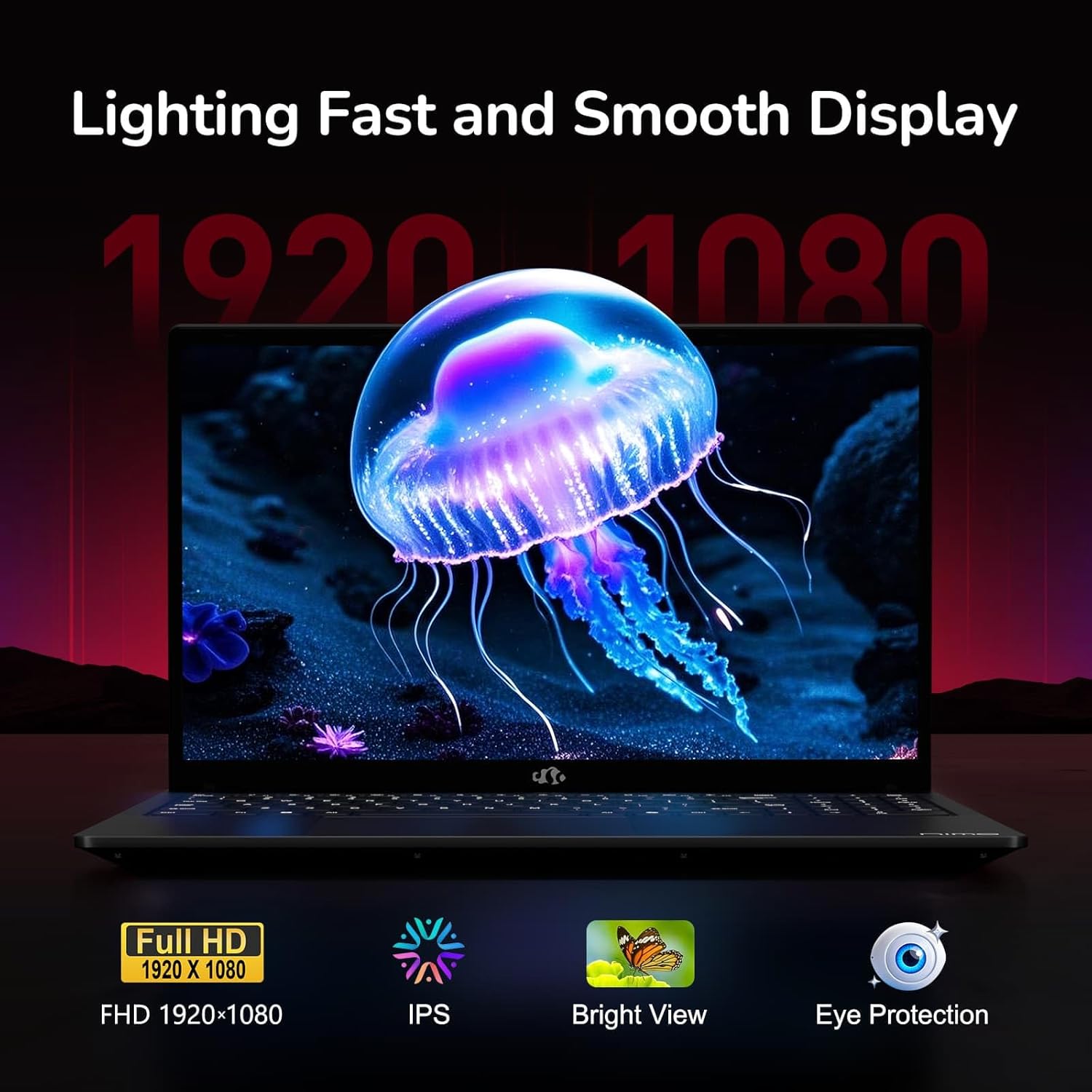
Figure 6: Laptop Display Features
5.2. لوحة المفاتيح ولوحة اللمس
The laptop features a backlit keyboard and a responsive touchpad with multi-touch gesture support. The integrated fingerprint sensor is located on the touchpad for secure login.
- لوحة مفاتيح ذات إضاءة خلفية: يضعط Fn + Fx (where Fx is the backlight key, typically F3 or F4) to adjust keyboard backlight brightness.
- ماسح البصمات: Enroll your fingerprints via Windows Settings > Accounts > Sign-in options for quick and secure access.
- Webcam Privacy Shield: Slide the physical cover over the webcam for privacy when not in use.

Figure 7: Keyboard and Input Features

Figure 8: Seamless Security Integration (Fingerprint and Webcam Shield)
5.3. إدارة الطاقة
The laptop is equipped with a 4700mAh (53.58Wh) Lithium Polymer battery. Battery life can vary based on usage. To optimize battery life, adjust power settings in Windows and close unnecessary applications.

الشكل 9: مواصفات البطارية
6. الصيانة والعناية
6.1. التنظيف
- استخدم قطعة قماش ناعمة وخالية من الوبر لتنظيف الشاشة والجزء الخارجي.
- بالنسبة للعلامات العنيدة، دampامسح القماش بالماء أو بمنظف الشاشة. تجنب المواد الكيميائية القاسية.
- تأكد من إيقاف تشغيل الكمبيوتر المحمول وفصله عن التيار الكهربائي قبل التنظيف.
6.2 التخزين والمناولة
- قم بتخزين الكمبيوتر المحمول في مكان بارد وجاف بعيداً عن أشعة الشمس المباشرة ودرجات الحرارة القصوى.
- تجنب وضع أشياء ثقيلة على الكمبيوتر المحمول.
- Do not expose the laptop to liquids.
6.3. الترقيات
The NIMO N155 laptop supports detachable RAM and SSD, allowing for user upgrades. Refer to the official NIMO support website or contact customer service for detailed upgrade instructions to avoid voiding your warranty.
7. استكشاف الأخطاء وإصلاحها
يتناول هذا القسم المشكلات الشائعة التي قد تواجهها مع جهاز الكمبيوتر المحمول NIMO N155 الخاص بك.
| مشكلة | الحل المحتمل |
|---|---|
| الكمبيوتر المحمول لا يعمل. | Ensure the charger is properly connected and the battery has sufficient charge. Try a different power outlet. |
| الشاشة فارغة. | Check if the laptop is powered on. Adjust screen brightness. Connect to an external monitor to check if the issue is with the laptop's display. |
| مشاكل في الاتصال بشبكة Wi-Fi. | تأكد من تفعيل الواي فاي في إعدادات ويندوز. أعد تشغيل جهاز التوجيه والكمبيوتر المحمول. قم بتحديث برامج تشغيل الواي فاي. |
| الإضاءة الخلفية للوحة المفاتيح لا تعمل. | Press the Fn key combined with the appropriate function key (e.g., F3 or F4) to toggle or adjust the backlight. |
| Fingerprint sensor not responding. | Ensure your finger is clean and dry. Re-enroll your fingerprints in Windows settings. Update fingerprint sensor drivers. |
إذا واجهت مشاكل غير مدرجة هنا أو كنت بحاجة إلى مزيد من المساعدة، فيرجى الاتصال بدعم عملاء NIMO.
8. المواصفات الفنية
| ميزة | مواصفة |
|---|---|
| اسم الموديل | نيمو N155 |
| عرض | شاشة IPS مضادة للتوهج مقاس 15.6 بوصة بدقة FHD (1920x1080) |
| المعالج | AMD Ryzen 7 6800H (8 أنوية، 16 خيطًا، حتى 4.7 جيجاهرتز) |
| الرسومات | معالج رسومات AMD Radeon 680M مدمج |
| كبش | 32GB DDR5 4800 MHz (Dual-channel, upgradeable) |
| تخزين | 1TB PCIe 4.0 SSD (upgradeable) |
| نظام التشغيل | ويندوز 11 هوم |
| الاتصال اللاسلكي | واي فاي 5 (802.11a/b/g/n/ac)، بلوتوث 5.2 |
| الموانئ | 1x USB 2.0, 3x USB 3.0, 2x Type-C (1x PD, 1x Multifunction), 1x HDMI, 1x Micro SD, 1x Headphone Jack, 1x Kensington Lock |
| Webكاميرا | 2.0 MP (with privacy shield) |
| بطارية | 4700mAh / 53.58Wh Lithium Polymer |
| محول الطاقة | شاحن سريع من النوع C بقوة 100 واط بتقنية الشحن السريع PD |
| الأبعاد (الطول × العرض × الارتفاع) | 14.07 × 8.98 × 0.76 بوصة (357.4 × 228 × 19.2 مم) |
| وزن | 3.8 رطل (1.7 كجم) |
| المميزات الخاصة | لوحة مفاتيح بإضاءة خلفية، قارئ بصمات الأصابع، صوت عالي الدقة، لوحة مفاتيح رقمية |
9. الضمان والدعم
9.1. ضمان الشركة المصنعة
Your NIMO N155 laptop comes with a ضمان الشركة المصنعة لمدة عامينيغطي هذا الضمان عيوب المواد والتصنيع في ظل الاستخدام العادي. يُرجى الاحتفاظ بإيصال الشراء للمطالبة بالضمان.
9.2. سياسة الإرجاع
تقدم نيمو سياسة إرجاع سهلة لمدة 90 يومًا from the date of purchase. For details on eligibility and the return process, please refer to your purchase documentation or contact customer support.
9.3. دعم العملاء
For technical assistance, warranty claims, or any other inquiries, please visit the official NIMO support website or contact their customer service team. Contact information can typically be found on the NIMO brand store page or included documentation.
NIMO Brand Store: Visit NIMO Store on Amazon


