المنتج انتهىview
The ASTRO Gaming A20 Gen 2 Wireless Headset provides a high-quality audio experience for gaming across multiple platforms. Designed for comfort and performance, it features low-latency wireless connectivity and a convenient flip-to-mute microphone.
المميزات الرئيسية:
- Next-Gen Compatibility: Seamlessly works with PlayStation 5, PlayStation 4, Windows, and Mac OS.
- Lag-Free Wireless Audio: 2.4GHz USB wireless transmitter ensures low-latency, high-quality sound.
- بطارية تدوم طويلاً: Up to 15 hours of wireless gaming on a single charge.
- ميكروفون قابل للقلب لكتم الصوت: Flexible boom mic with an intuitive flip-to-mute function for instant control.
- راحة طوال اليوم: Lightweight design with padded headband and ear cushions for extended wear.
ماذا يوجد في الصندوق
- سماعة لاسلكية A20
- جهاز إرسال USB
- كابل شحن من USB-C إلى USB-A
تعليمات الإعداد
Follow these steps to set up your ASTRO Gaming A20 Gen 2 Wireless Headset:
- شحن سماعة الرأس: Connect the headset to a power source using the provided USB-C to USB-A charging cable. Ensure the headset is fully charged before first use for optimal battery life.
- Connect the USB Transmitter: Plug the USB transmitter into an available USB port on your PlayStation console (PS5 or PS4) or your Windows/Mac computer. The transmitter facilitates the 2.4GHz wireless connection.
- تشغيل الطاقة: Turn on your ASTRO Gaming A20 Gen 2 Wireless Headset. The headset should automatically pair with the USB transmitter. Refer to your device's audio settings to ensure the headset is selected as the input and output device.
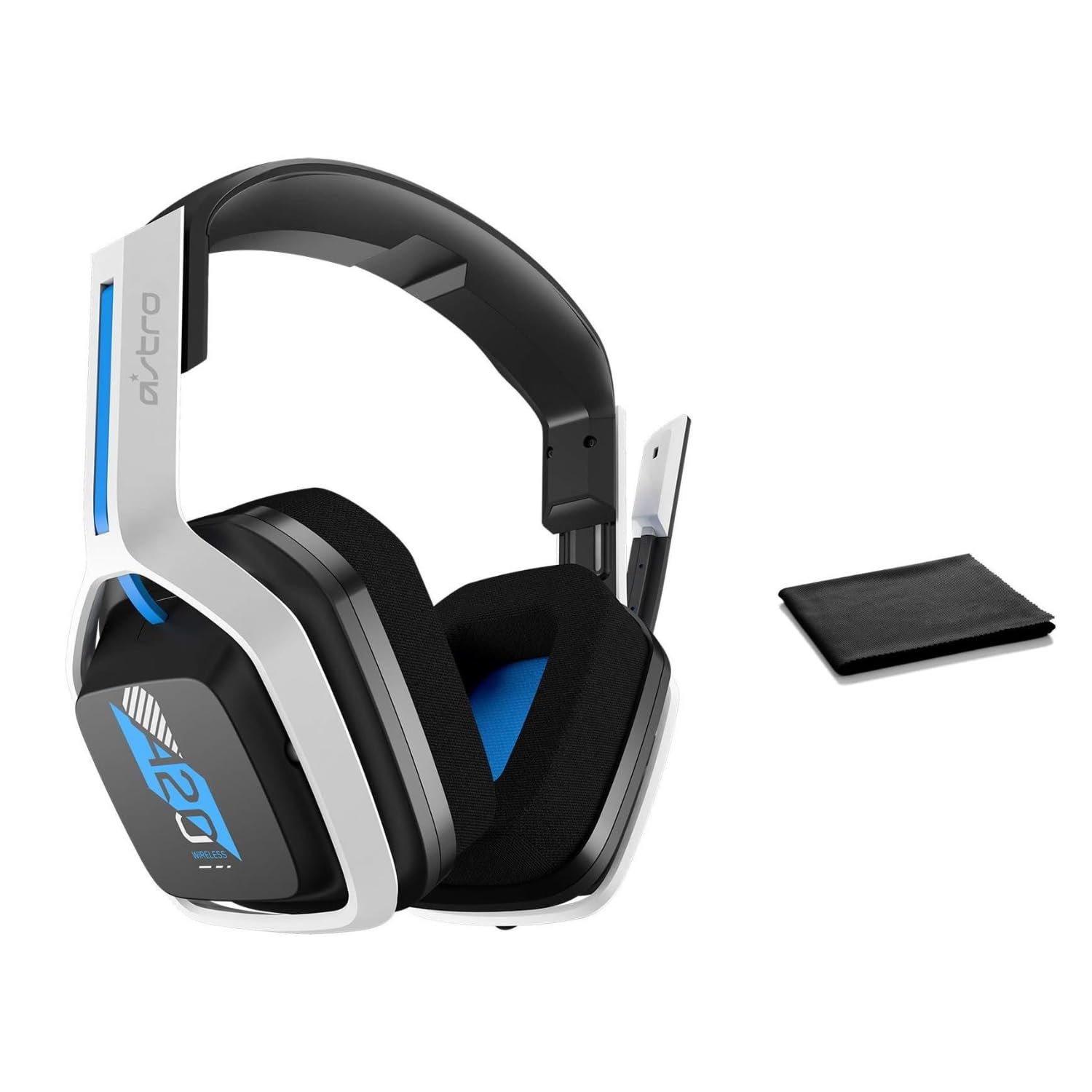
Image: The ASTRO Gaming A20 Gen 2 Wireless Headset, ready for use.
تعليمات التشغيل
وظائف الميكروفون
The headset features a flexible boom microphone with a flip-to-mute function. To mute your microphone, simply flip the boom arm upwards. To unmute and activate the microphone, flip the boom arm back down to its original position.
التحكم في مستوى الصوت
Adjust the audio volume using the dedicated volume control located on the headset. Rotate the dial or press the buttons (depending on the specific model variant) to increase or decrease the sound output.
صيانة
لضمان طول عمر سماعة الرأس وأدائها الأمثل:
- تنظيف: Use the included premium microfiber cloth to gently wipe down the headset and accessories. This helps keep your headset dust-free and smudge-free.
- تخزين: قم بتخزين سماعة الرأس في مكان نظيف وجاف بعيدًا عن درجات الحرارة القصوى وأشعة الشمس المباشرة عند عدم استخدامها.
- العناية بالبطارية: For best battery health, avoid fully discharging the headset frequently. Charge it regularly.
استكشاف الأخطاء وإصلاحها
If you encounter issues with your ASTRO Gaming A20 Gen 2 Wireless Headset, consider the following:
- لا يوجد صوت/الميكروفون لا يعمل: Ensure the USB transmitter is securely plugged into your device and the headset is powered on and paired. Check your device's audio settings to confirm the headset is selected as the default input/output. For the microphone, ensure it is not in the 'flipped-up' (muted) position.
- مشاكل الاتصال: Try unplugging and re-plugging the USB transmitter. If issues persist, try connecting to a different USB port.
- البطارية لا تشحن: Verify the charging cable is properly connected to both the headset and the power source. Try a different USB port or power adapter.
- تحديث البرامج الثابتة: Visit the official ASTRO Gaming support website for any available firmware updates for your headset, as these can resolve various performance issues.
تحديد
| ميزة | التفاصيل |
|---|---|
| اسم الموديل | 939-001876 |
| ماركة | أسترو للألعاب |
| تكنولوجيا الاتصال | لاسلكي |
| الاتصالات اللاسلكية | 2.4GHz اللاسلكية |
| الأجهزة المتوافقة | Mac OS, PlayStation 4, Playstation 5, Windows |
| عمر البطارية | 15 ساعة |
| وقت الشحن | 15 ساعة |
| ميكروفون | قلب لكتم الصوت |
| وضع الأذن | فوق الأذن |
| وزن العنصر | 11.2 أونصة (318 جرامًا) |
| مادة | بلاستيك |
| المكونات المضمنة | A20 Wireless Headset, USB transmitter, USB-C to USB-A charging cable |
الضمان والدعم
For detailed warranty information and technical support, please refer to the official ASTRO Gaming webالموقع أو تواصل مع خدمة العملاء. احتفظ بإثبات الشراء لطلبات الضمان.


