
المنتج انتهىview
The WOLFBOX X3 Dash Cam is a high-performance dual dash camera system designed to provide comprehensive recording of your driving experience. It features a front camera with 2.5K (2560*1440P) resolution at 60 frames per second and a rear camera with 1080P resolution at 30 frames per second, ensuring clear and detailed footage. Equipped with the advanced STARVIS 2 IMX675 sensor, the X3 excels in low-light conditions, reducing noise and motion blur. Its integrated 5.8GHz Wi-Fi and GPS capabilities allow for fast data transfer and accurate location/speed tracking. The intuitive touch screen and Advanced Driver Assistance System (ADAS) enhance user interaction and driving safety.
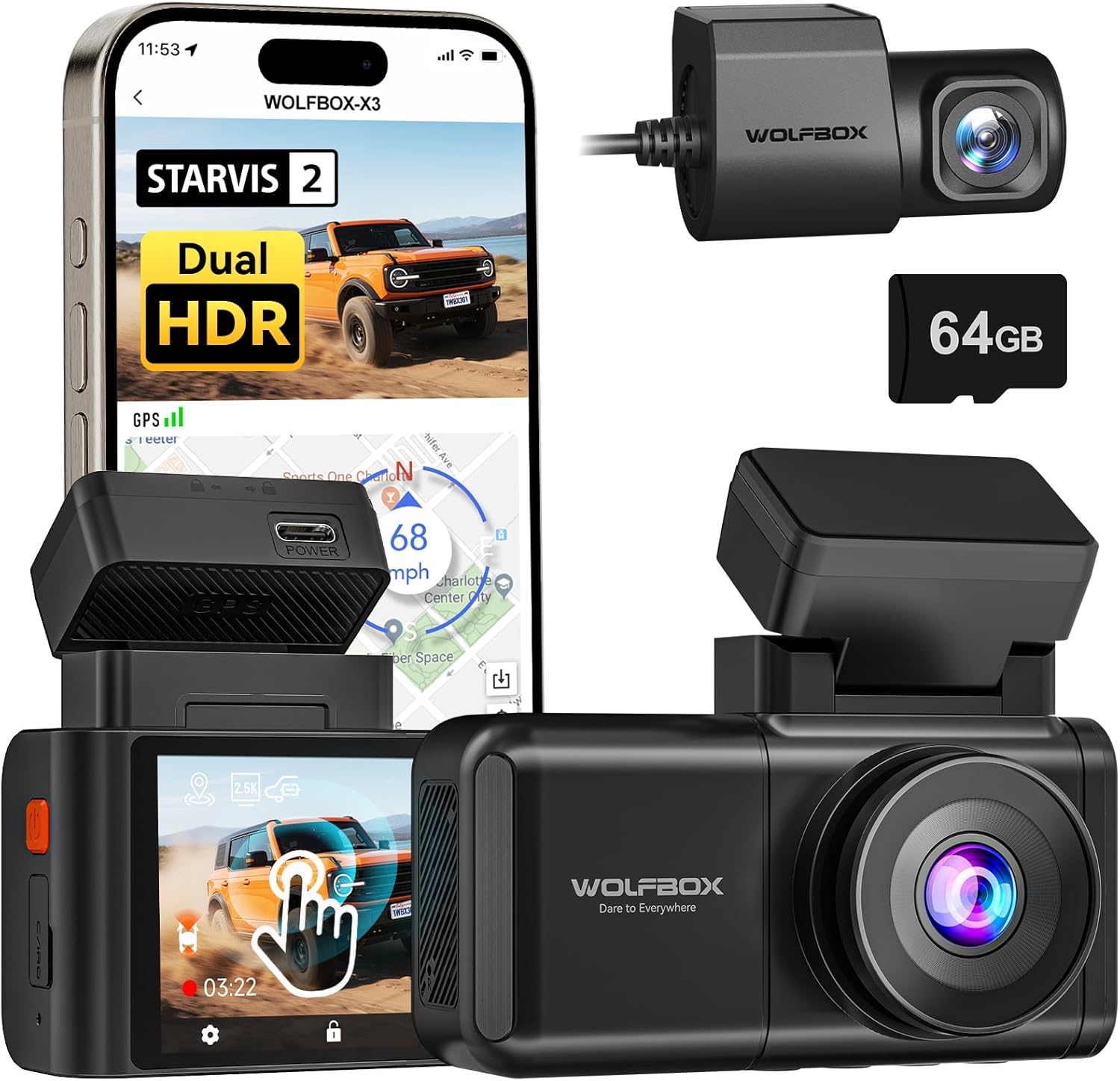
Image: The WOLFBOX X3 Dash Cam, showcasing its main unit, rear camera, and the included 64GB SD card, alongside a smartphone displaying the companion app interface.
ماذا يوجد في الصندوق
Upon unboxing your WOLFBOX X3 Dash Cam, please verify that all the following components are included:
- كاميرا لوحة القيادة X3 (الوحدة الرئيسية)
- قوس نظام تحديد المواقع
- كاميرا خلفية بدقة 1080 بكسل
- كابل طاقة USB-C
- كابل الكاميرا الخلفية
- أداة تقليم أسلاك السيارة
- ملصق كهرباء
- 64GB Memory Card (pre-formatted)
- جبل لاصقة
- دليل المستخدم (هذا المستند)
- شاحن السيارة
- أداة التثبيت

Image: A visual representation of the WOLFBOX X3 Dash Cam package contents, including the main dash cam unit, rear camera, power cables, and mounting accessories.
الإعداد والتثبيت
Follow these steps for proper installation of your WOLFBOX X3 Dash Cam:
- إعداد سطح التركيب: Clean the area on your windshield where the dash cam will be mounted. Ensure it does not obstruct your view. Apply the electrostatic sticker to the chosen area on the windshield. This allows for easy removal without residue.
- قم بتركيب الكاميرا الأمامية: Attach the GPS bracket to the electrostatic sticker. The main dash cam unit then slides onto the GPS bracket. Ensure it is securely fastened.
- تثبيت الكاميرا الخلفية: Mount the rear camera on your rear window using its adhesive. Route the rear camera cable from the main unit to the rear camera. Use the provided car wire trim tool to tuck the cable neatly along the vehicle's headliner and pillar trim for a clean installation.
- توصيل الطاقة: Plug the USB-C power cable into the main dash cam unit and the car charger into your vehicle's 12V DC power outlet.
- أدخل بطاقة SD: The included 64GB SD card is pre-formatted. Insert it into the designated slot on the dash cam.
- ضبط زاوية الكاميرا: Power on the dash cam and adjust the lens angle of both the front and rear cameras to ensure they capture the desired field of view.

Image: Diagram illustrating the connection of the rear camera to the main dash cam unit.

Image: Diagram illustrating the proper attachment of the GPS bracket to the main dash cam unit.
تعليمات التشغيل
التشغيل الأساسي
- تشغيل/إيقاف التشغيل: ستعمل كاميرا لوحة القيادة تلقائيًا وتبدأ التسجيل عند تشغيل محرك سيارتك. وستتوقف تلقائيًا عند إيقاف تشغيل المحرك.
- التسجيل المتكرر: The X3 features continuous loop recording. When the memory card is full, the oldest unlocked footagسيتم استبدالها بتسجيلات جديدة.
- مستشعر الجاذبية: في حالة حدوث اصطدام مفاجئ، سيقوم مستشعر التسارع المدمج تلقائيًا باكتشاف الحدث وقفل الفيديو الحالي. file، مما يمنع الكتابة فوقه.

Image: An illustration demonstrating the loop recording feature and G-Sensor impact detection, ensuring critical footagتم حفظ e.
شاشة تعمل باللمس واجهة
The WOLFBOX X3 is equipped with a responsive touch screen for easy navigation and settings adjustment. Simply tap or swipe on the screen to access menus, review فوtage, or change settings.
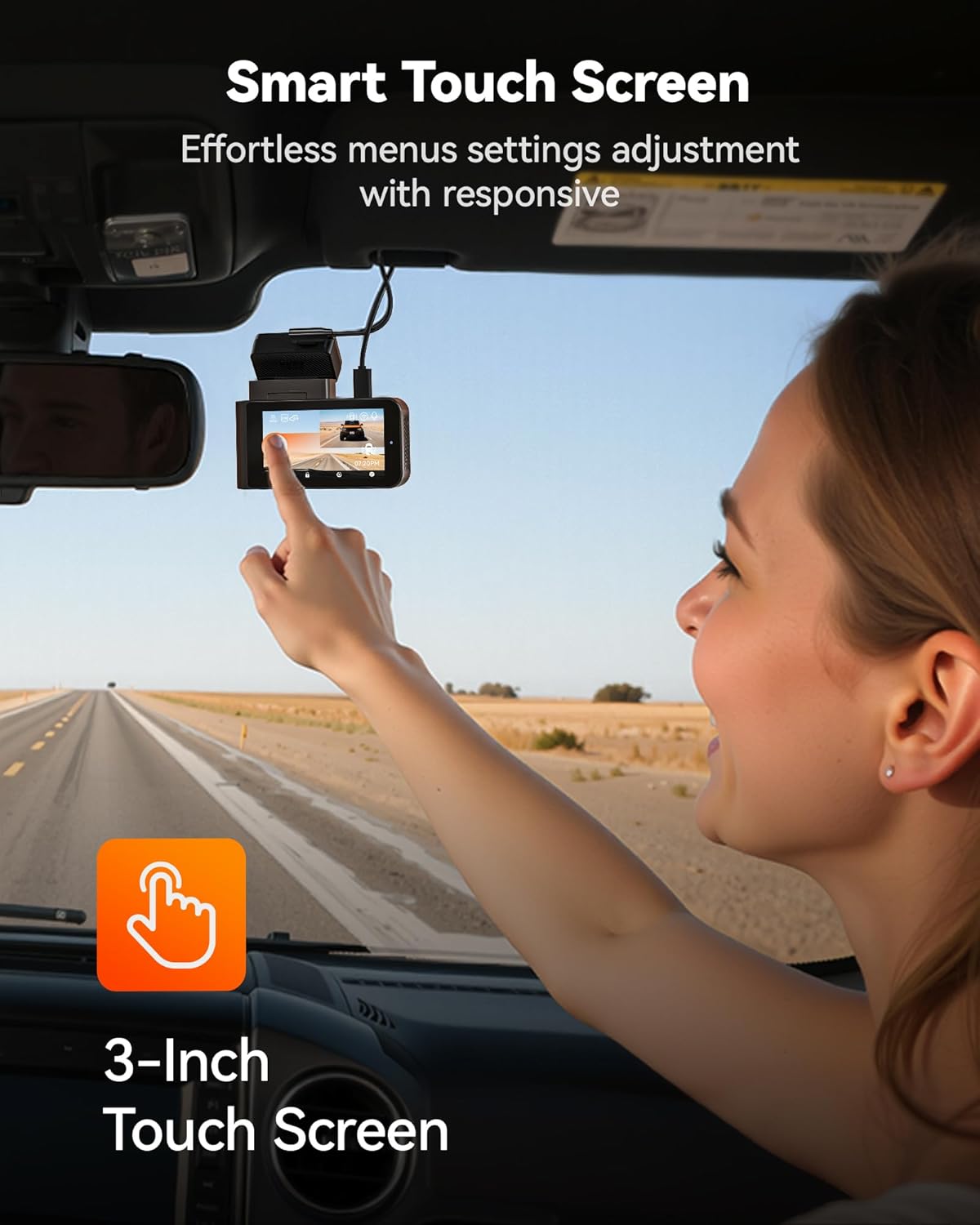
Image: A user demonstrating interaction with the intuitive touch screen of the WOLFBOX X3 Dash Cam for effortless menu navigation.
Wi-Fi and GPS Connectivity
The built-in 5.8GHz Wi-Fi allows for fast and stable connection to the WOLFBOX app on your smartphone. This enables seamless video transfers, live preview, and easy sharing of footage. The integrated GPS module accurately records your vehicle's speed and location, embedding this data directly into your video files for irrefutable evidence.

Image: The WOLFBOX X3 Dash Cam in a vehicle, with a smartphone displaying the WOLFBOX app, highlighting the 5.8GHz Wi-Fi and GPS functionalities for fast data transfer and location tracking.
نظام مساعدة السائق المتقدم (ADAS)
The X3 incorporates ADAS technology to proactively alert you to potential road hazards, enhancing driving safety. Key ADAS features include:
- تحذير الاصطدام الأمامي (FCW): ينبهك إذا كنت تقترب من مركبة بسرعة كبيرة.
- نظام التحذير من مغادرة المسار (LDW): Notifies you if your vehicle drifts out of its lane without signaling.
- توقف وانطلق: Informs you when the vehicle in front of you starts moving after a stop.

Image: Visual representation of the WOLFBOX X3's Advanced Driver Assistance System (ADAS) in action, showing alerts for forward collision, lane departure, and stop-and-go traffic.
Dual HDR Recording
The WOLFBOX X3 supports Dual HDR (High Dynamic Range) recording, which automatically balances footage in extreme lighting conditions. This feature preserves critical details in both bright highlights and deep shadows, ensuring clear video quality whether driving into direct sunlight or through tunnels. Note: For HDR recording, the front camera resolution switches to 2.5K at 30fps.

Image: A side-by-side comparison demonstrating the improved visibility and detail captured with Dual HDR Recording enabled on the WOLFBOX X3 Dash Cam, especially in challenging lighting.
مراقبة مواقف السيارات على مدار 24 ساعة
For continuous surveillance when your vehicle is parked, the X3 offers a 24-hour parking monitor function. This feature requires an additional hardwire kit (ASIN: B09X9F8GMT), which is sold separately. The parking monitor includes:
- Collision Detection Monitor: سجلات فوtage if an impact is detected while parked.
- شاشة عرض الصور بتقنية الفاصل الزمني: Records continuous footage at a low frame rate to save storage space, capturing events over extended periods.

Image: An illustration of the WOLFBOX X3's 24-hour Parking Monitor capabilities, showing both collision detection and time-lapse recording modes for comprehensive vehicle security.
صيانة
- إدارة بطاقة SD: Regularly format the included 64GB SD card (at least once a month) to ensure optimal performance and prevent data corruption. You can do this through the dash cam's settings menu. Replace the SD card if you notice any recording errors or degradation in performance.
- تنظيف العدسات والشاشة: Use a soft, lint-free cloth to gently wipe the front and rear camera lenses and the dash cam's touch screen. Avoid using abrasive cleaners or solvents that could damage the surfaces.
- تحديثات البرامج الثابتة: Check the official WOLFBOX website or app periodically for firmware updates. Keeping your dash cam's firmware up-to-date ensures you have the latest features and performance improvements.
استكشاف الأخطاء وإصلاحها
If you encounter any issues with your WOLFBOX X3 Dash Cam, please refer to the following common problems and solutions:
| مشكلة | السبب المحتمل | حل |
|---|---|---|
| كاميرا لوحة القيادة لا تعمل. | لا يوجد طاقة من شاحن السيارة؛ وصلة غير محكمة؛ شاحن معيب. | Check car charger connection and vehicle's 12V outlet. Try another power source or charger. |
| توقف التسجيل أو footage فاسد. | SD card full or corrupted; low-quality SD card; card not formatted. | Format the SD card via the dash cam's settings. Use a high-endurance U3 (or higher) microSD card. Replace the SD card if issues persist. |
| Wi-Fi connection is unstable or slow. | Interference; distance from phone; app issues. | Ensure your phone is close to the dash cam. Restart both the dash cam and your phone's Wi-Fi. Reinstall the WOLFBOX app if necessary. |
| ADAS alerts are too frequent/sensitive. | ADAS sensitivity settings are too high. | Adjust ADAS sensitivity settings in the dash cam's menu. Disable specific alerts if they are not useful for your driving conditions. |
| الكاميرا الخلفية لا تعرض البيانات ولا تسجل. | وصلة كابل غير محكمة؛ كاميرا خلفية معيبة. | تحقق من توصيل كابل الكاميرا الخلفية بالوحدة الرئيسية. تأكد من سلامة الكابل. |
تحديد
| اسم الموديل | X3 |
| رقم موديل العنصر | X3 Dash cam |
| أبعاد المنتج | 1.61 × 3.9 × 2.99 بوصة |
| وزن العنصر | 1.72 رطل |
| Front Video Capture Resolution | 2.5K (2560*1440P) @ 60 إطارًا في الثانية |
| Rear Video Capture Resolution | 1080P @ 30 إطارًا في الثانية |
| المستشعر | ستارفيس 2 IMX675 |
| تكنولوجيا الاتصال | واي فاي (5.8 جيجا هرتز) |
| المميزات الخاصة | App Control, Built-In Display, Built-In GPS, Built-In Supercapacitor, Compact Design, Built-In WiFi, G-Sensor, Internal Memory, Loop Recording, Night Vision, Parking Monitor, Reverse Assist, Touch Screen, ADAS |
| بطاقة ذاكرة مرفقة | 64 جيجا بايت |
| نوع التركيب | جبل الزجاج الأمامي |
| الشركة المصنعة | وولف بوكس |
الضمان والدعم
WOLFBOX is committed to providing high-quality products and excellent customer service. Your WOLFBOX X3 Dash Cam comes with the following:
- ضمان لمدة 12 شهرًا: A full one-year guarantee from the date of purchase, covering manufacturing defects and malfunctions.
- سياسة الإرجاع خلال 7 أيام: You may return the product within 7 days of receipt for a refund or exchange, subject to terms and conditions.
- الإرجاع عند وجود عيوب: Products found to be defective will be eligible for return or replacement.
For dedicated support, setup assistance, or troubleshooting, please contact WOLFBOX customer service:
بريد إلكتروني: Service@wolfbox.com
هاتف: +1 888 296 8399


