1. المقدمة
Thank you for choosing the GOBOULT Crown Smart Watch. This manual provides essential information for setting up, operating, and maintaining your device. The GOBOULT Crown Smart Watch features a 1.95-inch HD display, Bluetooth calling, a functional rotating crown, and comprehensive health monitoring capabilities.
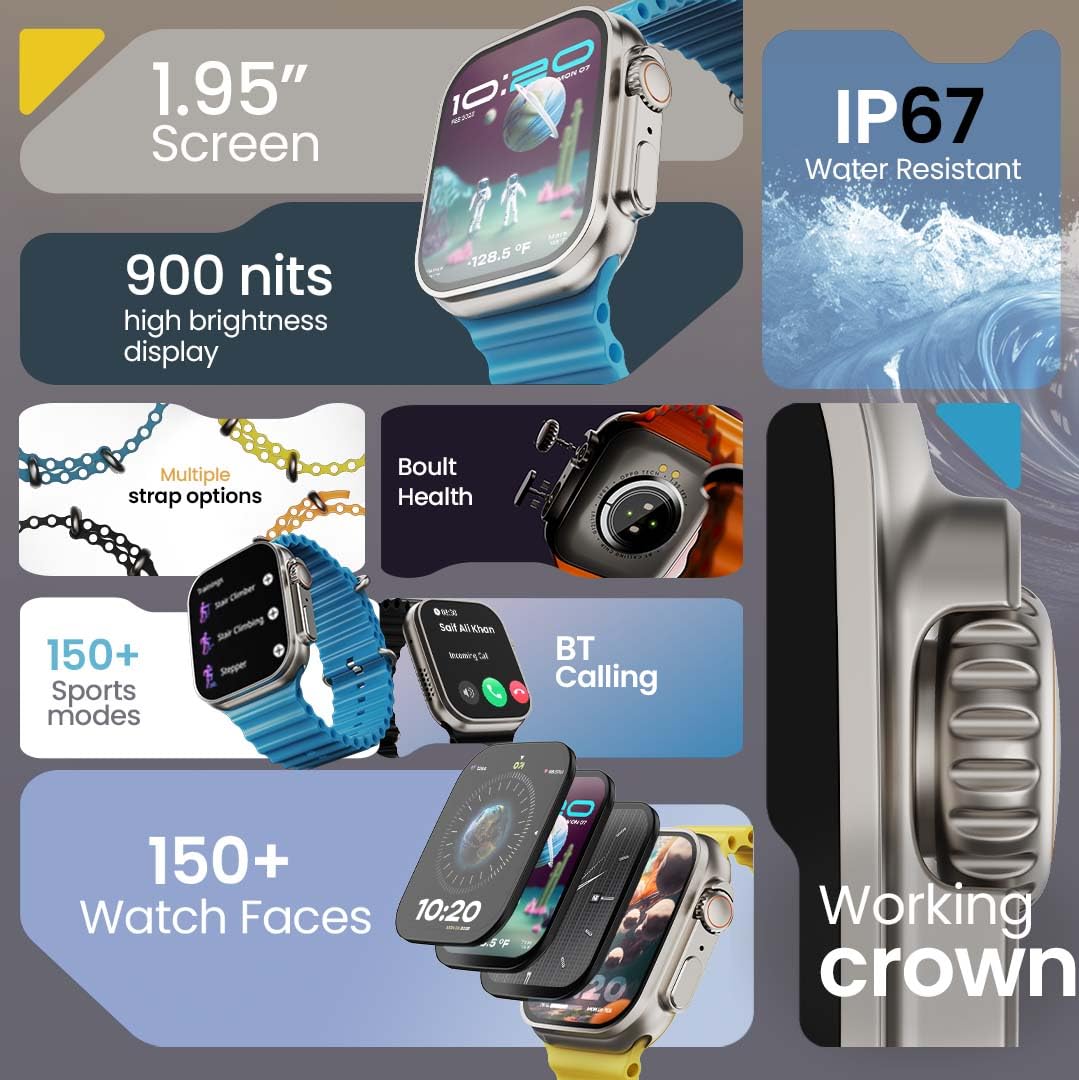
الصورة 1.1: انتهىview of the GOBOULT Crown Smart Watch highlighting its 1.95-inch screen, 900 nits brightness, IP67 rating, multiple strap options, Boult Health features, Bluetooth calling, 150+ sports modes, 150+ watch faces, and working crown.
2. ماذا يوجد في الصندوق
Ensure all the following items are present in your product packaging:
- GOBOULT Crown Smart Watch
- كابل الشحن
- دليل المستخدم
- بطاقة الضمان
3. انتهى المنتجview
The GOBOULT Crown Smart Watch is designed with a premium zinc alloy frame and a vibrant 1.95-inch HD display. It features a functional rotating crown for intuitive navigation and a dedicated button for sports modes.
3.1 مكونات رئيسية
- شاشة عالية الدقة مقاس 1.95 بوصة: Offers clear visuals with up to 900 nits brightness for excellent outdoor visibility.
- Working Rotating Crown: Used for scrolling, zooming, and navigating menus.
- زر جانبي: Often dedicated for quick access to sports modes or other functions.
- Zinc Alloy Frame: يوفر المتانة والملمس الفاخر.
- أجهزة الاستشعار: Located on the back for heart rate, SpO2, and other health monitoring.
- الميكروفون ومكبر الصوت: Integrated for Bluetooth calling and voice assistant functions.
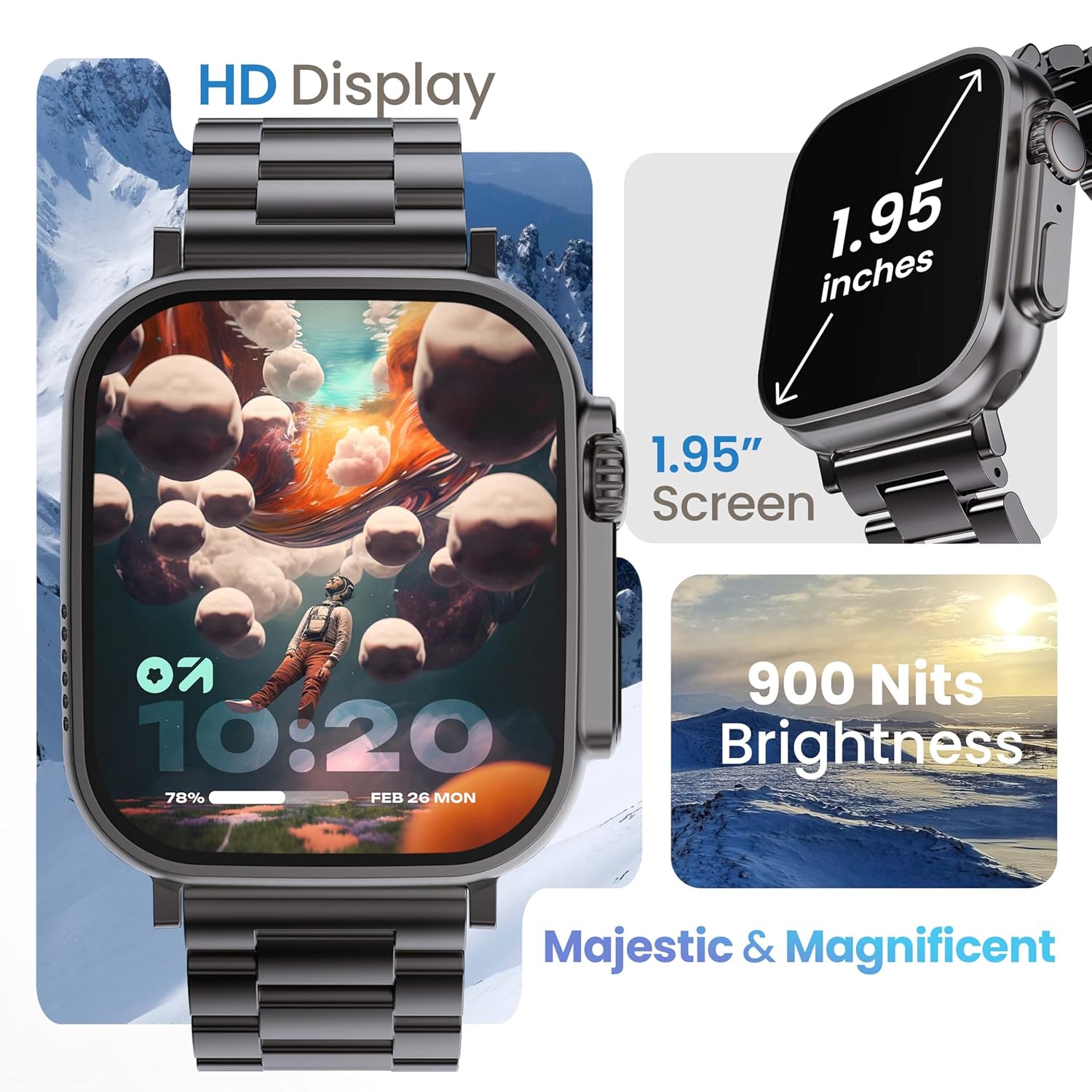
Image 3.1: The 1.95-inch HD display of the GOBOULT Crown Smart Watch, emphasizing its size and 900 Nits brightness for clear visibility.
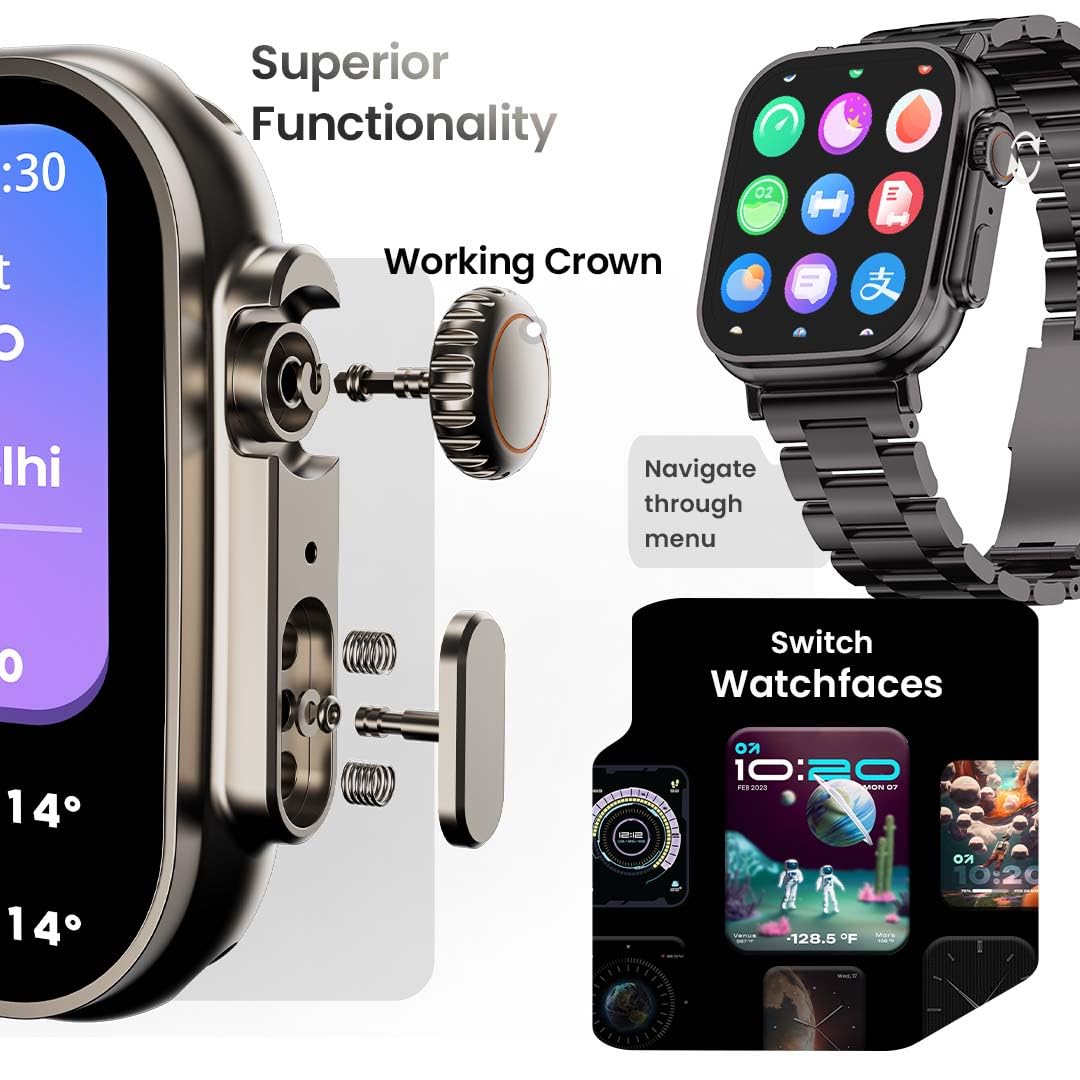
الصورة 3.2: تفصيلية view of the working crown on the GOBOULT Crown Smart Watch, illustrating its use for navigating menus and switching watch faces.
4. الإعداد
4.1 شحن الساعة الذكية
- Connect the magnetic charging cable to the charging pins on the back of the watch.
- قم بتوصيل الطرف USB من الكابل بمحول طاقة USB القياسي (غير متضمن) أو منفذ USB الخاص بالكمبيوتر.
- The watch display will indicate charging status. A full charge takes approximately 150 minutes.
ملحوظة: Ensure the charging pins are clean and dry before charging to prevent corrosion.
4.2 الاقتران بهاتفك الذكي
To unlock all features, pair your GOBOULT Crown Smart Watch with the companion app on your smartphone.
- Download the official GOBOULT companion app from your smartphone's app store (compatible with iOS and Android devices).
- تأكد من تمكين Bluetooth على هاتفك الذكي.
- Open the GOBOULT app and follow the on-screen instructions to create an account or log in.
- اختر "إضافة جهاز" أو "إقران جهاز جديد" داخل التطبيق.
- The app will search for available devices. Select 'GOBOULT Crown' from the list.
- قم بتأكيد طلب الاقتران على كل من ساعتك والهاتف الذكي.
بمجرد الاقتران، ستقوم الساعة بمزامنة البيانات مع هاتفك، ويمكنك تخصيص الإعدادات من خلال التطبيق.
5. تعليمات التشغيل
5.1 الملاحة الأساسية
- شاشة تعمل باللمس: مرر لليسار، لليمين، للأعلى، وللأسفل للتنقل بين القوائم والإشعارات. انقر لتحديد العناصر.
- تاج العمل: Rotate the crown to scroll through lists, zoom in/out, or switch watch faces. Press the crown to return to the home screen or access the app menu.
- زر جانبي: Press to quickly access the sports mode menu.
5.2 مكالمات بلوتوث
The GOBOULT Crown Smart Watch supports Bluetooth calling (BT 5.2) with a built-in speaker and microphone.
- Ensure your watch is paired with your smartphone via Bluetooth.
- To make a call, access the dial pad on your watch or select a contact from your synchronized phonebook.
- To answer an incoming call, tap the green icon on the watch screen. To reject, tap the red icon.
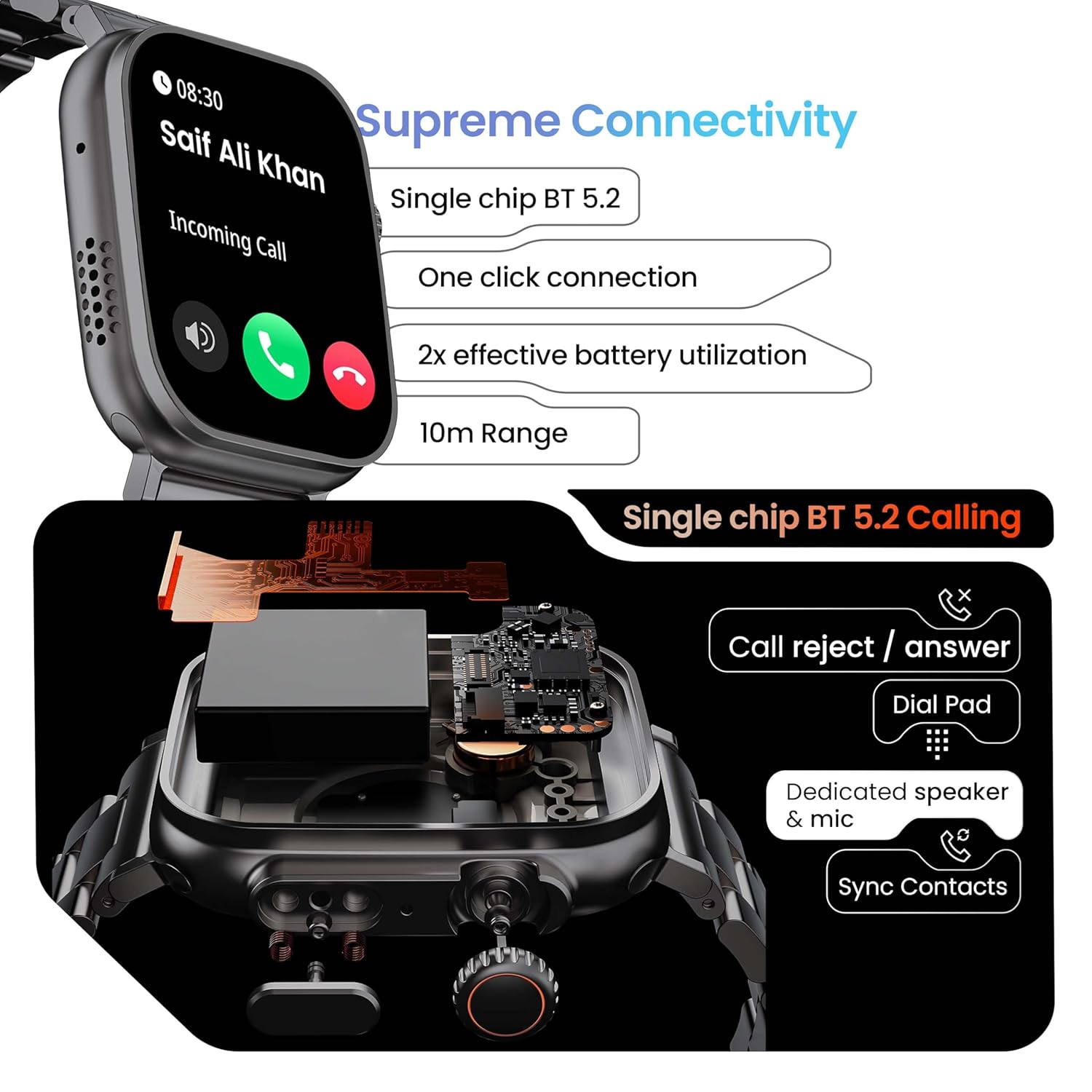
Image 5.1: Illustration of the Bluetooth 5.2 calling functionality on the GOBOULT Crown Smart Watch, including call reject/answer, dial pad, dedicated speaker & mic, and contact synchronization.
5.3 وضعًا رياضيًا
The watch offers over 120 sports modes to track various physical activities.
- Press the dedicated side button or navigate through the app menu to access 'Sports Modes'.
- Select your desired activity (e.g., Running, Cycling, Yoga, HIIT).
- The watch will begin tracking metrics such as duration, heart rate, calories burned, and steps.
- End the workout by following the on-screen prompts. Data will be synchronized with the app.

Image 5.2: The GOBOULT Crown Smart Watch actively tracking a workout, showing real-time data for heart rate, calories, and steps, with a dedicated button for sports modes.
5.4 مراقبة الصحة
The watch provides continuous health tracking features.
- رصد معدل ضربات القلب: يتتبع معدل ضربات قلبك على مدار الساعة طوال أيام الأسبوع.
- مراقبة SpO2: قياس مستويات تشبع الأكسجين في الدم.
- تحليل النوم: يراقب أنماط النوم وجودته.
- متتبع النشاط: يسجل الخطوات والمسافة والسعرات الحرارية المحروقة على مدار اليوم.
- تنبيهات الخمول: يذكرك بالتحرك بعد فترات من عدم النشاط.
- تتبع الدورة الشهرية لدى النساء: Available through the companion app.
- تدريب التنفس: تمارين التنفس الموجهة للاسترخاء.
Access detailed health data and trends in the GOBOULT companion app.
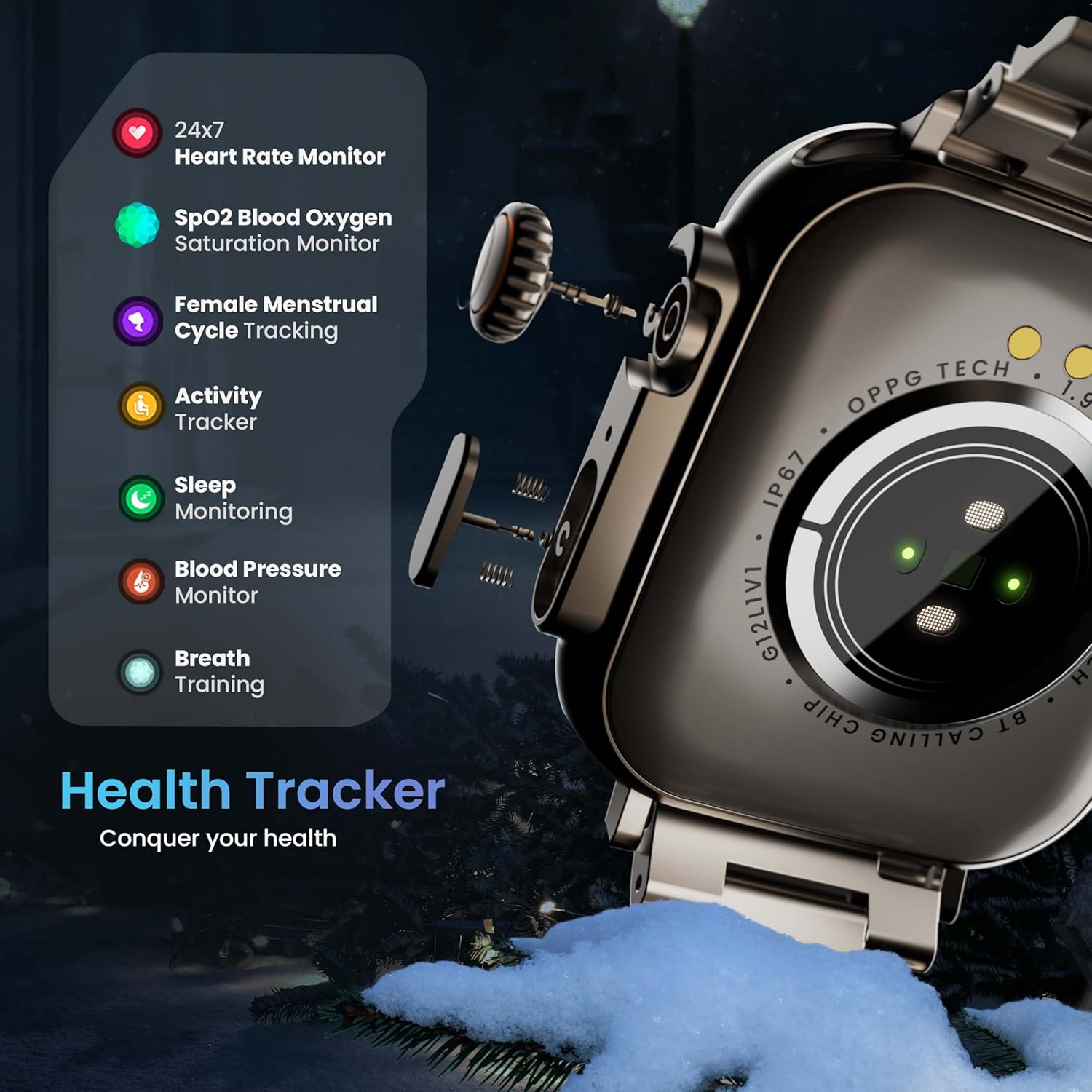
Image 5.3: The GOBOULT Crown Smart Watch highlighting its comprehensive health tracker capabilities, including 24x7 Heart Rate Monitor, SpO2 Blood Oxygen Saturation Monitor, Female Menstrual Cycle Tracking, Activity Tracker, Sleep Monitoring, Blood Pressure Monitor, and Breath Training.
5.5 مساعد صوتي بالذكاء الاصطناعي
Interact with your watch using voice commands for quick tasks.
- Activate the AI Voice Assistant by a specific gesture or button press (refer to in-app settings for configuration).
- Speak your command clearly, such as "Hey Siri" or "Ok Google" (if connected to a compatible phone).
- The watch will process your request, allowing you to set reminders, check weather, or control smart home devices.
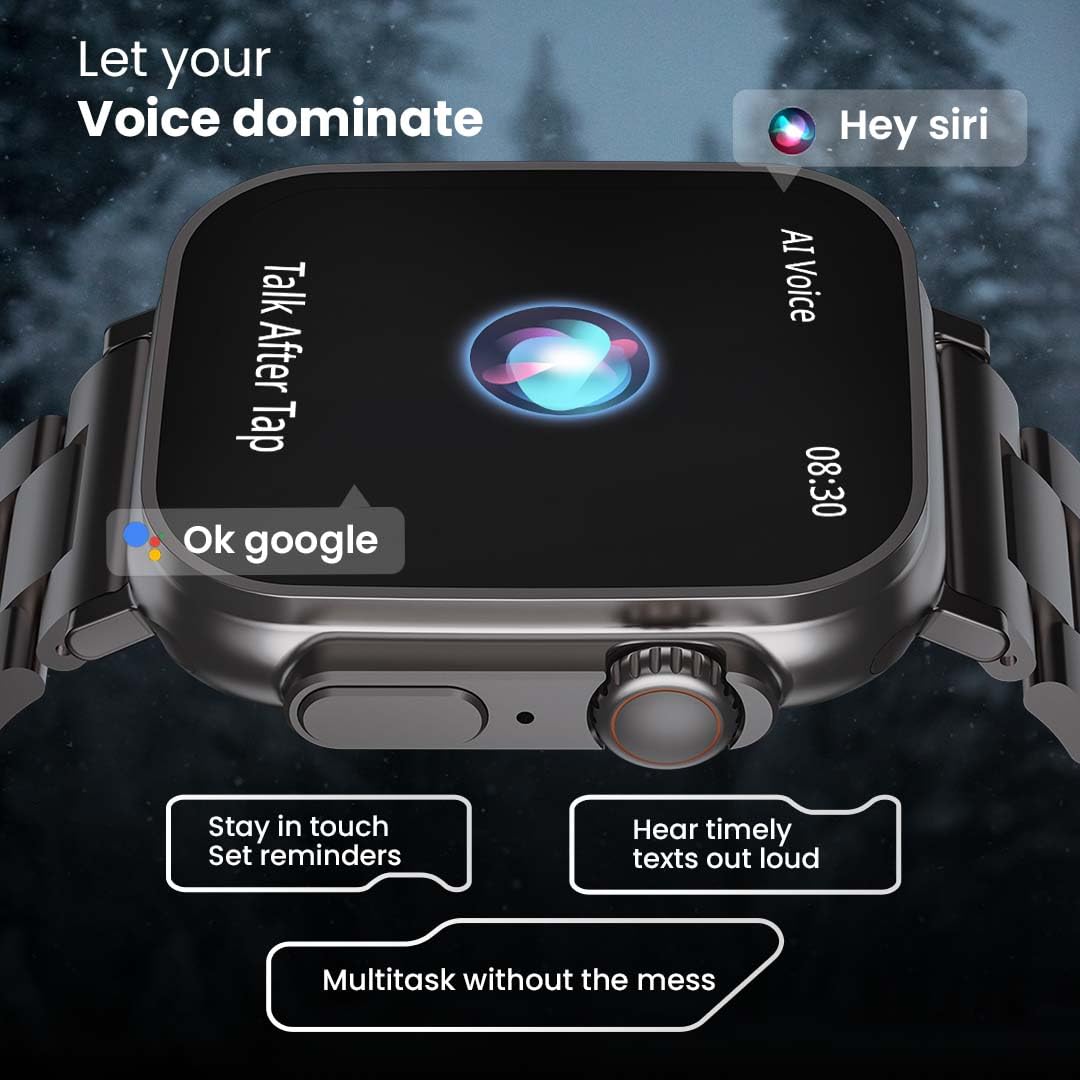
Image 5.4: The GOBOULT Crown Smart Watch interacting with AI Voice Assistants like Hey Siri and Ok Google, enabling users to stay in touch, set reminders, and hear timely texts aloud.
5.6 وجوه الساعة والتخصيص
Personalize your watch with over 100 cloud-based watch faces.
- Long-press the watch face on the home screen to quickly switch between pre-loaded faces.
- For more options, open the GOBOULT app and browse the 'Watch Faces' library.
- Download and apply new watch faces directly from the app.
5.7 Mini Games
The watch includes several mini-games for entertainment.
- Navigate to the 'Games' section in the app menu.
- Select a game (e.g., Young Bird, Hamster, Battleships, 2048) and follow the on-screen instructions to play.
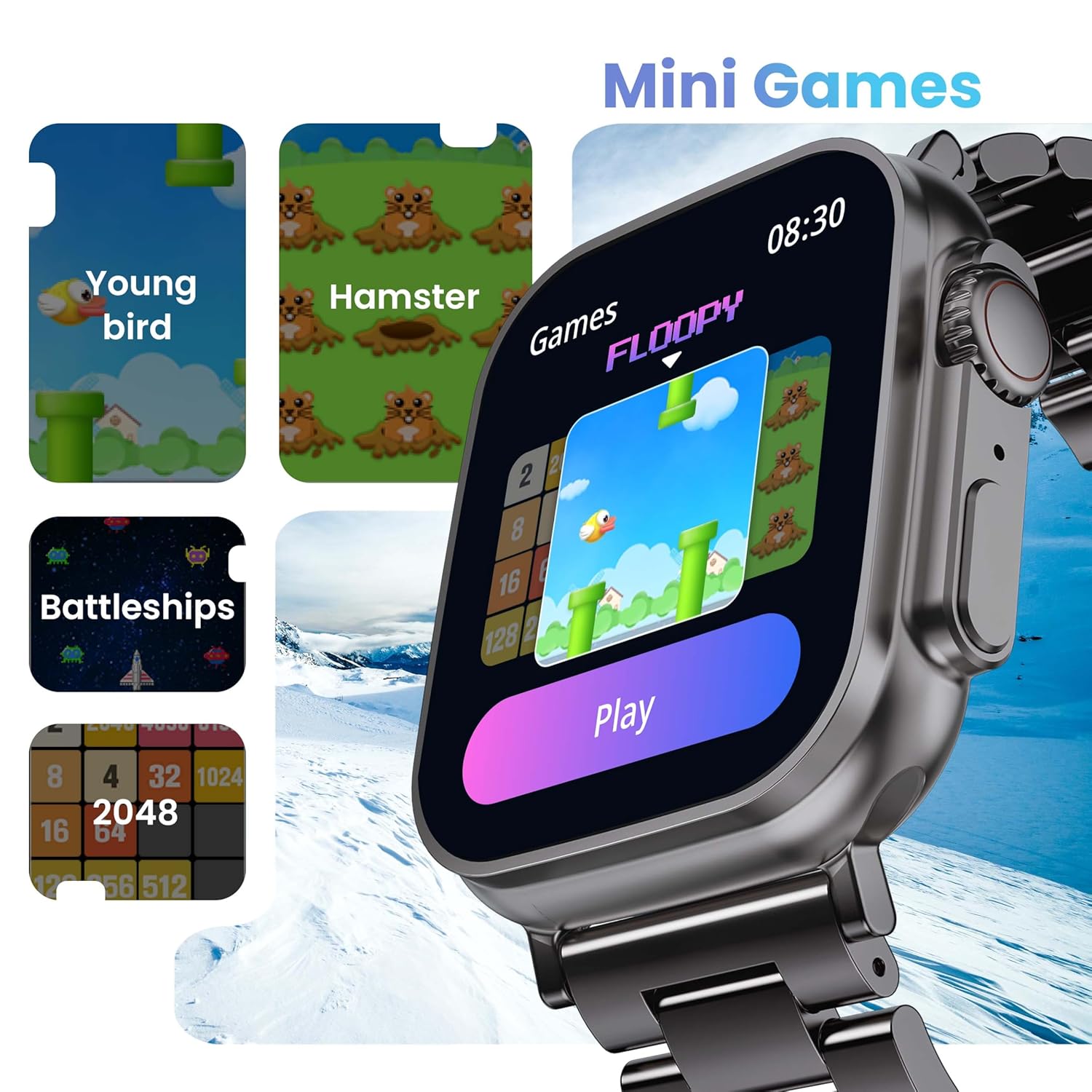
Image 5.5: The GOBOULT Crown Smart Watch showcasing its mini-games feature, including 'Young bird', 'Hamster', 'Battleships', and '2048'.
5.8 العثور على هاتفي
حدد موقع هاتفك الذكي المقترن باستخدام الساعة.
- Go to the watch menu.
- Select the "Find Phone" option.
- The connected phone will ring or vibrate, helping you locate it.
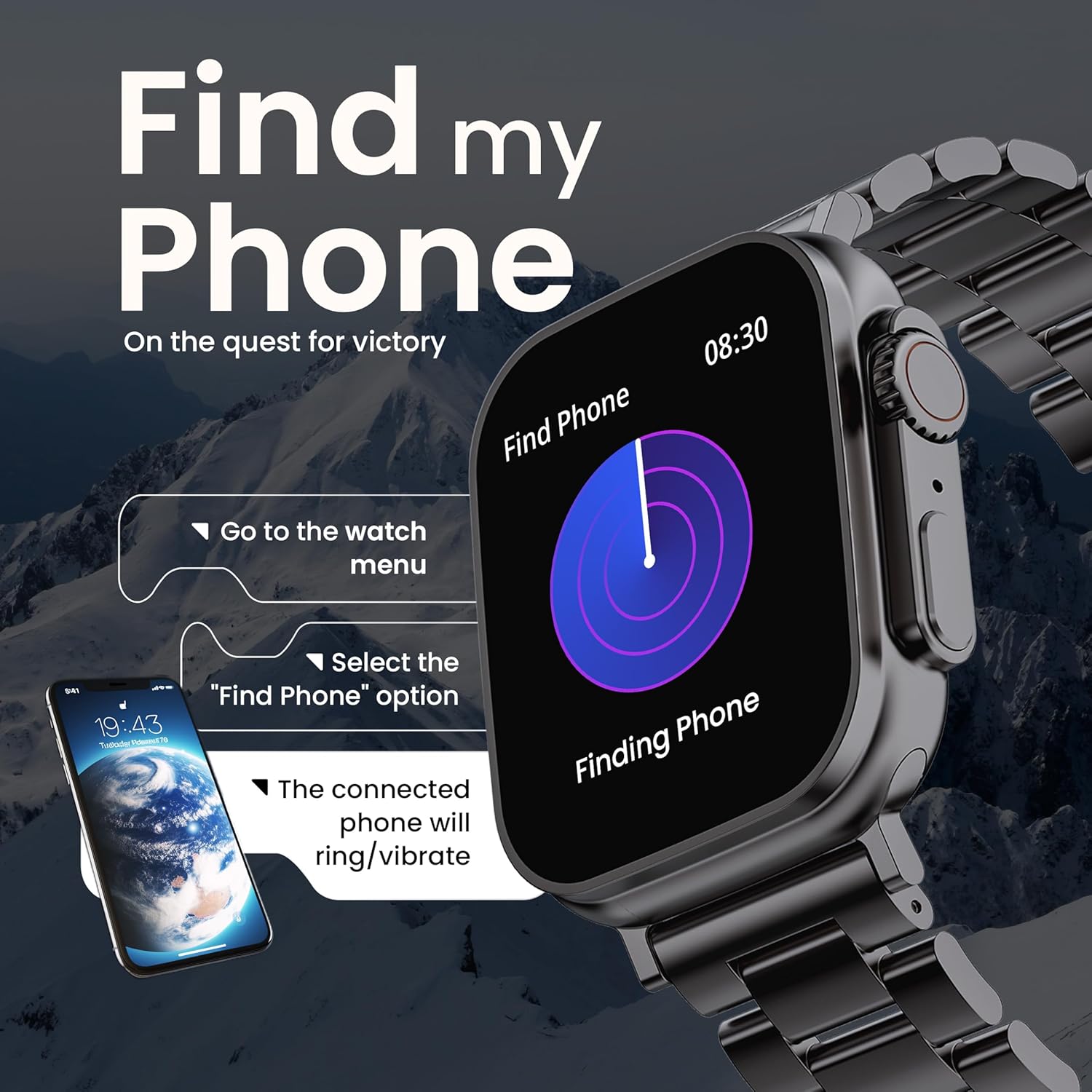
Image 5.6: The GOBOULT Crown Smart Watch illustrating the 'Find my Phone' feature, showing the steps to activate it and how the connected phone will respond.
6. الصيانة
6.1 تنظيف ساعتك الذكية
- امسح شاشة الساعة وجسمها بقطعة قماش ناعمة وخالية من الوبر.
- للبقع العنيدة، دampبللي قطعة القماش قليلاً بالماء. تجنبي استخدام المواد الكيميائية القاسية أو المواد الكاشطة.
- Clean the charging pins regularly to ensure proper connection.
- If your watch has a stainless steel band, use the provided strap adjustment tool for any modifications.
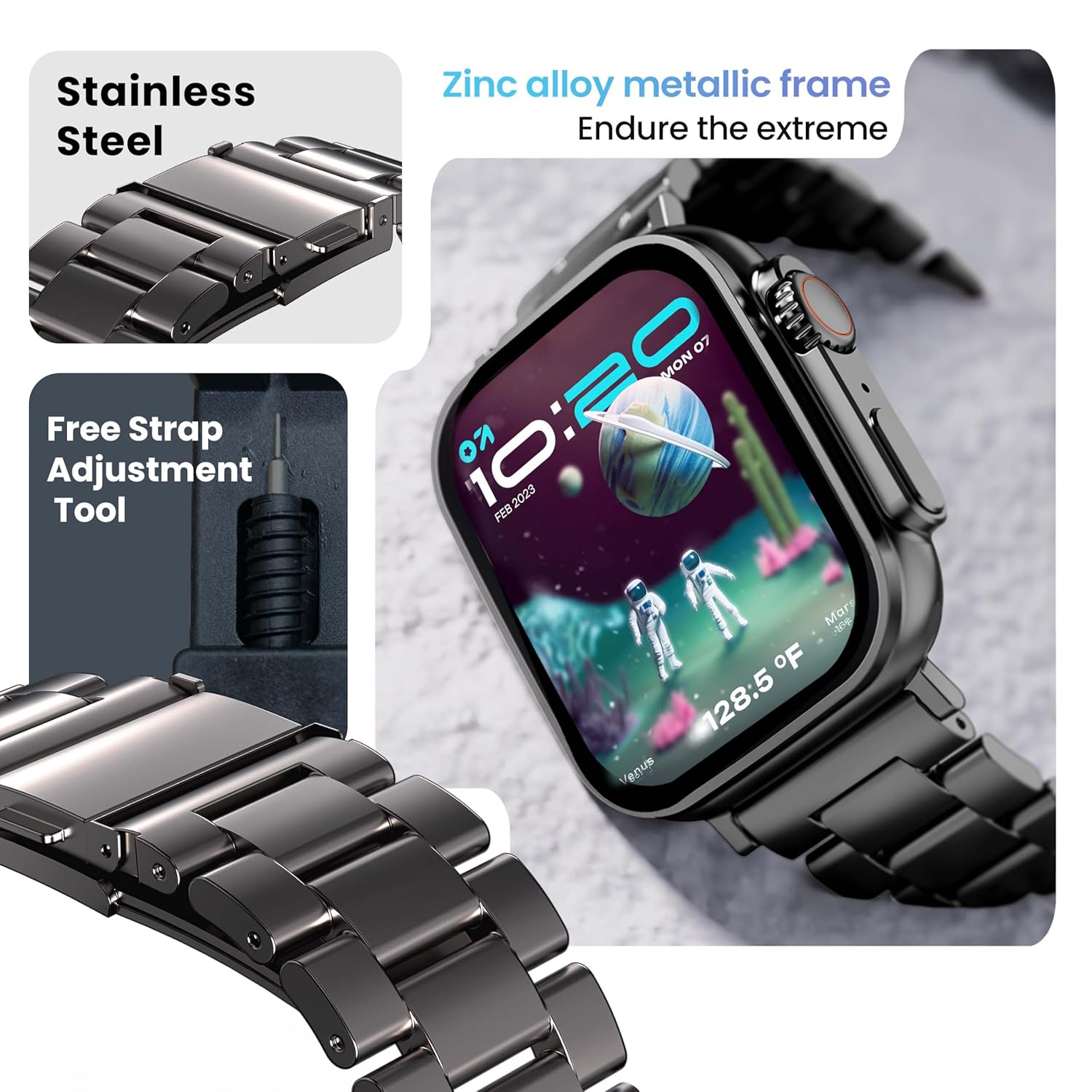
Image 6.1: The GOBOULT Crown Smart Watch featuring its stainless steel band and the included free strap adjustment tool for maintenance.
6.2 مقاومة الماء
The GOBOULT Crown Smart Watch has an IP67 waterproof rating.
- تصنيف IP67: This means the watch is dust-proof and can withstand submersion in water up to 1.5 meters for 30 minutes.
- It is suitable for daily use, such as washing hands or light rain.
- Avoid using the watch during swimming, diving, or in hot water (e.g., showers, saunas) as steam and high pressure can compromise the seal.
- لا تضغط على الأزرار تحت الماء.
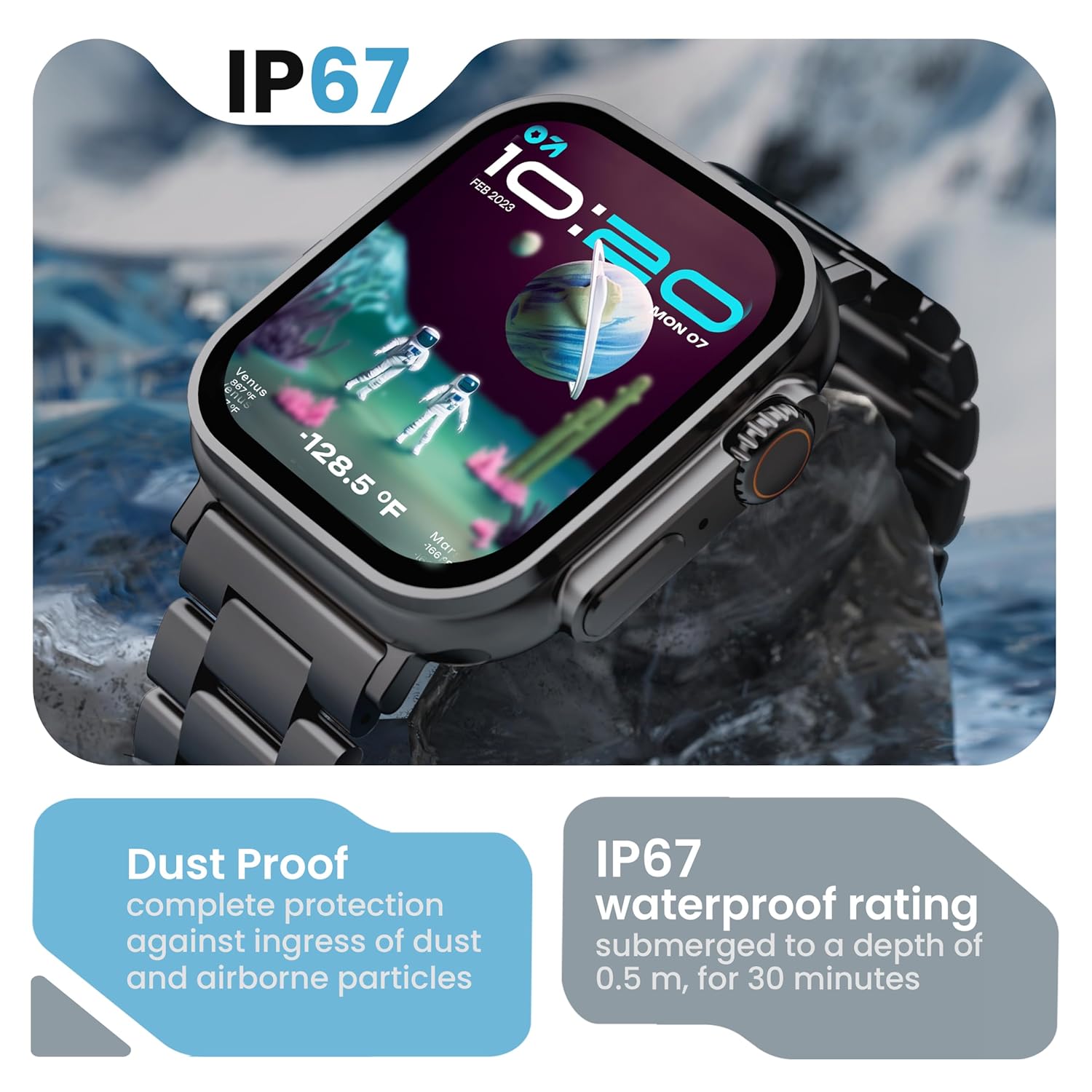
Image 6.2: The GOBOULT Crown Smart Watch emphasizing its IP67 rating, indicating complete protection against dust ingress and water submersion up to 0.5 meters for 30 minutes.
7. استكشاف الأخطاء وإصلاحها
If you encounter issues with your GOBOULT Crown Smart Watch, refer to the following common solutions:
| مشكلة | الحل المحتمل |
|---|---|
| الساعة لا تعمل | تأكد من شحن الساعة بالكامل. وصلها بالشاحن لمدة 30 دقيقة على الأقل. |
| لا يمكن الاقتران بالهاتف الذكي | Ensure Bluetooth is enabled on your phone. Restart both the watch and phone. Make sure the watch is within Bluetooth range. Check the app for pairing instructions. |
| بيانات صحية غير دقيقة | تأكد من أن الساعة مُحكمة على معصمك، ليست ضيقة جدًا ولا واسعة جدًا. نظّف منطقة المستشعر على ظهر الساعة. |
| Bluetooth calling issues | Verify the watch is connected for both data and call audio in your phone's Bluetooth settings. Ensure microphone and speaker are not obstructed. |
| الشاشة لا تستجيب | أعد تشغيل الساعة. إذا استمرت المشكلة، فتأكد من أن الشاشة نظيفة وجافة. |
| عمر البطارية قصير | قم بتقليل سطوع الشاشة، وتعطيل الإشعارات غير الضرورية، والحد من مراقبة معدل ضربات القلب بشكل مستمر إذا لم تكن هناك حاجة لذلك. |
إذا استمرت المشكلة بعد تجربة هذه الحلول، فيرجى الاتصال بدعم العملاء.
8. المواصفات
Below are the technical specifications for the GOBOULT Crown Smart Watch (Model: B0FCSBLK42):
| ميزة | التفاصيل |
|---|---|
| رقم الموديل | B0FCSBLK42 |
| حجم العرض | 1.95 بوصة |
| نوع العرض | تي اف تي |
| Maximum Display Brightness | 900 Nits |
| تكنولوجيا الاتصال | بلوتوث 5.2 |
| توافق نظام التشغيل | Android Wear 1.0, iOS |
| سعة البطارية | 300 مليamp ساعات (بوليمر الليثيوم) |
| متوسط عمر البطارية | حتى 7 يومًا |
| وقت شحن البطارية | 150 دقائق |
| تصنيف مقاومة الماء | IP67 (Water Resistant up to 1.5 meters depth) |
| نوع مادة السوار | الفولاذ المقاوم للصدأ |
| وزن العنصر | 40 جرام |
| أبعاد المنتج (العمق × العرض × الارتفاع) | 40 عمق × 38 عرض × 6 ارتفاع مليمتر |
| المقاييس المقاسة | Blood Oxygen (SpO2), Distance, Heart Rate, Step Count |
| التطبيقات المدعومة | Voice Assistant, Communication, Notifications |
| نوع وحدة التحكم | مساعد جوجل، سيري |
9. الضمان والدعم
9.1 معلومات الضمان
The GOBOULT Crown Smart Watch comes with a ضمان الشركة المصنعة لمدة عامين يسري هذا الضمان من تاريخ الشراء، ويغطي عيوب التصنيع. يرجى الاحتفاظ بإيصال الشراء لتقديم مطالبات الضمان.
9.2 دعم العملاء
For technical assistance, warranty claims, or any other inquiries, please contact:
- الشركة المصنعة: بولت أوديو
- المستورد: Exotic Mile Pvt. Ltd.
- معلومات الاتصال بالمستورد: B67 منطقة وزيربور الصناعية، نيودلهي 110052
Please refer to the warranty card included in your box for specific terms and conditions.


