1. المقدمة
This manual provides essential instructions for the safe and efficient use of your OPPO A5 5G smartphone (Model CPH2751). Please read this manual thoroughly before using your device.
1.1. ماذا يوجد في الصندوق
- OPPO A5 5G الهاتف الذكي
- حافظة الهاتف
- محول الطاقة
- كابل يو اس بي
- واقي الشاشة (مثبت مسبقًا أو منفصل)
- أداة إخراج درج بطاقة SIM
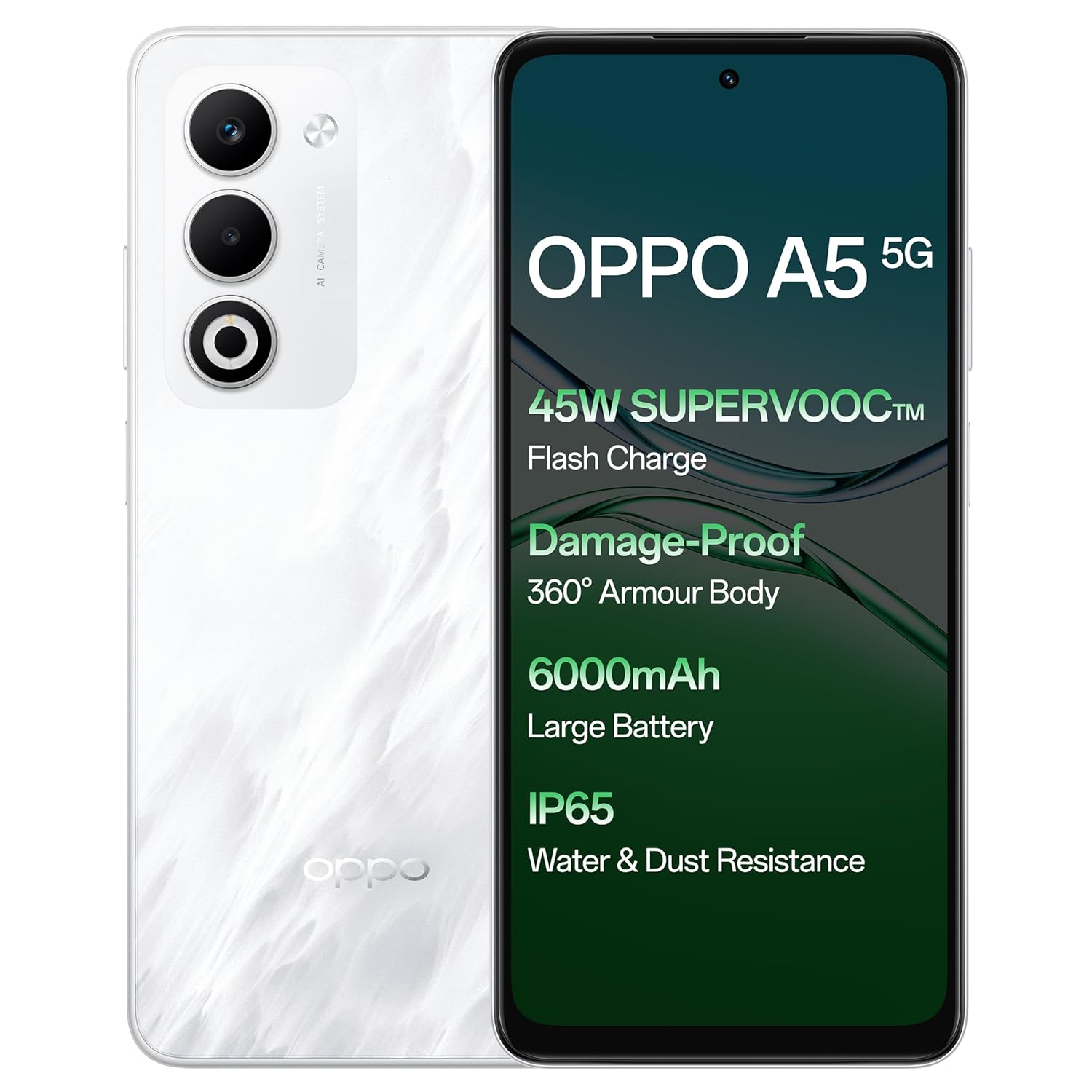
الصورة: الأمامية والخلفية view of the OPPO A5 5G smartphone, highlighting features like 45W SuperVOOC Flash Charge, Damage-Proof 360° Armour Body, 6000mAh Large Battery, and IP65 Water & Dust Resistance.
2. الإعداد الأولي
2.1. تركيب بطاقة SIM
- حدد مكان درج بطاقة SIM على جانب جهازك.
- أدخل أداة إخراج درج شريحة SIM في الفتحة الصغيرة المجاورة للدرج.
- ادفع بلطف حتى تخرج الصينية.
- Place your Nano-SIM card(s) and/or microSD card into the tray with the gold contacts facing down. The OPPO A5 5G supports Dual 5G SIM.
- قم بإعادة إدخال الدرج داخل الهاتف بعناية.

الصورة: الجانب المحترفfile of the OPPO A5 5G smartphone, illustrating the location of the SIM card tray and volume buttons.
2.2. تشغيل / إيقاف التشغيل
- لتشغيل: اضغط مع الاستمرار على زر الطاقة (الموجود على الجانب الأيمن) حتى يظهر شعار OPPO.
- لإيقاف التشغيل: Press and hold the Power button, then select "Power Off" from the options on the screen.
- إعادة تشغيل: اضغط مع الاستمرار على زر الطاقة، ثم حدد "إعادة التشغيل" من الخيارات.
3. تشغيل جهازك
3.1. العرض والتنقل
The OPPO A5 5G features a 16.94 cm (6.67-inch) HD+ LCD 120Hz Ultra Bright Display. This display offers enhanced smoothness for touch interactions. It also includes a Splash Touch feature, allowing for smooth control even when the screen has water droplets, mist, or oil stains.

Image: The OPPO A5 5G display showcasing its 120Hz refresh rate for a bright, smooth, and satisfying visual experience.
3.2. وظائف الكاميرا
Your device is equipped with an AI Dual Ultra-Clear Camera system:
- الكاميرا الرئيسية: 50 ميجا بكسل
- كاميرا بورتريه: 2 ميجا بكسل
- كاميرا السيلفي الأمامية: 8 ميجا بكسل
Key camera features include AI Portrait Retouching, AI Clarity Enhancer, AI Reflection Remover, and AI Studio. The Dual-View Video function allows simultaneous recording from both front and rear cameras.

Image: Close-up of the OPPO A5 5G's rear camera module, featuring the dual camera setup and AI Camera System branding.
3.3. البطارية والشحن
The OPPO A5 5G has a 6000mAh large battery. It supports 45W SuperVOOC charging for fast and efficient power replenishment. The battery is designed to maintain over 80% health after 1700 charge cycles, ensuring extended durability.

الصورة: داخلية view of the OPPO A5 5G, highlighting the large 6000mAh battery component.
3.4. الاتصال
The device supports Bluetooth and Wi-Fi connectivity. It is equipped with Dual 5G SIM slots for enhanced network capabilities.
3.5. الميزات الخاصة
- تقنية الحماية المدرعة بزاوية 360 درجة المقاومة للتلف: Features a high-strength alloy framework for component safety.
- مقاومة الماء والغبار بمعيار IP65: Provides protection against water splashes and dust ingress.
- الوضع الخارجي: Boosts brightness, sound, and network performance for outdoor use.
- لمسة القفاز: Ensures screen responsiveness even with thick gloves or waterproof cases.

Image: The OPPO A5 5G smartphone being splashed with water, demonstrating its IP65 water and dust resistance.

Image: The OPPO A5 5G smartphone shown with a cracked ground effect, illustrating its 360° Armour Body and enhanced impact resistance.

Image: The OPPO A5 5G mounted on a motorcycle, demonstrating the Outdoor Mode for boosted performance and Glove Touch for screen responsiveness.
4. الصيانة
4.1. العناية والتنظيف
- استخدم قطعة قماش ناعمة وخالية من الوبر لتنظيف الشاشة وجسم الهاتف.
- تجنب استخدام المواد الكيميائية القاسية أو المواد الكاشطة.
- احفظ الجهاز بعيدًا عن درجات الحرارة القصوى وأشعة الشمس المباشرة.
- The device has IP65 water and dust resistance, but it is not fully waterproof. Avoid submerging it in water.
4.2. تحديثات البرامج
Regularly check for and install software updates to ensure optimal performance, security, and access to new features. You can usually find this option in the phone's settings under "About Phone" or "System Updates".
5. استكشاف الأخطاء وإصلاحها
If you encounter issues with your OPPO A5 5G, try the following common solutions:
- الجهاز لا يستجيب: اضغط مع الاستمرار على زر الطاقة لمدة 10-15 ثانية لفرض إعادة التشغيل.
- استنزاف البطارية بسرعة: تحقق من استخدام التطبيقات في الخلفية، وقلل من سطوع الشاشة، وقم بتعطيل الميزات غير الضرورية مثل نظام تحديد المواقع العالمي (GPS) أو البلوتوث عندما لا تكون قيد الاستخدام.
- مشاكل الاتصال بالشبكة: Toggle Airplane Mode on and off, restart the device, or check your SIM card installation.
- تعطل التطبيقات: قم بمسح ذاكرة التخزين المؤقت وبيانات التطبيق في الإعدادات، أو أعد تثبيت التطبيق.
- الأداء البطيء: أغلق التطبيقات غير المستخدمة، أو امسح ذاكرة التخزين المؤقت، أو قم بتحرير مساحة التخزين.
للمشكلات الأكثر تعقيدًا، يُرجى الرجوع إلى دعم OPPO الرسمي webالموقع أو الاتصال بخدمة العملاء.
6. المواصفات
| ميزة | التفاصيل |
|---|---|
| رقم الموديل | سي بي اتش 2751 |
| نظام التشغيل | أندرويد 14 (ColorOS 15.0) |
| كبش | 8 جيجا بايت |
| التخزين الداخلي | 128 جيجا بايت |
| حجم الشاشة | 16.94 cm (6.67 Inches) HD+ LCD |
| معدل تحديث الشاشة | 120 هرتز |
| المعالج | ميديا تيك دايمنسيتي 6300 |
| الكاميرا الرئيسية | 50MP + 2MP (Portrait) |
| الكاميرا الأمامية | 8 ميجا بكسل |
| سعة البطارية | 6000 مللي أمبير |
| الشحن | 45 واط SuperVOOC |
| الاتصال | Dual 5G SIM, Bluetooth, Wi-Fi |
| مقاومة الماء والغبار | IP65 |
| الأبعاد (الطول × العرض × الارتفاع) | 16.5 × 7.6 × 0.8 سم |
| وزن | 195 جرام |
| الشركة المصنعة | شركة أوبو موبايلز إنديا المحدودة |
| بلد المنشأ | الهند |
7. معلومات السلامة
7.1. السلامة العامة
- لا تحاول فك أو تعديل الجهاز.
- استخدم فقط الشواحن والملحقات المعتمدة من OPPO.
- تجنب تعريض الجهاز لدرجات حرارة عالية، أو أشعة الشمس المباشرة، أو النار.
- احتفظ بالجهاز بعيدًا عن الأجهزة الطبية، لأنه قد يتداخل مع تشغيلها.
- تخلص من الجهاز وبطاريته بطريقة مسؤولة وفقًا للوائح المحلية.
7.2. سلامة البطارية
- Do not puncture, drop, or expose the battery to high impact.
- If the battery appears damaged or swollen, discontinue use immediately.
- Do not place the battery in direct sunlight or near heat sources.
8. الضمان والدعم
للحصول على معلومات الضمان ودعم العملاء، يرجى الرجوع إلى بطاقة الضمان المرفقة مع المنتج أو زيارة موقع OPPO الرسمي. website. You can also contact OPPO customer service at 18001032777.
Manufacturer: OPPO MOBILES INDIA PVT LTD., 5th FLOOR, Tower B, BUILDING, N-8, DLF Cyber City, DLF Phase 2, Gurugram, Haryana 122002.


