1. المقدمة
This manual provides essential information for setting up, operating, and maintaining your OnePlus Nord 5 smartphone. Please read this guide thoroughly to ensure optimal performance and longevity of your device.

الشكل 1: الأمامي والخلفي view of the OnePlus Nord 5 smartphone.
2. محتويات الصندوق
Upon unboxing your OnePlus Nord 5, verify that all the following items are included:
- OnePlus Nord 5 Smartphone
- محول الطاقة (80 واط)
- كبل USB (من النوع C)
- أداة إخراج درج بطاقة SIM
- واقي الشاشة (مثبت مسبقًا أو موجود في العلبة)
- حافظة الهاتف
- دليل البدء السريع
- بطاقة الضمان
Video 1: Unboxing the OnePlus Nord 5 and reviewing its contents.

الشكل 2: الجبهة view of the OnePlus Nord 5.

الشكل 3: العودة view of the OnePlus Nord 5.
3. الإعداد
3.1 تركيب بطاقة SIM
- حدد مكان درج بطاقة SIM على جانب الجهاز.
- قم بإدخال أداة إخراج بطاقة SIM في الفتحة الصغيرة الموجودة بجوار الدرج واضغط بقوة حتى يخرج الدرج.
- ضع بطاقة (بطاقات) Nano-SIM في الفتحات المخصصة لها على الدرج. تأكد من أن نقاط التلامس الذهبية متجهة لأسفل.
- قم بإعادة إدخال درج بطاقة SIM في الهاتف بعناية حتى يستقر في مكانه.
3.2 التشغيل المبدئي
Press and hold the Power button on the side of the device until the OnePlus logo appears. Follow the on-screen instructions to complete the initial setup, including language selection, Wi-Fi connection, and Google account setup.
4. تشغيل جهازك
أداء 4.1
The OnePlus Nord 5 is equipped with the Snapdragon 8s Gen 3 processor and LPDDR5X RAM, designed for demanding applications and gaming. The device features a 7300mm² VC cooling system to maintain optimal temperatures during extended use.
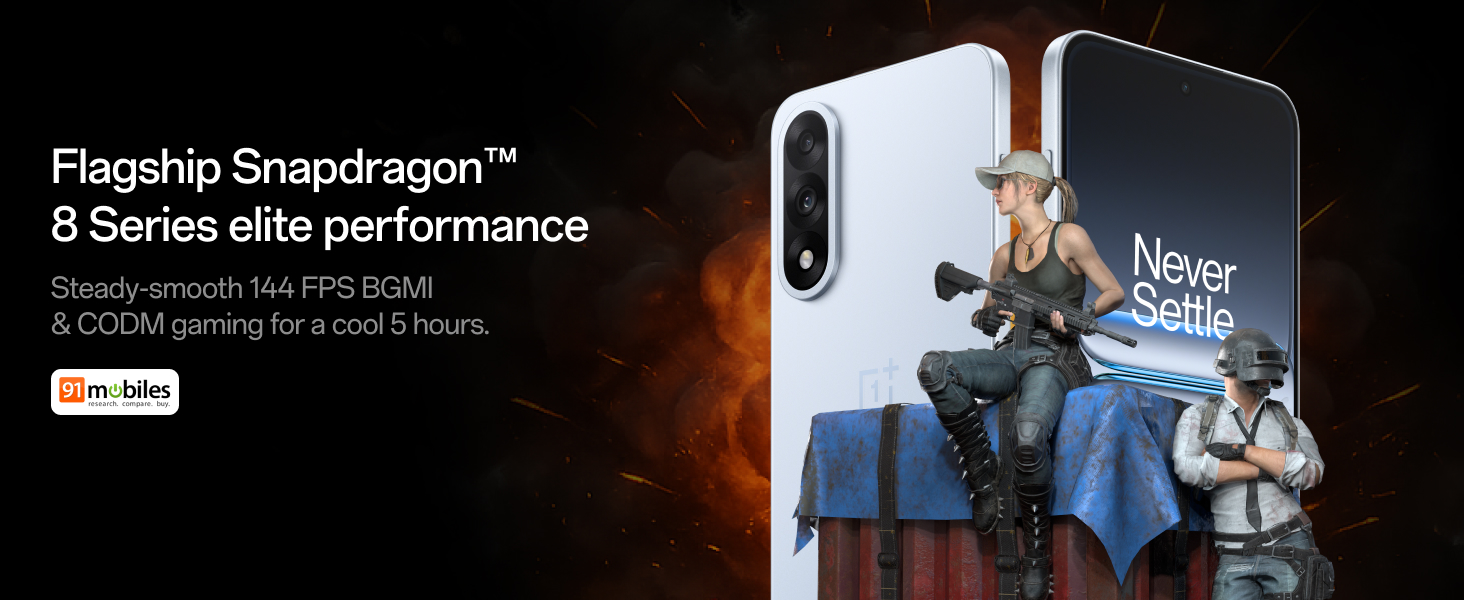
Figure 4: Snapdragon 8s Gen 3 processor for elite performance.
Video 2: Demonstration of gaming performance on the OnePlus Nord 5.
4.2 ميزات الكاميرا
The device features a dual 50MP camera system, including a 50MP front camera (ISOCELL JN5 with hardware autofocus) and a 50MP Sony LYT-700 back camera with Optical Image Stabilization (OIS). It supports 4K 60 FPS video capture.
AI Camera Enhancements:
- ممحاة الذكاء الاصطناعي: Removes unwanted objects or people from photos.
- AI Detail Boost: يعزز وضوح الصورة وتفاصيلها.
- AI Unblur: Corrects blurry images.
- AI Reframe: Suggests improved compositions for photos.
- AI Perfect Shot: Adjusts facial expressions and corrects blinked eyes in group photos.

Figure 5: Dual 50MP camera system overview.

Figure 6: AI features for photo enhancement.
4.3 البطارية والشحن
The OnePlus Nord 5 features a 6800 mAh battery and supports 80W ultra-fast charging. It also includes an all-new Bypass Charging feature, which powers the phone directly from the charger during gaming to reduce heat and maintain performance.

Figure 7: Illustration of Bypass Charging technology.
4.4 العرض
Experience visuals on a 144Hz 1.5K AMOLED display with Aqua Touch 2.0 technology, offering a resolution of 2800 x 1272 pixels and up to 1400 nits brightness. Aqua Touch 2.0 improves touch responsiveness, even with wet or oily fingers.

Figure 8: Details of the 144Hz AMOLED display.
4.5 ميزات الذكاء الاصطناعي
The OnePlus Nord 5 integrates various AI functionalities to enhance user experience:
- كاتب صوتي يعمل بالذكاء الاصطناعي: Transcribe, translate, and summarize meetings or content.
- دائرة للبحث: Quickly search for information by circling content on your screen.
- جيميني لايف: An AI assistant for queries and information.
- بحث الذكاء الاصطناعي: Intuitively understands natural language prompts for searching device content.

Figure 9: AI VoiceScribe interface.
4.6 Multitasking with Open Canvas
The Open Canvas feature allows for enhanced split-screen multitasking, enabling flexible resizing of applications and drag-and-drop functionality between apps. This improves productivity by extending split-screen capabilities beyond physical display limits.
Video 3: Demonstration of multitasking features on the OnePlus Nord 5.

Figure 10: Open Canvas for advanced multitasking.
4.7 الاتصال
The Nord 5 supports 5G-Advanced networking, offering faster internet speeds and improved signal stability, particularly in congested areas.

Figure 11: 5G-Advanced network features.
برنامج 4.8
The device runs on OxygenOS 15, based on Android 15. It is guaranteed to receive 4 Android version upgrades and 6 years of security updates, ensuring long-term software support and system smoothness.
5. الصيانة
- تحديثات البرامج: Regularly install system updates to ensure optimal performance, security, and access to new features.
- العناية بالبطارية: To prolong battery life, avoid extreme temperatures and frequent full discharges. The device includes a 4-year healthy battery promise.
- تنظيف: استخدم قطعة قماش ناعمة وخالية من الوبر لتنظيف الشاشة وجسم الجهاز. تجنب المواد الكاشطة أو المواد الكيميائية القاسية.
- ادارة التخزين: قم بإزالة غير الضروري بشكل دوري files and apps to maintain device speed and free up storage space.
6. استكشاف الأخطاء وإصلاحها
If you encounter issues with your OnePlus Nord 5, consider the following general troubleshooting steps:
- إعادة تشغيل الجهاز: يمكن أن تؤدي إعادة التشغيل البسيطة إلى حل العديد من المشكلات البسيطة في البرامج.
- التحقق من التحديثات: تأكد من تحديث برنامج جهازك.
- مسح ذاكرة التخزين المؤقت: For app-specific issues, try clearing the app's cache in Settings.
- اعدادات المصنع: كحل أخير، يمكن أن تؤدي إعادة ضبط المصنع إلى حل مشاكل البرامج المستمرة. تحذير: سيؤدي هذا إلى مسح جميع البيانات على جهازك. انسخ معلوماتك المهمة احتياطيًا قبل المتابعة.
- اتصل بالدعم: If the issue persists, refer to the support section for contact information.
7. المواصفات
| ميزة | التفاصيل |
|---|---|
| نظام التشغيل | Android 15, OxygenOS 15 |
| المعالج | Snapdragon 8s Gen 3 (CPU Speed: 2, 2.8, 3 GHz) |
| كبش | 12 GB (as per current model) |
| عرض | 144Hz 1.5K AMOLED, 2800 x 1272 Resolution |
| الكاميرا الخلفية | 50MP Sony LYT-700 with OIS |
| الكاميرا الأمامية | 50MP ISOCELL JN5 with Autofocus |
| بطارية | 6800 mAh, 80W Fast Charging |
| الاتصال | 5G-Advanced, Bluetooth, NFC, USB, Wi-Fi |
| أبعاد | 16.41 × 7.7 × 0.81 سم |
| وزن | 211 جرام |
| رقم الموديل | سي بي اتش 2707 |
| الشركة المصنعة | شركة أوبو موبايلز إنديا الخاصة المحدودة |
8. الضمان والدعم
The OnePlus Nord 5 comes with a Lifetime Display Warranty, covering green line issues. For detailed terms and conditions, please refer to the official OnePlus website or the warranty card included in the box.

Figure 12: Lifetime Display Warranty information.
For customer service and technical support, you can contact OnePlus using the following information:
- Customer Service Contact Number: 1800 102 8411
- دعم WhatsApp: +91-9289606888
- عنوان الشركة المصنعة: PLOT-NO.1, SECTOR ECOTECH-VII, GREATER, NOIDA, UTTAR PRADESH, India-201306


